
1. Einleitung
This manual provides detailed instructions for the installation, operation, and maintenance of your Xigmatek HD503 Home Theater PC (HTPC) case. Please read this manual thoroughly before beginning installation to ensure proper setup and safe usage. Keep this manual for future reference.
The Xigmatek HD503 is designed as an HTPC enclosure, featuring a side vent for optimized cooling performance, a robust aluminum, plastic, and steel construction, and support for various PC components.
2. Sicherheitshinweise
- Elektrische Sicherheit: Always disconnect the power supply from the wall outlet before installing or removing any components to prevent electrical shock.
- Scharfe Kanten: Exercise caution when handling internal components as some edges may be sharp.
- Belüftung: Ensure adequate ventilation around the case to prevent overheating. Do not block the side vents.
- Gewicht: The case weighs approximately 17.6 lbs (8 kg). Use proper lifting techniques to avoid injury.
- Statische Elektrizität: Discharge static electricity from your body before touching internal components by touching a grounded metal object.
3. Packungsinhalt
Bitte überprüfen Sie, ob alle unten aufgeführten Artikel in Ihrem Paket enthalten sind:
- Main unit (Xigmatek HD503 HTPC Case)
- Motherboard / PSU bolts
- HDD bolts (for fixing hot swap bay)
- ODD bolts
- Standoffs for mATX motherboards
- SSD bolts
- Clamps
- Kabelbinder
- Lock Plate bolts
- Schlossplatte
- SD bracket
- CPU power extension cable
- Fernbedienung
- AAA battery (for remote control)
- Installations-CD
- iMon manual
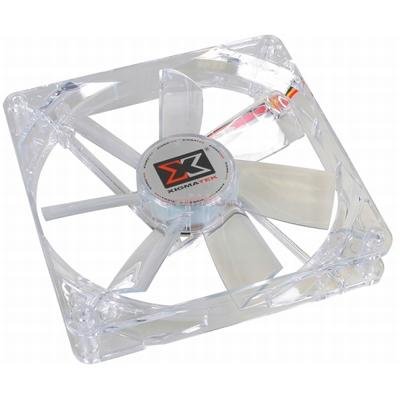
Figure 1: Xigmatek HD503 HTPC Case. This image shows the front panel of the HD503 HTPC case, highlighting the integrated DFSTN LCD display and front I/O ports.
4. Einrichtung und Installation
4.1 Komponentenkompatibilität
- Motherboard Standards: Supports Standard ATX and Micro ATX motherboards.
- Stromversorgung: Compatible with Standard ATX / ATX12V power supplies.
- PCI/AGP Card Support: Accommodates full-size cards up to 10.2 inches (260 mm) in length.
4.2 Laufwerksinstallation
- 5.25-inch Bays: Two bays available, including one hot-swap bay.
- 3.5-inch Bays: Three bays available, supporting two 2.5-inch SSDs.
- SSD Mounting: Equipped with a basic SSD mounting bracket for up to two 2.5-inch SSDs.
- Hot-Swapping: The hot-swap bay supports SATA I and SATA II drives. Refer to the iMon manual for specific hot-swap bay usage.
4.3 Lüfterinstallation
- Rear Vent: Supports two 3.1-inch (80 mm) fans (optional).
- Seitliche Belüftung: Supports two 4.7-inch (120 mm) fans (optional). These fans contribute to maximum cooling performance.
4.4 Frontseitige E/A-Anschlüsse
The front panel provides convenient access to the following ports:
- 2 x USB-Anschlüsse
- 1 x e-SATA Port
- 1 x Microphone Input
- 1 x Kopfhörerausgang
5. Bedienungsanleitung
5.1 DFSTN LCD Display
The built-in DFSTN LCD on the front of the case provides a wide viewing angle for easy monitoring of multimedia information and system status. Refer to the included iMon manual for detailed instructions on configuring and utilizing the LCD display features.
5.2 Verwendung der Fernbedienung
The included remote control allows for convenient operation of your HTPC. Insert the AAA battery into the remote control. Refer to the iMon manual and installation CD for instructions on pairing the remote and configuring its functions with your HTPC software.
6. Wartung
- Reinigung: Use a soft, dry cloth to clean the exterior of the case. For stubborn dirt, a slightly damp cloth can be used, but ensure no liquid enters the case.
- Staubentfernung: Periodically open the case and use compressed air to remove dust from internal components and fan blades to maintain optimal cooling performance. Ensure the system is powered off and unplugged before performing internal cleaning.
- Lüfterinspektion: Regularly check the optional 80mm rear and 120mm side fans for obstructions or excessive noise. Clean or replace as necessary.
7. Fehlerbehebung
- System schaltet sich nicht ein:
- Ensure all power cables are securely connected to the motherboard, power supply, and wall outlet.
- Prüfen Sie, ob sich der Netzschalter in der Position „EIN“ befindet.
- Überprüfen Sie die Verbindungen des Netzschalters an der Vorderseite mit dem Motherboard.
- Keine Anzeige auf dem Monitor:
- Confirm the monitor is connected to the graphics card and powered on.
- Reseat the graphics card in its PCI/AGP slot.
- DFSTN LCD Not Functioning:
- Check the internal cable connection for the LCD display to the motherboard or controller.
- Refer to the iMon manual for software configuration and troubleshooting steps.
- Überhitzungsprobleme:
- Ensure all case fans (optional) are installed correctly and functioning.
- Verify that the side vents are not obstructed.
- Clean dust from internal components and fan filters.
8. Spezifikationen
| Besonderheit | Beschreibung |
|---|---|
| Gehäusetyp | HTPC |
| Abmessungen (L x B x H) | 17.7 x 6.7 x 18.9 Zoll (450 x 170 x 455 mm) |
| Gewicht | 17.6 kg |
| Material | Aluminium, Kunststoff, Stahl |
| Motherboard-Unterstützung | Standard ATX, Micro ATX |
| Netzteilunterstützung | Standard ATX, ATX12V |
| PCI/AGP Card Length | Bis zu 10.2 Zoll (260 mm) |
| 5.25"-Laufwerksschächte | 2 (1 hot swap bay) |
| 3.5"-Laufwerksschächte | 3 (supports 2 x 2.5" SSDs) |
| SSD Mounting Support | 2 x 2.5" SSDs (basic bracket) |
| Hot Swapping | SATA I, SATA II |
| Erweiterungssteckplätze | 7 |
| Front I / O Ports | 2 x USB, 1 x e-SATA, 1 x Microphone, 1 x Headphone |
| Anzeige | DFSTN LCD |
| Rear Fan Position | 2 x 3.1 inch (80 mm) (optional) |
| Side Fan Position | 2 x 4.7 inch (120 mm) (optional) |
| Geräuschpegel | 16 Dezibel |
| Marke | Xigmatek |
| Modellnummer | CLF-F1453 |
| ASIN | B0031572I4 |
| GTIN | 04712477311256 |
9. Garantie und Support
For warranty information and technical support, please refer to the documentation provided with your purchase or contact your retailer. Additional support for the iMon software and remote control functionality can be found in the included iMon manual and installation CD.
Bitte bewahren Sie Ihren Kaufbeleg für eventuelle Garantieansprüche auf.