
Einführung
This manual provides detailed instructions for the installation, operation, and maintenance of your Jeffrey Alexander 602S-SIM Tahoe Rustic Knob. Please read these instructions carefully before beginning installation to ensure proper function and longevity of your product. Keep this manual for future reference.
Produkt überview
The Jeffrey Alexander 602S-SIM Tahoe Rustic Knob is a durable cabinet hardware piece designed for ease of installation and a rustic aesthetic. It features a distressed antique silver finish and is constructed from metal and zinc, ensuring robustness for everyday use.
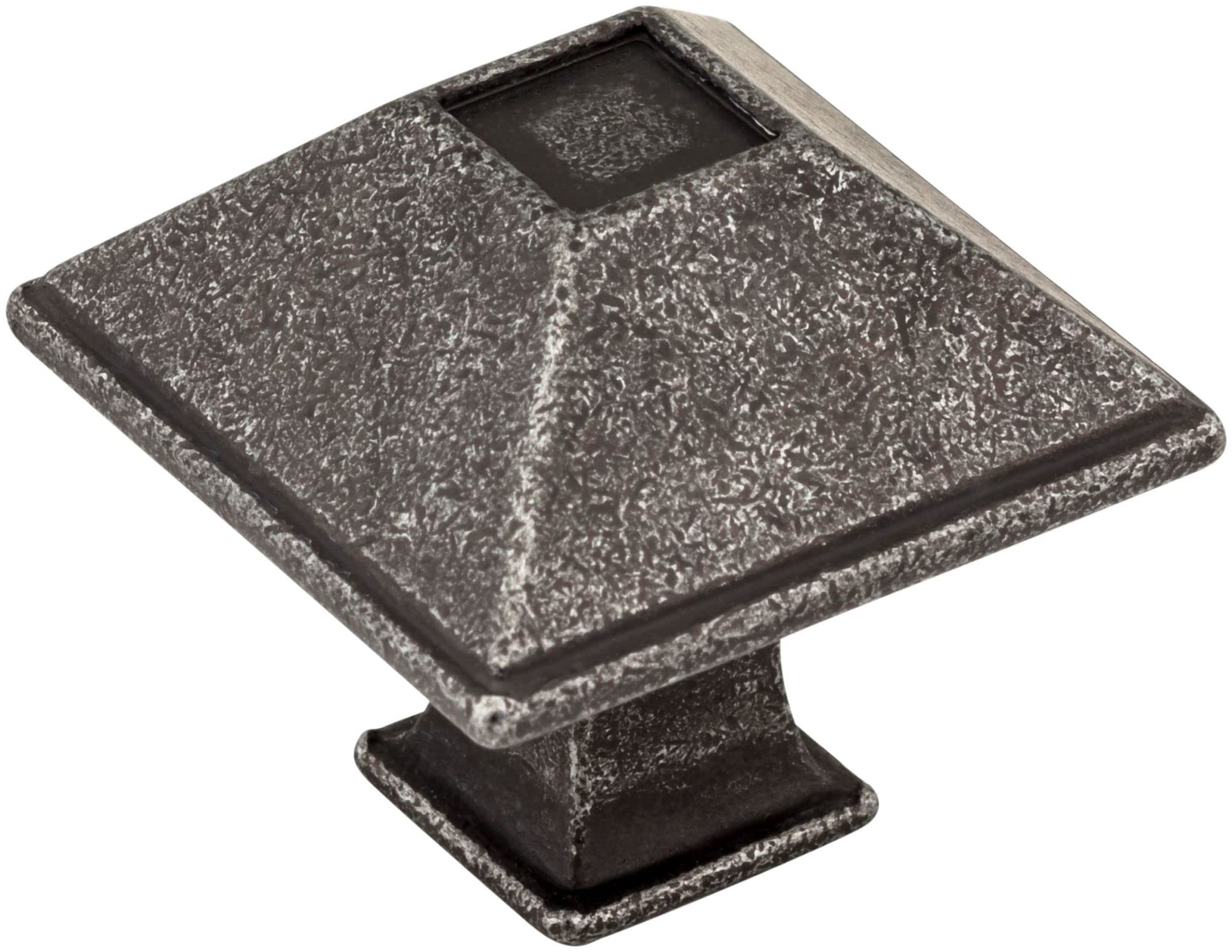
Image: The Jeffrey Alexander 602S-SIM Tahoe Rustic Knob in Distressed Antique Silver, shown installed on a cabinet.
Sicherheitshinweise
Always handle hardware components with care. Keep small parts away from children. Wear appropriate safety gear, such as gloves and eye protection, during installation to prevent injury. Ensure all tools are used correctly and safely.
Packungsinhalt
- 1 x Jeffrey Alexander 602S-SIM Tahoe Rustic Knob
- 1 x Mounting Screw (standard size for cabinet doors/drawers)
Setup und Installation
The Jeffrey Alexander 602S-SIM knob is designed for easy installation. Follow these steps to properly install your new cabinet knob:
- Bereiten Sie die Oberfläche vor: Ensure the cabinet door or drawer where the knob will be installed is clean and dry. If replacing an existing knob, remove the old hardware.
- Mark the Drilling Point: If installing on a new surface, carefully measure and mark the desired location for the knob. Use a pencil to mark the center point for drilling. For consistency, a template tool can be helpful.
- Bohren Sie das Loch: Using a drill with an appropriate drill bit size (typically 3/16" or 5mm for standard cabinet screws), carefully drill a pilot hole through the marked point. Drill from the front of the cabinet to prevent splintering on the visible side.
- Attach the Knob: Insert the provided mounting screw through the back of the cabinet door or drawer, aligning it with the drilled hole. Thread the knob onto the screw from the front.
- Fest anziehen: Hand-tighten the knob until it is snug. Avoid over-tightening, as this can strip the screw or damage the cabinet surface.

Image: Technical drawing with key dimensions for installation reference.
Bedienungsanleitung
To operate the Jeffrey Alexander 602S-SIM Tahoe Rustic Knob, simply grasp the knob and pull or push to open or close the cabinet door or drawer. Ensure the knob is securely fastened for optimal functionality.
Wartung und Pflege
To maintain the finish and appearance of your knob, follow these care instructions:
- Reinigung: Wipe the knob regularly with a soft, damp cloth. Avoid using abrasive cleaners, harsh chemicals, or polishes, as these can damage the distressed antique silver finish.
- Inspektion: Periodically check the knob for any looseness. If the knob feels loose, gently re-tighten the mounting screw from the inside of the cabinet.
Fehlerbehebung
Knopf ist locker:
If the knob becomes loose, use a screwdriver to gently tighten the mounting screw from the inside of the cabinet door or drawer. Do not overtighten.
Finish Appears Dull:
The distressed antique silver finish is designed to have a unique, aged appearance. If it appears dull due to dirt or grime, clean it with a soft, damp Stoff wie im Abschnitt „Wartung“ beschrieben.
Technische Daten
| Modellnummer | 602S-SIM |
| Marke | Hardware Resources (Jeffrey Alexander) |
| Material | Metall, Zink |
| Beenden | Distressed Antique Silver |
| Abmessungen (L x B x H) | 1.25 x 1.25 x 1.81 Zoll |
| Artikelgewicht | 12 pounds (for multiple units, individual unit weight is less) |
| Besonderheit | Einfach zu installieren |
| UPC | 843512021411 |
Garantie und Support
This product is covered by the manufacturer's standard warranty. For specific warranty details, claims, or technical support, please contact Jeffrey Alexander or Hardware Resources directly through their official website or customer service channels. Please have your model number (602S-SIM) and purchase information available when contacting support.