
1. Einleitung
This manual provides detailed instructions for the proper setup, operation, and maintenance of your AmScope ME1400T Inverted Trinocular Metallurgical Microscope. This instrument is designed for observing opaque or metallic specimens, or larger specimens that cannot be viewed on a standard microscope stage, utilizing reflected light.
The ME1400T features 40X-400X magnification, WF10x eyepieces with a reticle, Kohler condenser, 30W halogen illumination with rheostat, and a double-layer mechanical stage. Please read this manual thoroughly before using the microscope to ensure safe and optimal performance.
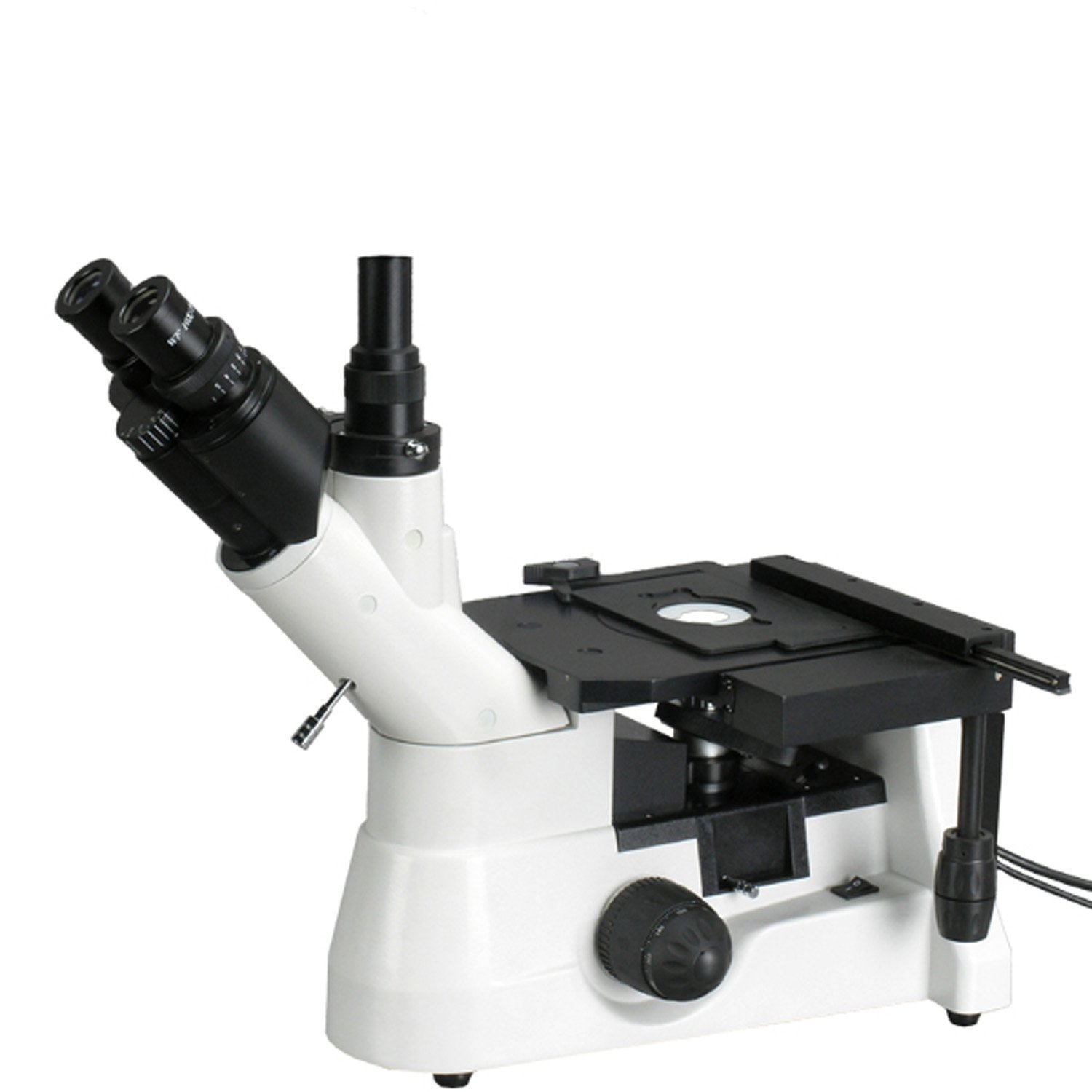
Figure 1: AmScope ME1400T Inverted Trinocular Metallurgical Microscope
2. Sicherheitshinweise
- Always handle the microscope with care. Avoid sudden movements or impacts.
- Stellen Sie sicher, dass das Mikroskop auf einer stabilen, ebenen Fläche steht, um ein Umkippen zu verhindern.
- Connect the power cord only to a grounded electrical outlet with the correct voltage (85-230 V).
- Do not expose the microscope to direct sunlight, high temperatures, dust, or high humidity.
- Ziehen Sie vor der Reinigung oder Durchführung von Wartungsarbeiten den Netzstecker.
- Never touch optical surfaces with bare hands. Use a soft, lint-free cloth or lens paper for cleaning.
- Keep small parts and accessories away from children.
- If the halogen bulb needs replacement, ensure the microscope is unplugged and the bulb has cooled down to prevent burns.
3. Komponenten vorbeiview
Familiarize yourself with the main components of your ME1400T microscope:
- Trinokularer Kopf: Ermöglicht gleichzeitig viewing through eyepieces and connection of a camera to the vertical port. Features a Siedentopf design for interpupillary distance adjustment and 45-degree inclination for comfortable viewing.
- Okulare: Includes a pair of 10x20mm high-eyepoint super-widefield eyepieces and one 10x measuring eyepiece with a built-in reticle and micrometer (0.1mm graduations).
- Nasenstück: Forward-facing quintuple nosepiece holding the objective lenses.
- Objektivlinsen: Four DIN metallurgical objectives (4x, 10x, 20x, 40x) providing color correction and improved focus.
- Mechanisch Stage: Double-layer mechanical stage with a removable stage plate and stage stop to protect specimens and objectives.
- Fokusknöpfe: Graduated coarse and fine focus knobs with tension control.
- Beleuchtungssystem: Episcopic reflected and Brightfield illumination with a 30W halogen light source and rheostat for intensity control. Includes a polarizing condenser.

Figure 2: WF10x Eyepieces with Diopter Adjustment

Figure 3: Quintuple Nosepiece with Metallurgical Objectives
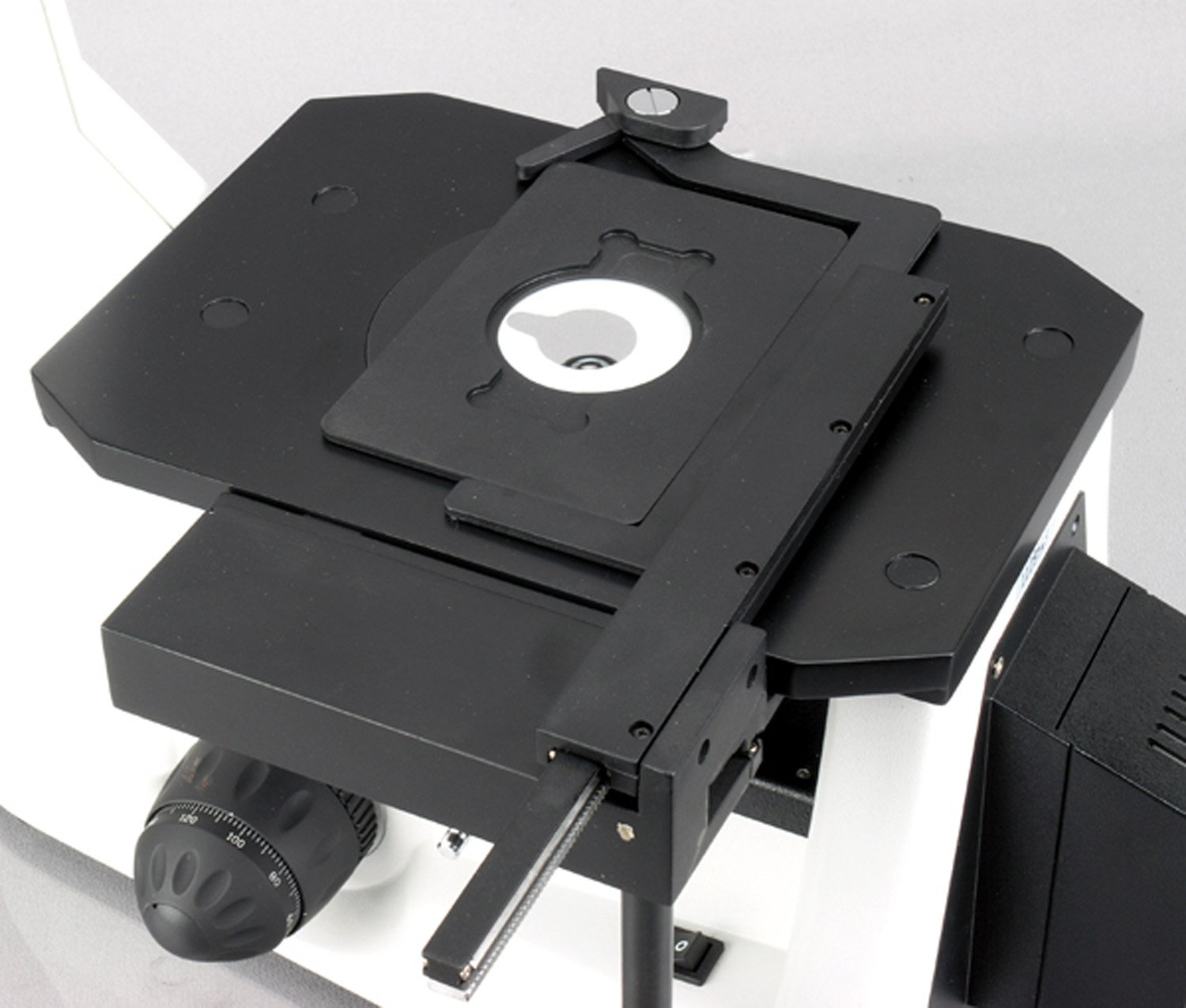
Figure 4: Double-Layer Mechanical Stage
4. Einrichtung
- Auspacken: Nehmen Sie alle Komponenten vorsichtig aus der Verpackung. Bewahren Sie die Originalverpackung für späteren Transport oder Lagerung auf.
- Platzierung: Place the microscope on a sturdy, level, and vibration-free surface. Ensure adequate space around the instrument for operation and ventilation.
- Attach Trinocular Head: Gently insert the trinocular head into the top port of the microscope body. Secure it by tightening the set screw.
- Okulare einsetzen: Insert the pair of WF10x20mm eyepieces into the binocular tubes. If using the measuring eyepiece, replace one of the WF10x20mm eyepieces with it.
- Strom anschließen: Plug the power cord into the microscope's power input, then into a grounded electrical outlet.
- Erste Anpassungen:
- Augenabstand: While looking through the eyepieces, adjust the distance between the two eyepiece tubes until a single, clear circular field of view wird beachtet.
- Dioptrieneinstellung: Focus on a specimen using the 10x objective and the right eyepiece only. Then, without touching the coarse or fine focus knobs, adjust the diopter ring on the left eyepiece until the image is sharp through the left eyepiece.
5. Bedienungsanleitung
- Einschalten: Flip the main power switch to the 'ON' position. The halogen illumination should light up.
- Beleuchtung anpassen: Use the rheostat knob to adjust the brightness of the halogen light source to a comfortable level.
- Platzieren Sie das Exemplar: Place your specimen on the mechanical stage. Verwenden Sie die stagBei Bedarf mit Klammern befestigen.
- Ziel auswählen: Rotate the nosepiece to select the lowest power objective (e.g., 4x) first. Ensure the objective clicks firmly into place.
- Fokussierung:
- Using the coarse focus knob, slowly raise the stage until the specimen comes into approximate focus.
- Use the fine focus knob to achieve a sharp, clear image.
- Änderung der Vergrößerung: Rotate the nosepiece to a higher power objective. The microscope is parfocal, meaning only minor adjustments with the fine focus knob should be needed.
- Using the Measuring Eyepiece: If installed, the measuring eyepiece allows for basic measurements. Calibrate the reticle using a stage micrometer (not included) for accurate measurements at different magnifications.
- Trinokularer Anschluss: For camera attachment, slide the light path selector (if present) to direct light to the vertical trinocular port. A camera (sold separately) can be mounted here for image capture. The port has a 100% light-splitting rate.
- Polarizing Illumination: The integrated polarizing condenser can be engaged for observing specimens under polarized light, enhancing contrast for certain materials.
- Ausschalten: After use, turn the rheostat to the lowest setting, then flip the main power switch to 'OFF'. Unplug the microscope if it will not be used for an extended period.
6. Wartung
- Linsenreinigung: Use a soft brush to remove dust, then gently wipe with lens paper moistened with lens cleaning solution. Do not use abrasive cloths or solvents.
- Allgemeine Reinigung: Wischen Sie das Mikroskopgehäuse mit einem weichen, fusselfreien Tuch ab.amp Tuch. Vermeiden Sie, dass Feuchtigkeit in elektrische Bauteile gelangt.
- Austausch der Halogenlampe:
- Unplug the microscope and allow the bulb to cool completely.
- Locate the bulb housing (refer to your specific model's diagram if available).
- Carefully remove the old bulb and insert a new 30W halogen bulb, avoiding touching the glass with bare hands.
- Secure the housing and plug in the microscope.
- Lagerung: Wenn das Mikroskop nicht in Gebrauch ist, decken Sie es mit einer Staubschutzhülle ab, um es vor Staub und Schmutz zu schützen. Bewahren Sie es an einem kühlen, trockenen Ort auf.
7. Fehlerbehebung
| Problem | Mögliche Ursache | Lösung |
|---|---|---|
| Keine Beleuchtung | Power cord unplugged, power switch off, bulb burnt out. | Check power connection, turn on switch, replace bulb. |
| Das Bild ist unscharf oder unscharf. | Incorrect focus adjustment, objective not fully engaged, dirty lens. | Adjust coarse/fine focus, rotate nosepiece until objective clicks, clean lenses. |
| Ungleichmäßige Ausleuchtung | Condenser not centered, light source obstruction. | Adjust Kohler condenser, check for obstructions in light path. |
| Cannot adjust interpupillary distance | Head not properly seated or secured. | Ensure trinocular head is fully inserted and set screw is tightened. |
8. Spezifikationen
| Besonderheit | Spezifikation |
|---|---|
| Modell | ME1400T |
| Mikroskoptyp | Inverted Trinocular Metallurgical |
| Vergrößerungsbereich | 40x - 400x |
| Okulare | WF10x20mm (pair), 10x Measuring Eyepiece (with 0.1mm reticle) |
| Objektive | 4x, 10x, 20x, 40x DIN Metallurgical Achromatic |
| Nasenstück | Quintuple, Forward-facing |
| ViewKopf | Siedentopf Trinocular, 45-degree inclination |
| Augenabstand | 55 - 75 mm |
| Beleuchtung | Episcopic Reflected Brightfield and Polarizing, 30W Halogen with Rheostat |
| Kondensator | Kohler, Polarizing |
| Stage | Doppellagige mechanische Stage mit Stage Stop |
| Fokussierung | Coarse and Fine Adjustment with Tension Control |
| Stromversorgung | 85 bis 230 V |
| Artikelgewicht | 27.22 kg (60 Pfund) |
9. Garantie und Support
For warranty information, technical support, or service inquiries regarding your AmScope ME1400T microscope, please contact AmScope customer service directly. Refer to the official AmScope webDie aktuellsten Kontaktdaten und Garantiebedingungen finden Sie auf unserer Website oder in Ihren Kaufunterlagen.
Es wird empfohlen, Ihr Produkt nach dem Kauf zu registrieren, um zukünftige Supportanfragen zu erleichtern.