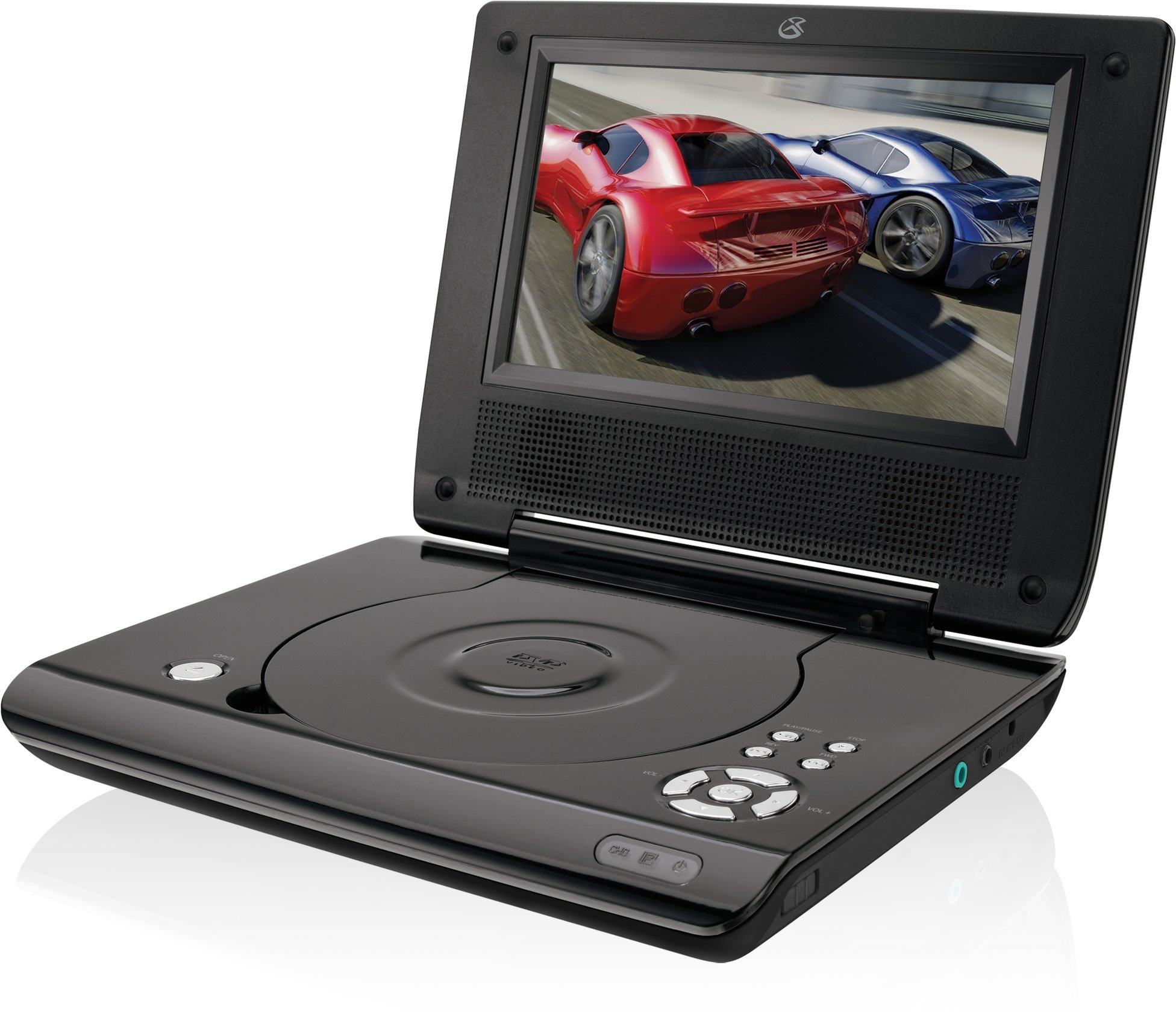
This manual provides essential instructions for the safe and efficient operation of your GPX PD730B 7-inch Portable DVD Player. Please read this manual thoroughly before using the device and retain it for future reference. The GPX PD730B is designed for portable entertainment, allowing you to enjoy DVDs, CDs, and JPEG files on its 7-inch TFT LCD screen.
Packungsinhalt
Bitte überprüfen Sie, ob alle unten aufgeführten Artikel in Ihrem Paket enthalten sind:
GPX PD730B Portable DVD Player
AC/DC-Netzteil
Kfz-Adapter (12V)
Stereo-Ohrhörer
Fernbedienung (mit 2 AAA-Batterien)
Benutzerhandbuch (dieses Dokument)
Produkt überview
Figure 1: GPX PD730B Portable DVD Player (Closed)
This image shows the GPX PD730B portable DVD player in its closed position, highlighting its compact and sleek design. The top surface is smooth and black, with control buttons visible on the right edge.
Bedienelemente und Anschlüsse
Familiarize yourself with the various controls and connection ports on your portable DVD player.
Netzschalter: Schaltet das Gerät ein oder aus.
Wiedergabe-/Pause-Taste: Startet oder pausiert die Wiedergabe.
Stopptaste: Stoppt die Wiedergabe.
Überspringen-/Suchschaltflächen: Navigates tracks or chapters, or fast-forwards/rewinds.
Lautstärkeregelung: Regelt den Audioausgangspegel.
Kopfhöreranschluss: For private listening with stereo earbuds or headphones.
DC-Eingangsanschluss: Connects to the AC/DC or car power adapter for charging and power.
Aufstellen
1. Laden des Akkus
Before initial use, fully charge the built-in rechargeable battery. A full charge provides approximately 2 hours of playback time.
Connect the AC/DC power adapter to the DC In port on the DVD player.
Stecken Sie das AC/DC-Netzteil in eine normale Wandsteckdose.
The charging indicator light (if present) will illuminate. Charging is complete when the light changes color or turns off (refer to device for specific indicator behavior).
Alternatively, use the 12V DC car adapter to charge the player in a vehicle.
2. Ein-/Ausschalten
Halten Sie die Leistung button on the unit to turn the player on or off. The screen will illuminate when powered on.
Bedienungsanleitung
1. Einlegen und Entnehmen von Discs
Gently open the disc compartment lid.
Place a DVD or CD onto the spindle with the label side facing up. Press down gently on the center of the disc until it clicks into place.
Close the disc compartment lid firmly.
To remove a disc, open the lid, gently press the spindle button (if present) or lift the disc from the edges, avoiding touching the data surface.
2. Einfache Wiedergabe
After inserting a disc, the player will typically begin playback automatically.
Verwenden Sie die Abspielen/Pause Taste, um die Wiedergabe anzuhalten oder fortzusetzen.
Drücken Sie die Stoppen Taste, um die Wiedergabe zu stoppen.
Verwenden Sie die Überspringen buttons (usually labeled with arrows) to navigate between chapters or tracks.
Verwenden Sie die Suche buttons (often combined with Skip) to fast-forward or rewind.
3. Verwendung der Fernbedienung
The included remote control provides convenient access to all player functions from a distance. Ensure the 2 AAA batteries are correctly installed. Point the remote control directly at the player's remote sensor.
4. Kopfhörer anschließen
For private listening, plug the stereo earbuds (or your own headphones) into the Kopfhöreranschluss on the side of the player. The built-in speakers will automatically mute when headphones are connected.
Figure 2: Portable DVD Player in use (Bedroom)
This image illustrates the portable DVD player being used by a girl in a bedroom setting, demonstrating its suitability for personal entertainment at home.
Figure 3: Portable DVD Player in use (Vehicle)
This image shows a boy watching the portable DVD player in the back seat of a car, highlighting its utility for entertainment during travel.
Figure 4: Portable DVD Player in use (Airplane)
This image depicts a woman using the portable DVD player with headphones on an airplane, showcasing its versatility for quiet, personal entertainment during flights.
Wartung
Reinigung des Players
Disconnect the player from all power sources before cleaning.
Verwenden Sie ein weiches, trockenes Tuch, um die Außenflächen abzuwischen. Verwenden Sie keine Scheuermittel, Wachse oder Lösungsmittel.
For the screen, use a soft, lint-free cloth specifically designed for LCD screens. Avoid excessive pressure.
Halten Sie das Disc-Fach frei von Staub und Schmutz.
Batteriepflege
Um die Lebensdauer des Akkus zu verlängern, vermeiden Sie häufiges vollständiges Entladen des Akkus.
If the player will not be used for an extended period, charge the battery to about 50% before storing.
Store the player in a cool, dry place.
Fehlerbehebung
If you encounter issues with your GPX PD730B, refer to the following common problems and solutions:
Problem
Mögliche Ursache
Lösung
Der Player lässt sich nicht einschalten.
Battery is discharged; Power adapter not connected properly.
Charge the battery; Ensure power adapter is securely connected to both the player and power source.
Keine Disc-Wiedergabe.
Disc inserted incorrectly; Disc is dirty or scratched; Incorrect disc format.
Reinsert disc correctly (label side up); Clean disc with a soft cloth; Ensure disc is DVD, CD, or JPEG CD format.
Kein Ton aus Lautsprechern/Kopfhörern.
Volume too low; Headphones not fully plugged in; Mute function active.
Increase volume; Ensure headphones are fully inserted; Check if mute is active on remote or player.
Fernbedienung funktioniert nicht.
Die Batterien sind leer oder falsch eingelegt; es besteht eine Blockade zwischen Fernbedienung und Abspielgerät.
Replace remote batteries; Ensure correct polarity; Remove any obstructions and point remote directly at sensor.
Technische Daten
Modellnummer
PD730B
Bildschirmgröße
7 Zoll
Anzeigetyp
TFT-LCD
Native Auflösung
480 x 234
Seitenverhältnis
16:9
Kompatible Medien
DVD, DVD+R/RW, CD, CD-R/RW, JPEG CD
Akkulaufzeit (Durchschnitt)
2 Stunden
Leistungsaufnahme
AC/DC Adapter, 12V DC Car Adapter
Konnektivität
Hilfsanschluss (Kopfhörerbuchse)
Artikelgewicht
1.72 Pfund
UPC
047323007309
Garantie und Support
For warranty information, technical support, or service inquiries, please refer to the warranty card included with your product or visit the official GPX webBewahren Sie Ihren Kaufbeleg als Kaufnachweis für Garantieansprüche auf.
GPX 9" Portable DVD Player PD901 User Guide User manual for the GPX 9-inch Portable DVD Player (Model PD901). Includes setup instructions, safety warnings, remote control functions, and operation guide for disc, USB, and Bluetooth modes.
GPX 11.6" Bluetooth DVD Player with Stereo Headphones User's Guide PDB1214BDL Comprehensive user's guide for the GPX 11.6-inch Portable Bluetooth DVD Player, Model PDB1214BDL. Covers safety instructions, operation, remote control functions, connectivity (AV, Bluetooth), media playback (DVD, USB, SD card), and international support.
GPX Tragbarer DVD-Player PD931 – Benutzerhandbuch | 9-Zoll-LCD-Bildschirm User's guide for the GPX Portable DVD Player with a 9-inch LCD screen, model PD931. This document provides essential safety instructions, operational guidance for controls, power management, media playback (DVD, SD, USB), and troubleshooting tips. It also includes FCC compliance information and international support resources.
Ask a question about this manual
Ask about setup, troubleshooting, compatibility, parts, safety, or missing instructions. Manuals+ will review the question and use this page’s manual context to help answer it.