
1. Einleitung
Thank you for choosing the Coby LEDTV3216 32-Inch 720p 60Hz Slim-Bezel LED HDTV. This manual provides essential information for the safe and efficient operation of your television. Please read these instructions thoroughly before use and retain them for future reference.
The Coby LEDTV3216 offers a 32-inch widescreen display, a built-in digital TV tuner (ATSC/NTSC/QAM), and multiple connectivity options including HDMI and VGA. It features energy-efficient technology, digital noise reduction, and V-chip parental control.
2. Sicherheitshinweise
Um einen sicheren Betrieb zu gewährleisten und Schäden zu vermeiden, beachten Sie bitte folgende Vorsichtsmaßnahmen:
- Energiequelle: Schließen Sie den Fernseher nur an eine Wechselstromversorgung mit 100-240 V, 50/60 Hz an.
- Belüftung: Blockieren Sie keine Lüftungsöffnungen. Sorgen Sie für ausreichend Platz um den Fernseher herum, um eine gute Luftzirkulation zu gewährleisten.
- Wasser und Feuchtigkeit: Do not expose the TV to rain, moisture, or place objects filled with liquids on or near it.
- Wärmequellen: Halten Sie den Fernseher von Heizkörpern, Heizlüftern, Öfen oder anderen wärmeerzeugenden Geräten fern.
- Reinigung: Unplug the TV from the wall outlet before cleaning. Use a soft, dry cloth. Do not use liquid or aerosol cleaners.
- Wartung: Versuchen Sie nicht, dieses Produkt selbst zu warten. Überlassen Sie alle Wartungsarbeiten qualifiziertem Servicepersonal.
- Wandmontage: If wall-mounting, ensure the mount is VESA 200mm x 200mm compatible and installed by qualified personnel.
3. Packungsinhalt
Überprüfen Sie, ob alle Artikel im Paket vorhanden sind:
- Coby LEDTV3216 32-Inch LED HDTV
- Fernsehtisch
- Fernbedienung (benötigt 2 AAA-Batterien, im Lieferumfang enthalten)
- Netzkabel
- Benutzerhandbuch (dieses Dokument)
4. Einrichtung
4.1 Anbringen des Ständers
So befestigen Sie den mitgelieferten Ständer:
- Legen Sie den Fernseher mit dem Bildschirm nach unten auf eine weiche, saubere Unterlage, um Beschädigungen am Bildschirm zu vermeiden.
- Richten Sie den Standfuß an den Befestigungslöchern an der Unterseite des Fernsehers aus.
- Befestigen Sie den Ständer mit den mitgelieferten Schrauben. Achten Sie darauf, dass alle Schrauben fest angezogen sind.
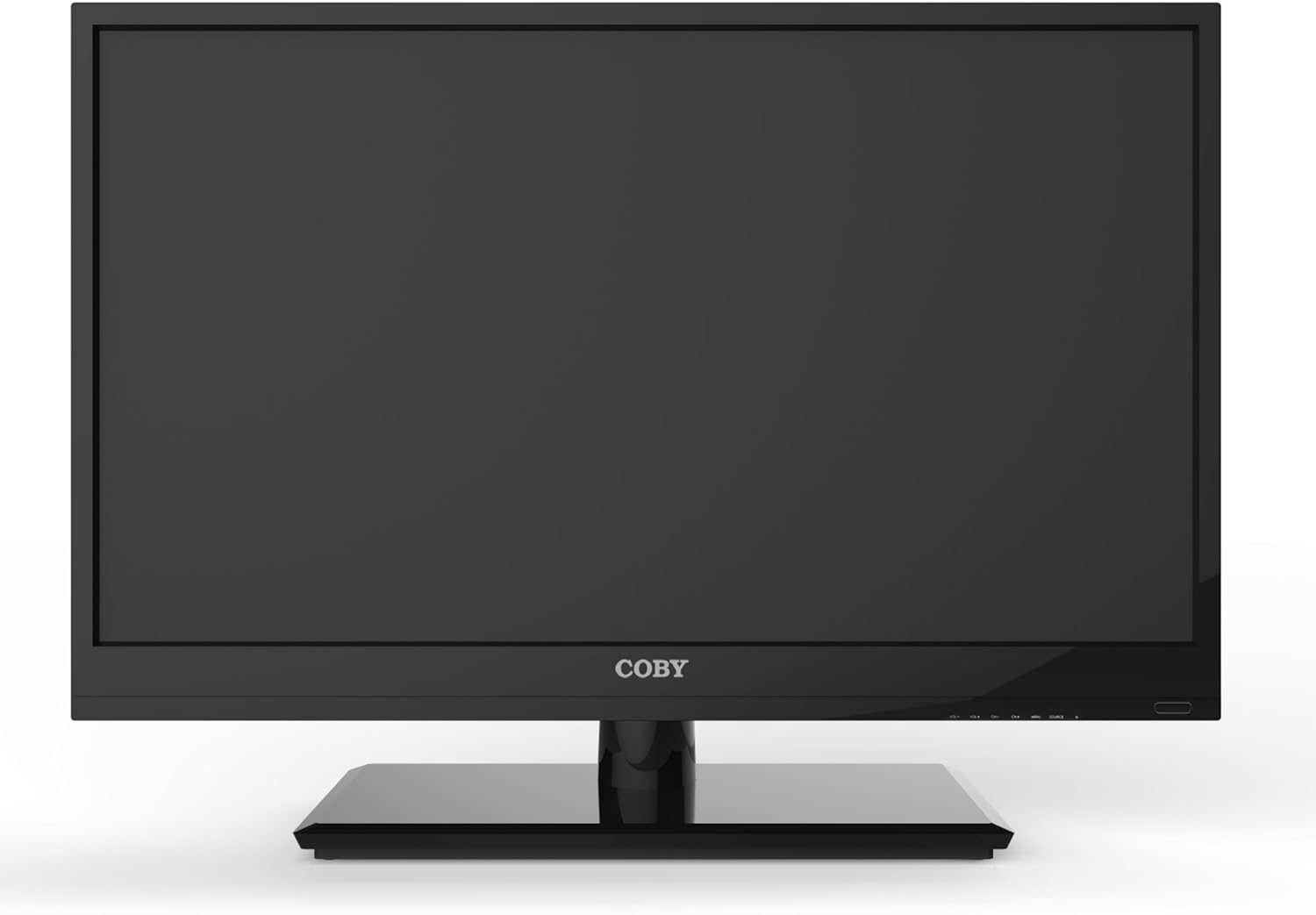
Abbildung 4.1: Vorderseite view of the Coby LEDTV3216 with stand.
4.2 Wandmontage (optional)
The TV supports VESA 200mm x 200mm wall mounts. Wall mount hardware is not included. For safe installation, it is recommended to have the TV wall-mounted by a professional.
4.3 Geräte anschließen
The Coby LEDTV3216 offers various input ports on the rear panel for connecting external devices.
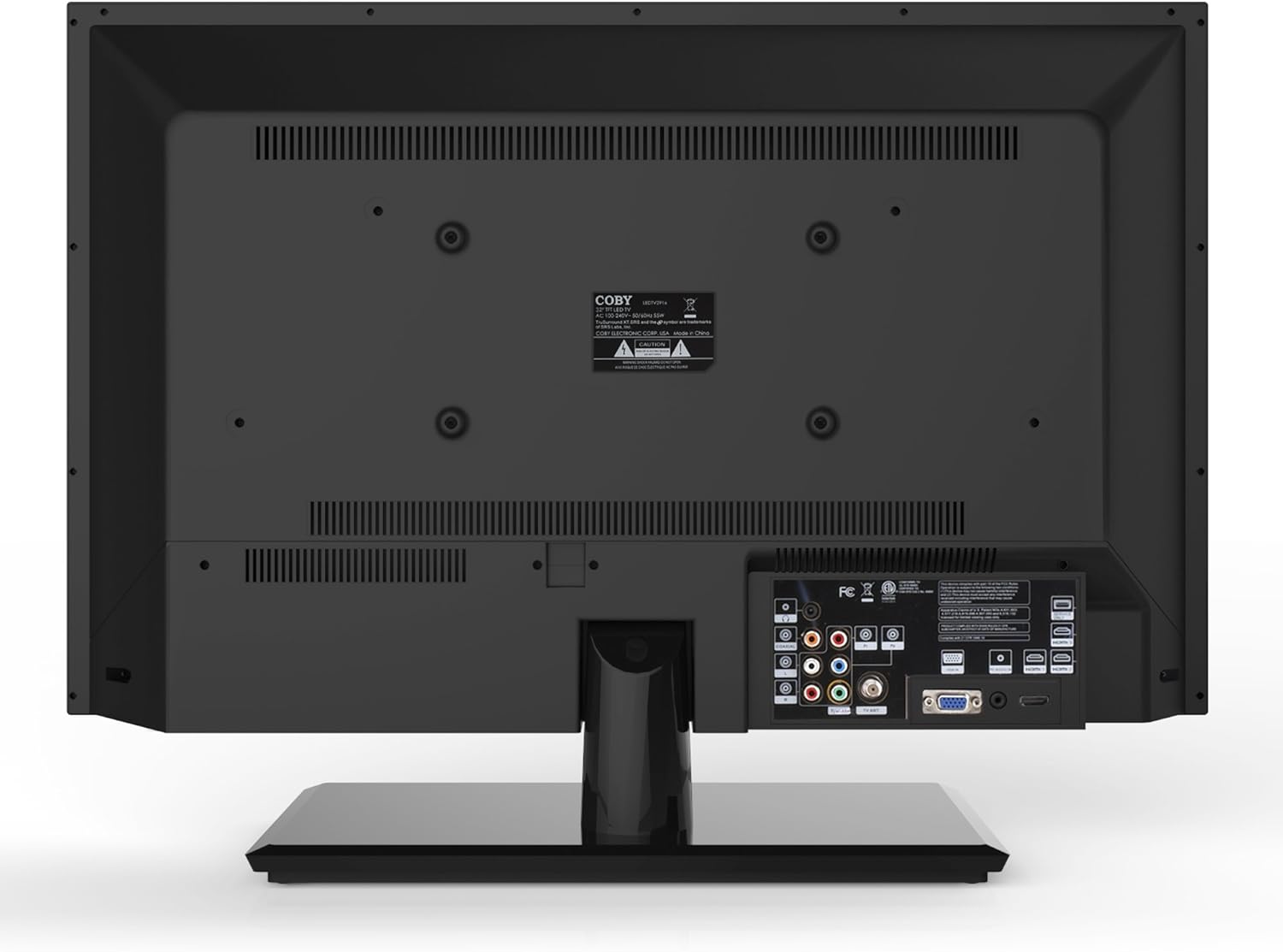
Abbildung 4.2: Rückseite view mit Eingangsanschlüssen.
- HDMI: Connect high-definition devices such as Blu-ray players, game consoles, or cable/satellite boxes using an HDMI cable. The TV has 1 HDMI port.
- VGA (PC Input): Connect a computer to use the TV as a monitor. Use a VGA cable for video and a 3.5mm audio cable for audio input.
- Antenne/Kabel: Connect an antenna or cable TV feed to the RF input for receiving broadcast channels.
- Komponentenvideo (YPbPr): Connect devices using component video cables (red, green, blue) and corresponding audio cables (red, white).
- Composite Video (AV): Connect older devices using composite video (yellow) and stereo audio (red, white) cables.
4.4 Erstes Einschalten
After connecting all desired devices and the power cord, press the Power button on the TV or remote control. Follow the on-screen prompts for initial setup, including language selection and channel scanning.
5. Bedienung des Fernsehers
5.1 Fernbedienungsfunktionen
The remote control allows you to access all TV functions. Insert the two included AAA batteries into the remote control, observing polarity.
- Leistung: Schaltet den Fernseher ein oder aus.
- Eingabequelle: Selects the input source (HDMI, VGA, TV, AV, Component).
- Lautstärke (+/-): Regelt die Lautstärke.
- Kanal (CH +/-): Wechselt die Fernsehkanäle.
- Speisekarte: Öffnet das On-Screen-Display-Menü (OSD-Menü).
- Navigationstasten (Auf/Ab/Links/Rechts): Navigieren Sie durch die Menüoptionen.
- OK/Eingabe: Bestätigt die Auswahl.
- Ausfahrt: Schließt das Menü.
- Stumm: Schaltet den Ton stumm oder hebt die Stummschaltung auf.
- Info: Displays channel or program information.
5.2 Menünavigation
Drücken Sie die Speisekarte button on the remote to access the main menu. Use the navigation buttons to select categories such as Picture, Sound, Channel, Time, and Setup. Press OK to enter a sub-menu and adjust settings. Press Ausfahrt , um das Menü zu verlassen.
5.3 Bildeinstellungen
Adjust settings like Brightness, Contrast, Color, Tint, and Sharpness to optimize your viewing experience. Picture modes (e.g., Standard, Dynamic, Movie, User) are available for quick adjustments.

Figure 5.1: Coby LEDTV3216 displaying an image.
5.4 Toneinstellungen
Adjust Bass, Treble, and Balance. Sound modes (e.g., Standard, Music, Movie, User) are available. The TV features premium sound powered by SRS Labs.
5.5 Kanaleinstellungen
Perform auto-scan or manual scan to find available channels. The built-in digital TV tuner supports ATSC, NTSC, and QAM standards.
5.6 Parental Control (V-Chip)
The V-chip parental control feature allows you to block programs based on their rating. Access this setting through the menu and follow the on-screen instructions to set up a password and content restrictions.
6. Funktionen
Key features of the Coby LEDTV3216 include:
- Energy efficient technology (standby power less than 0.5W).
- Extended backlight life expectancy (30,000 hours).
- Built-in digital TV tuner (ATSC/NTSC/QAM).
- HDMI digital connection for perfect signal transmission.
- PC VGA connection for use as a computer monitor.
- Premium sound powered by SRS Labs.
- Digitale Rauschunterdrückung.
- V-chip parental control, Closed-Caption, and Electronic Program Guide support.
- Energy Star 5.3 compliant.
- Multi-language on-screen display.
- Wall-Mountable design (200mm x 200mm VESA Mount).
7. Spezifikationen
| Besonderheit | Spezifikation |
|---|---|
| Modellname | LEDTV3216 |
| Bildschirmgröße | 32 Zoll |
| Display-Technologie | LED |
| Auflösung | 720p |
| Bildwiederholrate | 60 Hz |
| Kontrastverhältnis | 3,000:1 |
| Ansprechzeit | 6 Millisekunden |
| Konnektivitätstechnologie | HDMI, VGA |
| Total Number of HDMI Ports | 1 |
| Tunertyp | ATSC, NTSC, QAM |
| Kindersicherung | V-Chip |
| VESA-Halterungsstandard | 200 x 200 mm |
| Artikelgewicht | 18.08 Pfund |
| Farbe | Schwarz |

Figure 7.1: Estimated Yearly Energy Cost for LEDTV3216.
8. Wartung
8.1 Reinigung des Bildschirms
Wischen Sie den Bildschirm vorsichtig mit einem weichen, fusselfreien Tuch ab. Bei hartnäckigen Flecken leicht andrücken.ampBefeuchten Sie das Tuch mit Wasser oder einem speziellen Bildschirmreiniger. Sprühen Sie den Reiniger niemals direkt auf den Bildschirm.
8.2 Reinigen des Gehäuses
Wischen Sie den Fernsehschrank mit einem weichen, trockenen Tuch ab. Vermeiden Sie die Verwendung von Scheuermitteln oder Lösungsmitteln, die die Oberfläche beschädigen könnten.
9. Fehlerbehebung
Sollten Sie Probleme mit Ihrem Fernseher haben, beachten Sie bitte die folgenden häufigen Probleme und Lösungen:
| Problem | Mögliche Ursache/Lösung |
|---|---|
| Kein Strom | Ensure the power cord is securely plugged into the TV and a working electrical outlet. Check the power indicator light. |
| Kein Bild, aber Ton ist vorhanden | Vergewissern Sie sich, dass die richtige Eingangsquelle ausgewählt ist. Überprüfen Sie die Kabelverbindungen zu externen Geräten. |
| Kein Ton, aber ein Bild ist vorhanden. | Prüfen Sie die Lautstärke und stellen Sie sicher, dass der Fernseher nicht stummgeschaltet ist. Überprüfen Sie die Audiokabelverbindungen externer Geräte. |
| Schlechte Bildqualität | Adjust picture settings (brightness, contrast, sharpness). Ensure the antenna or cable connection is secure. For digital channels, perform a channel scan. |
| Fernbedienung funktioniert nicht | Prüfen Sie die Batterien und tauschen Sie sie gegebenenfalls aus. Stellen Sie sicher, dass sich keine Hindernisse zwischen der Fernbedienung und dem Infrarotsensor des Fernsehers befinden. |
10. Garantie und Support
The Coby LEDTV3216 comes with a limited warranty. Please refer to the warranty card included with your product for specific terms and conditions. For technical support or service inquiries, please contact Coby customer service through their official webWebsite oder die in Ihren Garantieunterlagen angegebenen Kontaktinformationen.