
Einführung
This manual provides essential instructions for the safe and effective operation of your Minolta Dynax 9xi Analog SLR Camera. Please read this manual thoroughly before using the camera and keep it for future reference.
The Minolta Dynax 9xi is an advanced analog Single-Lens Reflex (SLR) camera designed for film photography, offering automatic exposure control and a robust body for reliable performance.
Aufstellen
1. Einlegen der Batterie
Locate the battery compartment on the camera body. Open the compartment cover and insert the required batteries, ensuring correct polarity. Close the cover securely.
2. Objektivaufsatz
Align the red dot on the lens with the red dot on the camera's lens mount. Gently insert the lens into the mount and rotate it clockwise until it clicks into place. To remove, press the lens release button and rotate counter-clockwise.

Bild: Vorderseite view of the Minolta Dynax 9xi camera body, showing the lens mount. The mount is a silver ring with electrical contacts and a red alignment dot.
3. Film einlegen
Open the camera back by sliding the latch. Place a new roll of 35mm film into the film chamber. Pull the film leader across to the take-up spool, ensuring it engages with the sprockets. Close the camera back firmly. The camera will automatically advance the film to the first frame.
Bedienung der Kamera
1. Ein-/Ausschalten
Locate the power switch, typically near the shutter button. Slide it to the "ON" position to power on the camera. Slide it to "OFF" when not in use to conserve battery life.
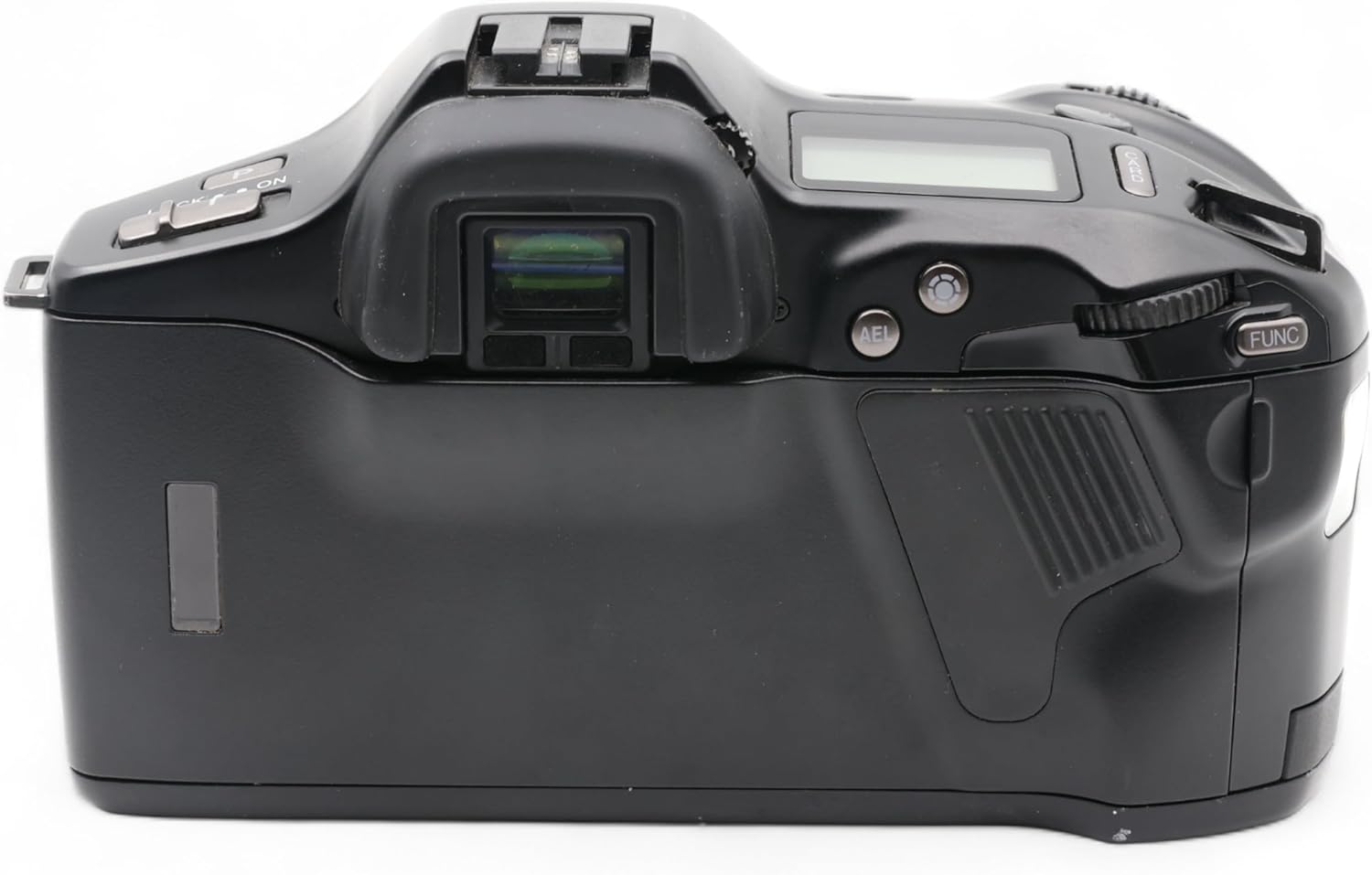
Bild: Oben view of the Minolta Dynax 9xi camera, showing the viewfinder, hot shoe, and various control dials and buttons, including the power switch and shutter button.
2. Fokussieren
The Dynax 9xi features autofocus capabilities. Look through the viewfinder and half-press the shutter button to activate autofocus. The camera will focus on the subject within the active autofocus area. Manual focus is also available by switching the lens or camera to MF mode.
3. Belichtungsmodi
The camera offers automatic exposure control. Select your desired exposure mode (e.g., Program, Aperture Priority, Shutter Priority, Manual) using the mode dial or function buttons. Refer to the camera's display for current settings.
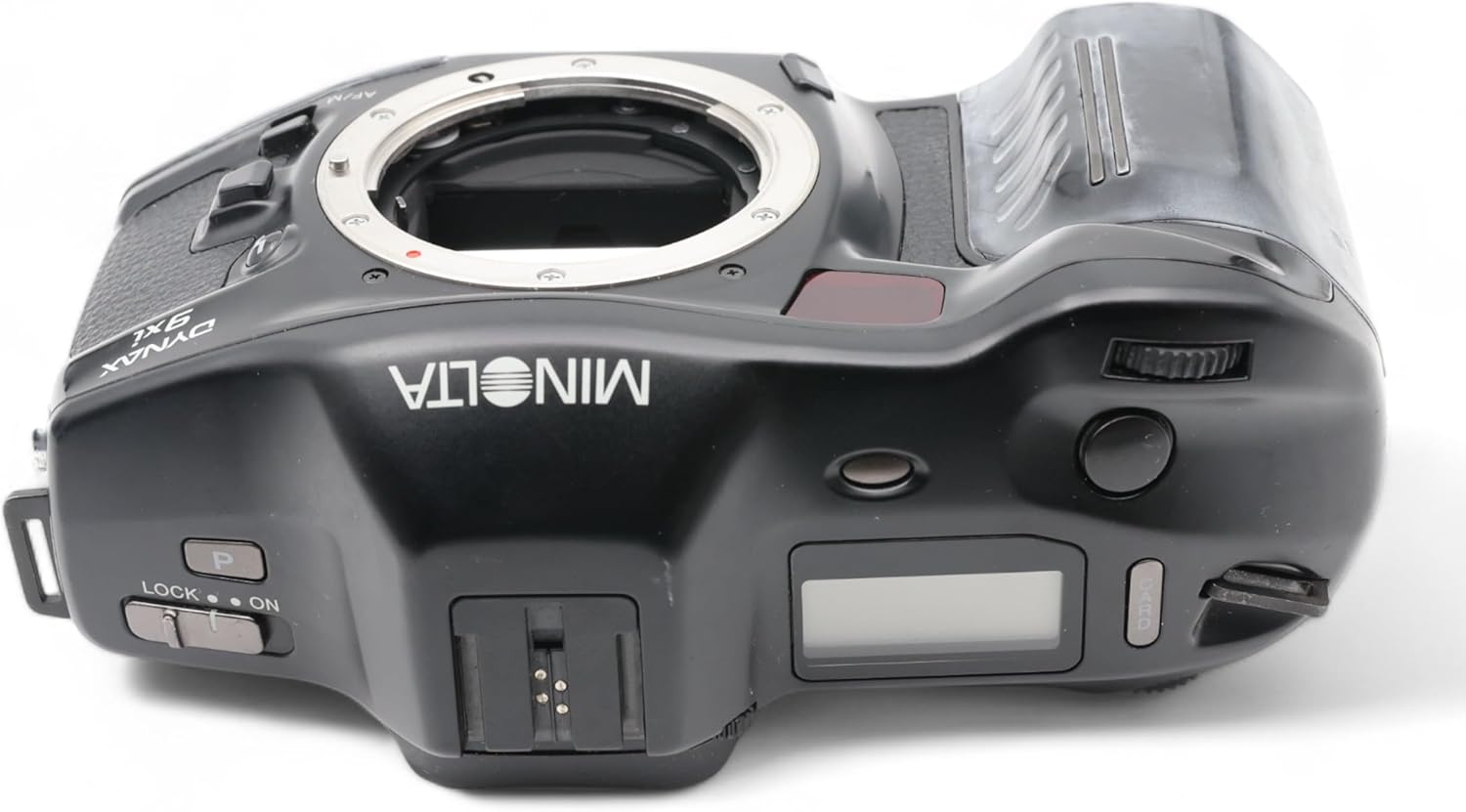
Bild: Rückseite view of the Minolta Dynax 9xi camera, showing the viewfinder eyepiece, AE lock button, and function dial.
4. Ein Bild aufnehmen
Rahmen Sie Ihre Aufnahme durch die viewfinder. Half-press the shutter button to focus and meter. Fully press the shutter button to take the picture. The camera will automatically advance the film to the next frame.
Wartung
1. Reinigung des Kameragehäuses
Verwenden Sie ein weiches, trockenes Tuch, um das Kameragehäuse abzuwischen. Bei hartnäckigem Schmutz leicht andrücken.ampBefeuchten Sie das Tuch mit Wasser. Vermeiden Sie die Verwendung von Lösungsmitteln oder Scheuermitteln.
2. Reinigung der Linse
Use a lens brush or air blower to remove dust from the lens surface. For smudges, use a specialized lens cleaning solution and a microfiber cloth. Do not touch the lens surface with your fingers.
3. Speicherung
When not in use for extended periods, remove the batteries to prevent leakage. Store the camera in a cool, dry place, away from direct sunlight and extreme temperatures.
Fehlerbehebung
Die Kamera lässt sich nicht einschalten
- Prüfen Sie, ob die Batterien korrekt eingesetzt und vollständig geladen sind.
- Stellen Sie sicher, dass sich der Netzschalter in der Position „EIN“ befindet.
Film Does Not Advance
- Verify that the film leader is properly engaged with the take-up spool.
- Check if the film roll is correctly seated in the film chamber.
Die Bilder sind unscharf.
- Stellen Sie sicher, dass die Linse sauber ist.
- Check if the camera is properly focused on the subject.
- Use a faster shutter speed or a tripod in low light conditions to prevent camera shake.
Technische Daten
- Marke: Minolta
- Modell: Dynax 9xi
- Typ: Analog SLR Camera Body
- Belichtungssteuerung: Automatisch
- Kompatible Geräte: Camera (referring to lenses/accessories)
- UPC: 043325018411
- ASIN: B009SGDPKY
Garantie und Support
Information regarding warranty coverage and customer support for the Minolta Dynax 9xi Analog SLR Camera is not available in the provided product data. Please refer to the original purchase documentation or contact Minolta customer service for details.