
Einführung
Vielen Dank für Ihren Einkauf.asing the Orion 24" SLED2468W LED LCD HDTV. This manual provides essential information for the safe and efficient operation of your television. Please read it thoroughly before using the product and retain it for future reference.
Sicherheitshinweise
Um einen sicheren Betrieb zu gewährleisten und Schäden zu vermeiden, beachten Sie bitte folgende Vorsichtsmaßnahmen:
- Setzen Sie den Fernseher weder Regen noch Feuchtigkeit aus.
- Belüftungsöffnungen nicht blockieren.
- Stellen Sie den Fernseher auf eine stabile, ebene Fläche.
- Verwenden Sie nur das mit dem Gerät gelieferte Netzkabel.
- Ziehen Sie bei Gewittern oder längerer Nichtbenutzung den Netzstecker des Fernsehers.
- Überlassen Sie sämtliche Wartungsarbeiten qualifiziertem Servicepersonal.
Lieferumfang
Packen Sie den Karton vorsichtig aus und vergewissern Sie sich, dass alle Artikel vorhanden sind:
- Orion 24" SLED2468W LED LCD HDTV
- Fernsehtisch
- Remote Control (batteries not included, requires 2 AAA batteries)
- Netzkabel
- Benutzerhandbuch (dieses Dokument)
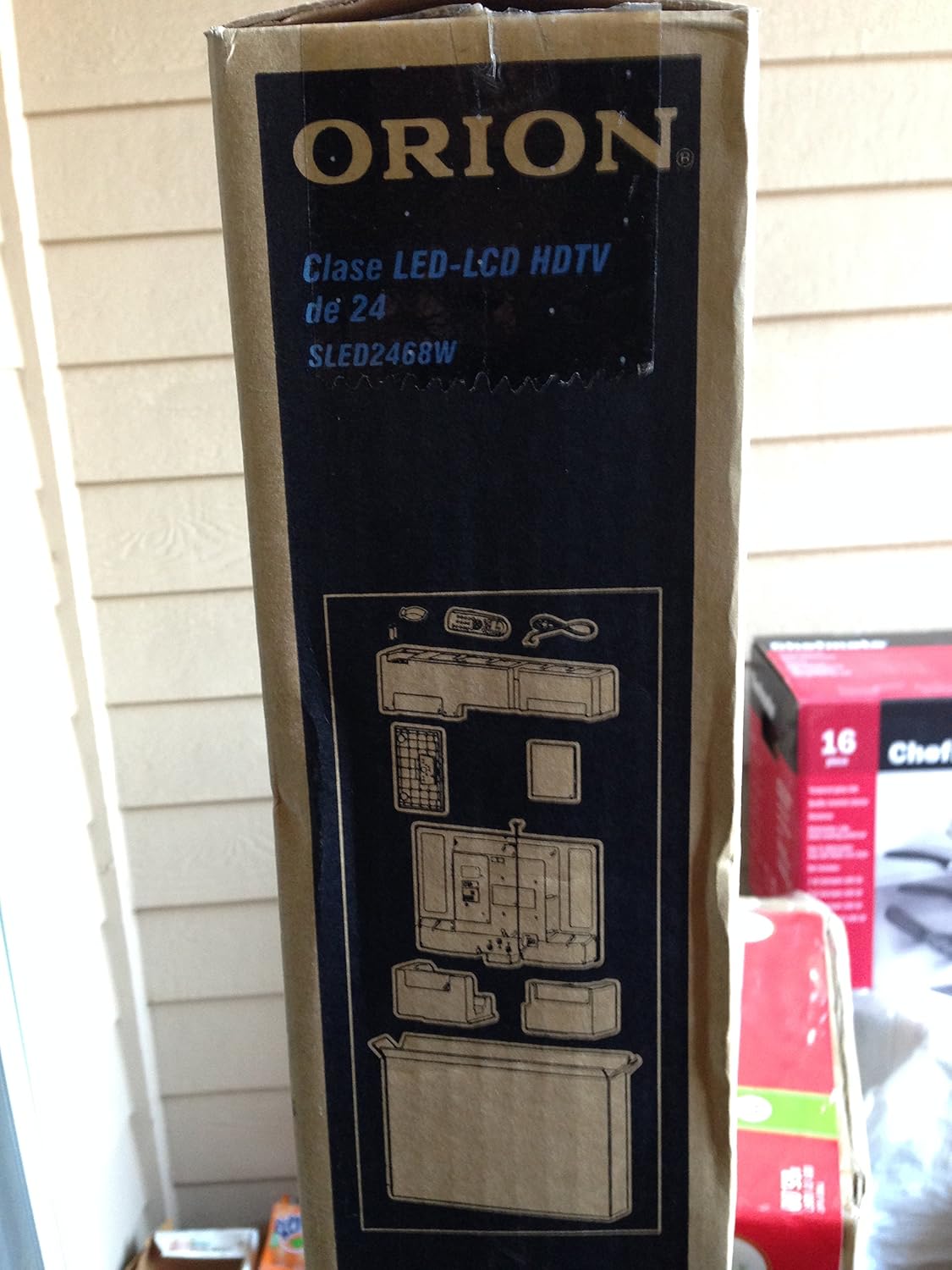
Image: The side of the Orion TV box illustrating the TV and stand components packed inside.
Aufstellen
1. Auspacken
Remove the TV and all accessories from the packaging. Retain the packaging for future transport or storage.

Image: The front of the Orion 24" LED-LCD HDTV box, displaying the model number SLED2468W and key features such as Integrated Digital Tuner, USB Time Shift, HDMI, and Headphone/Digital Audio Output.
2. Anbringen des Ständers
Place the TV screen-down on a soft, clean surface. Align the TV stand with the mounting holes on the bottom of the TV. Secure the stand using the provided screws.
3. Stromversorgung anschließen
Connect the power cord to the TV's power input and then to a standard 110 VAC, 60 Hz electrical outlet.
4. Anschließen externer Geräte
Ihr Fernseher unterstützt verschiedene Anschlüsse für externe Geräte:
- HDMI: For high-definition audio and video from devices like Blu-ray players, game consoles, or cable/satellite boxes.
- USB: For media playback or USB Time Shift functionality.
- Antenne/Kabel: For receiving broadcast television signals via the integrated ATSC tuner.
- PC-Eingang: For connecting a computer monitor.
- Headphone/Digital Audio Output (Coaxial): Zum Anschluss externer Audiosysteme.

Image: A diagram illustrating various connection ports on the TV, including headphone, audio, PC monitor, and coaxial outputs. Also shown are the unit dimensions and weight.
5. Ersteinrichtungsassistent
Upon first power-on, the TV will guide you through an initial setup process, including language selection, channel scanning, and time zone settings.
Betrieb
Grundlegende Fernbedienungsfunktionen
The remote control allows you to access all TV functions. Ensure batteries are correctly inserted.
- Leistung: Schaltet den Fernseher ein oder aus.
- Kanal hoch/runter: Wechselt die Fernsehkanäle.
- Lautstärke erhöhen/verringern: Passt die Lautstärke an.
- Eingabequelle: Selects the input source (HDMI, TV, USB, etc.).
- Speisekarte: Öffnet das Hauptmenü zur Anpassung der Einstellungen.
- Navigationstasten (Hoch/Runter/Links/Rechts/OK): Dient zur Navigation in Menüs und zur Bestätigung von Auswahlen.
USB Time Shift
The TV features a USB Time Shift function. Connect a USB storage device to pause, rewind, or fast-forward live TV broadcasts. Refer to the on-screen menu for detailed instructions on activating and using this feature.
Internet-Browser
This TV includes a basic internet browser. Connect the TV to your network (if applicable) to access web content. Performance may vary depending on network speed and website complexity.
Wartung
Reinigen des Bildschirms
Wischen Sie den Bildschirm vorsichtig mit einem weichen, fusselfreien Tuch ab. Bei hartnäckigen Flecken leicht andrücken.ampBefeuchten Sie das Tuch mit Wasser oder einem speziellen Bildschirmreiniger. Sprühen Sie niemals Flüssigkeit direkt auf den Bildschirm.
Allgemeine Pflege
Keep the TV free from dust by regularly wiping the cabinet with a dry, soft cloth. Ensure adequate ventilation around the TV to prevent overheating.
Fehlerbehebung
Sollten Sie Probleme mit Ihrem Fernseher haben, konsultieren Sie bitte die folgende Tabelle, bevor Sie den Kundendienst kontaktieren:
| Problem | Mögliche Lösung |
|---|---|
| Kein Strom | Check if the power cord is securely connected to both the TV and the outlet. Ensure the outlet is functional. |
| Kein Bild, aber Ton ist vorhanden | Vergewissern Sie sich, dass die richtige Eingangsquelle ausgewählt ist. Überprüfen Sie die Verbindungen externer Geräte. |
| Kein Ton, aber ein Bild ist vorhanden. | Check volume level and mute settings. Ensure external audio connections are secure. |
| Fernbedienung funktioniert nicht | Tauschen Sie die Batterien aus. Stellen Sie sicher, dass sich keine Hindernisse zwischen der Fernbedienung und dem Infrarotsensor des Fernsehers befinden. |
| Schlechte Bildqualität | Check antenna connection. Adjust picture settings in the TV menu. |
Technische Daten
Technical specifications for the Orion 24" SLED2468W LED LCD HDTV:
| Besonderheit | Spezifikation |
|---|---|
| Modellnummer | SLED2468W |
| Bildschirmgröße | 24 Zoll |
| Display-Technologie | LED-LCD |
| Auflösung | 720p |
| Bildwiederholrate | 60 Hz |
| Seitenverhältnis | 16:9 |
| Konnektivitätstechnologie | HDMI, USB |
| Tunertyp | ATSC |
| Unterstützte Internetdienste | Browser |
| Zeilenlautstärketage | 110 VAC 60 Hz |
| On Mode Power Consumption | 37W (as per box image) |
| Geräteabmessungen (BxTxH) | 21.65" x 5.39" x 14.21" (550 x 136.9 x 361 mm) (as per box image) |
| Stückgewicht | 3.6 kg (8.0 lbs) (as per box image) |
| Hersteller | Sansui |
| UPC | 755805020776 |
Garantie und Support
For warranty information and technical support, please refer to the documentation included with your purchase or visit the official Orion product support webBewahren Sie Ihren Kaufbeleg für Garantieansprüche auf.