
Einführung
Vielen Dank für Ihren Einkauf.asing the iCES IBT-1 Portable Bluetooth Speaker. This manual provides essential information for setting up, operating, and maintaining your device. Please read it carefully before use to ensure optimal performance and longevity.
Packungsinhalt
Stellen Sie sicher, dass alle Artikel im Paket vorhanden sind:
- iCES IBT-1 Portable Bluetooth Speaker
- Mini-USB-Ladekabel
- Benutzerhandbuch (dieses Dokument)
Produkt überview
The iCES IBT-1 is a compact and versatile portable speaker designed for wireless audio playback via Bluetooth. It also supports audio playback from Micro SD cards and external devices via its AUX input.

Image: Two iCES IBT-1 speakers, one red and one silver, highlighting the product's design and portability.
Komponentenidentifikation
Familiarize yourself with the speaker's various ports and controls:
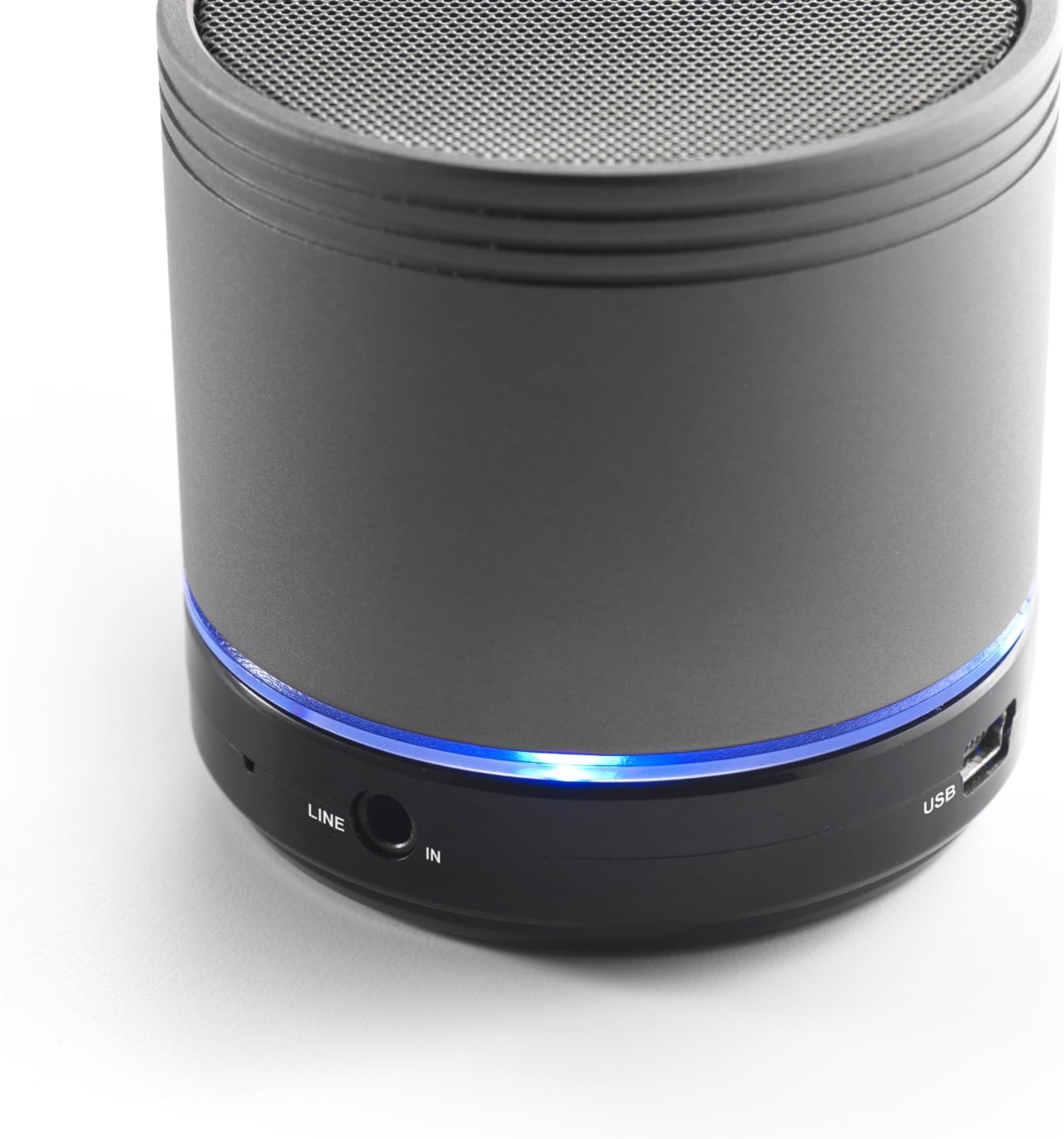
Image: Bottom section of the iCES IBT-1 speaker, displaying the LINE IN and USB ports, along with a glowing blue LED indicator.
- USB-Anschluss: Zum Laden des internen Akkus.
- LINE IN (AUX) Anschluss: For connecting external audio devices using a 3.5mm audio cable.
- Micro-SD-Kartensteckplatz: Zum Abspielen von Audio files direkt von einer Micro-SD-Karte.
- Stromschalter: ON/OFF control for the speaker.
- Bedientasten: Play/Pause, Volume Up/Next Track, Volume Down/Previous Track.
- LED-Anzeige: Zeigt den Stromstatus, den Ladestatus und den Bluetooth-Kopplungsstatus an.
Aufstellen
Laden des Akkus
Before first use, fully charge the speaker's internal battery. Use the provided Mini USB cable.
- Connect the Mini USB end of the cable to the USB port on the speaker.
- Verbinden Sie das Standard-USB-Ende des Kabels mit einem USB-Netzteil (nicht im Lieferumfang enthalten) oder einem USB-Anschluss Ihres Computers.
- The LED indicator will illuminate to show charging status. It will change or turn off once fully charged.
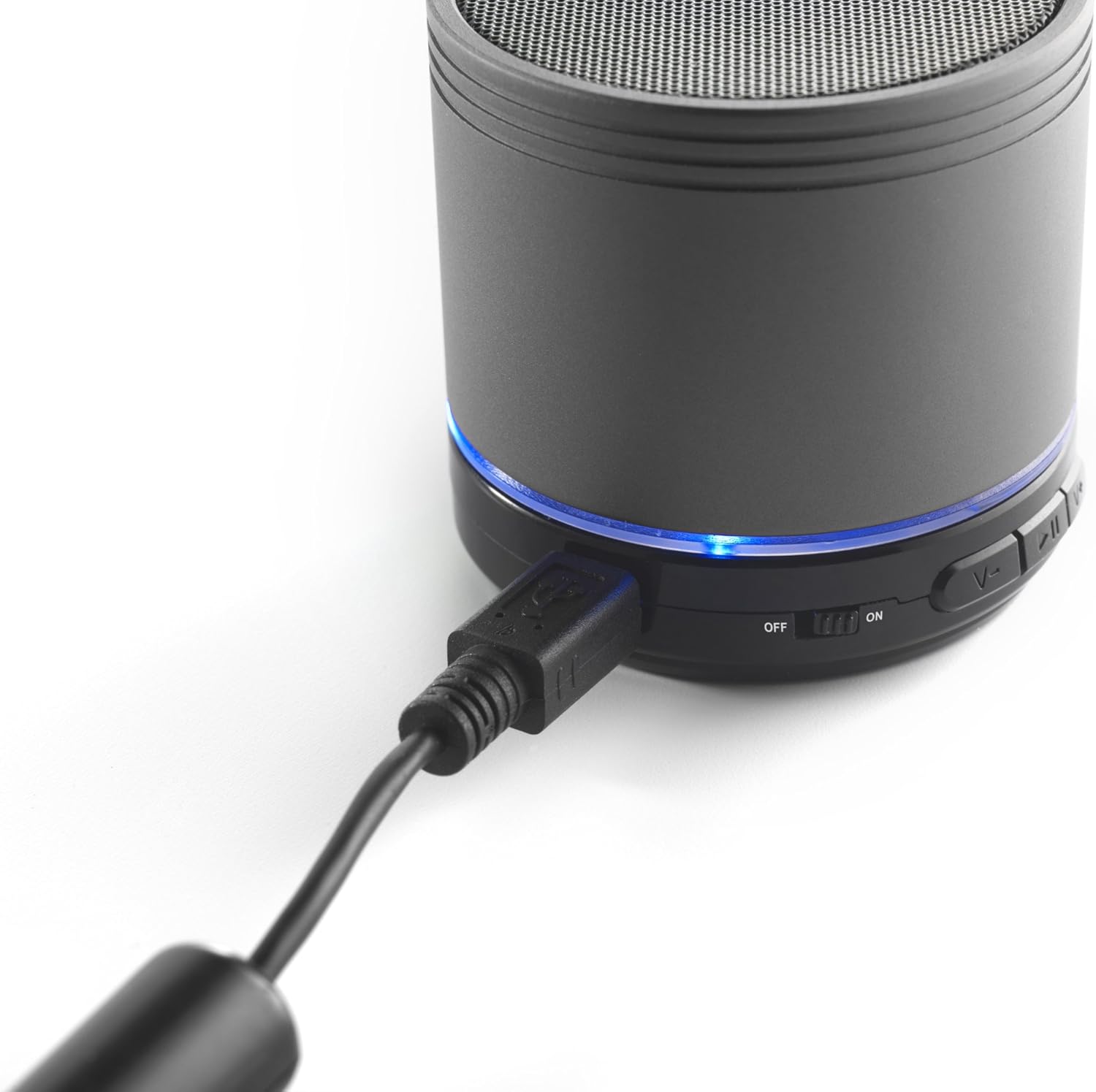
Image: The iCES IBT-1 speaker with the mini USB charging cable connected, illustrating the charging process.
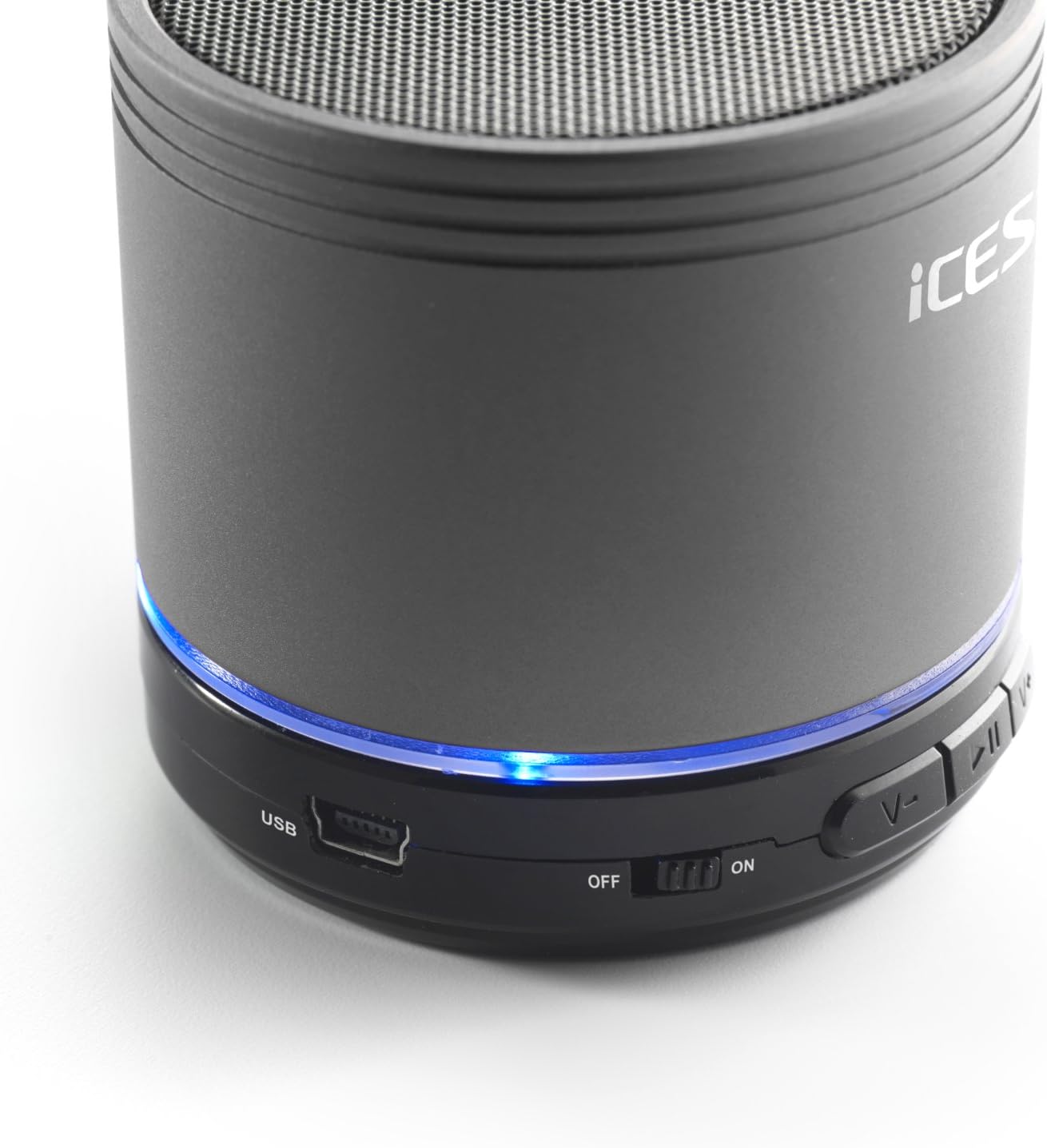
Image: The iCES IBT-1 speaker's base, highlighting the USB port and the power switch in the 'ON' position.
Bedienungsanleitung
Ein-/Ausschalten
- To power on, slide the power switch to the "ON" position. The LED indicator will light up.
- To power off, slide the power switch to the "OFF" position. The LED indicator will turn off.
Bluetooth-Verbindung
- Ensure the speaker is powered on. The LED indicator will flash, indicating it's in pairing mode.
- Gehen Sie auf Ihrem Bluetooth-fähigen Gerät (Smartphone, Tablet usw.) zu den Bluetooth-Einstellungen.
- Suchen nach available devices. You should see "IBT-1" in the list.
- Select "IBT-1" to pair. Once connected, the LED indicator will stop flashing and remain solid.
- You can now play audio from your device through the iCES IBT-1 speaker.
Micro SD-Kartenwiedergabe
The speaker supports Micro SD cards up to 32 GB.
- Legen Sie eine Micro-SD-Karte ein (mit Audio files) in den Micro-SD-Kartensteckplatz des Lautsprechers.
- The speaker will automatically switch to Micro SD card mode and begin playing audio.
- Use the control buttons on the speaker to play/pause, skip tracks, or adjust volume.

Image: The iCES IBT-1 speaker's base, illustrating the Micro SD card slot and the LINE IN port.
AUX-Eingangswiedergabe
Connect external audio devices without Bluetooth capability.
- Connect one end of a 3.5mm audio cable (not included) to the LINE IN port on the speaker.
- Connect the other end of the 3.5mm audio cable to the headphone jack or audio output of your external device (e.g., MP3 player).
- Der Lautsprecher schaltet automatisch in den AUX-Modus.
- Steuern Sie Wiedergabe und Lautstärke über Ihr externes Gerät.
Bedientasten
- Wiedergabe-/Pause-Taste: Einmal drücken, um Audio abzuspielen oder anzuhalten.
- Lautstärke erhöhen / Nächster Titel:
- Kurz drücken: Lautstärke erhöhen.
- Langes Drücken: Zum nächsten Titel springen.
- Lautstärke verringern / Vorheriger Titel:
- Kurz drücken: Lautstärke verringern.
- Langes Drücken: Zum vorherigen Titel wechseln.
Wartung
- Halten Sie den Lautsprecher trocken. Setzen Sie ihn weder Wasser noch übermäßiger Feuchtigkeit aus.
- Reinigen Sie den Lautsprecher mit einem weichen, trockenen Tuch. Verwenden Sie keine Scheuermittel oder Lösungsmittel.
- Vermeiden Sie extreme Temperaturen. Bewahren Sie den Lautsprecher an einem kühlen, trockenen Ort auf.
- Versuchen Sie nicht, den Lautsprecher selbst zu zerlegen oder zu reparieren. Dadurch erlischt die Garantie.
- Um die Batterieleistung zu erhalten, laden Sie sie regelmäßig auf, auch wenn sie nicht verwendet wird.
Fehlerbehebung
| Problem | Lösung |
|---|---|
| Der Lautsprecher lässt sich nicht einschalten. | Stellen Sie sicher, dass der Akku geladen ist. Verbinden Sie den Lautsprecher mithilfe des USB-Kabels mit einer Stromquelle. |
| Kopplung via Bluetooth nicht möglich. |
|
| Aus dem Lautsprecher kommt kein Ton. |
|
| Schlechte Audioqualität. |
|
Technische Daten
| Modell | IBT-1 |
| Konnektivität | Bluetooth, Micro SD Card, AUX Input (3.5mm) |
| Ausgangsleistung | 3 Watt (RMS) |
| Akku-Typ | Integrated Lithium-Polymer |
| Batteriekapazität | 500 mAh |
| Stromversorgung | 5V / 1A (via Mini USB) |
| Abmessungen (L x B x H) | 60 x 60 x 58 mm |
| Gewicht | 180 g |
| Supported Micro SD Card Size | Bis zu 32 GB |
Garantie und Support
For warranty information and technical support, please refer to the documentation provided at the time of purchase or visit the official iCES webBitte versuchen Sie nicht, das Gerät selbst zu reparieren, da dies zum Erlöschen der Garantie führen kann.