
Wichtige Sicherheitsinformationen
Please read and understand all instructions before using the laminator. Keep this manual for future reference.
- Das Laminiergerät darf nicht in Betrieb genommen werden, wenn das Netzkabel oder der Stecker beschädigt ist.
- Halten Sie das Laminiergerät von Wasser und anderen Flüssigkeiten fern.
- Do not insert metal objects into the laminator.
- Sorgen Sie während des Betriebs für ausreichende Belüftung rund um die Maschine.
- Trennen Sie das Laminator vom Netz, wenn es nicht verwendet wird oder bevor Sie es reinigen.
- Dieses Gerät ist nicht für den Gebrauch durch Personen (einschließlich Kinder) mit eingeschränkten physischen, sensorischen oder geistigen Fähigkeiten oder Mangel an Erfahrung und Wissen bestimmt, es sei denn, sie werden von einer für ihre Sicherheit verantwortlichen Person beaufsichtigt oder erhalten Anweisungen zur Verwendung des Geräts.
Produkt überview
The Amazon Basics 9-Inch Thermal Laminator is designed for home, office, or classroom use, providing high-quality lamination for various document sizes.
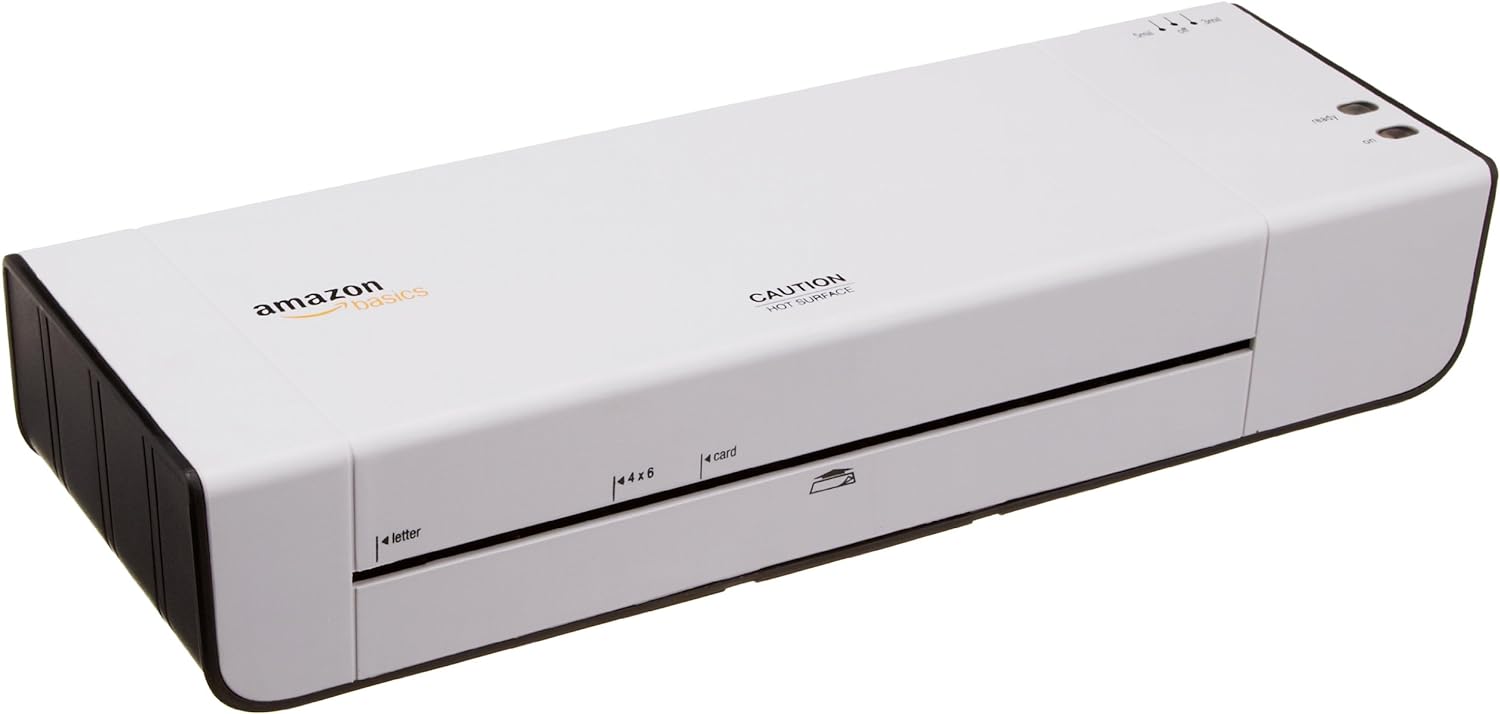
Abbildung 1: Vorderseite view of the Amazon Basics 9-Inch Thermal Laminator Machine, showing the feed slot and branding.
Hauptmerkmale:
- Laminates documents up to 9 inches wide.
- Two heat settings: 3 mil and 5 mil.
- Quick 4-minute warm-up time.
- Jam release lever for easy clearing.
- Kompaktes Design.
Aufstellen
Auspacken:
Carefully remove the laminator from its packaging. Retain the packaging for future storage or transport.
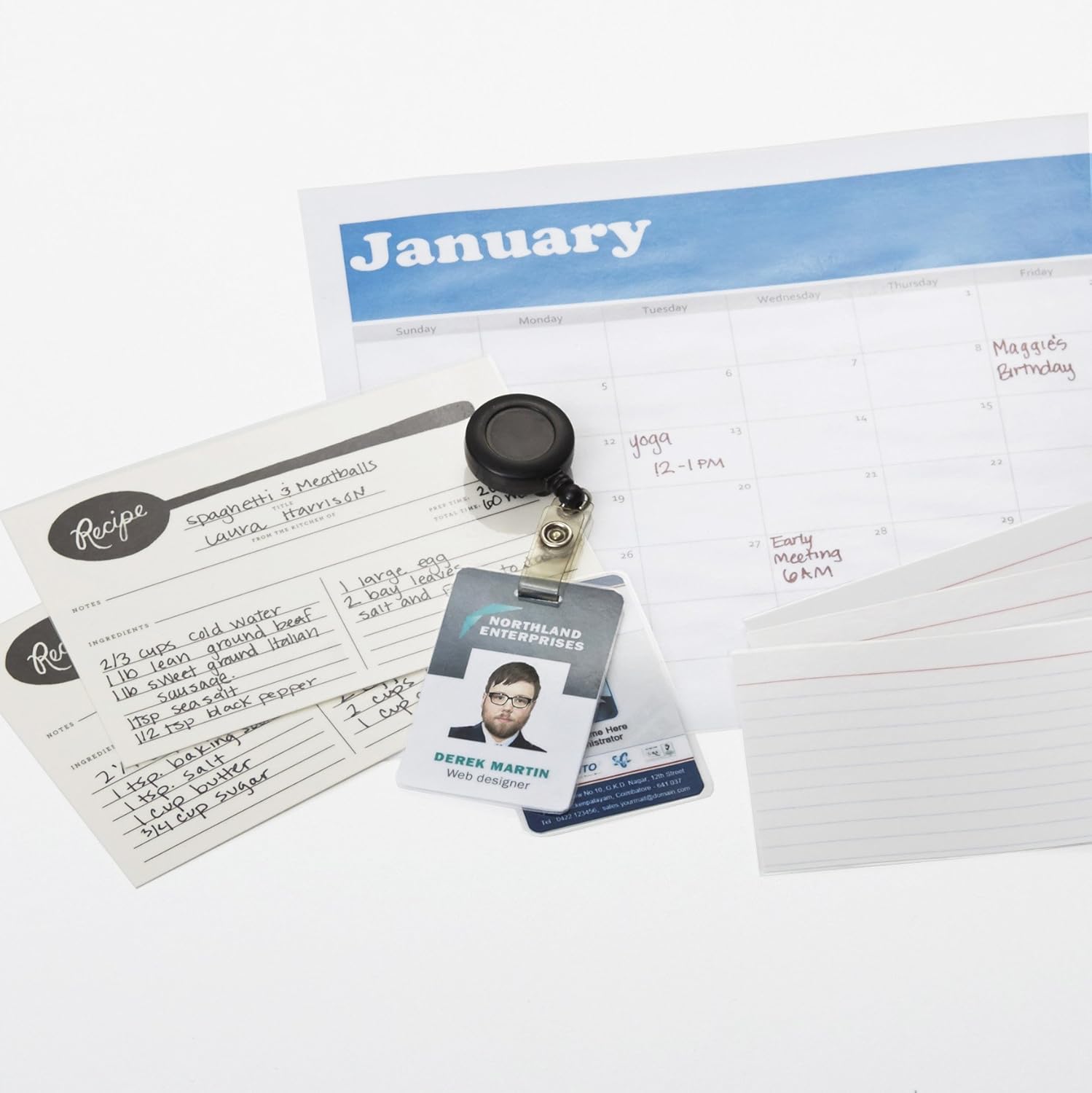
Figure 2: The laminator machine as it appears inside its frustration-free packaging.
Platzierung:
Place the laminator on a flat, stable, and heat-resistant surface. Ensure there is adequate space around the machine for proper ventilation and for documents to exit the rear.
Stromanschluss:
Plug the power cord into a standard electrical outlet. The power switch is located on the side of the unit.

Abbildung 3: Nahaufnahme view of the power switch, 3mil/5mil heat settings, and release lever on the side of the laminator.
Bedienungsanleitung
Laminating a Document:
Einschalten und Aufwärmen:
Turn the power switch to the "On" position. The "Ready" indicator light will illuminate once the machine has warmed up (approximately 4 minutes).
Wählen Sie die Heizstufe:
Choose the appropriate heat setting based on the laminating pouch thickness:
- 3 mil: For normal documents, photos, and card stock.
- 5 mil: For thinner papers.
Dokument vorbereiten:
Place the document inside a laminating pouch, ensuring it is centered and there is an even border around the edges. Use the included 3 mil thick, 8.9 by 11.4 inch laminating pouches or any compatible 3 mil or 5 mil pouch.

Abbildung 4: Bspample of laminating recipe cards, showing the document being fed into the laminator.
Einlegebeutel:
Carefully insert the sealed edge of the laminating pouch into the laminator's feed slot. The machine will automatically pull the pouch through.

Figure 5: A calendar page being laminated, demonstrating the machine's ability to handle various document types.
Laminiertes Dokument abrufen:
Once the pouch exits the rear of the machine, allow it to cool on a flat surface before handling to ensure proper sealing.

Figure 6: A collection of laminated items, including recipe cards, ID badges, and a calendar, showcasing the versatility of the laminator.
Wartung
Reinigung:
Stellen Sie sicher, dass das Laminiergerät vom Stromnetz getrennt und vollständig abgekühlt ist, bevor Sie es reinigen. Wischen Sie die Außenseite mit einem weichen, feuchten Tuch ab.amp Tuch. Keine Scheuer- oder Lösungsmittel verwenden.
Roller Cleaning (Optional):
Periodically, you may run a cleaning sheet (available separately) through the laminator to remove any adhesive residue from the rollers.
Lagerung:
Store the laminator in a cool, dry place when not in use. Ensure the power cord is neatly wrapped and not kinked.
Fehlerbehebung
| Problem | Mögliche Ursache | Lösung |
|---|---|---|
| Das Laminiergerät lässt sich nicht einschalten. | Nicht eingesteckt; Netzschalter ausgeschaltet; kein Strom an der Steckdose. | Check power cord connection; ensure power switch is "On"; test outlet with another device. |
| Der Beutel verklemmt sich in der Maschine. | Pouch inserted incorrectly; pouch too thick; foreign object. | Drücken Sie die Entriegelungshebel to clear the jam. Ensure pouch is inserted sealed edge first and is within specified thickness (3 or 5 mil). |
| Die Laminierung ist trüb oder blasenbildend. | Incorrect heat setting; machine not fully warmed up; low-quality pouch. | Ensure correct heat setting (3 mil for normal, 5 mil for thinner); wait for "Ready" light; use high-quality laminating pouches. |
| Die Laminierung ist nicht ordnungsgemäß versiegelt. | Incorrect heat setting; machine not fully warmed up; document too thick for pouch. | Verify heat setting; wait for "Ready" light; ensure document fits pouch with adequate border. |
Technische Daten
| Besonderheit | Detail |
|---|---|
| Modellnummer | PL9-US |
| Laminierbreite | Bis zu 9 Zoll |
| Wärmeeinstellungen | 3 Mio., 5 Mio. |
| Aufwärmzeit | Ungefähr 4 Minuten |
| Anzahl der Rollen | 2 |
| Gewicht | 1.2 kg |
| Stromversorgung | Standard-Klimaanlage |
Garantie und Support
For warranty information and customer support, please visit the official Amazon Basics webBesuchen Sie die Website oder kontaktieren Sie direkt den Amazon-Kundendienst.
Online-Hilfe: Amazon Basics Store
Note: Reading the full user manual is recommended prior to the first use of this product.