
Keystone KSTAD70B
Keystone KSTAD70B 70-Pint Dehumidifier User Manual
1. Einleitung
This manual provides essential information for the safe and efficient operation of your Keystone KSTAD70B 70-Pint Dehumidifier. This unit is designed to remove up to 70 pints of moisture from the air daily, suitable for rooms up to 4500 square feet. Key features include electronic controls with an LED display, a 24-hour timer, a transparent water level indicator, and a full bucket alert with automatic shutoff. It also offers a continuous draining option and a removable, easy-to-clean dust filter with a clean-filter alert. The auto-restart function preserves your settings after a power outage, and rolling casters facilitate easy movement.
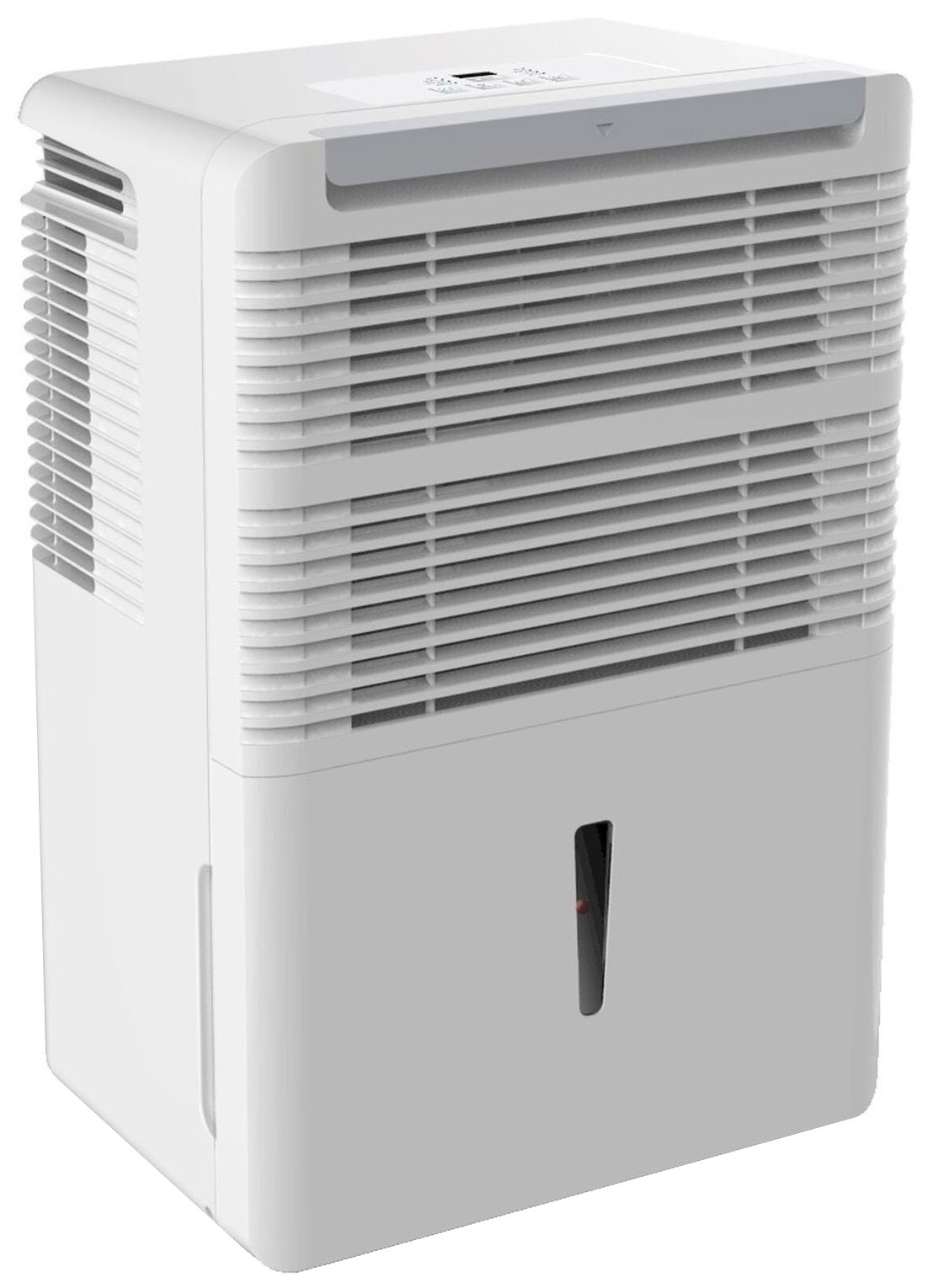
Abbildung 1: Vorderseite view of the Keystone KSTAD70B Dehumidifier.
2. Sicherheitshinweise
Please read all safety instructions before operating the dehumidifier to prevent injury or damage. Keep this manual for future reference.
- Always connect the unit to a properly grounded electrical outlet of the correct voltage.
- Betreiben Sie das Gerät nicht mit beschädigtem Netzkabel oder Stecker.
- Ensure adequate clearance (at least 12-18 inches) around the air intake and outlet to prevent overheating and ensure efficient operation.
- Blockieren Sie nicht die Lüftungsschlitze.
- Do not use the dehumidifier near water or in excessively wet environments.
- Ziehen Sie den Stecker aus der Steckdose, bevor Sie das Gerät reinigen oder Wartungsarbeiten durchführen.
- Dieses Gerät ist nicht für den Gebrauch durch Personen (einschließlich Kinder) mit eingeschränkten physischen, sensorischen oder geistigen Fähigkeiten oder Mangel an Erfahrung und Wissen bestimmt, es sei denn, sie werden von einer für ihre Sicherheit verantwortlichen Person beaufsichtigt oder erhalten Anweisungen zur Verwendung des Geräts.
- Do not use chemical solvents or abrasive cleaners on the unit.
3. Einrichtung und Aufstellung
3.1 Auspacken
Carefully remove the dehumidifier from its packaging. Retain the packaging materials for future storage or transport. Inspect the unit for any shipping damage.
3.2 Platzierung
For optimal performance, place the dehumidifier in a location where air can circulate freely around it. The unit circulates air from the sides, not the top. Therefore, avoid placing it directly in a corner or against walls. Maintain a minimum clearance of 12-18 inches (30-45 cm) on all sides to ensure proper airflow.
3.3 Erstes Einschalten
Stecken Sie das Netzkabel in eine geerdete Steckdose. Das Gerät ist nun betriebsbereit.
4. Bedienungsanleitung
4.1 Bedienfeld vorbeiview

Figure 2: Control panel of the Keystone KSTAD70B Dehumidifier.
The control panel features an LED display and various buttons for setting the dehumidifier's functions:
- Netzschalter: Schaltet das Gerät ein oder aus.
- Lüftertaste: Adjusts fan speed (typically Low, Medium, High).
- Timer-Taste: Stellt den 24-Stunden-Ein-/Ausschalttimer ein.
- Pfeiltasten nach oben/unten: Adjust humidity level settings or timer duration.
- Filteranzeige: Leuchtet auf, wenn der Luftfilter gereinigt werden muss.
- Vollständiger Indikator: Leuchtet auf, wenn der Wassereimer voll ist und geleert werden muss.
- Cont. (Continuous) Indicator: Illuminates when the unit is set for continuous operation.
- Turbo Modus: Activates maximum dehumidification.
- Normalmodus: Standardmäßiger Entfeuchtungsbetrieb.
- Automatisches Entfrosten: Automatically defrosts the coils if ice builds up.
4.2 Einstellen des gewünschten Feuchtigkeitsniveaus
Press the Up or Down arrow buttons to set your desired humidity level. The unit will operate until the set humidity is reached, then cycle on and off to maintain it. The recommended humidity range for comfort is typically between 45% and 55%.
4.3 Dauerbetrieb
To run the dehumidifier continuously, select the 'Cont.' setting. In this mode, the unit will operate regardless of the ambient humidity level. Note that when continuous operation is selected, the humidity setpoint buttons will not respond.
4.4 Timer-Funktion
Use the Timer button to program the unit to turn on or off automatically after a set number of hours (up to 24 hours).
4.5 Auto-Restart
The unit features an auto-restart function that saves your settings. In the event of a power outage, the dehumidifier will automatically resume operation with the last settings once power is restored.
5. Wartung
Regelmäßige Wartung gewährleistet optimale Leistung und Langlebigkeit Ihres Luftentfeuchters.
5.1 Den Wassereimer leeren
When the water bucket is full, the 'Full' indicator light will illuminate, and the unit will automatically shut off. Carefully remove the bucket and empty the collected water. Reinsert the bucket firmly until it clicks into place to resume operation.

Abbildung 3: Entfernen des Wasserauffangbehälters.

Figure 4: Transparent water level indicator.
5.2 Continuous Draining Option
For continuous operation without emptying the bucket, you can connect a standard garden hose (not included) to the unit's low-level drain. The unit includes an adapter with a clear hose that pushes onto a smooth plastic fitting inside the unit. This adapter has male hose threads for attaching a garden hose. Ensure the hose is routed downwards to a suitable drain to allow gravity to remove the water.
5.3 Reinigung des Luftfilters
The 'Filter' indicator light will remind you when it's time to clean the air filter. A clean filter ensures efficient operation and better air quality. To clean, lift the filter straight up from the top at the front corner of the unit and slide it out. Wash the filter with warm, soapy water, rinse thoroughly, and allow it to air dry completely before reinserting.

Abbildung 5: Ausbau des Luftfilters zur Reinigung.
6. Fehlerbehebung
Bevor Sie den Support kontaktieren, versuchen Sie bitte diese gängigen Schritte zur Fehlerbehebung:
| Problem | Mögliche Ursache | Lösung |
|---|---|---|
| Der Luftentfeuchter schaltet sich nicht ein. | No power; power cord loose; 'Full' indicator on. | Check power supply; ensure cord is plugged in; empty water bucket. |
| Das Gerät läuft, entfeuchtet aber nicht. | Air filter clogged; room temperature too low; unit size too small for area. | Clean air filter; ensure room temperature is above 41°F (5°C); consider unit placement. |
| Das Gerät ist laut. | Gerät nicht waagerecht; Lüfter blockiert. | Place on a flat, stable surface; check for obstructions in fan area. |
| Aus dem Gerät tritt Wasser aus. | Water bucket not properly seated; continuous drain hose loose or clogged. | Ensure bucket is fully inserted; check continuous drain hose connection and clear any blockages. |
7. Spezifikationen
| Besonderheit | Detail |
|---|---|
| Marke | Keystone |
| Modellname | KSTAD70B |
| Entfeuchtungskapazität | 70 Pints pro Tag |
| Empfohlene Raumgröße | Bis zu 4500 Quadratmeter |
| Farbe | Weiß |
| Besondere Merkmale | Automatic Restart, Automatic Shutoff |
| Anzahl der Geschwindigkeiten | 3 |
| Betriebsmodus | Normal, Turbo, Auto-Defrost |
| Wastage | 720 Watt |
| Artikelgewicht | 40 Pfund |
| Produktabmessungen (L x B x H) | 11.25 x 15.5 x 23.25 Zoll |
| Empfohlene Verwendung | Wohnen |
8. Garantieinformationen
The Keystone KSTAD70B Dehumidifier comes with a 1 Jahr Garantie auf Teile und Arbeitskosten, und ein Begrenzte 5-Jahres-Garantie on the sealed system. Please refer to the physical warranty card included with your product for full terms and conditions.
9. Kundendienst
For product registration, warranty claims, or technical assistance, please refer to the contact information provided in the physical instruction manual that came with your dehumidifier. Online registration or direct manufacturer contact information may not be readily available; therefore, retaining your original manual is important for support inquiries.
Ask a question about this manual
Ask about setup, troubleshooting, compatibility, parts, safety, or missing instructions. Manuals+ will review the question and use this page’s manual context to help answer it.