
Timex T121B
Timex T121B Digital Alarm Clock User Manual
Modell: T121B
1. Produktüberschreitungview
The Timex T121B Digital Alarm Clock is designed for simplicity and reliability, featuring a large, easy-to-read LED display. It includes a 24-hour "set and forget" alarm with auto-repeat and auto-shutoff functions. The alarm offers a graduated wake-up sound, starting softly and increasing in volume. For convenience during power interruptions, the clock is equipped with a battery backup system (requires 2 AAA batteries, not included) to maintain time and alarm settings. LED indicators show PM, alarm set status, and low battery warnings.

Bild: Vorderseite view of the Timex T121B Digital Alarm Clock, displaying the time 10:09 PM.
2. Lieferumfang
- Timex T121B Alarm Clock with 0.7-inch Red Display (Black)
- 120V Universal Power Adapter (Corded Electric)
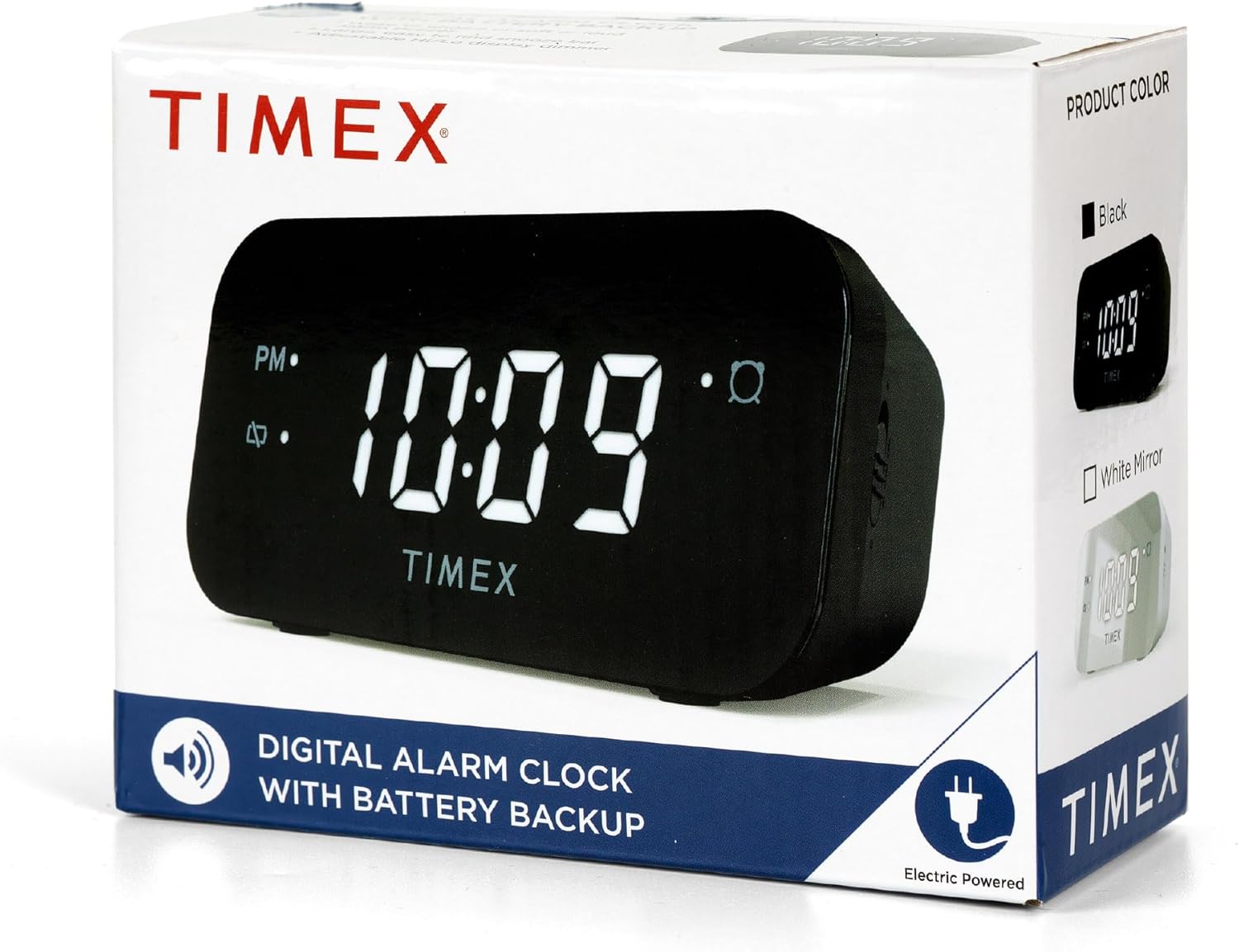
Image: The Timex T121B Digital Alarm Clock shown inside its retail packaging, highlighting its electric power source.
3. Einrichtung
3.1 Stromanschluss
- Unpack the Timex T121B alarm clock and its power adapter.
- Insert the small end of the 120V universal power adapter into the DC input jack located on the back of the alarm clock.
- Plug the larger end of the power adapter into a standard 120V AC wall outlet. The clock display will illuminate.
3.2 Installation der Notstromversorgung
The battery backup feature ensures that time and alarm settings are retained during power outages. This clock requires two "AAA" batteries (not included).
- Suchen Sie das Batteriefach an der Unterseite des Weckers.
- Öffnen Sie die Abdeckung des Batteriefachs.
- Insert two fresh "AAA" batteries, observing the correct polarity (+ and -) as indicated inside the compartment.
- Schließen Sie den Batteriefachdeckel fest.
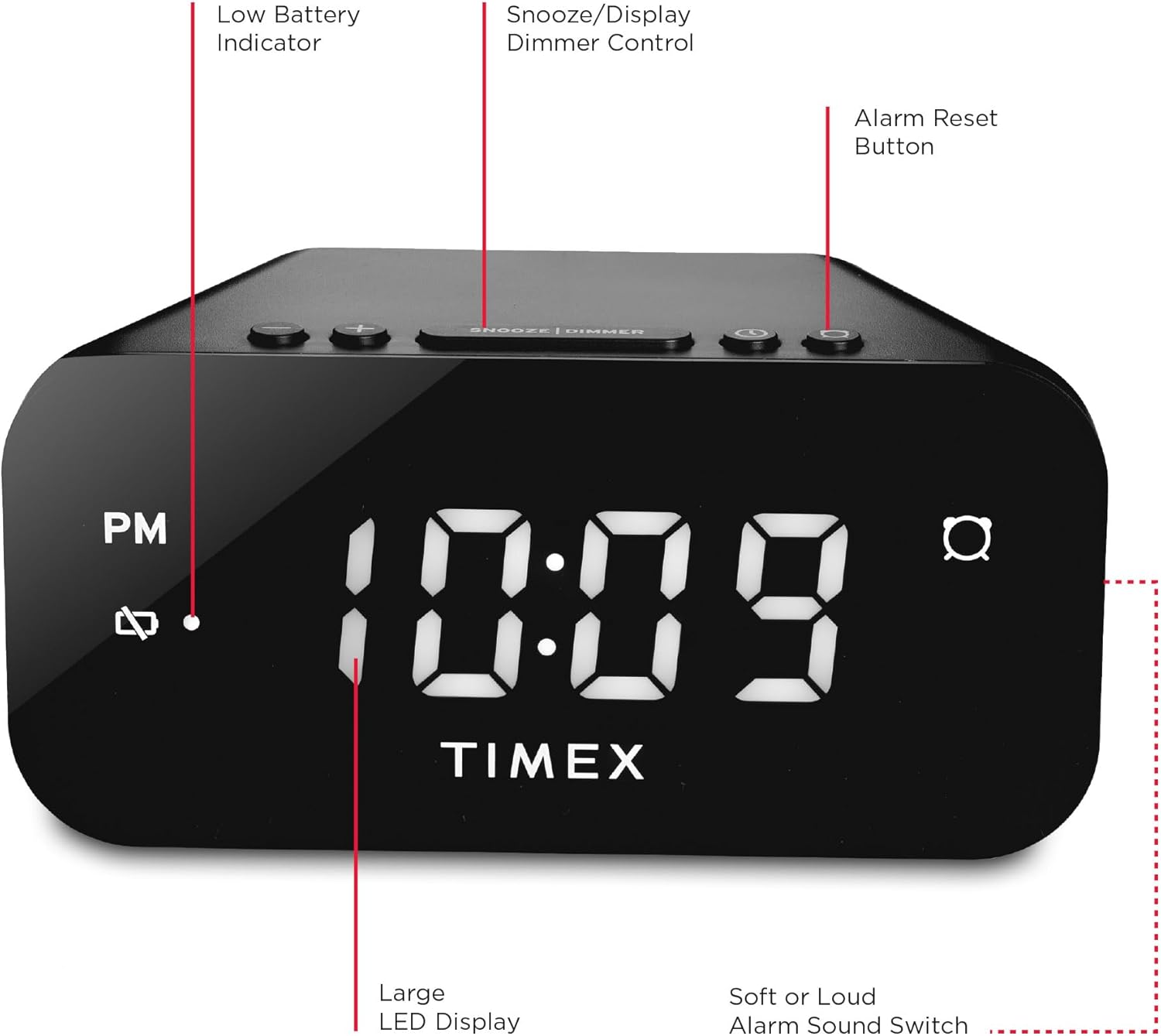
Bild: Rückseite view of the Timex T121B Digital Alarm Clock, illustrating the location of the battery compartment and power input.
4. Bedienungsanleitung
4.1 Uhrzeit einstellen
- Halten Sie die ZEITEINSTELLUNG Drücken Sie den Knopf (normalerweise oben oder hinten), bis die Stundenziffern zu blinken beginnen.
- Drücken Sie die STUNDE button repeatedly to adjust the hour. Observe the PM indicator if setting a PM time.
- Drücken Sie die MINUTE Durch wiederholtes Drücken der Taste können die Minuten eingestellt werden.
- Drücken Sie die ZEITEINSTELLUNG button again to confirm and save the time.
4.2 Wecker stellen
- Halten Sie die WECKER GESTELLT Drücken Sie die Taste, bis die Ziffern der Alarmstunde zu blinken beginnen.
- Drücken Sie die STUNDE Taste, um die Weckzeit einzustellen.
- Drücken Sie die MINUTE Taste zum Einstellen der Alarmminuten.
- Drücken Sie die WECKER GESTELLT Drücken Sie erneut, um die Alarmzeit zu bestätigen.
- Zum Aktivieren oder Deaktivieren des Alarms drücken Sie die Taste ALARM EIN / AUS button. An alarm indicator light will appear on the display when the alarm is active.
4.3 Schlummerfunktion
Wenn der Alarm ertönt, drücken Sie die große Taste. SCHLUMMER/DIMMER bar located on the top of the clock. This will temporarily silence the alarm for approximately 9 minutes. The alarm will sound again after the snooze period ends.
4.4 Alarm Reset (Set and Forget)
To turn off the alarm for the current day and automatically reset it for the next day at the same time, press the ALARM ZURÜCKSETZEN button (often labeled with a bell icon). This feature is part of the 24-hour "set and forget" functionality.
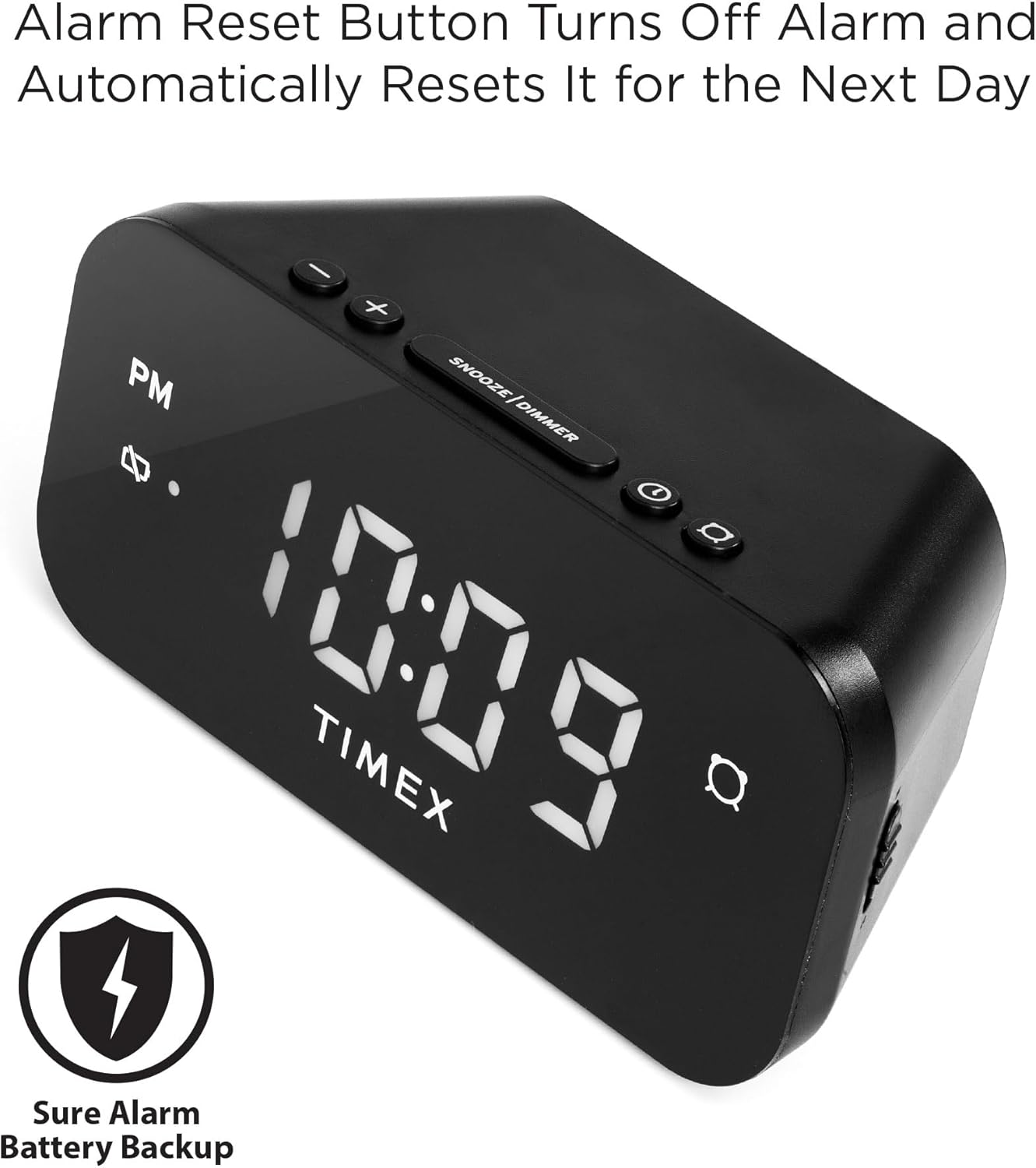
Image: The Timex T121B Digital Alarm Clock highlighting the Alarm Reset Button, which silences the alarm and prepares it for the next day.
4.5 Display-Dimmersteuerung
To adjust the brightness of the LED display, repeatedly press the SCHLUMMER/DIMMER bar (when the alarm is not sounding). This will cycle through different brightness levels to suit your preference.
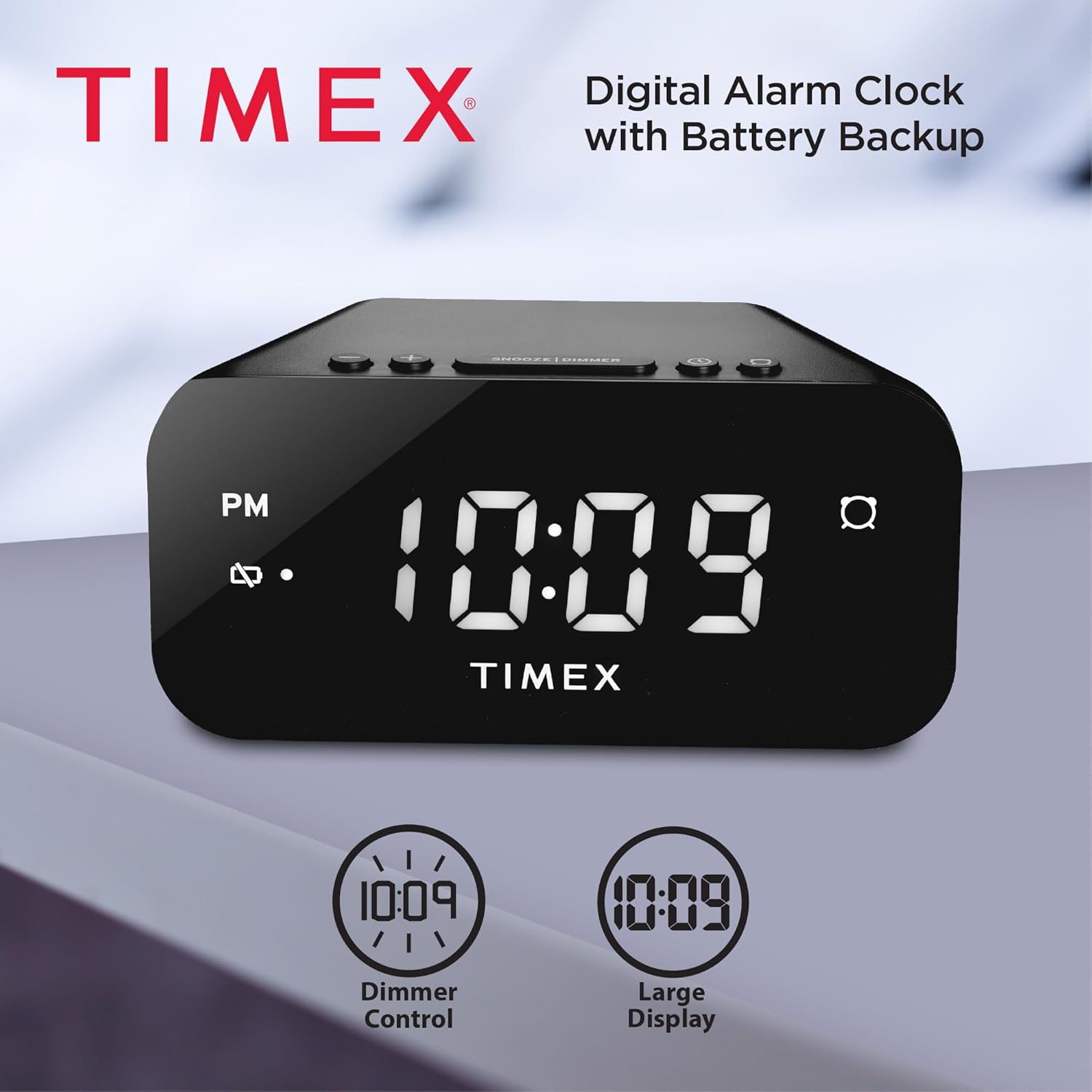
Image: The Timex T121B Digital Alarm Clock illustrating its dimmer control and large display features.
4.6 Alarm Sound Adjustment
The alarm features a graduated wake-up sound. It starts softly and gradually increases in volume to ensure you wake up. There is also a switch to select between soft or loud alarm buzzer settings, typically located on the side or back of the unit.

Image: The Timex T121B Digital Alarm Clock positioned on a nightstand next to a sleeping person, emphasizing its loud alarm capability.
5. Wartung
5.1 Reinigung
To clean the alarm clock, gently wipe the exterior surfaces with a soft, dry cloth. Do not use abrasive cleaners, waxes, or solvents as they may damage the finish. Avoid spraying liquids directly onto the unit.
5.2 Batteriewechsel
If the "BATT LOW" indicator appears on the display, it is time to replace the AAA backup batteries. Follow the instructions in Section 3.2 to replace them. Ensure the clock remains plugged into AC power during battery replacement to avoid losing time and alarm settings.
6. Fehlerbehebung
| Problem | Mögliche Ursache | Lösung |
|---|---|---|
| Die Uhranzeige ist leer. | Kein Wechselstrom. | Ensure the power adapter is securely plugged into both the clock and a working wall outlet. Check the outlet with another device. |
| Der Alarm ertönt nicht. | Alarm nicht eingestellt oder deaktiviert. | Verify the alarm indicator light is on. Re-set the alarm time following Section 4.2. |
| Zeit-/Weckereinstellungen nach Stromausfall verlorentage. | Die Notstrombatterien sind defekt oder nicht installiert. | Install or replace two fresh AAA batteries as per Section 3.2. |
| Das Display ist zu hell/zu dunkel. | Die Dimmereinstellung muss angepasst werden. | Press the SNOOZE/DIMMER bar repeatedly to cycle through brightness levels (Section 4.5). |
7. Spezifikationen
- Marke: Timex
- Modellnummer: T121B
- Anzeigetyp: Digital LED (0.7-inch Red Display)
- Farbe: Schwarz
- Energiequelle: Corded Electric (120V Universal Power Adapter)
- Batterie-Backup: Benötigt 2 AAA-Batterien (nicht im Lieferumfang enthalten)
- Produktabmessungen: 5.52 Zoll B x 2.36 Zoll H
- Artikelgewicht: 6.7 Unzen
- Merkmale: 24-hour Set and Forget Alarm, Auto-Repeat, Auto-Shutoff, Graduated Wake-up Alarm Sound, Snooze Function, Display Dimmer Control, PM Indicator, Alarm Set Indicator, Low Battery Warning.
8. Garantie und Support
This Timex T121B Digital Alarm Clock comes with a Eingeschränkte Garantie. For specific details regarding warranty coverage, duration, and claims, please refer to the warranty information provided with your purchase or contact Timex customer support.
For additional support, you may refer to the official User Manual PDF: Timex T121B User Manual (PDF).
Video: Ein offizielles Produktvideo präsentiertasing the features and design of the Timex T121B Digital Alarm Clock.
Ask a question about this manual
Ask about setup, troubleshooting, compatibility, parts, safety, or missing instructions. Manuals+ will review the question and use this page’s manual context to help answer it.