
Einführung
The Adesso AKB-132UB Multimedia Desktop Keyboard is designed to enhance your computing experience with its 104-key layout and integrated multimedia and internet hotkeys. This keyboard features quiet membrane key switches for a comfortable and responsive typing experience. It connects to your computer via a USB interface.
Packungsinhalt
Bitte überprüfen Sie, ob alle Artikel in Ihrem Paket vorhanden sind:
- Adesso AKB-132UB Multimedia Desktop Keyboard
- Kurzanleitung
Aufstellen
- Schalten Sie Ihren Computer aus: For optimal installation, it is recommended to power off your computer before connecting the keyboard.
- Schließen Sie das USB-Kabel an: Locate an available USB port on your computer. Plug the USB connector of the Adesso AKB-132UB keyboard firmly into the USB port. Note: Some USB keyboards may be sensitive to the specific port used. If the keyboard does not function, try a different USB port, preferably one directly on the computer's motherboard (e.g., at the back of a desktop PC) rather than a USB hub.
- Schalten Sie Ihren Computer ein: Turn on your computer. The operating system should automatically detect and install the necessary drivers for the keyboard.
- Funktionalität überprüfen: Once the drivers are installed, test the keyboard by typing in a text editor or navigating your system. The Num Lock, Caps Lock, and Scroll Lock indicator lights should function correctly.
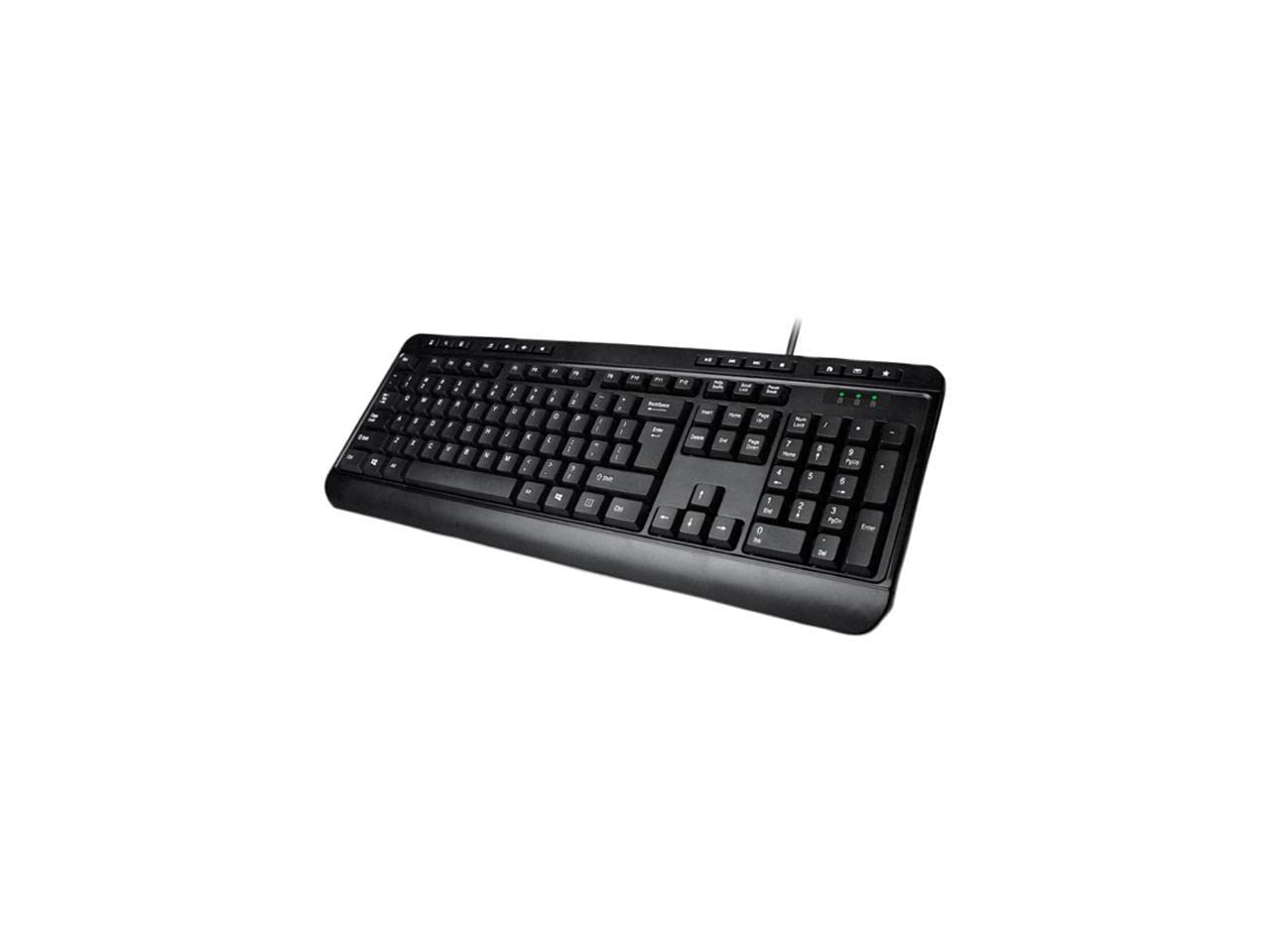
Image: Adesso AKB-132UB Multimedia Desktop Keyboard. This image shows the full keyboard with its standard 104-key layout and the attached USB cable for connection.
Bedienungsanleitung
Standard-Tastaturfunktionen
The Adesso AKB-132UB features a standard 104-key US layout. Keys operate as labeled. The keyboard utilizes membrane switches, providing a quiet and tactile typing experience.
- Kontrollleuchten: Located above the numeric keypad, these lights indicate the status of Num Lock, Caps Lock, and Scroll Lock.
- Einstellbare Neigung: The keyboard includes foldable feet on the underside to adjust the typing angle for comfort.
Multimedia-Hotkeys
The keyboard includes 8 dedicated multimedia hotkeys for quick access to media player controls:
- Mediaplayer: Opens your default media player application.
- Lautstärke runter: Decreases the system volume.
- Lautstärke erhöhen: Increases the system volume.
- Stumm: Toggles the system sound on or off.
- Abspielen/Pause: Startet oder pausiert die Medienwiedergabe.
- Vorheriges Lied: Skips to the previous track in your media player.
- Nächster Titel: Skips to the next track in your media player.
- Stop: Stoppt die Medienwiedergabe.
Windows & Internet Hotkeys
The keyboard also features 6 hotkeys for common Windows and Internet functions:
- Mein Computer: Opens the "This PC" or "My Computer" window.
- Suchen: Opens the system search utility.
- Taschenrechner: Launches the Windows Calculator application.
- Mail: Öffnet Ihren Standard-E-Mail-Client.
- Heim: Öffnet Ihre Standardeinstellung web browser to its home page.
- Favoriten: Öffnet Ihr web browser's favorites/bookmarks.
Technische Daten
| Besonderheit | Detail |
|---|---|
| Marke | Adesso |
| Modellnummer | AKB-132UB |
| Konnektivitätstechnologie | Kabelgebunden (USB) |
| Tastaturlayout | 104-Key US Layout (QWERTY) |
| Schlüsseltyp | Membranschalter |
| Multimedia-Hotkeys | 8 (Media Player, Volume Down, Volume Up, Mute, Play/Pause, Previous Track, Next Track, Stop) |
| Windows & Internet Hotkeys | 6 (My Computer, Search, Calculator, Mail, Home, Favorites) |
| Indikatoren | Num Lock, Feststelltaste, Rollen-Taste |
| Lebenszyklus | 5 Millionen Tastenanschläge |
| Farbe | Schwarz |
| Material | Plastik |
| Artikelgewicht | 1.5 Pfund |
Fehlerbehebung
- Tastatur reagiert nicht:
- Stellen Sie sicher, dass das USB-Kabel fest mit einem funktionierenden USB-Anschluss Ihres Computers verbunden ist.
- Try plugging the keyboard into a different USB port, especially a direct port on the computer's rear, bypassing any USB hubs.
- Starten Sie Ihren Computer neu, damit das Betriebssystem das Gerät erneut erkennen kann.
- Testen Sie die Tastatur an einem anderen Computer, um festzustellen, ob das Problem an der Tastatur oder an den Einstellungen Ihres Computers liegt.
- Keys Not Functioning Correctly or Unexpected Characters:
- Vergewissern Sie sich, dass in den Einstellungen Ihres Betriebssystems das richtige Tastaturlayout ausgewählt ist.
- Stellen Sie sicher, dass sich keine Fremdkörper unter den Schlüsseln befinden.
- For specific keys like the 'Enter' key, be aware that some keyboard layouts may place the backslash key adjacent to it. Familiarization with the physical layout is key.
- Wobbly Keyboard:
- Stellen Sie sicher, dass die Tastatur auf einer ebenen, stabilen Oberfläche steht.
- Check if the adjustable tilt feet are fully extended or retracted evenly.
Wartung
To maintain the performance and longevity of your Adesso AKB-132UB keyboard:
- Reinigung: Benutzen Sie ein weiches, leichtamp cloth to wipe the surface of the keyboard. Avoid using harsh chemicals or abrasive cleaners. For cleaning between keys, use compressed air to remove dust and debris.
- Verschütten vermeiden: Um Schäden an den internen Bauteilen zu vermeiden, sollten Flüssigkeiten von der Tastatur ferngehalten werden.
- Lagerung: Bei längerer Nichtbenutzung sollte die Tastatur in einer sauberen, trockenen Umgebung aufbewahrt werden.
Garantie und Support
The Adesso AKB-132UB Multimedia Desktop Keyboard comes with a 1 Jahr eingeschränkte Garantie ab Kaufdatum. Diese Garantie deckt Material- und Verarbeitungsfehler bei normalem Gebrauch ab.
For technical support, warranty claims, or further assistance, please contact Adesso customer service. Refer to the official Adesso webDie aktuellsten Kontaktinformationen finden Sie auf dieser Webseite.
Note: This product contains chemicals known to the State of California to cause cancer and birth defects or other reproductive harm.