
1. Produktüberschreitungview
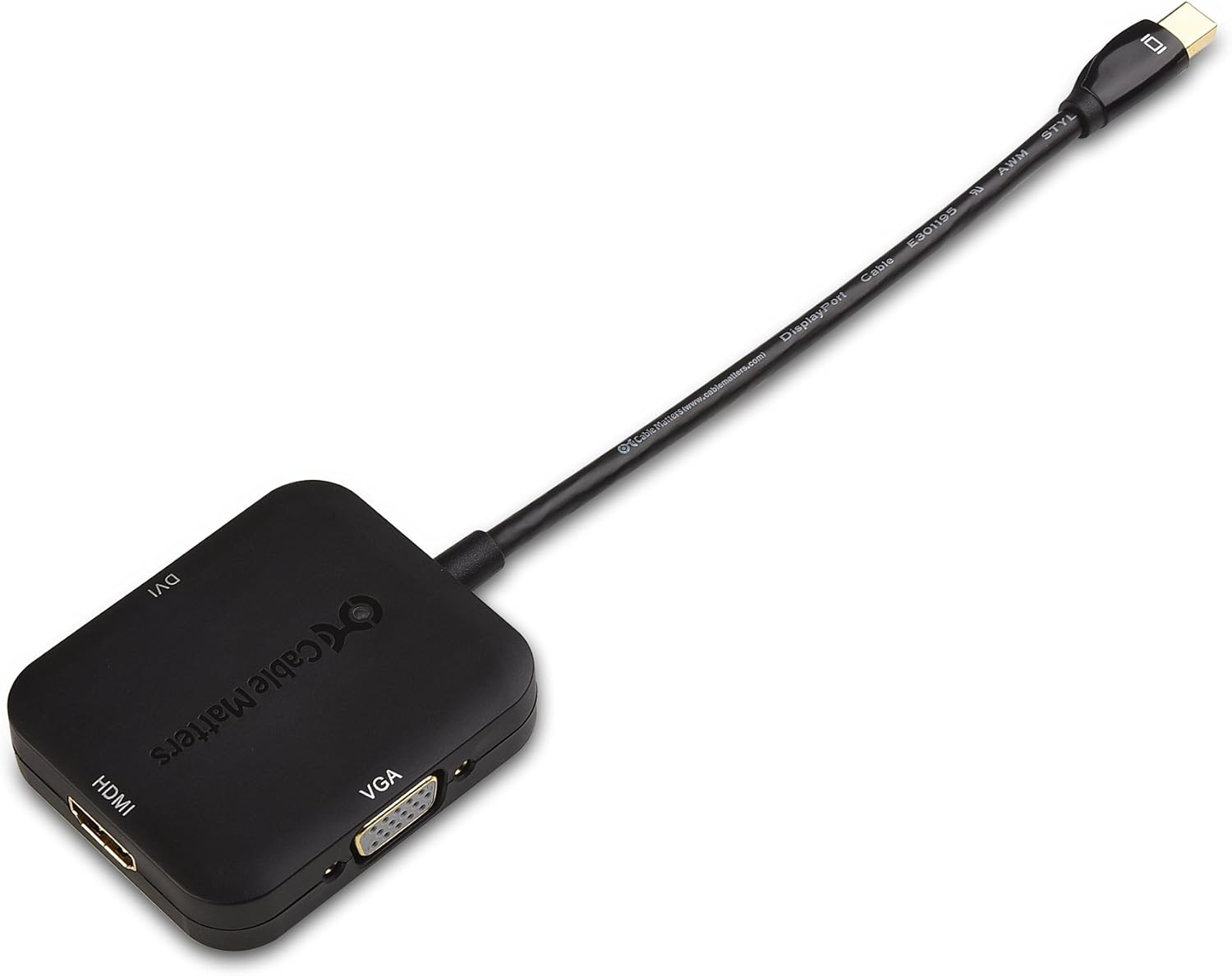
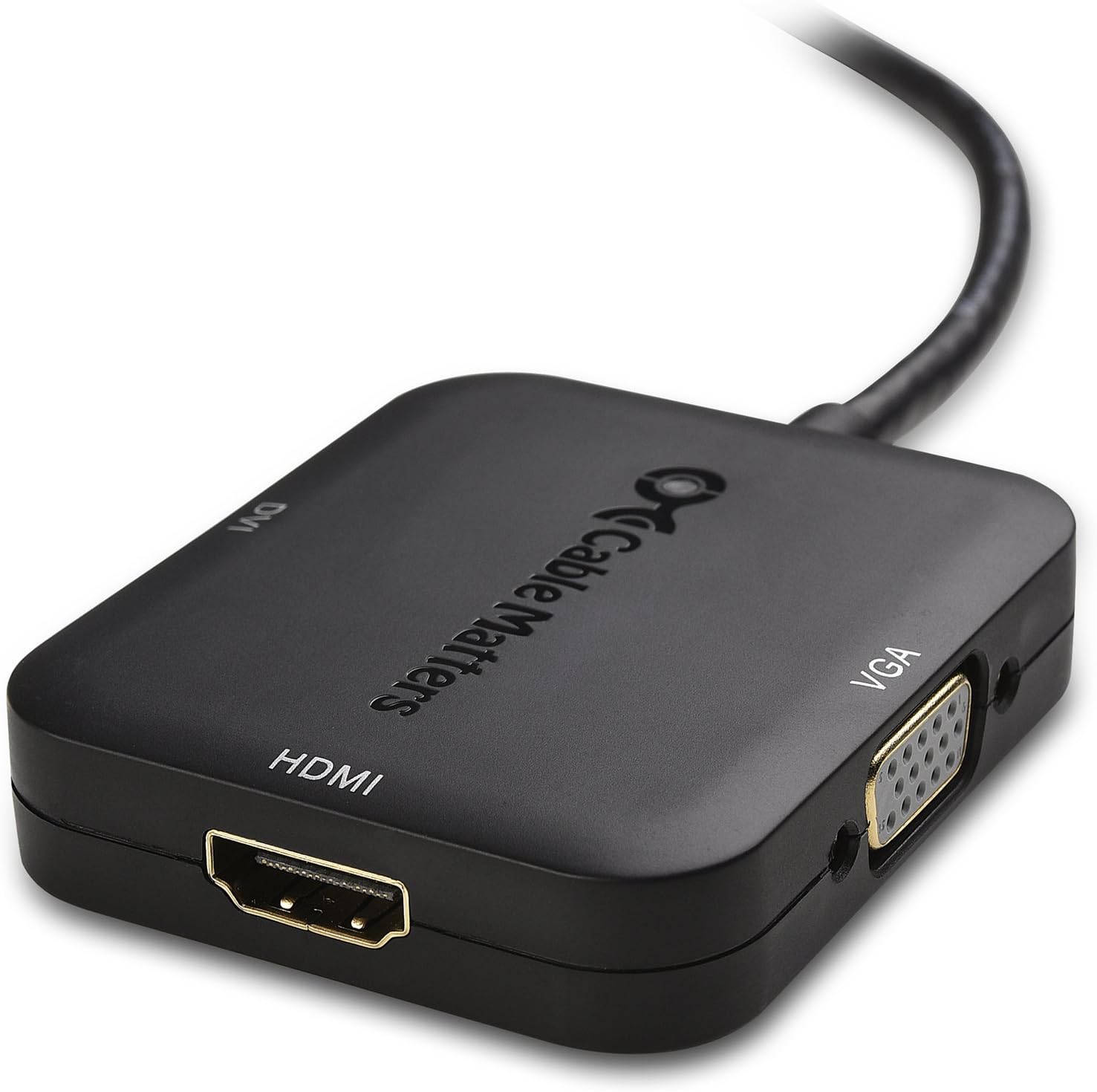
The Cable Matters Mini DisplayPort to HDMI, VGA, and DVI 3-in-1 Adapter (Model 101020-BLACK) provides a versatile solution for connecting devices equipped with a Mini DisplayPort or Thunderbolt/Thunderbolt 2 output to various display types. This adapter supports HDMI, DVI, and VGA connections, ensuring compatibility with a wide range of monitors, projectors, and HDTVs.

2. Einrichtungsanweisungen
Follow these steps to connect your adapter and display device:
- Verbindung zum Quellgerät herstellen: Insert the Mini DisplayPort connector into the Mini DisplayPort or Thunderbolt/Thunderbolt 2 port on your computer or tablet.
- Anschluss an das Display: Choose the appropriate output port (HDMI, DVI, or VGA) on the adapter and connect it to your display device using a separate cable (HDMI, DVI, or VGA cable, sold separately).
- Einschalten: Stellen Sie sicher, dass sowohl Ihr Quellgerät als auch Ihr Anzeigegerät eingeschaltet sind.
- Eingabe auswählen: On your display device, select the correct input source (e.g., HDMI 1, DVI, VGA) corresponding to the port you used.

3. Bedienungsanleitung
- Videoübertragung: The adapter transmits video signals from your source device to the connected display.
- HDMI-Ausgang: Supports video resolutions up to 4K (3840x2160) and flawless audio pass-thru for uncompressed digital 7.1, 5.1, or 2 channels.
- DVI/VGA Output: Supports video resolutions up to 1080p (1920x1080). Note that DVI and VGA connections do not transmit audio. For audio with DVI or VGA, a separate audio cable is required.
- Bildschirmeinstellungen: After connecting, your computer should automatically detect the display. If not, adjust display settings in your operating system (e.g., "Display Settings" on Windows, "System Preferences > Displays" on macOS) to extend or duplicate your desktop.
4. Wartung
- Halten Sie den Adapter sauber und frei von Staub.
- Um interne Schäden zu vermeiden, sollte das Kabel nicht übermäßig gebogen oder verdreht werden.
- Bewahren Sie den Adapter bei Nichtgebrauch an einem kühlen, trockenen Ort auf.
- Do not expose the adapter to liquids or extreme temperatures.
5. Fehlerbehebung
5.1. No Display/Signal
- Ensure all connections are secure. The Mini DisplayPort connector should be firmly seated.
- Verify the display device is powered on and set to the correct input source.
- Versuchen Sie, Ihren Computer neu zu starten.
- Test with a different display cable (HDMI, DVI, or VGA) if available.
- Stellen Sie sicher, dass die Grafiktreiber Ihres Quellgeräts auf dem neuesten Stand sind.
5.2. Incorrect Resolution/Flickering
- Adjust the display resolution and refresh rate in your computer's display settings.
- Ensure the display cable supports the desired resolution.
- Check for a firm connection; a loose Mini DisplayPort connection can sometimes cause resolution issues.
5.3. No Audio (HDMI only)
- Verify that your computer's sound output is set to the HDMI display.
- Ensure the HDMI cable is fully functional and supports audio transmission.
- Remember that DVI and VGA outputs do not transmit audio.
5.4. Adapter nicht erkannt
- Den Adapter abziehen und wieder anschließen.
- Try connecting to a different Mini DisplayPort/Thunderbolt port on your computer, if available.
- Test the adapter with another compatible computer if possible.
6. Spezifikationen
| Marke | Kabelangelegenheiten |
| Modellnummer | 101020-SCHWARZ |
| UPC | 081159808402 |
| Steckertyp | Mini DisplayPort, HDMI, DVI, VGA |
| Kompatible Geräte | Notebook, PC |
| Spezifische Verwendungen für das Produkt | TV, PC, Monitor, Laptop, Tablet |
| Farbe | Schwarz |
| Artikelabmessungen (L x B x H) | 9 x 5.4 x 0.6 Zoll |
| Artikelgewicht | 68 Gramm |
| Anzahl der Ports | 1 (input), 3 (output) |
| Garantietyp | Beschränkt |
7. Garantieinformationen
This Cable Matters adapter comes with a Limited Warranty. For specific details regarding warranty coverage, duration, and claims, please refer to the official Cable Matters website or contact their customer support directly. Standard return policies for new items typically allow for refund or replacement within 30 days of purchase.
8. Unterstützung
For technical support, product inquiries, or additional assistance, please visit the official Cable Matters website. You can typically find FAQs, driver downloads (if applicable), and contact information for their customer service team.
When contacting support, please provide the following product details:
- Marke: Kabelangelegenheiten
- Modellnummer: 101020-SCHWARZ
- UPC: 081159808402