
Einführung
This manual provides instructions for the proper use, setup, and maintenance of your Beats by Dr. Dre In-Ear Headphones, Model OMEL-MR-PN-6694832. Please read this manual thoroughly before using the product to ensure optimal performance and longevity.
Produkt überview
The Beats by Dr. Dre In-Ear Headphones are designed for high-quality audio delivery and convenience. Key features include:
- Solid Metal Housing: Constructed with durable metal for enhanced resilience.
- Grid-Iron Tough Build: Engineered for robustness and durability.
- Eingebautes Mikrofon: Facilitates hands-free calls. Note that inline remote or microphone functionality may be limited with Apple devices.
- Tangle-Free Cables: Designed to prevent tangling for ease of use and storage.
- Leichtes und faltbares Design: Offers portability and comfort during extended wear.
- Lautstärkeregelung: Integrated controls for easy audio adjustments.
- Android Phone Control Support: Optimized for use with Android devices.
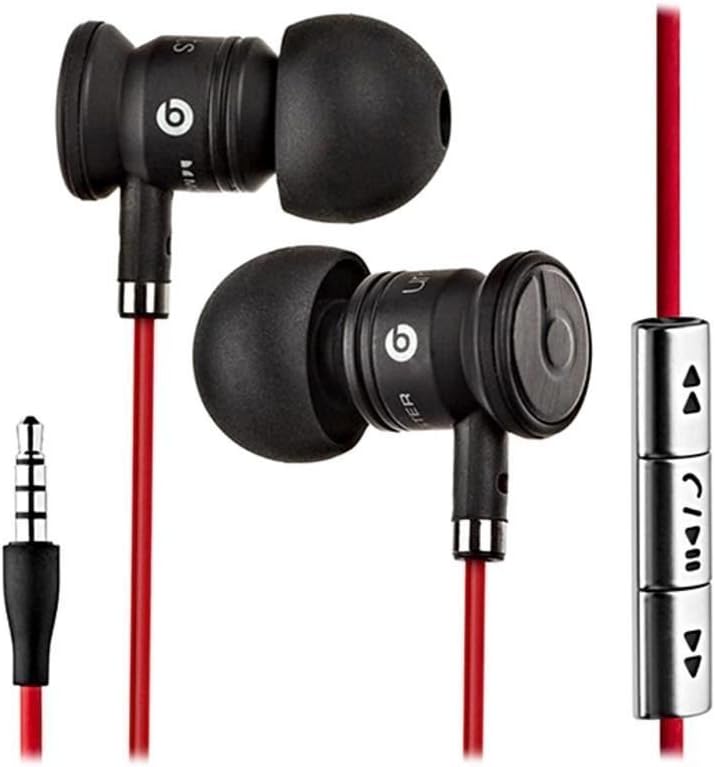
Image: The Beats by Dr. Dre In-Ear Headphones, featuring black earbuds, a red tangle-free cable, and an inline remote with control buttons.
Aufstellen
- Ohrstöpsel auswählen: Choose the ear tips that provide the most comfortable and secure fit for your ears. The headphones come with various sizes to ensure optimal sound isolation and comfort.

Image: The Beats by Dr. Dre In-Ear Headphones displayed with a selection of different sized ear tips and a branded carrying pouch.
- Mit Gerät verbinden: Stecken Sie den 3.5-mm-Audiostecker in die Kopfhörerbuchse Ihres Audiogeräts (Smartphone, Tablet, MP3-Player usw.).
- Ohrhörer positionieren: Gently insert the earbuds into your ears, ensuring a snug fit. The cable should hang comfortably.
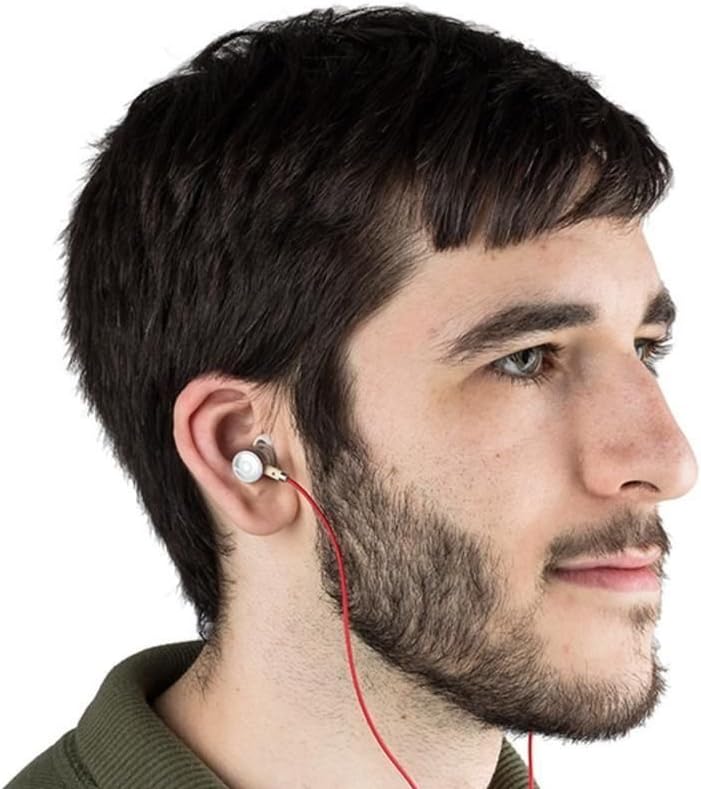
Image: A person wearing the Beats by Dr. Dre In-Ear Headphones, demonstrating proper earbud placement.
Bedienungsanleitung
Audiowiedergabe
- Abspielen/Pause: Press the center button on the inline remote once.
- Nächster Titel: Drücken Sie die mittlere Taste zweimal schnell hintereinander.
- Vorheriges Lied: Drücken Sie die mittlere Taste dreimal schnell hintereinander.
- Lautstärke erhöhen: Press the '+' button on the inline remote.
- Lautstärke runter: Press the '-' button on the inline remote.
Anruf-Management
- Anruf annehmen/beenden: Drücken Sie während eines eingehenden oder aktiven Anrufs einmal die mittlere Taste.
- Anruf ablehnen: Press and hold the center button for approximately two seconds during an incoming call.
Notiz: Functionality of the inline remote and microphone may be limited or vary when used with Apple devices compared to Android devices.
Wartung
- Reinigung: Regularly wipe the earbuds and cable with a soft, dry, lint-free cloth. Do not use harsh chemicals or abrasive materials.
- Pflege der Ohrstöpsel: Nehmen Sie die Ohrstöpsel regelmäßig ab und reinigen Sie sie mit milder Seife und Wasser. Stellen Sie sicher, dass sie vollständig trocken sind, bevor Sie sie wieder anbringen.
- Lagerung: When not in use, store your headphones in the provided carrying pouch to protect them from dust, dirt, and tangling.

Image: The black carrying pouch with the Beats by Dr. Dre logo, designed for headphone storage.
- Feuchtigkeit vermeiden: Keep the headphones away from water and excessive moisture.
Fehlerbehebung
- Kein Ton:
- - Ensure the 3.5mm jack is fully inserted into your device.
- - Check the volume level on both your device and using the inline remote.
- - Test the headphones with another audio device to rule out device issues.
- Mikrofon funktioniert nicht:
- - Verify that your device's microphone settings are correctly configured.
- - Remember that microphone functionality may be limited with Apple devices.
- - Ensure the microphone is not obstructed.
- Probleme mit der Fernbedienung:
- - Confirm compatibility with your device. Full functionality is primarily supported on Android devices.
- - Ensure the connection is secure.
Technische Daten
| Besonderheit | Detail |
|---|---|
| Marke | Beats |
| Modellnummer | OMEL-MR-PN-6694832 |
| Platzierung des Ohrs | Im Ohr |
| Formfaktor | Im Ohr |
| Konnektivitätstechnologie | Verdrahtet |
| Artikelgewicht | 0.3 Unzen |
| Gehäusematerial | Metall |
| Kabelfunktionen | Verwicklung frei |
| Zusätzliche Merkmale | Foldable, Lightweight, Volume Control, Android Phone Control |
| Steuerungstyp | Fernbedienung |
Offizielles Produktvideo
Video: Ein Beamter überview of the Beats by Dr. Dre In-Ear Headphones, demonstrating key features and design elements. Note: The video narration incorrectly refers to the product as wireless; these headphones are wired as shown in the video and product images.
Garantie und Support
For warranty information and customer support, please refer to the official Beats by Dr. Dre webBesuchen Sie unsere Website oder kontaktieren Sie Ihren Händler. Bewahren Sie Ihren Kaufbeleg für Garantieansprüche auf.
Weitere Unterstützung finden Sie unter Beats Store on Amazon.