
1. Einleitung
The TeckNet TK-WR177A1 is a versatile wireless device designed to extend the coverage and improve the signal strength of an existing wireless network. It supports 300Mbps wireless N speeds and features a compact, wall-mounted design for flexible placement. This device can function as a Wireless Repeater or a Wireless Access Point (AP). Additionally, its Ethernet port allows it to act as a wireless adapter, enabling wired devices to connect to a wireless network.
2. Packungsinhalt
Bitte überprüfen Sie den Packungsinhalt sorgfältig. Sollte ein Artikel fehlen oder beschädigt sein, wenden Sie sich bitte an Ihren Händler.
- TeckNet TK-WR177A1 Wireless-N Repeater/AP
- Ethernet-Kabel
- Quick Installation Guide (This document serves as a detailed guide)

Image: TeckNet TK-WR177A1 product packaging. The box shows the model number WR177A1 and "UK WiFi Repeater".
3. Produktüberschreitungview
Familiarize yourself with the physical features of your TeckNet TK-WR177A1 device.
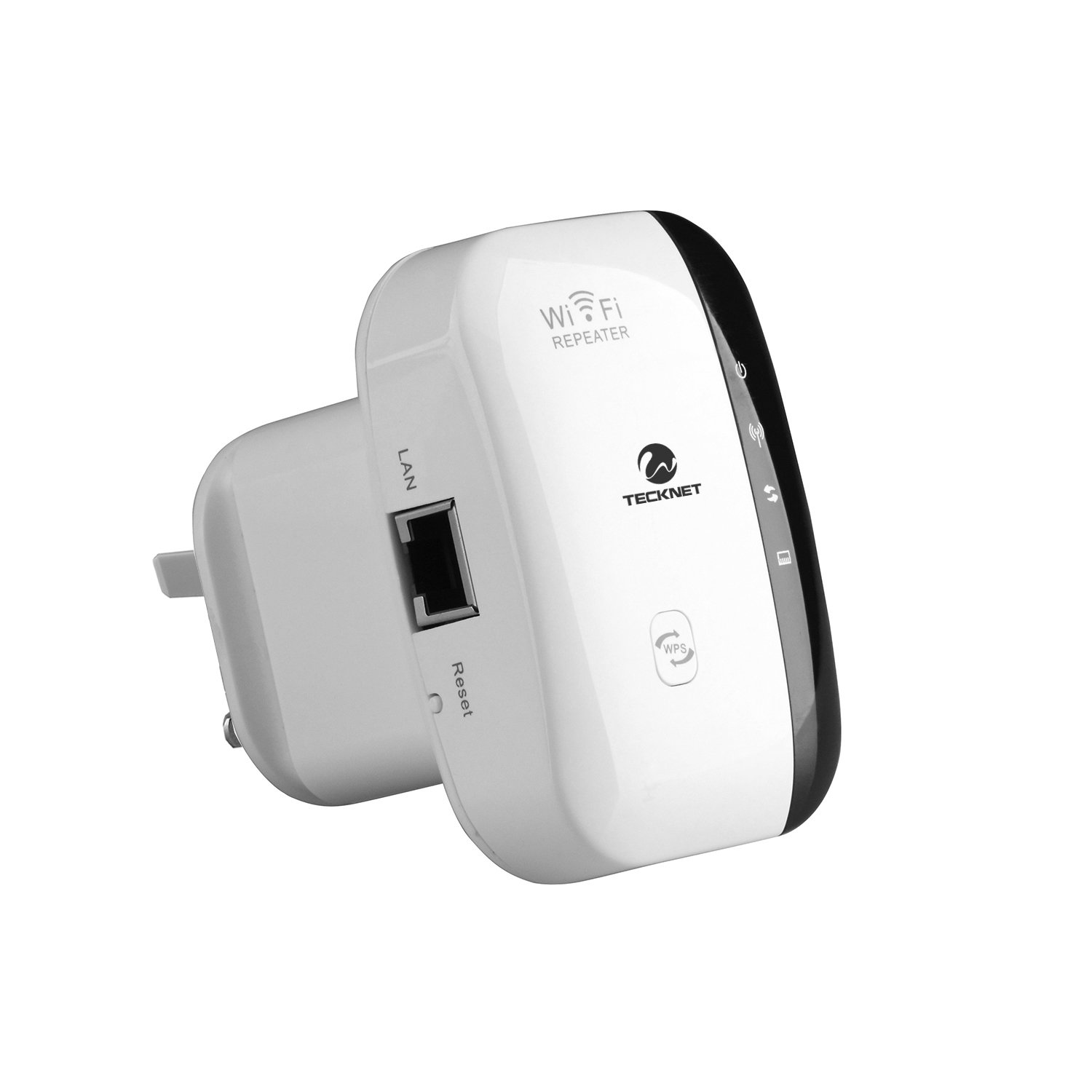
Bild: Vorderseite view of the TeckNet TK-WR177A1 Wireless-N Repeater. It features a white casing with a black central strip containing LED indicators and buttons, including a WPS button at the bottom.
3.1. LED Indicators and Buttons
- Betriebs-LED: Zeigt an, dass das Gerät eingeschaltet ist.
- WLAN-LED: Zeigt drahtlose Aktivität an.
- LAN-LED: Zeigt die Aktivität des Ethernet-Ports an.
- WPS-Taste: Used for quick, secure connection to a router via Wi-Fi Protected Setup.
- Reset-Taste: Used to restore the device to factory default settings. (Located on the side, recessed).

Abbildung: Seite view of the TeckNet TK-WR177A1, highlighting the LAN (Ethernet) port and the recessed Reset button.
3.2. Ethernet-Port
The device includes one 10/100Mbps Auto-negotiation Ethernet LAN port. This port can be used for:
- Connecting a wired device (e.g., PC, smart TV, gaming console) to the wireless network when the TK-WR177A1 is in Repeater mode.
- Connecting the device to a router/modem to function as a Wireless Access Point (AP mode).

Image: TeckNet TK-WR177A1 with an Ethernet cable connected to its LAN port, demonstrating its wired connectivity.
4. Einrichtung und Konfiguration
The TeckNet TK-WR177A1 supports two main operating modes: Wireless Repeater and Wireless Access Point (AP). It also features a convenient WPS setup.
4.1. Quick Setup using WPS (Wi-Fi Protected Setup)
WPS allows for a quick and secure connection without manual configuration. Ensure your main router supports WPS.
- Plug the TK-WR177A1 into a power outlet near your main wireless router.
- Warten Sie, bis die Power-LED dauerhaft leuchtet.
- Press the WPS button on your main wireless router.
- Within 2 minutes, press the WPS button on the TK-WR177A1.
- The WLAN LED on the TK-WR177A1 will flash during the connection process and then become solid when successfully connected.
- Once connected, you can unplug the TK-WR177A1 and relocate it to a desired area within the wireless range of your main router. No re-configuration is needed.
4.2. Manuelle Einrichtung (Web Browser)
If your router does not support WPS, or for advanced configuration, use the web Browsermethode.
- Plug the TK-WR177A1 into a power outlet.
- Connect your computer to the TK-WR177A1 using an Ethernet cable (recommended for initial setup) or wirelessly connect to the default Wi-Fi network broadcast by the repeater (e.g., "Wireless-N").
- Öffnen Sie ein web Browser und geben Sie die Standard-IP-Adresse ein: 192.168.10.1. (This information is often found on a label on the device itself).
- Geben Sie den Standardbenutzernamen und das Standardpasswort ein (normalerweise Administrator/Administrator or similar, check the device label).
- Follow the on-screen setup wizard to configure the device in either Repeater or AP mode.

Abbildung: Rückseite view of the TeckNet TK-WR177A1, showing the product label with default IP address (192.168.10.1) and user/password information.
5. Betriebsarten
5.1. Repeater-Modus
In Repeater mode, the TK-WR177A1 extends the range of your existing wireless network. It receives the wireless signal from your main router and re-broadcasts it, effectively eliminating Wi-Fi dead zones. The Ethernet port can be used to connect a wired device to the extended wireless network.
- Connect to an existing Wi-Fi network.
- Broadcasts an extended Wi-Fi network with the same or a different SSID.
- Provides network access to wired devices via its LAN port.
5.2. Zugangspunktmodus (AP-Modus)
In AP mode, the TK-WR177A1 transforms a wired network connection into a wireless one. This is useful for adding Wi-Fi capability to a wired-only router or network switch.
- Connect the TK-WR177A1's LAN port to your wired router/modem using an Ethernet cable.
- The device will then broadcast a new wireless network, allowing wireless devices to connect to your wired network.
6. Wartung
6.1. Zurücksetzen des Geräts
If the device is not functioning correctly or you forget your login credentials, you can restore it to factory default settings.
- With the device powered on, use a paperclip or a thin object to press and hold the recessed Zurücksetzen Taste ca. 5-10 Sekunden lang gedrückt.
- Release the button when the LEDs flash. The device will restart with factory default settings.
6.2. Allgemeine Pflege
- Halten Sie das Gerät von Wasser, Feuer und hohen Temperaturen fern.
- Versuchen Sie nicht, das Gerät selbst zu zerlegen oder zu reparieren.
- Sorgen Sie für eine ausreichende Belüftung rund um das Gerät.
7. Fehlerbehebung
| Problem | Lösung |
|---|---|
| Kann nicht auf die zugreifen web Verwaltungsseite (192.168.10.1). |
|
| No internet access after setting up Repeater mode. |
|
| WPS-Verbindung fehlgeschlagen. |
|
| Langsame Verbindungsgeschwindigkeit. |
|
8. Spezifikationen
| Besonderheit | Detail |
|---|---|
| Modellnummer | TK-WR177A1 |
| Wireless-Standard | IEEE 802.11 b/g/n |
| Frequenzband | 2.4 GHz |
| Datenübertragungsrate | Bis zu 300 Mbit/s |
| Ethernet-Anschluss | 1 x 10/100Mbps Auto-negotiation LAN Port |
| Sicherheit | WEP, WPA, WPA-PSK, WPA2, WPA2-PSK (TKIP/AES) |
| Merkmale | WPS (Wi-Fi Protected Setup), Repeater Mode, AP Mode, Ethernet Bridge |
| Maße | Compact, wall-mounted design |
| Gewicht | 110 Gramm |
9. Sicherheitshinweise
- Setzen Sie das Gerät keinen extremen Temperaturen, Feuchtigkeit oder direkter Sonneneinstrahlung aus.
- Verwenden Sie ausschließlich das mitgelieferte oder vom Hersteller angegebene Netzteil.
- Bewahren Sie das Gerät außerhalb der Reichweite von Kindern auf.
- Disconnect the device from power during lightning storms or when unused for long periods.
10. Garantie und Support
TeckNet products typically come with a limited warranty. Please refer to the warranty card included with your product or visit the official TeckNet website for detailed warranty terms and conditions. For technical support or further assistance, please contact TeckNet customer service through their official channels.