
Wichtige Sicherheitsinformationen
Please read these instructions carefully before using the shredder. Keep this manual for future reference.
- Halten Sie Kinder und Haustiere vom Aktenvernichter fern.
- Keep loose clothing, jewelry, hair, and other foreign objects away from the shredder opening.
- Do not insert fingers or hands into the shredder opening.
- Ziehen Sie den Netzstecker des Aktenvernichters, wenn er nicht benutzt wird oder bevor Sie ihn reinigen.
- Do not shred metal objects, large paper clips, or hard plastic (except credit cards as specified).
- Verwenden Sie keine Aerosolprodukte, Schmierstoffe auf Erdölbasis oder andere brennbare Produkte auf oder in der Nähe des Schredders.
- Betreiben Sie den Aktenvernichter nicht, wenn das Netzkabel beschädigt ist.
- The shredder is equipped with overheat protection. If it overheats, it will automatically shut off. Allow it to cool down before resuming operation.
Packungsinhalt
Stellen Sie sicher, dass alle Artikel vorhanden sind:
- Amazon Basics AS665C Paper Shredder Unit
- Abfalleimer
- Bedienungsanleitung (dieses Dokument)
Aufstellen
- Den Aktenvernichter auspacken: Entnehmen Sie vorsichtig alle Komponenten aus der Verpackung.
-
Positionieren Sie den Abfalleimer: Place the shredder head securely on top of the provided waste bin. Ensure it is properly seated.
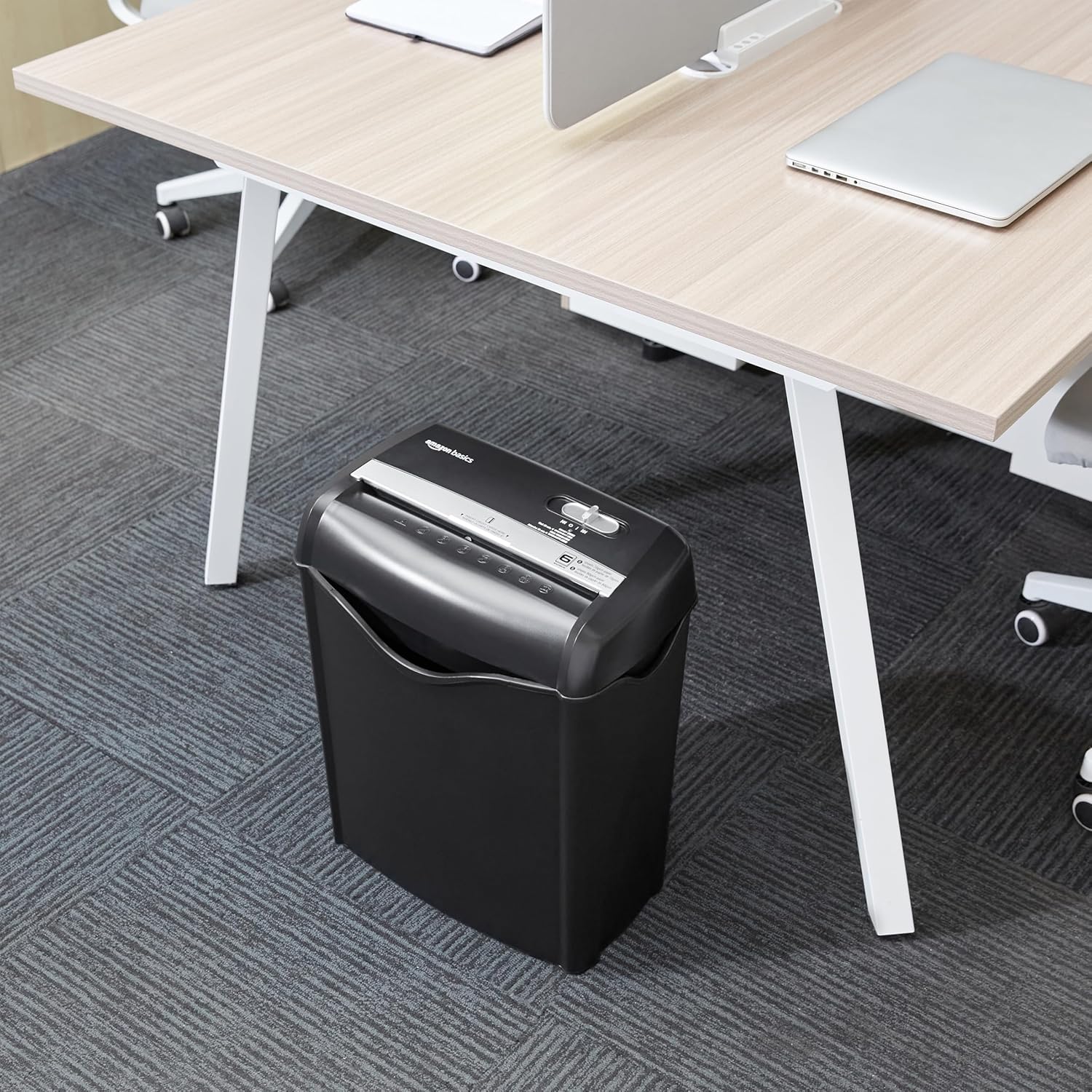
Image: The Amazon Basics AS665C Paper Shredder positioned under a desk, demonstrating its compact size and ease of placement in an office or home environment.
- Strom anschließen: Stecken Sie das Netzkabel in eine normale Steckdose.
Bedienungsanleitung
Steuerschalter
Der Aktenvernichter verfügt über einen Schiebeschalter mit drei Positionen:
- AUTO (I): Der Aktenvernichter startet automatisch, sobald Papier eingelegt wird, und stoppt, sobald der Vernichtungsvorgang abgeschlossen ist.
- AUS (O): Der Aktenvernichter ist ausgeschaltet.
- REV (<<): Aktiviert die Rücklauffunktion, um Papierstaus zu beheben.

Bild: Eine detaillierte view of the shredder's control switch, showing the "AUTO", "OFF", and "REV" settings, along with the "READY" (green) and "OVERHEAT" (red) indicator lights.
Aktenvernichtung
- Auswahlmodus: Stellen Sie den Steuerschalter auf AUTO (I) position. The "READY" indicator light (green) will illuminate.
-
Einlegepapier: Insert up to 6 sheets of 70gsm paper (or 5 sheets of 80gsm paper) straight into the paper entry slot. The shredder will automatically start and stop.
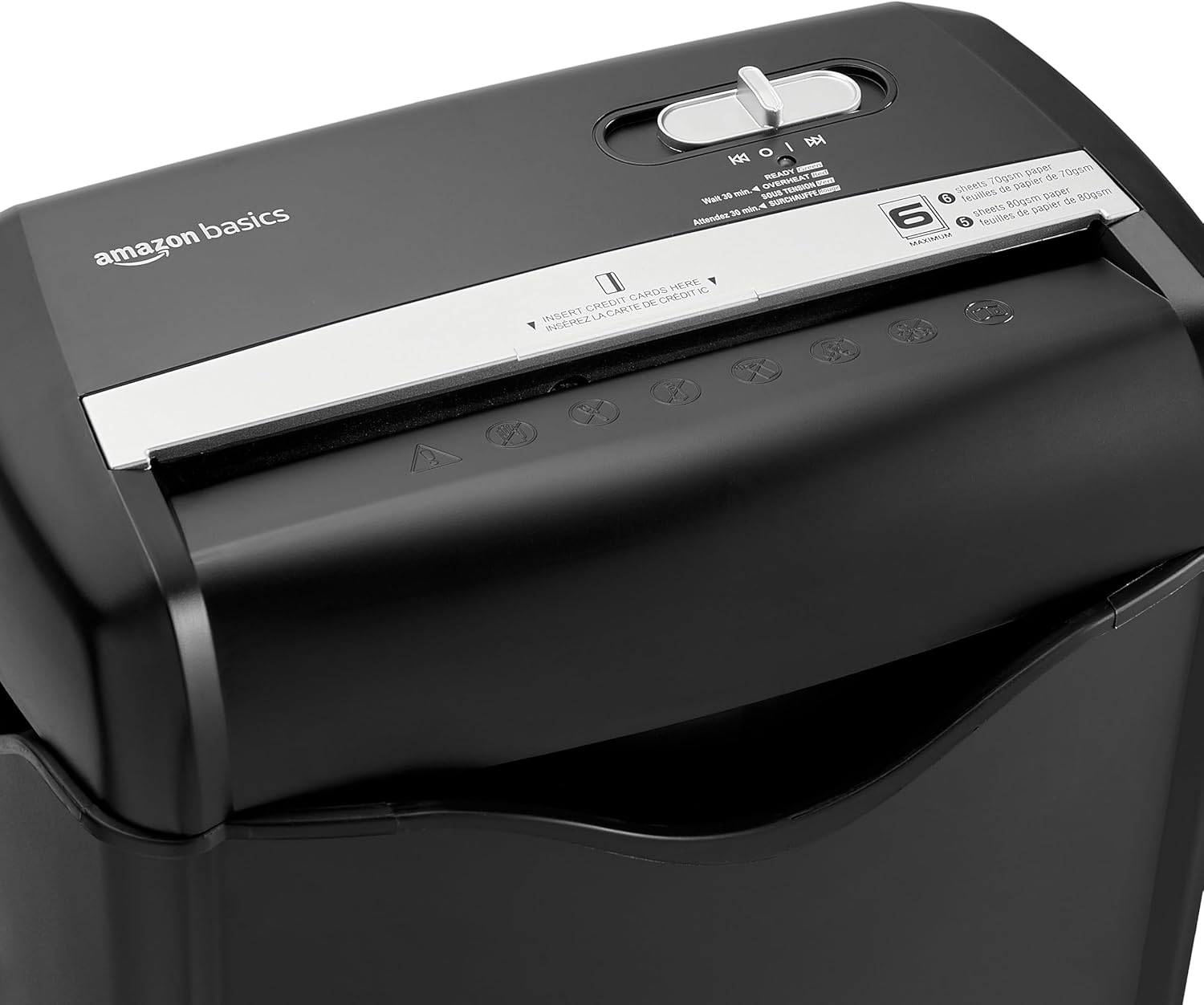
Bild: Oben view of the shredder, highlighting the paper entry slot, the control switch, and the "MAXIMUM" sheet capacity label.

Image: A close-up of the shredder's label indicating the maximum sheet capacity: 6 sheets of 70gsm paper or 5 sheets of 80gsm paper.
-
Kreditkarten vernichten: Insert one credit card at a time into the dedicated credit card slot.

Bild: Eine Nahaufnahme view of the shredder's dedicated slot for inserting credit cards, clearly labeled "INSERT CREDIT CARDS HERE".
- Überhitzungsschutz: The shredder will automatically shut off if it runs continuously for too long or if the motor overheats. The "OVERHEAT" indicator light (red) will illuminate. Allow the shredder to cool down for approximately 30 minutes before resuming operation.

Image: A pile of cross-cut shredded paper, demonstrating the small particle size for enhanced security. A quarter coin is placed next to it for scale.
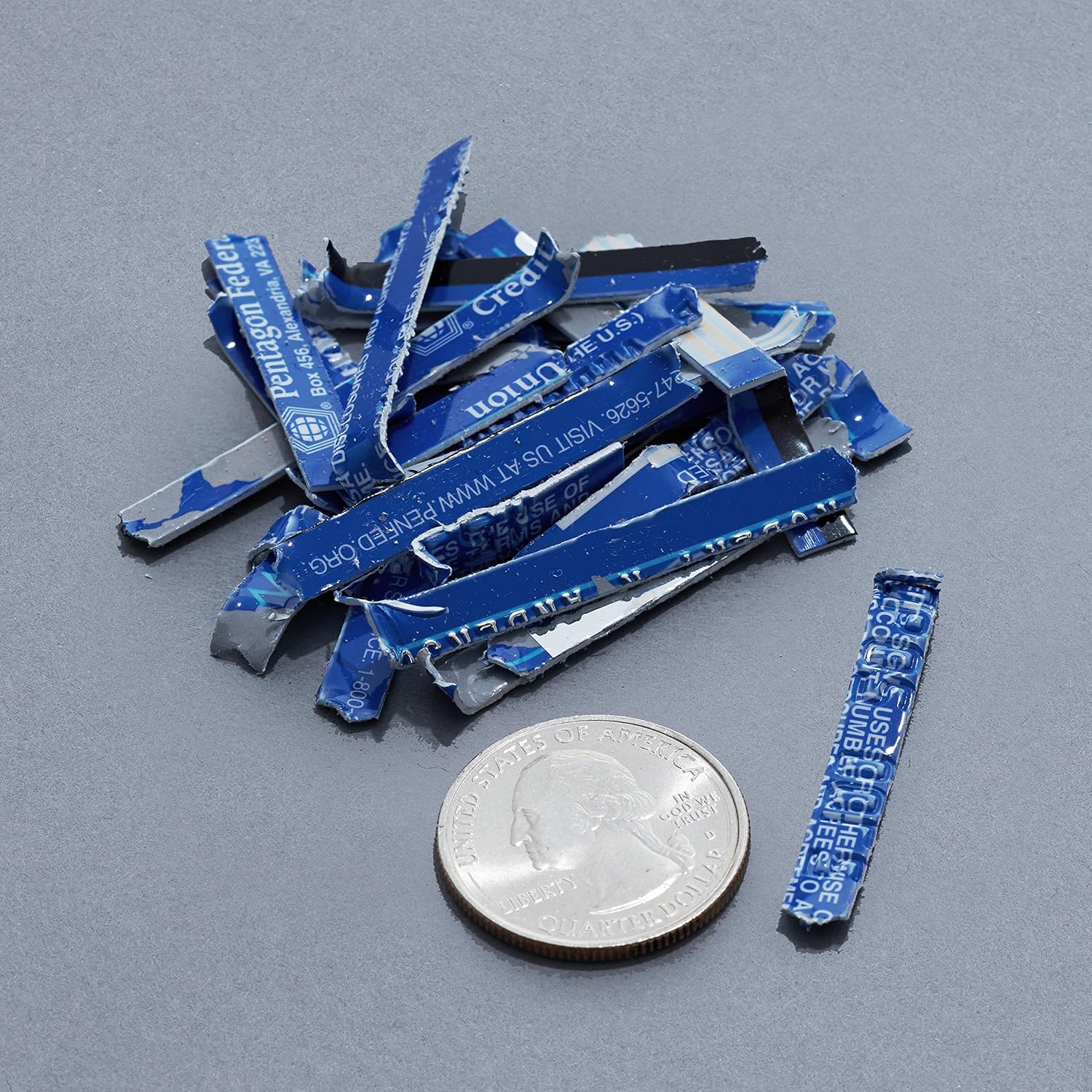
Image: A collection of shredded credit card pieces, illustrating the secure destruction of plastic cards. A quarter coin is included for size reference.
Wartung
Leeren des Abfallbehälters
Regularly empty the waste bin to prevent paper jams and ensure optimal performance. Unplug the shredder before removing the head to empty the bin.
Reinigung
- Vor der Reinigung den Strom vom Aktenvernichter abziehen.
- Wipe the exterior of the shredder with a soft, dry cloth.
- Keine Scheuer- oder Lösungsmittel verwenden.
- For optimal performance, periodically oil the shredder blades with shredder oil sheets or liquid shredder oil. Follow the oil product's instructions.
Fehlerbehebung
| Problem | Mögliche Ursache | Lösung |
|---|---|---|
| Der Aktenvernichter startet nicht. |
|
|
| Papierstau. |
|
|
| Der Aktenvernichter stoppt während des Betriebs. |
|
|
Technische Daten
| Besonderheit | Detail |
|---|---|
| Marke | Amazon-Grundlagen |
| Modellnummer | AS665C (Manufacturer Model: AS662C-EU) |
| Shred-Typ | Kreuzschnitt |
| Blattkapazität | 6 sheets (70gsm paper) / 5 sheets (80gsm paper) |
| Fetzen | Papier, Kreditkarten |
| Stromquelle | Kabelgebundene Elektrik |
| Besondere Merkmale | Portable, Overheat Protection, Manual Reverse |
| Produktabmessungen (L x B x H) | 30.7 x 19.6 x 38.1 cm (12.1 x 7.7 x 15 Zoll) |
| Produktgewicht | 3.72 kg |
| Material | Kunststoff und Metall |
Garantie und Support
For warranty information and customer support, please refer to the Amazon Basics webBesuchen Sie die Website oder kontaktieren Sie direkt den Amazon-Kundenservice. Bewahren Sie Ihren Kaufbeleg für Garantieansprüche auf.