
Einführung
This manual provides comprehensive instructions for the installation, operation, and maintenance of the Logilink 4-Port Keystone Surface Mount Box, model NK4034. This product is designed to house up to four standard Keystone Jack modules, providing a neat and accessible termination point for network cables in surface-mount applications.
Bitte lesen Sie diese Anleitung vor der Installation sorgfältig durch, um eine korrekte Einrichtung und optimale Leistung zu gewährleisten.
Sicherheitshinweise
- Ensure all power is disconnected from any active network components before beginning installation.
- Use appropriate tools for installation to prevent damage to the product or injury.
- Dieses Produkt ist nur für den Gebrauch in Innenräumen vorgesehen.
- Setzen Sie das Produkt keiner Feuchtigkeit oder extremen Temperaturen aus.
- Außerhalb der Reichweite von Kindern aufbewahren.
Packungsinhalt
Überprüfen Sie, ob alle Artikel im Paket vorhanden sind:
- Logilink 4-Port Keystone Surface Mount Box (Unshielded, White)
- Befestigungsschrauben (falls vom Hersteller mitgeliefert)
Note: Keystone Jack modules are sold separately and are not included with this surface mount box.
Setup und Installation
Follow these steps to install your Keystone Surface Mount Box:
- Bereiten Sie die Box vor: Gently open the Logilink 4-Port Keystone Surface Mount Box. It typically consists of a base and a cover. Separate these two parts.
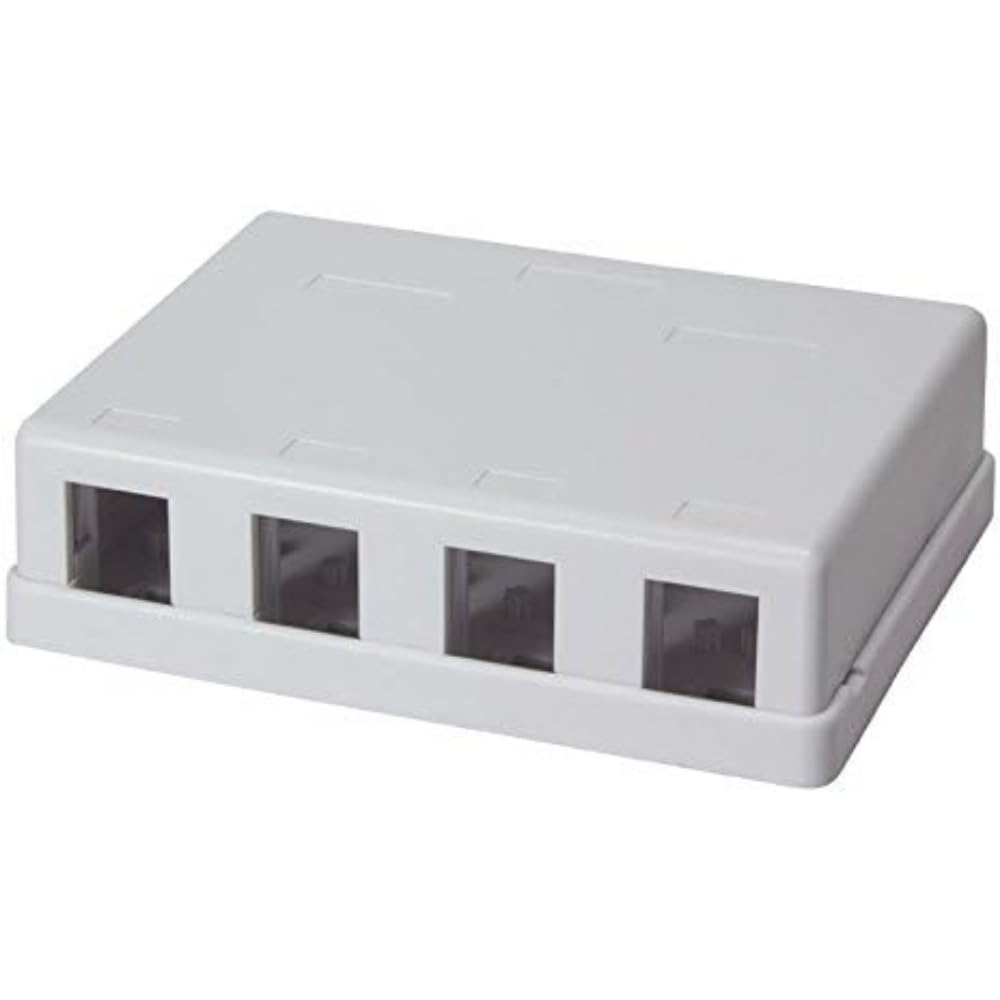
Abbildung: Innenraum view of the Logilink 4-Port Keystone Surface Mount Box, displaying the four individual slots designed to securely hold Keystone jack modules.
- Install Keystone Jacks: Insert your desired Keystone Jack modules (e.g., RJ45, HDMI, USB) into the designated slots in the base of the box. Ensure they click securely into place.

Bild: Eine Nahaufnahme view of the box's interior, illustrating how Keystone jacks are inserted and secured within the four available ports.
- Kabel verlegen: Route the network cables through the cable entry points at the back or sides of the box. Terminate the cables to the installed Keystone Jacks according to their specific instructions.
- Close the Box: Once all Keystone Jacks are installed and cables are terminated, carefully place the cover back onto the base, ensuring it snaps or screws into place securely.
- Montieren Sie die Box: Position the assembled surface mount box on your desired wall or surface. Mark the drilling points through the mounting holes on the base. Drill pilot holes if necessary, then secure the box using appropriate screws.
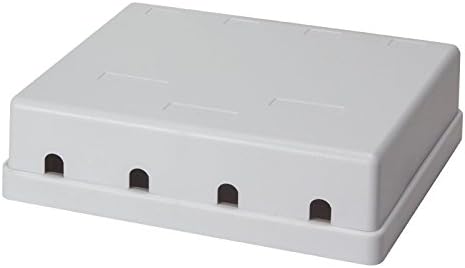
Image: The exterior of the Logilink 4-Port Keystone Surface Mount Box, displaying the cable entry points and its compact, finished appearance once closed.
Bedienungsanleitung
Once installed, the Logilink 4-Port Keystone Surface Mount Box functions as a passive connection point. Simply connect your network patch cables or other compatible cables to the installed Keystone Jacks as needed. Ensure cables are fully seated for a reliable connection.
Wartung
- Reinigung: Use a soft, dry cloth to clean the exterior of the box. Do not use abrasive cleaners or solvents.
- Inspektion: Periodically check the box and cable connections for any signs of damage or loose connections.
- Umfeld: Ensure the operating environment remains within recommended temperature and humidity ranges to prolong product life.
Fehlerbehebung
- Keystone Jack Not Fitting: Ensure you are using standard Keystone Jack modules. Some modules may have slightly different dimensions. Apply gentle, even pressure. If a module still does not fit, it may be incompatible or defective.
- Schlechte Netzwerkverbindung: Verify that all cables are properly terminated to the Keystone Jacks and that the patch cables are securely connected to the jacks. Check the integrity of the cables and the connected network devices.
- Die Box schließt nicht richtig: Ensure all cables are neatly routed and not obstructing the cover. Verify that the Keystone Jacks are fully seated and not protruding.
Technische Daten
| Besonderheit | Detail |
|---|---|
| Marke | Logilink |
| Hersteller | 2direct GmbH |
| Modellnummer | NK4034 |
| Technische Daten | 24 x 15 x 2 cm; 90 g |
| Farbe | Weiß |
| Anzahl der Ports | 4 |
| Typ | Keystone Surface Mount Box, Unshielded |
| ASIN | B00P8XMRI2 |
Garantieinformationen
For detailed warranty information, please refer to the documentation provided with your purchase or contact your retailer. Warranty terms and conditions may vary by region and seller.
Unterstützung
If you encounter any issues or require technical assistance, please contact your point of purchase or visit the official Logilink webSite für Supportressourcen.