
Einführung
Vielen Dank für Ihren Einkauf.asing the GPX 9-inch Portable DVD Player, Model PD901BDLP. This manual provides essential information for the safe and efficient operation of your device. Please read it thoroughly before use and retain it for future reference.
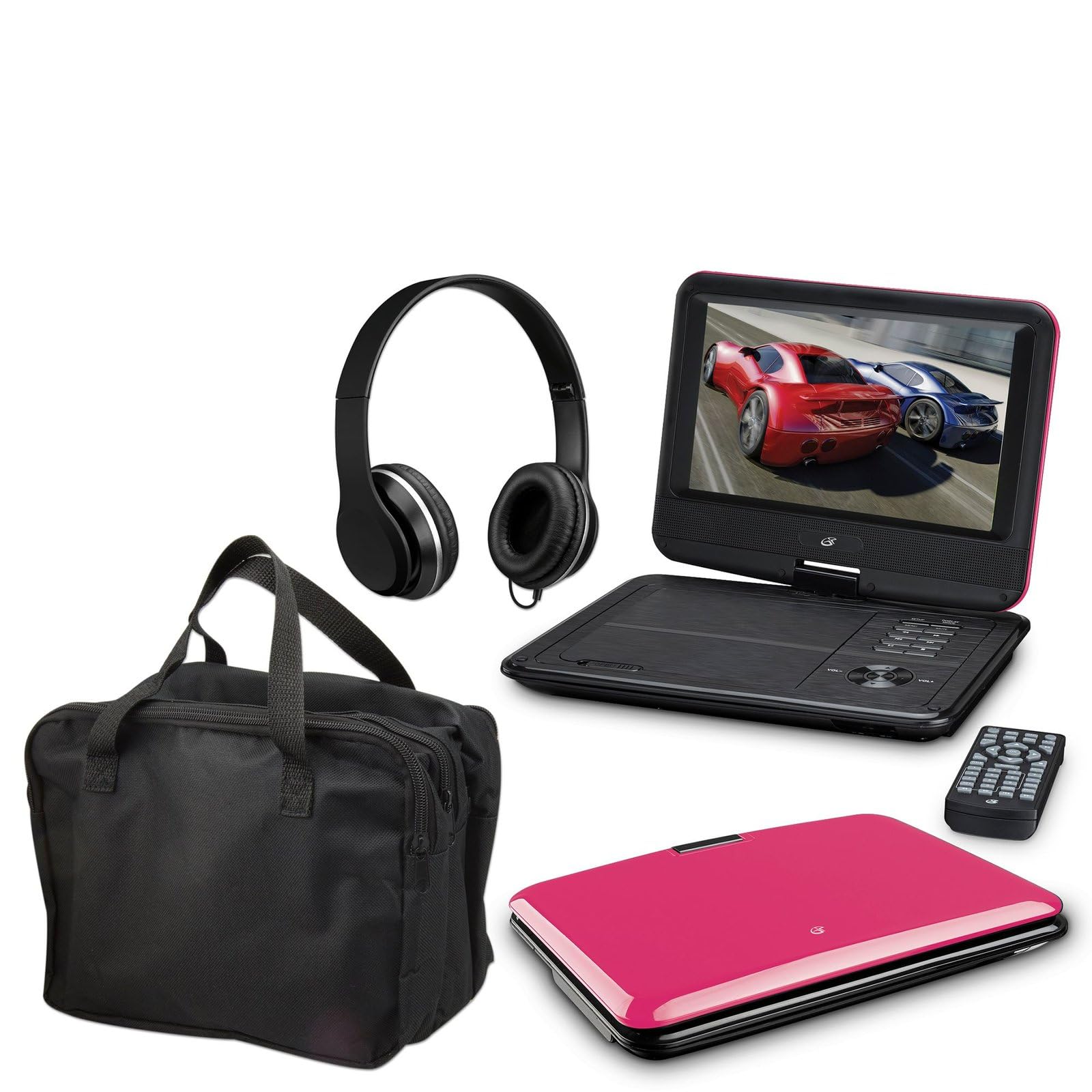
Image: The GPX 9-inch Portable DVD Player in its closed position, showcasing its vibrant pink top casing and sleek design.
Packungsinhalt
Bitte überprüfen Sie, ob alle unten aufgeführten Artikel in Ihrem Paket enthalten sind:
- GPX 9-inch Portable DVD Player (Model PD901BDLP)
- Fernbedienung (benötigt 2 AAA-Batterien, im Lieferumfang enthalten)
- AC/DC-Netzteil
- 12V Autoadapter
- 3.5mm-to-RCA audio/video cable
- Tragetasche
- Kopfhörer
- Bedienungsanleitung (dieses Dokument)
Produkteigenschaften
- 9-inch 800x480 LCD screen
- Screen tilts and swivels for versatile viewWinkel
- Rechargeable lithium polymer battery with up to 2 hours of battery life
- Eingebaute Stereolautsprecher
- Kopfhörerbuchse für privates Hören
- RCA output for connection to external displays
- Supports DVD, DVD-R/RW, DVD+R/RW, CD, CD-R/RW, JPEG, MP3 formats
Aufstellen
1. Laden des Akkus
Before first use, fully charge the internal lithium polymer battery. Connect the AC/DC power adapter to the DC IN port on the DVD player and plug the other end into a standard wall outlet. The charging indicator light will illuminate. Charging typically takes approximately 3-4 hours for a full charge, providing up to 2 hours of playback.
2. Einlegen der Batterien in die Fernbedienung
Open the battery compartment on the back of the remote control. Insert two (2) AAA batteries, ensuring correct polarity (+/-). Close the compartment securely.
3. Connecting to a Television (Optional)
Zu view content on a larger screen, use the included 3.5mm-to-RCA audio/video cable. Connect the 3.5mm end to the AV OUT port on the DVD player. Connect the RCA (red, white, yellow) ends to the corresponding AV INPUT ports on your television. Select the correct AV input source on your TV.
4. Using the Car Adapter (Optional)
For in-car use, connect the 12V car adapter to the DC IN port on the DVD player and plug the other end into your vehicle's cigarette lighter socket.
Bedienungsanleitung
1. Ein-/Ausschalten
Halten Sie die LEISTUNG button on the player or remote control to turn the device on or off.
2. Einlegen einer DVD
- Gently open the DVD player lid.
- Legen Sie eine DVD-Disc mit der beschrifteten Seite nach oben auf die Spindel.
- Drücken Sie vorsichtig auf die Mitte der Scheibe, bis sie einrastet.
- Close the lid. The player will automatically begin reading the disc.
3. Bildschirmeinstellung
The LCD screen can be tilted and swiveled to achieve the optimal viewing angle. Carefully adjust the screen to your preferred position.
4. Grundlegende Wiedergabesteuerung
- WIEDERGABE/PAUSE: Press to start or pause playback.
- STOPPEN: Drücken, um die Wiedergabe zu stoppen.
- ÜBERSPRINGEN (<< / >>): Press to skip to the previous or next chapter/track.
- Vor/Zurück: Press and hold to fast forward or rewind.
- LAUTSTÄRKE (+/-)Passen Sie die Lautstärke an.
5. Verwendung von Kopfhörern
Plug the included headphones into the KOPFHÖRER jack for private listening. The built-in speakers will automatically mute when headphones are connected.
Wartung
- Reinigen des Bildschirms: Use a soft, lint-free cloth to gently wipe the LCD screen. Do not use liquid cleaners or abrasive materials.
- Reinigung des Disc-Fachs: Halten Sie das Disc-Fach frei von Staub und Schmutz. Verwenden Sie gegebenenfalls eine weiche Bürste oder Druckluft.
- Batteriepflege: To prolong battery life, avoid fully discharging the battery frequently. If storing the player for an extended period, charge it periodically.
- Lagerung: Store the DVD player in a cool, dry place away from direct sunlight and extreme temperatures. Use the included carrying case for protection during transport.
Fehlerbehebung
| Problem | Lösung |
|---|---|
| Der Player lässt sich nicht einschalten. | Ensure the battery is charged or the AC/DC adapter is securely connected to a working power outlet. Check the power switch. |
| Keine Disc erkannt. | Verify the disc is inserted correctly with the label side up and seated properly on the spindle. Ensure the disc is clean and free of scratches. Try a different disc. |
| Kein Ton. | Check the volume level. Ensure headphones are not plugged in if you intend to use the built-in speakers. If connected to a TV, check the TV's volume and input settings. |
| Fernbedienung funktioniert nicht. | Check and replace the AAA batteries in the remote. Ensure there are no obstructions between the remote and the player's IR sensor. |
| Das Bild ist verzerrt oder unscharf. | Clean the disc. Adjust the screen angle. If connected to a TV, check the AV cable connections. |
Technische Daten
- Modell: PD901BDLP
- Bildschirmgröße: 9 Zoll
- Anzeigetyp: LCD
- Native Auflösung: 800 x 480
- Medientyp: DVD, DVD-R/RW, DVD+R/RW, CD, CD-R/RW, JPEG, MP3
- Batterie: Wiederaufladbares Lithium-Polymer
- Akkulaufzeit: Bis zu 2 Stunden
- Konnektivität: 3.5mm AV Out, Headphone Jack, DC In
- Leistungsaufnahme: AC/DC Adapter, 12V Car Adapter
- Gewicht: Ungefähr 1.9 Pfund (0.86 kg)
- Farbe: Rosa
- UPC: 047323179044
Garantie und Support
This GPX Portable DVD Player is covered by a 90 Tage eingeschränkte Herstellergarantie Diese Garantie gilt ab dem Datum des ursprünglichen Kaufs und deckt Material- und Verarbeitungsfehler bei normalem Gebrauch ab.
For warranty service or technical support, please refer to the contact information provided with your product packaging or visit the official GPX webBewahren Sie Ihren Kaufbeleg als Kaufnachweis auf.
Weitere Informationen finden Sie unter GPX Store on Amazon.