
Rexel RES1523
Rexel Mercury RES1523 Paper Shredder
Bedienungsanleitung
1. Einleitung
The Rexel Mercury RES1523 is a strip-cut paper shredder designed for personal and business use, offering efficient and secure disposal of confidential documents. It features revolutionary anti-jam technology, a 23-liter waste bin, and the ability to shred up to 15 sheets of paper at once, along with CDs and credit cards. This manual provides essential information for the safe and effective operation, maintenance, and troubleshooting of your shredder.
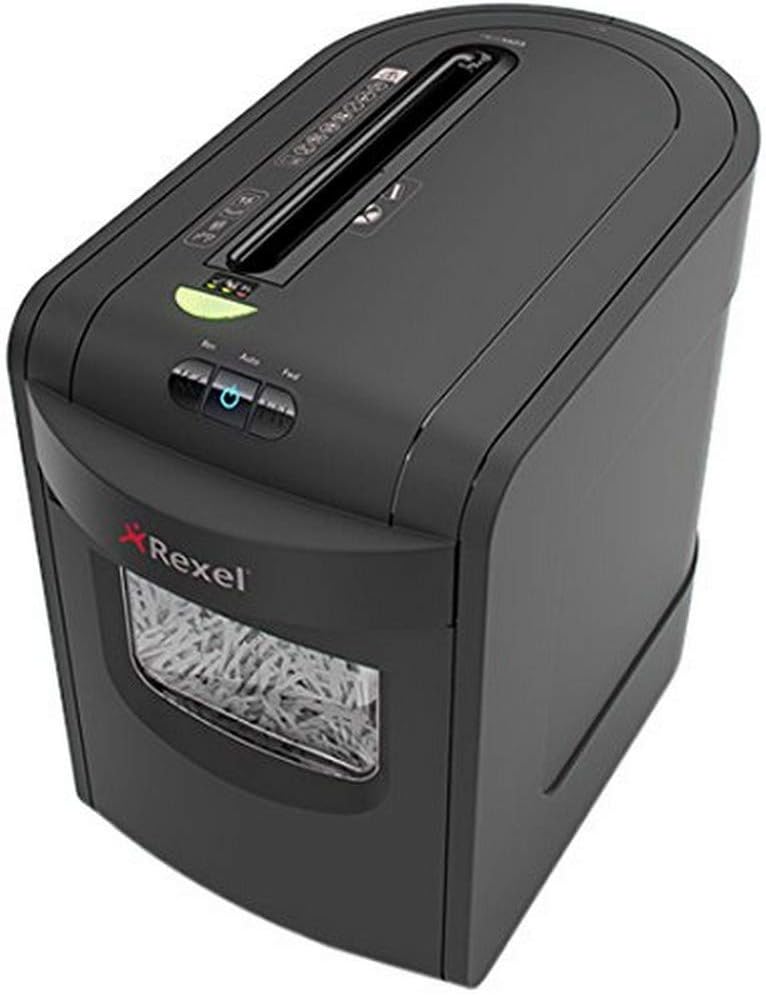
Bild 1.1: Vorderseite view of the Rexel Mercury RES1523 Paper Shredder.
2. Sicherheitshinweise
Please read all safety instructions carefully before using the shredder. Failure to follow these instructions may result in injury or damage to the shredder.
- Keep hands and fingers away: Never place hands or fingers near the paper entry slot.
- Loose clothing and hair: Keep loose clothing, ties, jewelry, and long hair away from the paper entry slot.
- Kinder und Haustiere: Keep children and pets away from the shredder at all times. This appliance is not intended for use by persons with reduced physical, sensory or mental capabilities, or lack of experience and knowledge, unless they have been given supervision or instruction concerning use of the appliance by a person responsible for their safety.
- Energiequelle: Stellen Sie sicher, dass der Aktenvernichter an eine Steckdose mit der richtigen Spannung angeschlossen ist.tage (230-250 V).
- Nur Innen benutzen: This shredder is designed for indoor use only. Do not expose to rain or moisture.
- Brennbare Materialien: Do not shred materials containing flammable liquids or aerosols.
- Bei Nichtgebrauch den Netzstecker ziehen: Ziehen Sie vor dem Umstellen, Reinigen oder Entleeren des Abfallbehälters immer den Netzstecker des Aktenvernichters.
- Schaden: Do not operate the shredder if the power cord or plug is damaged. Contact qualified service personnel for repair.
3. Einrichtung
Follow these steps to set up your Rexel Mercury RES1523 shredder:
- Auspacken: Nehmen Sie den Aktenvernichter vorsichtig aus der Verpackung. Bewahren Sie die Verpackung für späteren Transport oder Lagerung auf.
- Platzierung: Stellen Sie den Aktenvernichter auf eine ebene, stabile Fläche. Achten Sie auf ausreichend Platz um das Gerät herum für Belüftung und Zugang zum Abfallbehälter.
- Abfalleimer: Ensure the 23-liter waste bin is correctly inserted into the shredder housing. The shredder will not operate if the bin is not properly seated.
- Stromanschluss: Stecken Sie das Netzkabel in eine geeignete Steckdose.
4. Bedienungsanleitung
Your Rexel Mercury RES1523 shredder is equipped with user-friendly controls and features for efficient shredding.
4.1 Ein-/Ausschalten
- To turn on the shredder, press the power button (usually indicated by a circle with a vertical line). The shredder will enter standby mode.
- To turn off the shredder, press the power button again.
4.2 Papierschreddern
The shredder can shred up to 15 sheets of 80gsm A4 paper at once, producing 5.8mm strip-cut particles (P-2 security level). It can also handle staples and paper clips.
- Ensure the shredder is powered on and in auto mode.
- Insert paper into the main paper entry slot. The shredder will automatically start and stop.
- Anti-Jamm-Technologie: The shredder features a clear display next to the paper entry. A green light indicates it's safe to feed paper. A red light warns you if you are attempting to feed too much paper, preventing jams. Reduce the number of sheets if the red light appears.
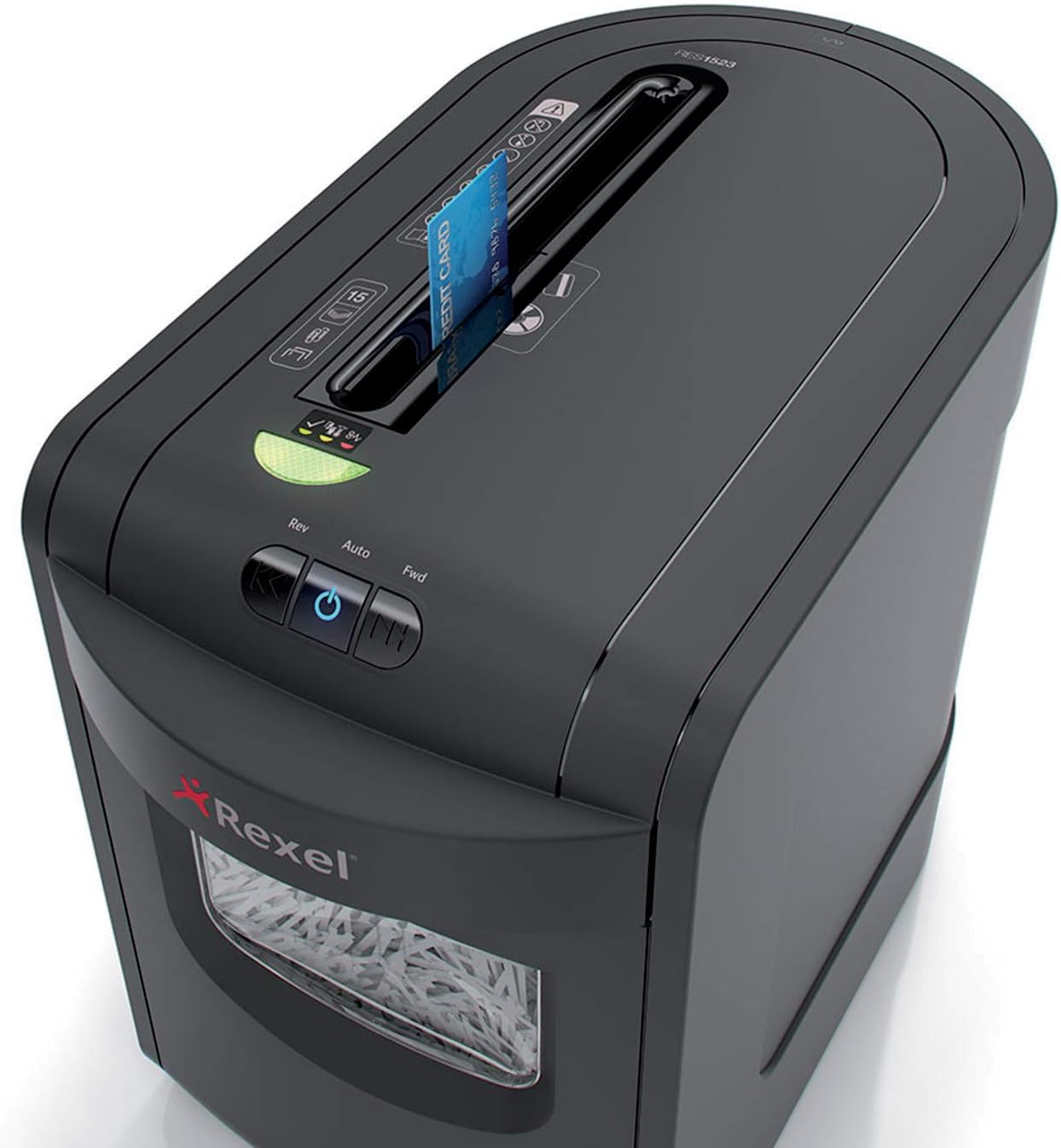
Image 4.1: Paper being fed into the shredder's main slot.
4.3 CDs und Kreditkarten vernichten
The shredder has a dedicated slot for shredding CDs and credit cards.
- Insert one CD or credit card at a time into the dedicated slot.
- The shredder will automatically shred the item.

Image 4.2: A CD being inserted into the dedicated shredding slot.

Image 4.3: A credit card being inserted into the dedicated shredding slot.
4.4 Dauerbetrieb und Abkühlung
The shredder can operate continuously for up to 8 minutes. After this period, it requires a cool-down phase to prevent overheating. Allow the shredder to cool down for approximately 30 minutes before resuming operation.
5. Wartung
Regelmäßige Wartung gewährleistet die Langlebigkeit und optimale Leistung Ihres Aktenvernichters.
5.1 Abfallbehälter leeren
The 23-liter waste bin can hold up to 190 sheets of shredded paper. Empty the bin regularly to prevent paper jams and ensure efficient operation. The shredder has a sensor that indicates when the bin is full.
- Ziehen Sie den Stecker des Aktenvernichters aus der Steckdose.
- Ziehen Sie den Abfallbehälter an der Vorderseite des Aktenvernichters heraus.
- Das geschredderte Material entsorgen.
- Slide the waste bin back into the shredder until it is securely in place.

Image 5.1: The waste bin pulled out for emptying.
5.2 Reinigung
Clean the exterior of the shredder with a soft, dry cloth. Do not use abrasive cleaners or solvents. The shredder features self-cleaning cutting blades for extended life and maximum performance.
5.3 Oiling (Recommended)
To maintain optimal performance and extend the life of the cutting blades, it is recommended to oil the shredder regularly, especially after emptying the waste bin or after prolonged use. Use a shredder-specific oil.
- Tragen Sie einen dünnen Streifen Aktenvernichteröl auf den Papiereinzugsschlitz auf.
- Run the shredder in reverse mode for a few seconds to distribute the oil.
6. Fehlerbehebung
Sollten Sie Probleme mit Ihrem Aktenvernichter haben, beachten Sie bitte die folgenden häufigen Probleme und Lösungen:
| Problem | Mögliche Ursache | Lösung |
|---|---|---|
| Der Aktenvernichter lässt sich nicht einschalten. | Kein Strom; Abfallbehälter nicht richtig eingesetzt; Überhitzungsschutz aktiviert. | Check power connection; Ensure waste bin is fully inserted; Allow shredder to cool down for 30 minutes. |
| Papierstau. | Too much paper inserted; Staples/paper clips not removed (for non-compatible models); Overload. | Press the reverse button to clear the jam; Reduce paper quantity; Ensure compatible items are shredded. |
| Der Aktenvernichter stoppt während des Betriebs. | Overheat protection; Waste bin full; Motor overload. | Allow shredder to cool down; Empty waste bin; Reduce paper quantity. |
7. Spezifikationen
| Besonderheit | Detail |
|---|---|
| Marke | Rexel |
| Modellnummer | 2105015EU (Mercury RES1523) |
| Shred-Typ | Streifenschnitt |
| Partikelgröße | Approx. 5.8 mm strips (P-2 security level) |
| Blattkapazität | 15 sheets (80gsm A4 paper) |
| Kapazität des Abfallbehälters | 23 liters (approx. 190 sheets) |
| Fetzen | Paper, CDs, Credit Cards, Staples, Paper Clips |
| Kontinuierliche Laufzeit | 8 Мinuten |
| Abkühlzeit | Ca. 30 Minuten |
| Abmessungen (L x B x H) | 47.1 x 27 x 41.3 cm |
| Gewicht | 6.95 kg |
| Bandtage | 230-250 V |
| Geräuschpegel | 65 dB |
8. Garantie und Support
Your Rexel Mercury RES1523 Paper Shredder comes with a 2 Jahr Garantie ab Kaufdatum. Diese Garantie deckt Material- und Verarbeitungsfehler bei normalem Gebrauch ab.

Image 8.1: Warranty information indicating 2 years.
For warranty claims, technical support, or further assistance, please contact Rexel customer service or visit the official Rexel website. Please have your model number (RES1523 / 2105015EU) and proof of purchase ready when contacting support.
Ask a question about this manual
Ask about setup, troubleshooting, compatibility, parts, safety, or missing instructions. Manuals+ will review the question and use this page’s manual context to help answer it.