
1. Einleitung
This manual provides comprehensive instructions for the safe and effective use of the Mastech MS 6520B Infrared Thermometer. This non-contact device is designed for accurate temperature measurement across various applications. Please read this manual thoroughly before operating the device.

Abbildung 1: Vorderseite view of the Mastech MS 6520B Infrared Thermometer, showing the display and control buttons.
2. Sicherheitshinweise
To ensure safe operation and prevent damage to the device, observe the following precautions:
- Lasersicherheit: Do not point the laser directly at eyes or indirectly off reflective surfaces. The laser is for targeting purposes only.
- Umgebungsbedingungen: Do not use the device in environments with explosive gas, steam, or dust. Avoid extreme temperatures and high humidity.
- Elektromagnetische Felder: Keep the device away from strong electromagnetic fields, which may affect accuracy.
- Wasserimmersion: Do not immerse the device in water or other liquids. It is not waterproof.
- Wartung: Refer to the maintenance section for proper cleaning and care.
3. Produktmerkmale und Komponenten
The Mastech MS 6520B is a handheld infrared thermometer featuring a clear LCD display and intuitive controls.
Hauptmerkmale:
- Berührungslose Infrarot-Temperaturmessung
- Wide temperature range: -20°C to 500°C (-4°F to 932°F)
- Selectable °C/°F units
- Built-in laser pointer for accurate targeting
- Backlight display for low-light conditions
- Data Hold-Funktion
- MAX/MIN/AVG temperature display modes
- Anzeige für niedrigen Batteriestand
Komponentenidentifikation:
- Infrarot-Sensor
- Laser Pointer Aperture
- LCD Anzeige
- Messauslöser
- Modus-Taste (M)
- Unit Selection Button (°F/°C)
- Taste für Hintergrundbeleuchtung
- Laser-Ein/Aus-Schalter
- Batteriefach

Abbildung 2: Ausführlich view of the MS 6520B display and control buttons.
4. Einrichtung
4.1 Einlegen der Batterie
The Mastech MS 6520B requires one 9V 6F22 battery for operation.
- Suchen Sie den Batteriefachdeckel am unteren Ende des Griffs.
- Gently slide or open the battery compartment cover.
- Connect a new 9V 6F22 battery to the battery connector, ensuring correct polarity.
- Legen Sie die Batterie in das Batteriefach ein und schließen Sie den Deckel fest.

Figure 3: The battery compartment of the MS 6520B, showing the 9V battery connection.
5. Bedienungsanleitung
5.1 Messung durchführen
- Point the infrared sensor towards the target object.
- Press and hold the measurement trigger. The display will show the real-time temperature reading.
- Release the trigger to hold the last measured temperature on the display (Data Hold). The device will automatically power off after a period of inactivity to conserve battery.
5.2 Entfernung-Punkt-Verhältnis (D:S)
The MS 6520B has a Distance to Spot Ratio (D:S) of 10:1. This means that at a distance of 10 units from the target, the measurement spot diameter will be 1 unit. For accurate readings, ensure the target area is larger than the measurement spot size.
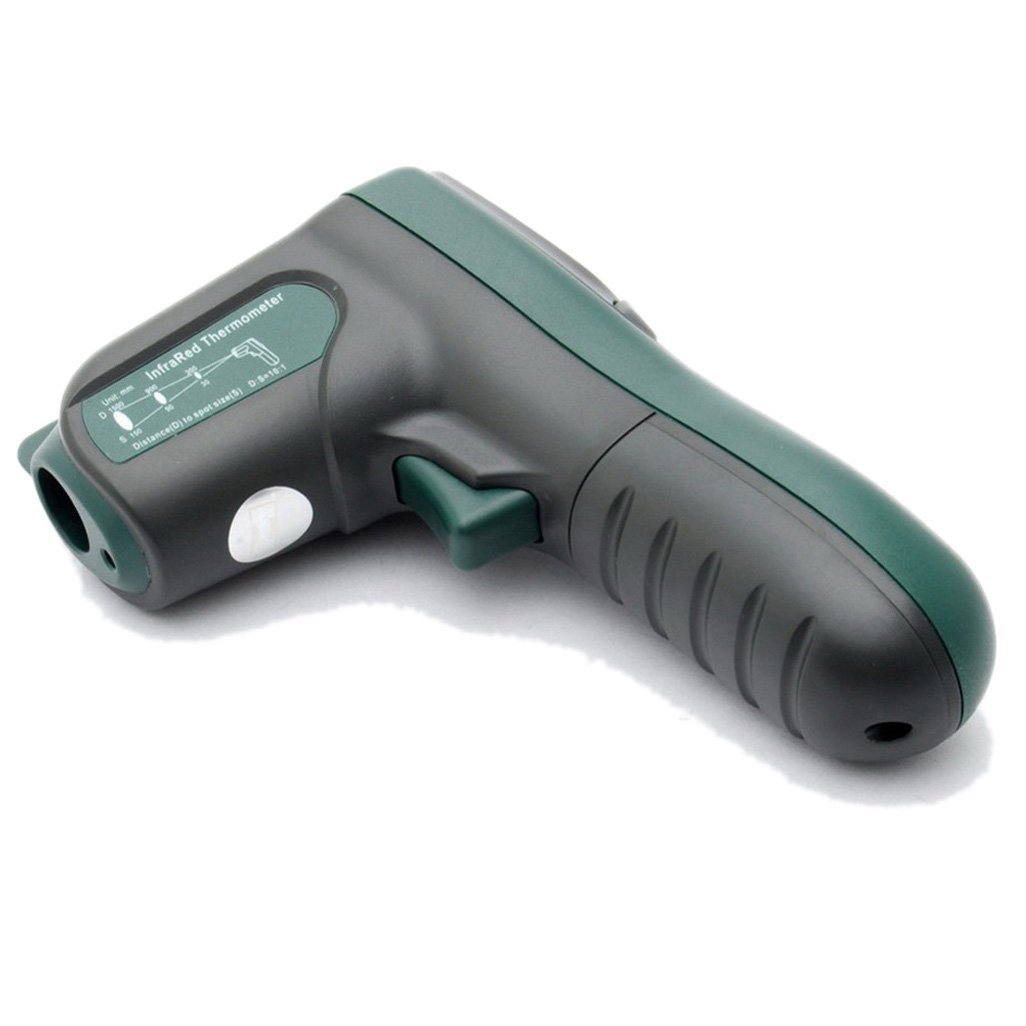
Abbildung 4: Seite view illustrating the 10:1 Distance to Spot Ratio for the infrared thermometer.
5.3 Emissionsgrad
The device has a fixed emissivity setting of 0.95, which is suitable for most organic materials, painted surfaces, and many non-metallic objects. For highly reflective surfaces, readings may be less accurate.
5.4 Einheitenauswahl (°C/°F)
Drücken Sie die °F/°C Taste zum Umschalten zwischen Celsius und Fahrenheit-Temperatureinheiten.
5.5 Hintergrundbeleuchtung
Drücken Sie die Hintergrundbeleuchtung button to turn the display backlight on or off. This feature is useful in dimly lit environments.
5.6 Laserpointer
Drücken Sie die Laser button to activate or deactivate the laser pointer. The laser helps in precisely identifying the measurement target.
5.7 MAX/MIN/AVG-Modi
Drücken Sie die M (Mode) button to cycle through different display modes while the trigger is held down:
- MAX: Zeigt die während der aktuellen Messsitzung aufgezeichnete Höchsttemperatur an.
- MIN: Zeigt die während der aktuellen Messsitzung aufgezeichnete niedrigste Temperatur an.
- AVG: Zeigt die während der aktuellen Messsitzung aufgezeichnete Durchschnittstemperatur an.
6. Wartung
6.1 Reinigung
- Reinigen Sie das Gerät casing mit einem weichen, damp Tuch. Keine Scheuer- oder Lösungsmittel verwenden.
- Carefully clean the infrared lens with a soft cloth or cotton swab, slightly moistened with water or rubbing alcohol. Avoid scratching the lens.
6.2 Speicherung
When not in use, store the thermometer in a dry, cool place, away from direct sunlight and extreme temperatures. If storing for an extended period, remove the battery to prevent leakage.
6.3 Batteriewechsel
Replace the 9V battery when the low battery indicator appears on the display to ensure accurate readings and proper device function. Refer to Section 4.1 for battery installation instructions.
7. Fehlerbehebung
If you encounter issues with your Mastech MS 6520B, refer to the following common problems and solutions:
| Problem | Mögliche Ursache | Lösung |
|---|---|---|
| Gerät lässt sich nicht einschalten | Leere oder falsch eingesetzte Batterie | Replace the 9V battery or ensure it is correctly installed. |
| Ungenaue Messwerte |
|
|
| Display shows "ERR" | Temperature outside measurement range | Ensure the target temperature is within -20°C to 500°C. |
8. Spezifikationen
The following table outlines the technical specifications for the Mastech MS 6520B Infrared Thermometer:
| Parameter | Spezifikation |
|---|---|
| Temperaturbereich | -20 °C bis 500 °C (-4 °F bis 932 °F) |
| Genauigkeit | ±(1.5% + 2°C) or ±(1.5% + 4°F) |
| Temperaturauflösung | 0.1 °C / 0.1 °F |
| Wiederholbarkeit | ±1 °C |
| Entfernung-zu-Punkt-Verhältnis (D:S) | 10:1 |
| Emissionsgrad | 0.95 (Behoben) |
| Ansprechzeit | 500 Millisekunden |
| Stromversorgung | 1x 9V 6F22 Batterie |
| Produktgröße | 142mm x 92mm x 47mm (5.6 "x 3.6" x 1.85 ") |
| Produktgewicht | 231 g |
| Zertifizierungen | CE, RoHS |

Figure 5: Detailed specifications table for the Mastech MS 6520B.
9. Garantie und Support
For warranty information, technical assistance, or customer support regarding your Mastech MS 6520B Infrared Thermometer, please refer to the official Mastech webBesuchen Sie unsere Website oder kontaktieren Sie Ihren Händler vor Ort. Bewahren Sie Ihren Kaufbeleg als Kaufnachweis auf.