
1. Einleitung
The Innovo Medical FR201 is a non-contact infrared thermometer designed for accurate and reliable temperature measurement of the human body. It offers a safe and hygienic method for temperature screening, suitable for infants, children, adults, and the elderly. This device is CE and FDA cleared, ensuring its quality and safety standards.
Zu den Hauptmerkmalen gehören:
- Non-contact measurement for hygiene.
- One-second reading for quick results.
- Umschaltbar zwischen Fahrenheit (°F) und Celsius (°C).
- Silent and audible mode options.
- Memory recall for up to 20 previous readings.
2. Sicherheitshinweise und Vorsichtsmaßnahmen
Please read this manual thoroughly before using the thermometer. Improper use may lead to inaccurate readings or device damage.
- Tauchen Sie das Thermometer nicht in Wasser oder andere Flüssigkeiten.
- Das Gerät sollte vor direkter Sonneneinstrahlung, Staub und extremen Temperaturen geschützt werden.
- Vermeiden Sie es, das Thermometer fallen zu lassen oder starken Stößen auszusetzen.
- Versuchen Sie nicht, das Gerät selbst zu zerlegen oder zu reparieren.
- Verwenden Sie ausschließlich den angegebenen Batterietyp (2 AAA-Batterien).
- Bewahren Sie Batterien außerhalb der Reichweite von Kindern auf.
- Consult a medical professional if you have concerns about temperature readings.
- This thermometer is intended for household use and should not replace professional medical advice.
3. Produktüberschreitungview
Familiarize yourself with the components of your Innovo FR201 thermometer.
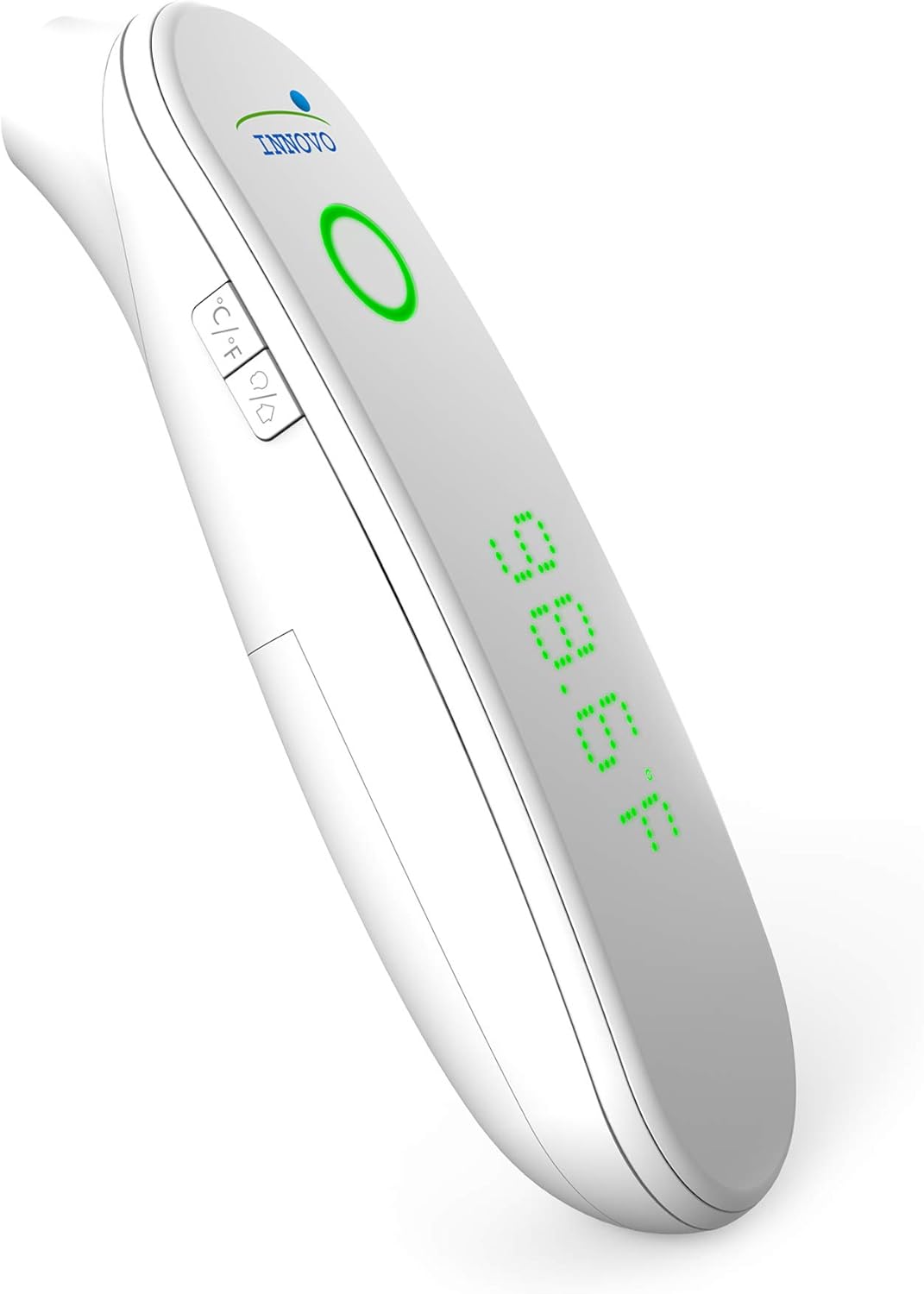
Bild 1: Vorderseite view of the Innovo FR201 thermometer, highlighting the display, measurement button, and mode selection buttons.
The thermometer features a clear LCD display, a measurement button, and buttons for switching between Fahrenheit/Celsius and silent/audible modes. The infrared sensor is located at the front of the device.
4. Einrichtung
4.1 Einlegen der Batterie
The Innovo FR201 thermometer requires 2 AAA batteries (included).
- Suchen Sie den Batteriefachdeckel auf der Rückseite des Thermometers.
- Schieben Sie die Abdeckung auf.
- Legen Sie zwei AAA-Batterien ein und achten Sie dabei auf die richtige Polarität (+ und -), wie im Batteriefach angegeben.
- Schließen Sie den Batteriefachdeckel, bis er einrastet.
Das Thermometer ist jetzt einsatzbereit.
5. Bedienungsanleitung
5.1 Messung der Stirntemperatur
- Ensure the thermometer is in forehead measurement mode. If not, press the mode button to switch.
- Halten Sie das Thermometer etwa 2 bis 5 cm von der Mitte der Stirn entfernt.
- Drücken Sie die Messtaste und lassen Sie sie wieder los.
- Die Temperaturanzeige erscheint innerhalb einer Sekunde auf dem LCD-Bildschirm.
- A beep will sound (if not in silent mode) to indicate the measurement is complete.
Notiz: For best accuracy, ensure the forehead is clean and dry, free from hair or sweat. Wait at least 30 seconds between measurements if taking multiple readings on the same person.
5.2 Umschalten zwischen Fahrenheit und Celsius
With the thermometer turned on, press the °C/°F button to toggle between Fahrenheit and Celsius display modes.
5.3 Silent and Audible Mode
To switch between silent and audible modes, press the speaker icon button. The display will indicate if silent mode is active.
5.4 Speicherabruf
The thermometer can store up to 20 previous temperature readings.
- With the thermometer turned on, press the "MEM" button (or similar memory icon, refer to device for exact icon).
- Each press of the "MEM" button will cycle through the stored readings, from most recent to oldest.
6. Wartung
6.1 Reinigung des Thermometers
Regular cleaning ensures accurate readings and extends the life of your device.
- Wischen Sie das Thermometergehäuse mit einem weichen, trockenen Tuch ab.
- For the infrared sensor, gently wipe with a cotton swab lightly moistened with alcohol. Allow to dry completely before use.
- Verwenden Sie keine Scheuermittel und tauchen Sie das Gerät nicht in Wasser ein.
6.2 Speicherung
When not in use, store the thermometer in its protective carrying case in a cool, dry place, away from direct sunlight and extreme temperatures.

Image 2: Innovo FR201 thermometer with its user manual and protective carrying case, illustrating proper storage.
Wenn das Thermometer längere Zeit nicht benutzt wird, sollten die Batterien entfernt werden, um ein Auslaufen zu verhindern.
7. Fehlerbehebung
| Problem | Mögliche Ursache | Lösung |
|---|---|---|
| "Lo" oder "Hi" wird angezeigt | Temperature is outside the measurement range (e.g., below 89.6°F / 32°C or above 109.2°F / 42.9°C). | Ensure the thermometer is used within the specified ambient temperature range. Re-measure correctly. |
| Ungenaue Messwerte | Dirty sensor, incorrect measurement distance, environmental factors (drafts, direct sunlight), recent activity (eating, exercising). | Clean the sensor. Ensure correct distance and stable environment. Wait 15-30 minutes after activity before measuring. |
| Kein Bild / Gerät lässt sich nicht einschalten | Tote oder falsch eingelegte Batterien. | Ersetzen Sie die Batterien durch neue AAA-Batterien und achten Sie dabei auf die richtige Polarität. |
| Fehlermeldung | Systemfehler oder Fehlfunktion. | Batterien entfernen, 1 Minute warten und dann wieder einsetzen. Sollte der Fehler weiterhin bestehen, wenden Sie sich bitte an den Kundendienst. |
8. Spezifikationen
| Modell: | FR201 (10499DC2-O) |
| Messbereich: | Body: 89.6°F - 109.2°F (32.0°C - 42.9°C) |
| Messgenauigkeit: | ± 0.4 ° F (± 0.2 ° C) |
| Bildschirmauflösung: | 0.1°F / 0.1°C |
| Messentfernung: | 1-2 Zoll (2-5 cm) |
| Erinnerung: | 20 Lesungen |
| Energiequelle: | 2 x AAA-Batterien (im Lieferumfang enthalten) |
| Automatische Abschaltung: | Approximately 30 seconds after last measurement |
| Produktabmessungen: | 6.8 x 5 x 2.6 Zoll |
| Artikelgewicht: | 0.5 Pfund (8 Unzen) |
| Spezifikation erfüllt: | CE, FDA |
9. Garantie und Support
Innovo Medical products are designed for reliability and durability. For specific warranty details, please refer to the warranty card included with your product or visit the official Innovo Medical webWebsite.
If you encounter any issues or have questions regarding your Innovo FR201 thermometer, please contact Innovo Medical customer support. Contact information can typically be found on the product packaging or the official Innovo Medical webWebsite.
Notiz: The provided product data does not contain explicit warranty duration or direct support contact details. Please refer to the manufacturer's official resources for the most current information.