
Produkt überview
The Timex Expedition TW4B02400GP is a robust digital chronograph watch designed for outdoor activities. It features a durable resin case, a comfortable Fast-Wrap Velcro strap, and essential functions like a stopwatch, countdown timer, alarm, and Indiglo night-light. Its 100-meter water resistance makes it suitable for various water-related activities.
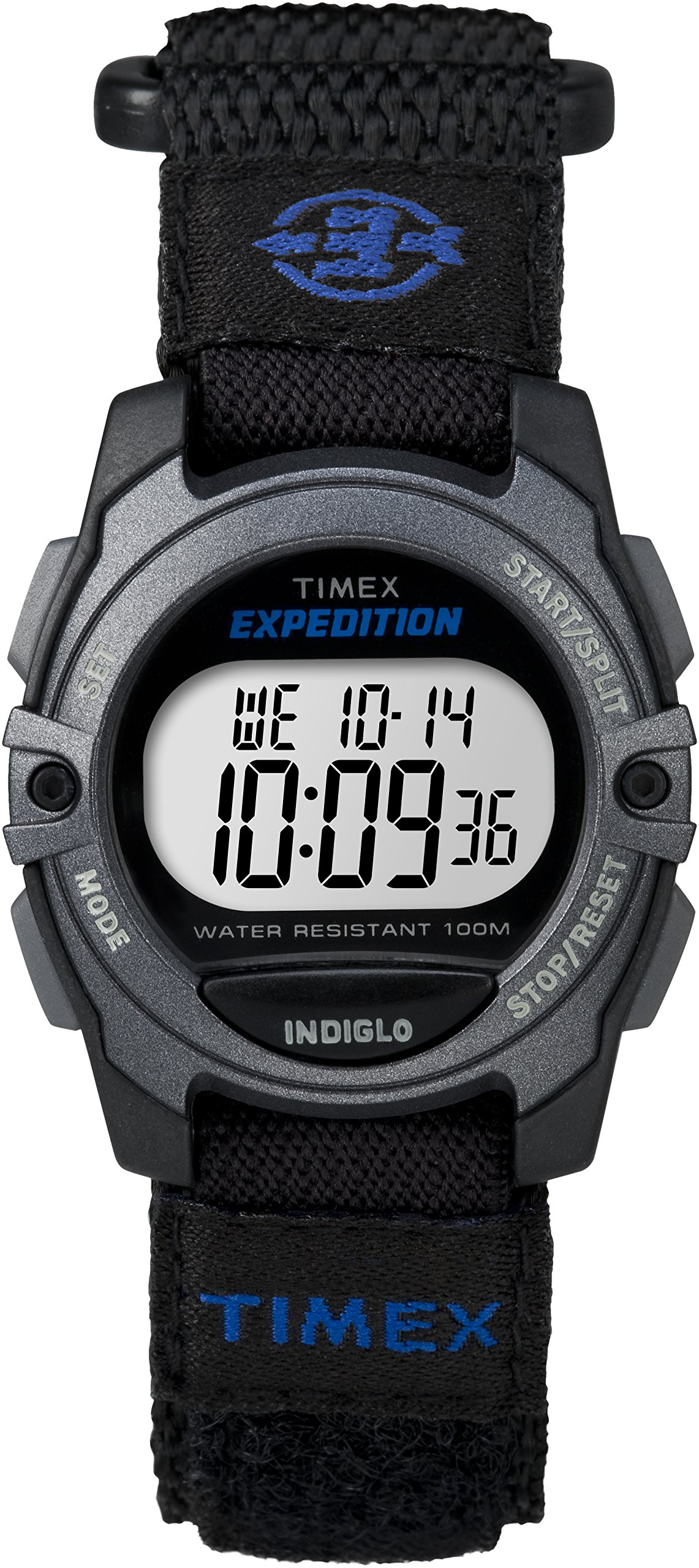
Image: Timex Expedition TW4B02400GP Digital Chronograph Watch, showcasing its black and blue design with a digital display and Fast-Wrap Velcro strap.
Aufstellen
Erste Zeit- und Datumseinstellung
- Enter Set Mode: Halten Sie die SATZ button (typically top-left) until the display flashes.
- Werte anpassen: Verwenden Sie die START/STOP button (typically top-right) to increase the flashing value (e.g., hours, minutes, year).
- Select Next Field: Drücken Sie die MODUS button (typically bottom-left) to move to the next setting field (e.g., minutes, month, day).
- Exit Set Mode: Sobald alle Einstellungen vorgenommen sind, drücken Sie die Taste SATZ Zum Speichern und Beenden erneut auf die Schaltfläche klicken.
Gurteinstellung
The watch features a Fast-Wrap Velcro strap for easy and secure fitting. Adjust the strap by pulling the end through the buckle and securing the Velcro to achieve a comfortable and snug fit on your wrist. Ensure it is not too tight to allow for proper circulation, nor too loose to prevent the watch from moving excessively.
Bedienungsanleitung
Basic Time Display
In the default time mode, the watch displays the current time (hours, minutes, seconds) and date (month, day of week, day of month).
Indiglo-Nachtlicht
Drücken Sie die LICHT button (typically top-right or a dedicated button) to activate the Indiglo night-light. The entire watch face will illuminate for a few seconds, allowing for easy readability in low-light conditions.
Stoppuhrfunktion
- Access Stopwatch: Drücken Sie die MODUS button repeatedly until 'CHRONO' or 'STW' appears on the display.
- Start/Stopp: Drücken Sie die START/STOP Drücken Sie diese Taste, um die Zeitmessung zu starten. Drücken Sie sie erneut, um die Zeit zu pausieren.
- Zurücksetzen: Drücken Sie im Pausenmodus die Taste ZURÜCKSETZEN button (typically bottom-right) to clear the stopwatch to zero.
Countdown-Timer
- Zugriffstimer: Drücken Sie die MODUS button repeatedly until 'TIMER' or 'TMR' appears.
- Timer einstellen: Halten Sie die SATZ button to enter timer setting mode. Use START/STOP to adjust hours/minutes/seconds and MODUS to move between fields. Press SATZ zur Bestätigung.
- Start/Stopp: Drücken START/STOP Um den Countdown zu starten. Drücken Sie erneut, um ihn anzuhalten.
- Zurücksetzen: Drücken Sie während der Pause ZURÜCKSETZEN to return to the set time. An audible alarm will sound when the timer reaches zero.
Alarmfunktion
- Access Alarm: Drücken Sie die MODUS button repeatedly until 'ALARM' or 'ALM' appears.
- Wecker stellen: Halten Sie die SATZ Taste zum Aufrufen des Alarmeinstellungsmodus. Verwenden Sie START/STOP to adjust hours/minutes and MODUS to move between fields. Press SATZ zur Bestätigung.
- Aktivieren/Deaktivieren: Drücken Sie im Alarmmodus START/STOP Zum Ein- und Ausschalten des Alarms. Ein Alarmsymbol wird angezeigt, wenn der Alarm aktiv ist.
- Schlummern: When the alarm sounds, press any button (except ZURÜCKSETZEN) to activate snooze, which will sound again after a few minutes. Press ZURÜCKSETZEN to turn off the alarm completely.
Wartung
Reinigung
Reinigen Sie Ihre Uhr regelmäßig mit einem weichen, fusselfreien Tuch.amp cloth. For the Velcro strap, occasional hand washing with mild soap and water is recommended to remove dirt and sweat. Ensure the watch is completely dry before wearing.
Wasserbeständigkeit
The watch is water resistant to 100 meters (330 feet). This means it is suitable for showering, swimming, and snorkeling. However, it is nicht suitable for scuba diving or high-impact water sports. Do not operate buttons underwater to maintain water resistance integrity.
Batteriewechsel
When the display dims or functions become erratic, the battery may need replacement. It is highly recommended to have the battery replaced by an authorized Timex service center or a professional watch repairer to ensure proper sealing and maintain the watch's water resistance.
Fehlerbehebung
- Bildschirm ist leer oder dunkel: Der Batteriestand ist möglicherweise niedrig oder die Batterie ist leer. Tauschen Sie die Batterie wie im Abschnitt „Wartung“ beschrieben aus.
- Tasten reagieren nicht: Ensure the watch is not in a locked mode (if applicable, consult specific model instructions for lock features). If the issue persists, a battery replacement or a soft reset (removing and reinserting the battery) by a professional may be required.
- Die Zeitangabe ist ungenau: Re-set the time and date as described in the Setup section. If the watch continues to lose or gain time significantly, the internal movement may require servicing.
- Wasser in der Uhr: If condensation or water appears inside the watch, immediately take it to an authorized service center. This indicates a breach in the water resistance seal.
Technische Daten
| Modellnummer | TW4B02400GP |
| Marke | TIMEX |
| Farbe | Schwarz Blau |
| Material | Harz |
| Bildschirmgröße | 1.25 Zoll |
| Wasserbeständigkeit | 100-Meter (330-Füße) |
| Artikelgewicht | 90 g |
| Merkmale | Stopwatch, Countdown Timer, Alarm, Indiglo Night-Light, Fast-Wrap Velcro Strap |
Garantieinformationen
This Timex watch is covered by a manufacturer's warranty against defects in materials and workmanship. The specific terms and duration of the warranty may vary by region. Please refer to the warranty card included with your purchase or visit the official Timex webAuf dieser Website finden Sie detaillierte Informationen zum Garantieumfang und zu Garantieansprüchen.
Unterstützung
For further assistance, technical support, or service inquiries, please contact Timex customer service. Contact information can typically be found on the official Timex website or in the documentation provided with your watch. When contacting support, please have your watch model number (TW4B02400GP) and purchase details readily available.


