
1. Einleitung
This manual provides essential instructions for the safe and efficient operation of your IDX VL-4SI Endura Lithium-Ion Battery Charger. The VL-4SI is a high-speed, 4-channel simultaneous charger designed for professional use. It features an LCD display for monitoring charge status and a PC interface for detailed battery data management via IDX's Battery Management System software. Please read this manual thoroughly before using the device.
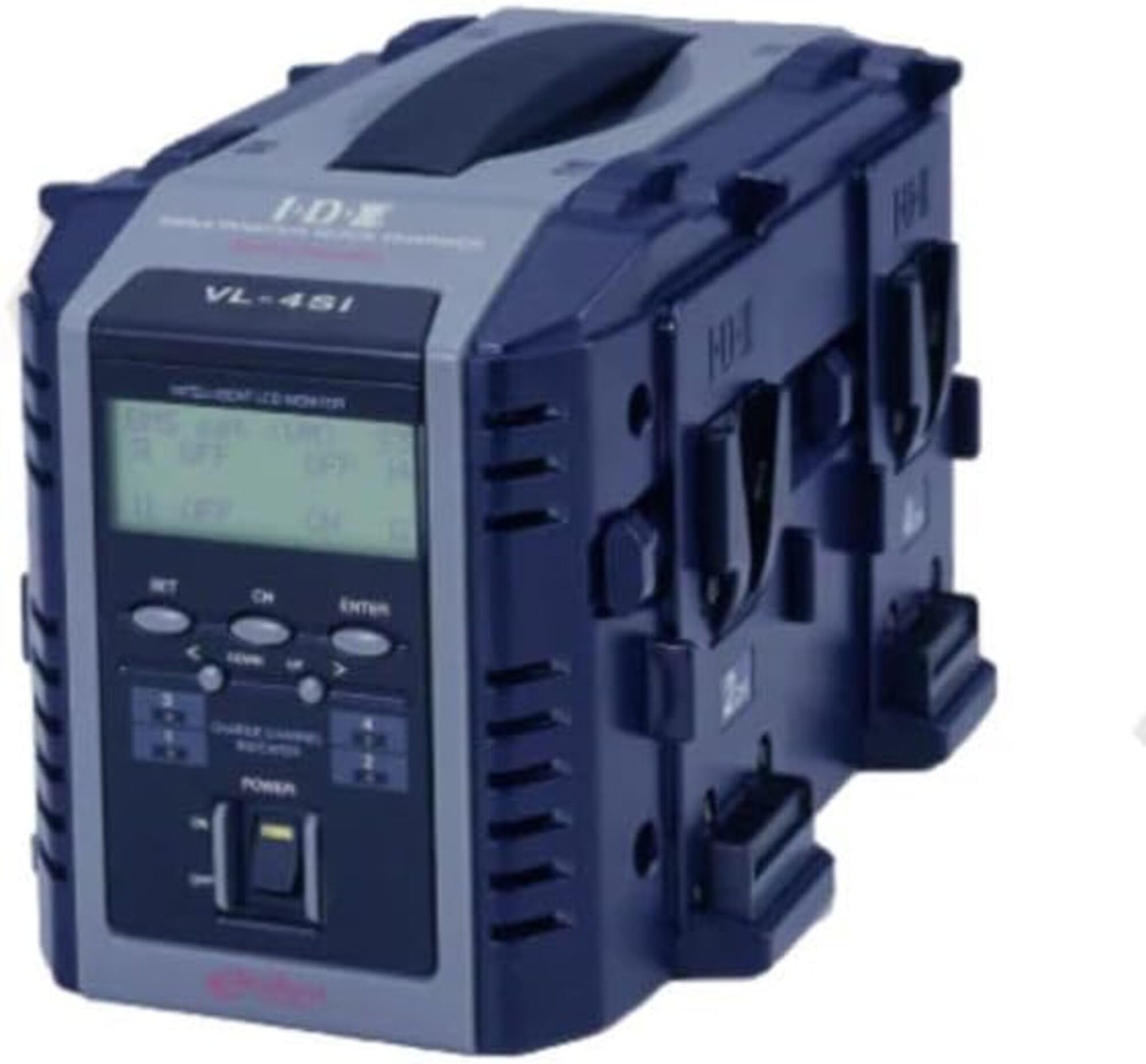
Abbildung 1: Vorderseite view of the IDX VL-4SI Endura Lithium-Ion Battery Charger.
2. Sicherheitshinweise
Always observe the following safety precautions to prevent electric shock, fire, or damage to the charger or batteries.
- Setzen Sie das Ladegerät weder Regen noch Feuchtigkeit aus. Dieses Gerät ist nur für den Gebrauch in Innenräumen vorgesehen.
- Sorgen Sie für ausreichende Belüftung. Do not cover the charger's ventilation openings during operation.
- Use only compatible batteries. This charger is designed for Lithium-Ion batteries. Refer to battery specifications for compatibility.
- Eingangslautstärketage: The charger operates on 240 Volts. Ensure your power source matches this requirement.
- Avoid dropping or impacting the charger. Physical damage can compromise safety and functionality.
- Versuchen Sie nicht, das Ladegerät zu zerlegen oder zu reparieren. Überlassen Sie sämtliche Wartungsarbeiten qualifiziertem Personal.
- Außerhalb der Reichweite von Kindern aufbewahren.
3. Packungsinhalt
Überprüfen Sie, ob alle Artikel im Paket vorhanden sind:
- IDX VL-4SI Endura Lithium-Ion Battery Charger Unit
- Netzkabel
- Benutzerhandbuch (dieses Dokument)
Note: NP-style batteries may be charged using the optional A-E2NP adapter (sold separately).
4. Einrichtung
- Auspacken des Ladegeräts: Carefully remove the VL-4SI charger from its packaging.
- Positionieren Sie das Ladegerät: Stellen Sie das Ladegerät auf eine stabile, ebene Fläche in einem gut belüfteten Bereich, fern von direkter Sonneneinstrahlung oder Wärmequellen.
- Strom anschließen: Insert the AC power cable into the charger's power input port, then plug the other end into a compatible 240V AC power outlet.
- Erstes Einschalten: The charger's LCD display should illuminate, indicating it is ready for operation.
5. Bedienungsanleitung
The VL-4SI charger supports simultaneous charging of up to four compatible Lithium-Ion batteries.
- Batterien einlegen: Align a compatible battery with one of the four charging channels and slide it into place until it clicks securely. Repeat for additional batteries.
- Ladestatus überwachen: The LCD display on the front panel will show the continuous charging information for each individual battery. This includes charge percentage, Bdtage und aktuell.
- Advanced Battery Information: When charging ENDURA System E-10/E-80/E7/E50 batteries, the LCD display will provide advanced digital information specific to these battery models.
- PC Interface (Optional): Connect the VL-4SI to a computer via its PC interface. Using IDX's Battery Management System software, you can retrieve detailed battery data to manage and extend the life of your battery inventory. This feature is ideal for network operations and rental facilities.
- Ladeabschluss: The LCD display will indicate when a battery is fully charged. Remove batteries by pressing the release button (if present) and sliding them out.
6. Wartung
- Reinigung: Trennen Sie das Ladegerät vor der Reinigung vom Stromnetz. Wischen Sie die Außenseite des Ladegeräts mit einem weichen, trockenen Tuch ab. Verwenden Sie keine flüssigen Reiniger oder Lösungsmittel.
- Lagerung: Bewahren Sie das Ladegerät bei Nichtgebrauch an einem kühlen, trockenen Ort, fern von direkter Sonneneinstrahlung und extremen Temperaturen auf.
- Inspektion: Periodically inspect the power cable and charger for any signs of damage. If damage is found, discontinue use and contact support.
7. Fehlerbehebung
- Ladegerät lässt sich nicht einschalten:
- Ensure the power cable is securely connected to both the charger and the power outlet.
- Überprüfen Sie, ob die Steckdose funktioniert.
- Akku wird nicht aufgeladen:
- Ensure the battery is correctly inserted into the charging channel.
- Check if the battery is compatible with the VL-4SI charger.
- Überprüfen Sie die Batterie auf sichtbare Schäden.
- LCD display not showing information:
- Stellen Sie sicher, dass das Ladegerät eingeschaltet ist.
- Wenn das Problem weiterhin besteht, wenden Sie sich an den Kundendienst.
8. Spezifikationen
| Marke | IDX |
| Modellnummer | VL-4SI |
| Eingangslautstärketage | 240 Volt |
| Charging Channels | 4 (Simultaneous) |
| Kompatibilität | Lithium-Ion Batteries (Multi-chemistry capable) |
| Hersteller | IDX-Systemtechnologie |
| UPC | 825781014202 |
| ASIN | B013TP7T56 |
9. Garantie und Support
Garantie: Dieses Produkt wird verkauft mit Keine Garantie gemäß Herstellerspezifikationen.
Kundendienst: For technical assistance, service, or inquiries regarding the IDX VL-4SI charger, please contact your local IDX distributor or visit the official IDX webSite für Supportressourcen.