
1. Einleitung
Thank you for choosing the Baseus Bluetooth Selfie Stick with Tripod. This versatile device combines an extendable selfie stick with a stable tripod and a detachable Bluetooth remote control, allowing you to capture photos and videos with ease. Please read this manual carefully before use to ensure proper operation and to maximize your product experience.
2. Produktüberschreitungview
The Baseus Selfie Stick with Tripod is designed for portability and functionality. It features a compact, foldable design that extends to 810mm, a 360-degree rotatable phone holder, and a removable Bluetooth remote for convenient shooting.
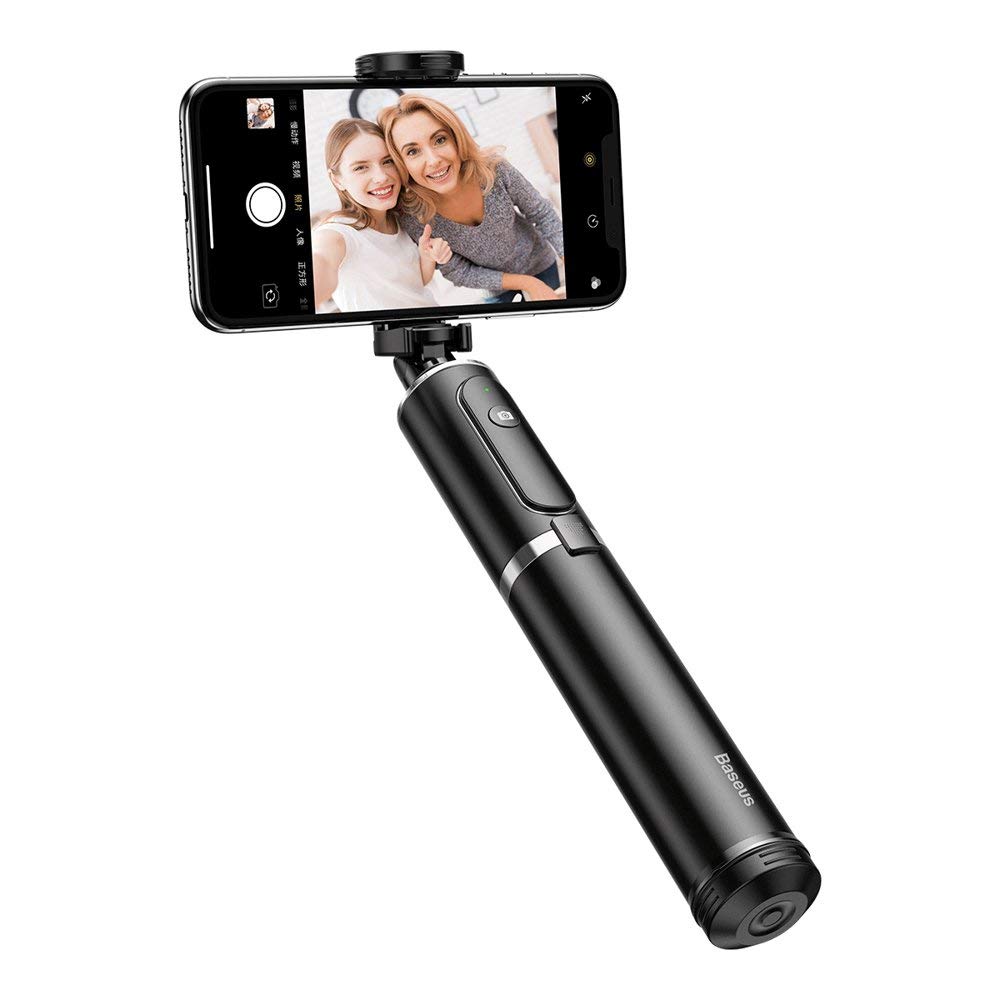
Abbildung 2.1: The Baseus Selfie Stick fully extended with a smartphone in tripod mode.

Abbildung 2.2: The selfie stick in its compact, folded form, highlighting the remote control.
3. Sicherheitshinweise
- Setzen Sie das Gerät weder extremen Temperaturen noch über längere Zeiträume direkter Sonneneinstrahlung aus.
- Halten Sie das Gerät von Wasser und anderen Flüssigkeiten fern.
- Versuchen Sie nicht, das Gerät zu zerlegen oder zu modifizieren.
- Ensure your smartphone is securely mounted before extending the stick or using the tripod.
- Außerhalb der Reichweite von Kindern aufbewahren.
4. Packungsinhalt
Überprüfen Sie, ob alle Artikel in Ihrem Paket vorhanden sind:
- Baseus Bluetooth Selfie Stick with Tripod (Black/Gray)
- Abnehmbare Bluetooth-Fernbedienung
5. Einrichtung
5.1 Unfolding and Extending the Selfie Stick
- Gently pull the top part of the stick upwards to unfold it from its compact state.
- Extend the telescopic rod segments to your desired length. The stick can extend up to 810mm.
5.2 Anbringen Ihres Smartphones
- Öffne das Telefon clamp oben am Stock.
- Legen Sie Ihr Smartphone vorsichtig in die Halterung.amp, ensuring it is held securely. The clamp supports phones up to 6.5 inches.
- Adjust the phone holder's angle and rotation (360 degrees) as needed.

Abbildung 5.1: Smartphone mounted horizontally in the clamp.

Abbildung 5.2: Smartphone mounted vertically in the clamp.
5.3 Bluetooth Pairing for Remote Control
- Remove the remote control from its slot on the selfie stick.
- Press and hold the button on the remote control until the indicator light starts flashing, indicating it is in pairing mode.
- Öffnen Sie auf Ihrem Smartphone die Bluetooth-Einstellungen und suchen Sie nach verfügbaren Geräten.
- Select "Baseus Selfie" or a similar name from the list to pair.
- Once paired, the indicator light on the remote will stop flashing and remain solid or turn off.
6. Bedienungsanleitung
6.1 Verwendung als Selfie-Stick
Hold the handle firmly and extend the stick to your desired length. Use the Bluetooth remote control to take photos or start/stop video recording.

Abbildung 6.1: Using the selfie stick in handheld mode.

Abbildung 6.2: Example of a user taking a selfie with the stick.
6.2 Verwendung als Stativ
- While the stick is folded or partially extended, gently push the bottom part to deploy the tripod legs.
- Stellen Sie das Stativ auf eine ebene, stabile Fläche.
- Adjust the stick's height and phone holder's angle for optimal shooting.
- Use the remote control to capture photos or videos from a distance.

Abbildung 6.3: Close-up of the tripod legs.
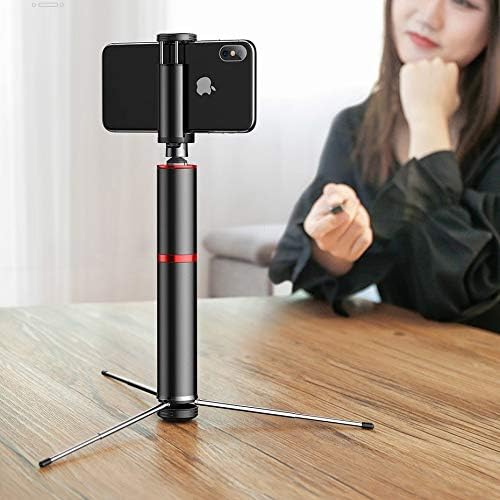
Abbildung 6.4: Selfie stick used as a tripod on a table.

Abbildung 6.5: Tripod setup with the remote control nearby.
7. Wartung
- Reinigung: Reinigen Sie das Gerät mit einem weichen, trockenen Tuch. Verwenden Sie keine scharfen Chemikalien oder Scheuermittel.
- Lagerung: When not in use, fold the selfie stick to its compact size and store it in a cool, dry place away from direct sunlight.
- Batterie: The remote control uses a small button cell battery. Replace it when the remote's performance degrades.
8. Fehlerbehebung
8.1 Fernbedienung lässt sich nicht koppeln
- Ensure the remote control is charged or has a fresh battery.
- Stellen Sie sicher, dass Bluetooth auf Ihrem Smartphone aktiviert ist.
- Restart both your smartphone and the remote control (by removing and reinserting the battery if possible, or turning it off and on).
- Löschen Sie die vorherigen Bluetooth-Verbindungen auf Ihrem Telefon und versuchen Sie es erneut mit einer Kopplung.
8.2 Selfie Stick Instability
- Ensure all telescopic segments are fully extended and locked into place (if applicable).
- Bei Verwendung als Stativ ist darauf zu achten, dass die Beine vollständig ausgeklappt sind und auf einer ebenen, stabilen Oberfläche stehen.
- Vergewissern Sie sich, dass Ihr Smartphone sicher angeschlossen ist.amped und ausgewogen.
9. Spezifikationen
| Modellnummer | SUDYZP-D1S |
| Marke | Baseus |
| Kompatible Geräte | Mobile Phones (up to 6.5 inches) |
| Produktgewicht | 0.3 Kilogramm |
| Maximale Verlängerungslänge | 810 mm |
| Merkmale | Bluetooth Remote Control, Tripod Function, 360-Degree Rotatable Phone Holder |
| Farbe | Black - Gray |
10. Garantie und Support
This product comes with a manufacturer's warranty. For detailed warranty information, please refer to the warranty card included in your product packaging or visit the official Baseus webWebsite.
For technical support, troubleshooting assistance, or any other inquiries, please contact Baseus customer service through their official channels. You can often find support contact information on the Baseus webauf der Website oder auf der Produktverpackung.
Online-Hilfe: www.baseus.com