
DBPOWER RD-805
DBPower RD-805 Tragbarer Multimedia-Mini-LED-Projektor – Benutzerhandbuch
Model: RD-805 (FP8048H1W-IV6)
1. Einleitung
This manual provides comprehensive instructions for the safe and efficient operation of your DBPOWER RD-805 Portable Multimedia Mini LED Projector. Please read this manual thoroughly before using the projector and retain it for future reference. This projector is designed for versatile multimedia applications, offering a compact solution for home entertainment, presentations, and more.
2. Sicherheitshinweise
- Schauen Sie nicht direkt in die Projektorlinse, wenn der lamp ist eingeschaltet. Das intensive Licht kann Augenschäden verursachen.
- Sorgen Sie für ausreichende Belüftung. Blockieren Sie die Lüftungsöffnungen nicht. Überhitzung kann den Projektor beschädigen.
- Use only the power adapter supplied with the projector. Using an incorrect adapter may cause malfunction or fire.
- Halten Sie den Projektor von Wasser und anderen Flüssigkeiten fern. Betreiben Sie ihn nicht in feuchter Umgebung.
- Stellen Sie den Projektor nicht auf instabile Oberflächen.
- Bei Gewittern oder längerer Nichtbenutzung sollte das Gerät vom Stromnetz getrennt werden.
- Versuchen Sie nicht, den Projektor selbst zu reparieren. Überlassen Sie alle Wartungsarbeiten qualifiziertem Fachpersonal.
3. Packungsinhalt
Bitte prüfen Sie, ob alle unten aufgeführten Artikel in Ihrem Paket enthalten sind. Sollten Artikel fehlen oder beschädigt sein, wenden Sie sich bitte an Ihren Händler.
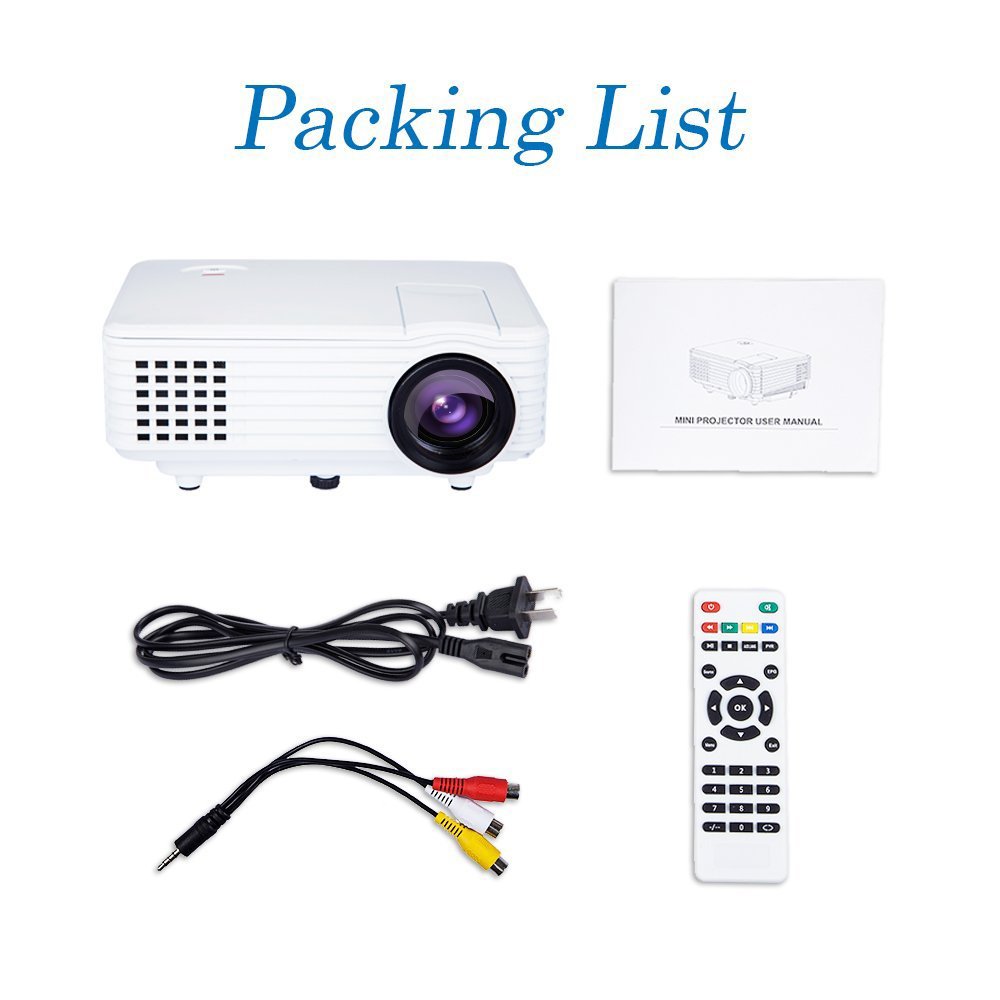
Image: Contents of the DBPOWER RD-805 projector package, showing the projector unit, power cable, AV cable, remote control, and user manual.
- DBPOWER RD-805 Mini LED Projector
- Stromkabel
- Fernbedienung
- AV-Kabel
- Bedienungsanleitung
4. Produktüberschreitungview
Familiarize yourself with the various parts of your projector.

Image: The DBPOWER RD-805 projector held in a hand, illustrating its portable and compact design.
4.1 Vorder- und Oberseite View
- Projektionsobjektiv: Gibt das Bild aus.
- Fokusring: Passt die Bildschärfe an.
- Trapezkorrekturregler: Korrigiert trapezförmige Bildverzerrungen.
- Bedienfeld: Buttons for menu navigation and basic functions.
4.2 Rückseite und Anschlüsse

Bild: Detailliert view of the rear panel of the DBPOWER RD-805 projector, highlighting the power button, on/off switch, USB port, HDMI port, AV input, VGA input, and audio output jack.
- Netzschalter: Schaltet den Projektor ein/aus.
- On/Off Button (Main Switch): Hauptnetzschalter.
- USB-Anschluss: Schließen Sie USB-Laufwerke zur Medienwiedergabe an.
- HDMI-Anschluss: Connect devices via HDMI cable (e.g., laptops, gaming consoles).
- AV-Eingangsanschluss: Connect devices using the AV cable (e.g., DVD players).
- VGA-Anschluss: Connect computers via VGA cable.
- Audio Output (Earphone) Jack: Schließen Sie externe Lautsprecher oder Kopfhörer an.
- Micro-USB: (Not explicitly labeled in image, but mentioned in features) For specific connectivity.
5. Einrichtung
5.1 Platzierung
Place the projector on a stable, flat surface. Ensure there is adequate space around the projector for ventilation. The projection distance will determine the image size (20-80 inches recommended).

Image: The DBPOWER RD-805 projector set up on a tripod next to a laptop, demonstrating a typical usage scenario for presentations or media viewing.
5.2 Stromanschluss
- Schließen Sie das Netzkabel an den Stromeingang des Projektors an.
- Stecken Sie das andere Ende des Stromkabels in eine Wandsteckdose.
- Flip the main On/Off switch on the rear panel to the 'On' position.
5.3 Geräte anschließen
Der Projektor unterstützt verschiedene Eingangsquellen:

Image: A circular diagram illustrating the wide range of devices compatible with the DBPOWER RD-805 projector, including laptops, desktops, gaming consoles (PS4, Xbox 360, Wii), mobile phones, tablets, DVD players, and MP4/MP5 players.
- HDMI: Connect laptops, gaming consoles (PS4, Xbox 360), Blu-ray players.
- VGA: Schließen Sie Desktop-Computer oder ältere Laptops an.
- EIN V: Connect DVD players, set-top boxes using the included AV cable.
- USB: Insert USB flash drives for direct playback of photos, videos, and music.
- Micro-USB: For specific device connections (refer to device manual for compatibility).
- Audio Ausgang: Schließen Sie externe Lautsprecher oder Kopfhörer an, um den Klang zu verbessern.
6. Bedienung des Projektors
6.1 Ein-/Ausschalten
- Ensure the main On/Off switch on the rear is in the 'On' position.
- Press the Power button on the projector or remote control to turn on the unit.
- To power off, press the Power button again. The indicator light will change.
6.2 Bildanpassung
- Fokus: Drehen Sie den Fokusring in der Nähe des Objektivs, bis das projizierte Bild klar und scharf ist.
- Trapezkorrektur: Use the keystone correction dial to adjust the image if it appears trapezoidal (wider at the top or bottom). The projector supports up to 15 degrees of keystone correction.
6.3 Auswahl der Eingangsquelle
Use the 'Source' button on the remote or projector control panel to cycle through available input sources (HDMI, VGA, AV, USB).
6.4 Multimedia-Wiedergabe
When a USB drive is connected, navigate the on-screen menu to select the desired media type (Photo, Music, Movie, Text) and browse files. The projector supports MP3/WMA/OGG/AAC/FLAC/APE/WAV audio and JPEG/BMP/PNG image formats.
6.5 Anwendungen
The DBPOWER RD-805 is suitable for a variety of uses:

Image: A collage depicting various applications of the DBPOWER RD-805 projector, including outdoor movie nights, classroom teaching, business meetings, and gaming sessions.

Bild: Vier Examples of home theater environments utilizing the DBPOWER RD-805 projector for immersive viewErfahrungen.
- Home-Entertainment: Genießen Sie Filme, Fernsehsendungen und Sport auf einem großen Bildschirm.
- Spielen: Schließen Sie Ihre Spielkonsole an, um ein immersives Spielerlebnis zu genießen.
- Präsentationen: Ideal for small business meetings or educational purposes.
- Foto Viewing: Share your photos with friends and family on a big display.
7. Wartung
7.1 Reinigung der Linse
Verwenden Sie ein weiches, fusselfreies Tuch, das speziell für optische Linsen entwickelt wurde. Verwenden Sie keine scheuernden Reinigungsmittel oder Tücher, die die Linse zerkratzen könnten.
7.2 Reinigung des Projektorgehäuses
Wischen Sie die Außenseite des Projektors mit einem weichen, trockenen Tuch ab. Bei hartnäckigen Flecken kann ein leicht klopfender Reflektor helfen.amp Man kann ein Tuch verwenden, anschließend ein trockenes.
7.3 Belüftung
Regularly check and clean the ventilation grilles to prevent dust buildup, which can impede airflow and cause overheating.
7.4 Literamp Leben
Die LED lamp in your projector has a long lifespan, rated for approximately 50,000 hours, significantly reducing the need for lamp Ersatz.
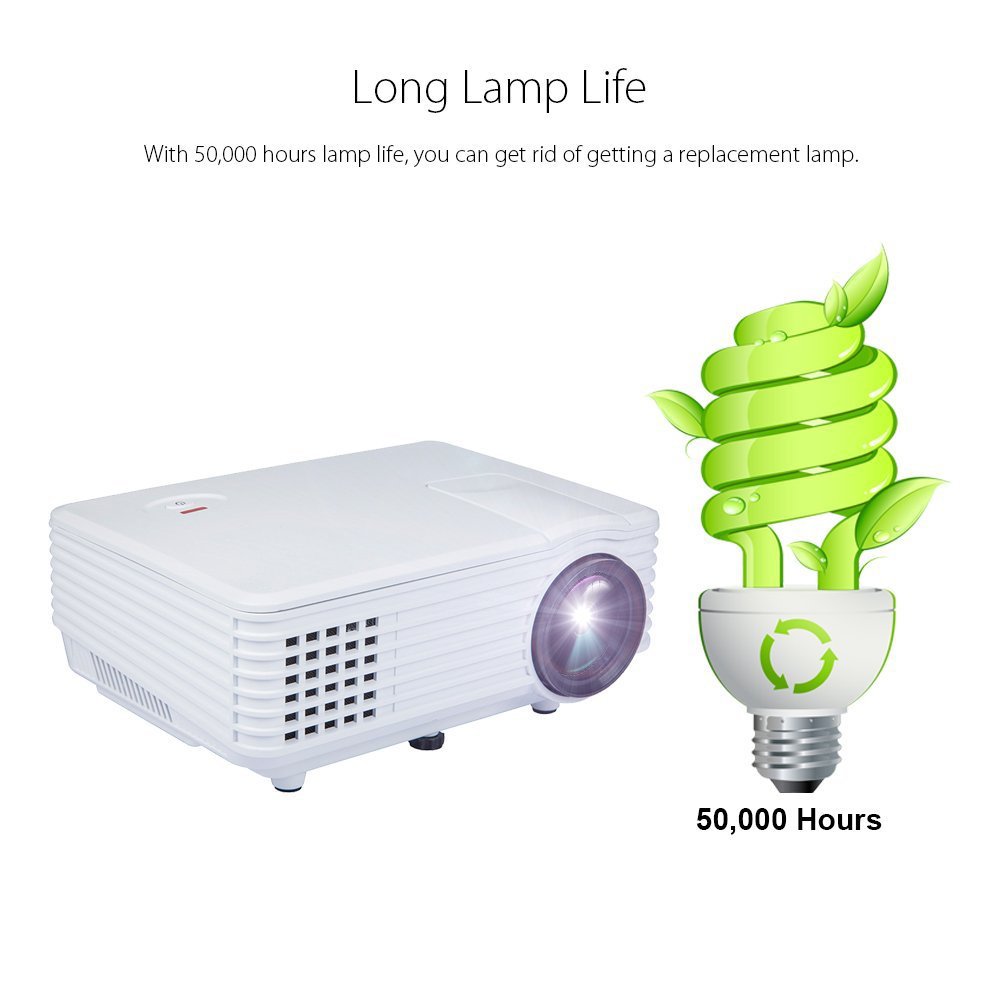
Image: An illustration highlighting the long lamp life of the DBPOWER RD-805 projector, indicating an estimated lifespan of 50,000 hours for its LED light source.
8. Fehlerbehebung
| Problem | Mögliche Ursache | Lösung |
|---|---|---|
| Kein Bild projiziert | Strom nicht angeschlossen; Eingangsquelle falsch; Objektivdeckel aufgesetzt. | Prüfen Sie die Stromverbindung; Wählen Sie die richtige Eingangsquelle; Entfernen Sie den Objektivdeckel. |
| Bild ist verschwommen | Fokus nicht eingestellt; Projektor zu nah/zu weit von der Leinwand entfernt. | Adjust focus ring; Adjust projection distance (20-80 inches). |
| Das Bild ist trapezförmig | Keystone nicht eingestellt. | Einstellknopf für die Trapezkorrektur. |
| Kein Ton | Volume too low; External speakers not connected; Audio format not supported. | Increase volume; Connect external speakers to audio out; Check audio format compatibility. |
| Fernbedienung funktioniert nicht | Batterien leer; Blockade zwischen Fernbedienung und Projektor. | Batterien austauschen; Freie Sichtlinie zum Infrarotempfänger sicherstellen. |
9. Spezifikationen

Image: The DBPOWER RD-805 projector with its physical dimensions (21cm length, 14.5cm width, 8cm height) and weight (1250g) indicated, alongside a "1 Year Warranty" badge.
| Marke | dBpower |
| Modellname | RD-805 |
| Artikelmodellnummer | FP8048H1W-IV6 |
| Display-Technologie | LCD |
| Anzeigetyp | LED |
| Projektionsgröße | 20-80 Zoll (empfohlen) |
| Max Screen Display Size | 120 Zoll / 305 cm |
| Keystone-Korrektur | Manual, 15 degrees |
| Lamp Leben | Bis zu 50,000 Stunden |
| Eingabeschnittstellen | USB, VGA, HDMI, AV, Micro USB |
| Ausgabeschnittstelle | Earphone (3.5mm Audio Jack) |
| Unterstützte Audioformate | MP3 / WMA / OGG / AAC / FLAC / APE / WAV |
| Unterstützte Bildformate | JPEG/BMP/PNG (with zoom, 360 degree rotate) |
| Energieaufnahme | 20 Watt |
| Stromquelle | AC |
| Produktabmessungen (L x B x H) | 21.08 x 14.48 x 7.87 cm |
| Artikelgewicht | 907.18 g |
10. Garantie und Support
Your DBPOWER RD-805 Projector comes with a 1 Jahr Garantie Ab Kaufdatum. Diese Garantie deckt Herstellungsfehler und Verarbeitungsfehler bei normalem Gebrauch ab.
For technical support, warranty claims, or any inquiries, please contact DBPOWER customer service through the contact information provided on their official website or your purchase platform. Please have your model number (RD-805) and purchase details ready when contacting support.
Ask a question about this manual
Ask about setup, troubleshooting, compatibility, parts, safety, or missing instructions. Manuals+ will review the question and use this page’s manual context to help answer it.