
Einführung
Vielen Dank für Ihren Einkauf.asing the Capello Self-Setting Atomic Clock with Calendar & Indoor Temperature. This clock is designed to provide accurate timekeeping, date display, and indoor temperature readings, all within a sleek, contemporary design. Its self-setting atomic feature ensures precise time synchronization.
Hauptmerkmale
- Self-Setting Atomic Time: Automatically synchronizes with the WWVB radio signal for precise time.
- Digitaler Bildschirm: Bright and easy-to-read digital readout.
- Kalenderfunktion: Zeigt Monat, Datum und Wochentag an.
- Innentemperatur: Provides current indoor temperature in Fahrenheit or Celsius.
- Doppelalarme: Two independent alarm settings for versatile use.
- Schlankes Design: Durable polyurethane frame with a black plastic face, suitable for any room decor.
- Batteriebetrieben: Operates on AAA batteries (not included).
Packungsinhalt
- Capello Self-Setting Atomic Clock
- Benutzerhandbuch (dieses Dokument)
Aufstellen
1. Einlegen der Batterie
Locate the battery compartment on the back of the clock. Insert 3 AAA batteries (not included) according to the polarity indicators (+ and -). Ensure the battery compartment cover is securely closed.
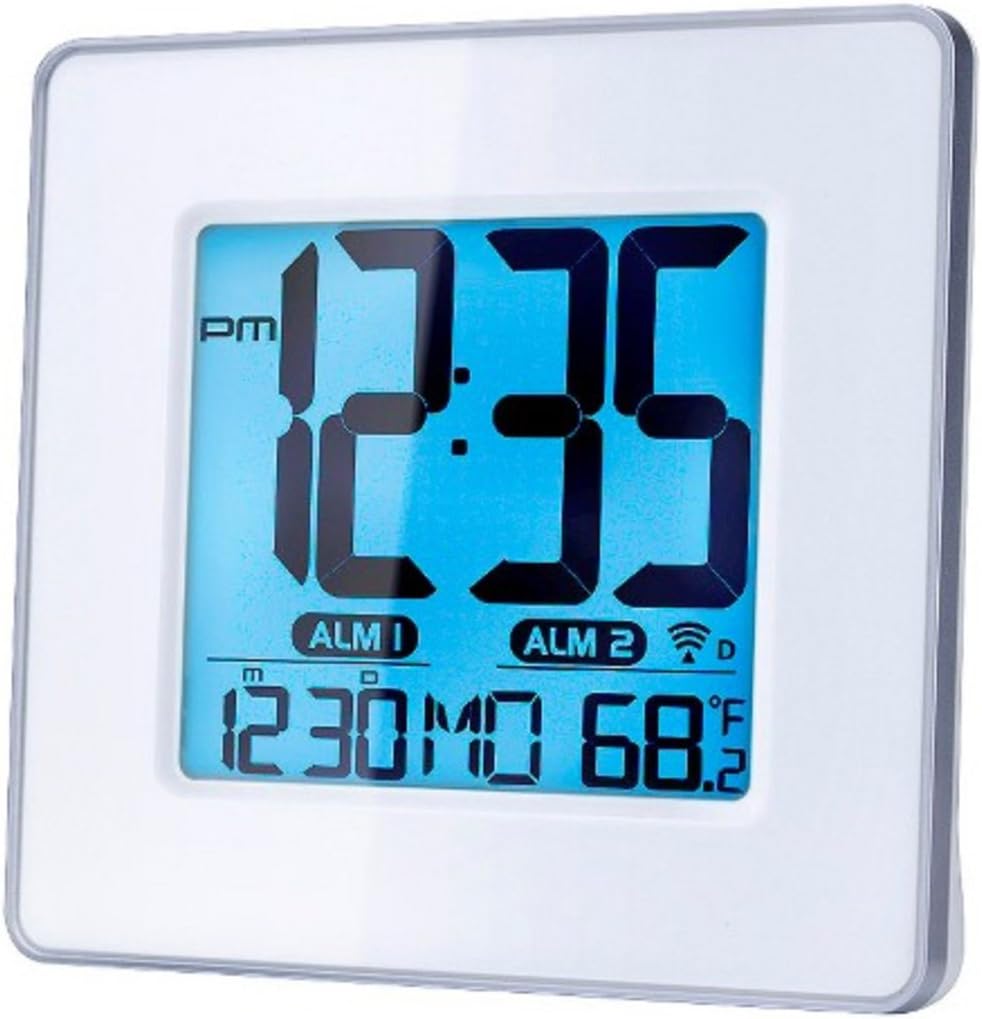
Abbildung 1: Front view of the Capello Self-Setting Atomic Clock. This image displays the clock's digital screen, showing the time (12:35 PM), two alarm indicators (ALM 1, ALM 2), the date (12:30 MO), and the indoor temperature (68.2°F). The clock has a white frame and a blue-tinted digital display.
2. Initial Power-On and Atomic Signal Reception
Upon battery installation, the clock will automatically attempt to receive the WWVB atomic time signal. This process may take several minutes to several hours, especially during initial setup. For best reception, place the clock near a window and away from electronic devices that may cause interference. The atomic signal is typically stronger at night.

Abbildung 2: Nahaufnahme von vorn view of the Capello Self-Setting Atomic Clock. This image highlights the clear digital display, which shows the time, date, and temperature. The white frame of the clock is visible, emphasizing its clean design.
A signal strength indicator (often a tower icon with waves) will appear on the display once a successful signal is received. If the signal is not received immediately, the clock will default to a manual time setting. You can manually initiate a signal search by holding the "WAVE" button (if present) on the back of the clock for a few seconds.
Bedienungsanleitung
1. Manual Time and Date Setting
In case the atomic signal is not available or for manual adjustment:
- Halten Sie die SATZ button (or similar, refer to back panel buttons) for a few seconds until the display flashes.
- Verwenden Sie die UP Und RUNTER Tasten zum Einstellen des Blinkwertes (z. B. Stunde, Minute, Jahr, Monat, Tag).
- Drücken SATZ again to confirm the selection and move to the next setting.
- Wiederholen Sie den Vorgang, bis alle gewünschten Einstellungen konfiguriert sind.
2. Alarmeinstellungen
The clock features two independent alarms (ALM 1 and ALM 2).
- Drücken Sie die ALARM button (or ALM 1/ALM 2 button) to select the alarm you wish to set.
- Halten Sie die WECKER GESTELLT button (or similar) until the alarm time flashes.
- Verwenden Sie die UP Und RUNTER Tasten zum Einstellen von Stunde und Minute des Alarms.
- Drücken WECKER GESTELLT zur Bestätigung.
- Zum Aktivieren/Deaktivieren eines Alarms drücken Sie die entsprechende Taste. ALARM EIN / AUS button. An alarm icon will appear on the display when active.
3. Temperaturanzeige
The clock displays indoor temperature. To switch between Fahrenheit (°F) and Celsius (°C), locate the °F/°C button on the back of the unit and press it.

Abbildung 3: Abgewinkelt view of the Capello Self-Setting Atomic Clock. This perspective shows the clock's depth and the sleek design of its white frame, along with the clear digital display from a side angle.
Wartung
Reinigung
Reinigen Sie die Uhr mit einem weichen, trockenen Tuch. Verwenden Sie keine Scheuermittel oder Lösungsmittel, da diese das Display oder die Elektronik beschädigen können.asing.
Batteriewechsel
When the display dims or the clock stops functioning, replace the AAA batteries. Always replace all batteries at the same time with new ones. Dispose of old batteries responsibly according to local regulations.
Fehlerbehebung
| Problem | Mögliche Ursache | Lösung |
|---|---|---|
| Die Uhr stellt sich nicht automatisch ein. | Weak or no atomic signal reception. Interference from other electronics. Incorrect time zone setting. | Relocate the clock closer to a window, away from electronic devices (TVs, computers, microwaves). Try initiating a manual signal search (WAVE button). Ensure correct time zone is set if applicable. Note that the signal is often stronger at night. |
| Das Display ist dunkel oder leer. | Schwache Batterien. | Ersetzen Sie alle AAA-Batterien durch neue. |
| Time is incorrect after Daylight Saving Time change. | Atomic clock may take up to 24 hours to adjust or requires manual adjustment for DST. | Allow up to 24 hours for automatic adjustment. If it doesn't adjust, manually set the time. Some atomic clocks may not automatically adjust for DST and require manual intervention. |
| Alarm ertönt nicht. | Alarm not activated. Alarm volume too low (if adjustable). | Ensure the alarm icon is visible on the display. Check alarm settings and ensure the time is correctly set. |
Technische Daten
| Besonderheit | Detail |
|---|---|
| Marke | Capello |
| Modell | B0170ZSMGG |
| Anzeigetyp | Digitales |
| Stromquelle | Batteriebetrieben (3 x AAA, nicht im Lieferumfang enthalten) |
| Besonderheit | Atomic, Alarm, Calendar, Indoor Temperature |
| Montagetyp | Tischplatte |
| Technische Daten | 0.71 x 5.79 x 5.35 Zoll |
| Artikelgewicht | 9.6 Unzen |
| Rahmenmaterial | Polyurethan |
| Farbe | White (Frame), Black (Dial) |
Garantie und Support
For warranty information or technical support, please refer to the contact details provided with your purchase or visit the official Capello webBewahren Sie Ihren Kaufbeleg als Kaufnachweis auf.
For further assistance, you may contact Capello customer service through their official channels. Please have your model number (B0170ZSMGG) ready when contacting support.