
Einführung
The Vonyx STM2270 is a versatile 2-channel DJ mixer designed for both aspiring and experienced DJs. It integrates modern features such as Bluetooth connectivity and a USB/SD card MP3 player, alongside essential DJ tools like a crossfader and microphone input. This manual provides detailed instructions for the safe and efficient setup, operation, and maintenance of your Vonyx STM2270 mixer.
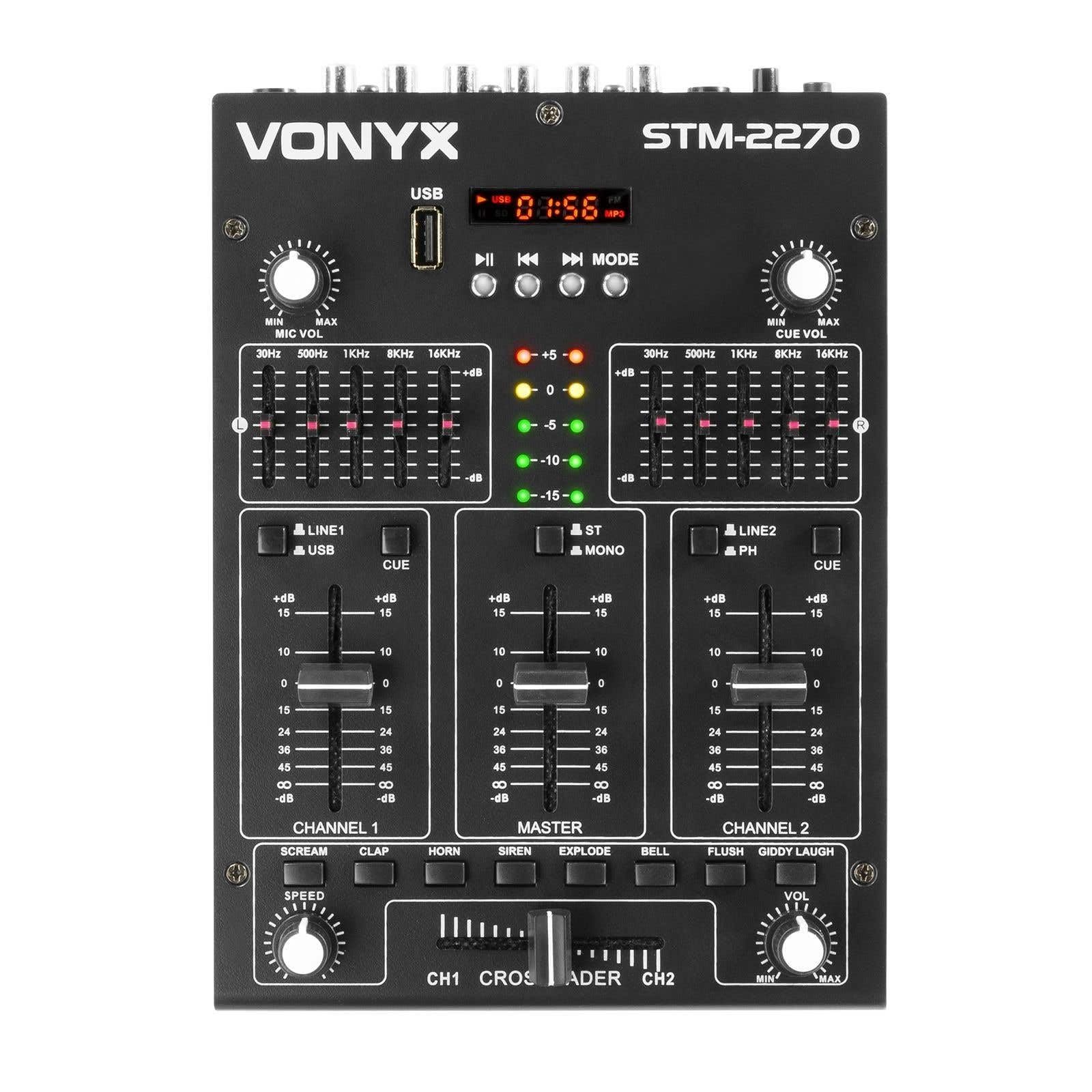
Front view of the Vonyx STM2270 DJ Mixer, showing all controls and inputs.
Aufstellen
Auspacken
- Entnehmen Sie vorsichtig alle Komponenten aus der Verpackung.
- Prüfen Sie, ob alle Teile vorhanden und unbeschädigt sind.
- Bewahren Sie die Originalverpackung für späteren Transport oder Lagerung auf.
Stromanschluss
- Ensure the mixer is switched off before connecting the power supply.
- Connect the provided 14V/600mA power adapter to the DC input on the rear panel of the mixer.
- Stecken Sie den Netzadapter in eine normale 220-V-Wechselstromsteckdose.
Audioanschlüsse
The STM2270 offers various input and output options for connecting your audio sources and sound system.
Rear panel of the Vonyx STM2270 DJ Mixer, showing power input, master output, line/phono inputs, and microphone input.
- Master-Ausgang: Connect your main sound system (amplifiers, powered speakers) to the MASTER OUTPUT RCA jacks.
- Line/Phono Inputs: Connect CD players, media players, or other line-level devices to the LINE inputs. For turntables, use the PHONO inputs. Ensure the correct input type is selected on the mixer.
- Mikrofoneingang: Connect a microphone to the 6.3mm jack input on the rear panel.
- Kopfhörerausgang: Connect your headphones to the 6.3mm jack on the front panel for monitoring.
Betrieb
Ein-/Ausschalten
- To power on, ensure all volume controls are at their minimum setting, then press the POWER button.
- To power off, lower all volume controls, then press the POWER button.
Kanalsteuerung
The mixer features two main channels, each with dedicated controls:
- Eingangsauswahl: Switch between LINE/USB (for Channel 1) or LINE/PHONO (for Channel 2) inputs.
- Kontrolle erlangen: Adjust the input level for each channel to prevent clipping.
- Equalizer (EQ): Each channel has 2-band EQ controls (High and Low) to adjust the tone of the audio. (Highs: ±10dB, Lows: ±10dB).
- Kanal-Fader: Controls the volume of the respective channel.
- CUE Button: Activates pre-fader listening (PFL) for the channel through headphones.

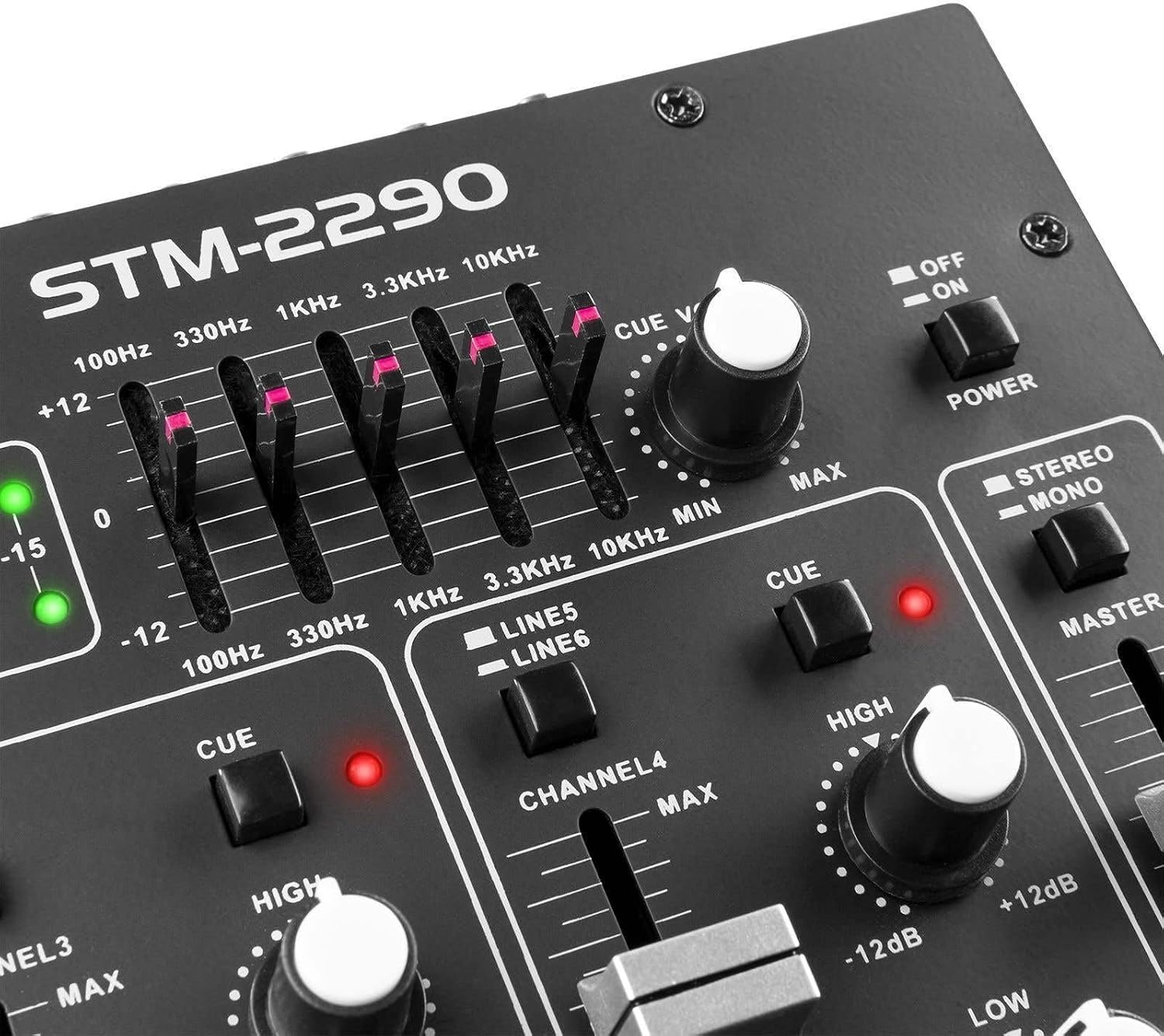
Close-up of the EQ section and LED level meters.
Master and Crossfader
- Master-Fader: Regelt die Gesamtlautstärke des Mischpults.
- Überblender: Allows for smooth transitions between Channel 1 and Channel 2. Slide the crossfader to the left for Channel 1, to the right for Channel 2, and to the center for a blend of both.

Close-up of the crossfader and integrated sound effects buttons.
Bluetooth-Konnektivität
- Activate the Bluetooth function on the mixer (usually via the MP3 player section).
- Aktivieren Sie Bluetooth auf Ihrem externen Gerät (Smartphone, Tablet usw.).
- Suchen nach and select "Vonyx STM2270" (or similar) in your device's Bluetooth settings to pair.
- Once paired, audio from your device will be routed through the mixer.
USB/SD MP3 Player
- Stecken Sie einen USB-Stick oder eine SD-Karte mit MP3-Audiodateien ein. files in den dafür vorgesehenen Schlitz.
- Use the player controls (Play/Pause, Next, Previous, Mode) to navigate and play tracks.
- The display will show track information and playback time.

Close-up of the USB port and SD card slot for the integrated MP3 player.
Mikrofonnutzung
- Connect your microphone to the MIC input.
- Mit dem Regler MIC VOL kann die Lautstärke des Mikrofons eingestellt werden.
- The mixer may include a 'talkover' function, which automatically lowers the music volume when the microphone is in use, allowing vocals to be heard clearly.
Soundeffekte
The mixer includes integrated sound effects. Use the dedicated buttons to trigger effects and the SPEED knob to adjust their characteristics.
Wartung
Reinigung
- Disconnect the mixer from power before cleaning.
- Wischen Sie die Außenseite mit einem weichen, trockenen Tuch ab.
- Bei hartnäckigem Schmutz hilft ein leicht damp Man kann ein mit milder Seife befeuchtetes Tuch verwenden und anschließend mit einem trockenen Tuch nachwischen.
- Avoid using abrasive cleaners, solvents, or excessive moisture, as these can damage the unit.
Lagerung
- Bewahren Sie den Mixer an einem kühlen, trockenen Ort fern von direkter Sonneneinstrahlung und extremen Temperaturen auf.
- If storing for an extended period, use the original packaging to protect against dust and physical damage.
Fehlerbehebung
If you encounter issues with your Vonyx STM2270 mixer, refer to the following common problems and solutions:
- Kein Strom:
- Check if the power adapter is securely connected to both the mixer and the electrical outlet.
- Überprüfen Sie, ob die Steckdose funktioniert.
- Keine Tonausgabe:
- Ensure the Master Fader is raised.
- Check that individual Channel Faders are raised and not muted.
- Verify all audio cables are correctly connected to the mixer's inputs and outputs, and to your sound system.
- Vergewissern Sie sich, dass für jeden Kanal die richtige Eingangsquelle ausgewählt ist.
- Verzerrter Ton:
- Reduce the Gain control for the input channel to prevent clipping (indicated by red LEDs on the level meter).
- Check the volume levels on your connected audio sources.
- Überprüfen Sie die Audiokabel auf Beschädigungen oder lose Verbindungen.
- Probleme mit der Bluetooth-Verbindung:
- Ensure the mixer's Bluetooth function is active and in pairing mode.
- Make sure your external device's Bluetooth is enabled and searching for devices.
- Bringen Sie Ihr Gerät näher an den Mixer heran, um sicherzustellen, dass es sich in Reichweite befindet.
- Versuchen Sie, das Gerät zu entkoppeln und anschließend erneut zu koppeln.
- Humming/Noise in Headphones:
- Stellen Sie sicher, dass alle Verbindungen sicher sind.
- Testen Sie es mit verschiedenen Kopfhörern, um Probleme mit den Kopfhörern auszuschließen.
- Check for potential ground loops or interference from other electronic devices nearby.
Technische Daten
| Besonderheit | Spezifikation |
|---|---|
| Marke | Vonyx |
| Modell | STM2270 |
| Anzahl der Kanäle | 2 (with multiple inputs per channel) |
| Frequenzgang | 20 Hz - 20 kHz |
| THD (Gesamte harmonische Verzerrung) | < 0.05 % |
| Equalizer (EQ) | Highs: ±10dB, Lows: ±10dB |
| Mikrofoneingang | 10 mV / 10 K Ohm (6.3mm Jack) |
| Line-Eingang | 300 mV / 30 K Ohm |
| Phono-Eingang | 15 mV / 22 K Ohm |
| Master-Ausgang | 2 V / 400 Ohm (RCA) |
| Kopfhörerimpedanz | 16 - 32 Ohm |
| Signal-Rausch-Verhältnis | > 70 dB |
| Stromversorgung | 14 V / 600 mA (AC Adapter) |
| Betriebslautstärketage | 220 Volt |
| Konnektivitätstechnologie | Bluetooth, USB |
| Abmessungen (T x B x H) | 24 cm x 20 cm x 6 cm |
Garantie und Support
This Vonyx STM2270 DJ Mixer is covered by a manufacturer's warranty, subject to the terms and conditions provided at the time of purchase. Please retain your proof of purchase for warranty claims.
For technical support, service, or warranty inquiries, please contact your retailer or the official Vonyx support channels. Refer to the product packaging or the Vonyx webWebsite für Kontaktinformationen.
Do not attempt to repair the unit yourself, as this may void your warranty and could result in electrical shock or damage to the device.