
1. Produktüberschreitungview
The Grandstream GXP1630 is a powerful Gigabit IP phone designed for small businesses. This Linux-based, 3-line IP Phone model includes 8 BLF keys and 4-way conferencing. It features a 132x64 backlit LCD screen for clear display, dual HD audio, multi-language support, integrated Power over Ethernet (PoE), and 3 XML programmable soft keys. The GXP1630 incorporates state-of-the-art security encryption technology (SRTP and TLS) and supports various automated provisioning options for easy mass deployment.
Hauptmerkmale:
- 3 SIP accounts, 3 line keys, 4-way conferencing
- 3 XML-programmierbare, kontextsensitive Softkeys
- HD audio on speakerphone and handset
- Up to 1000 contacts, call history up to 200 records
- Dual-switched Gigabit ports, integrated PoE
- 8 dual-colored BLF/speed dial keys
- EHS support for Plantronics headsets
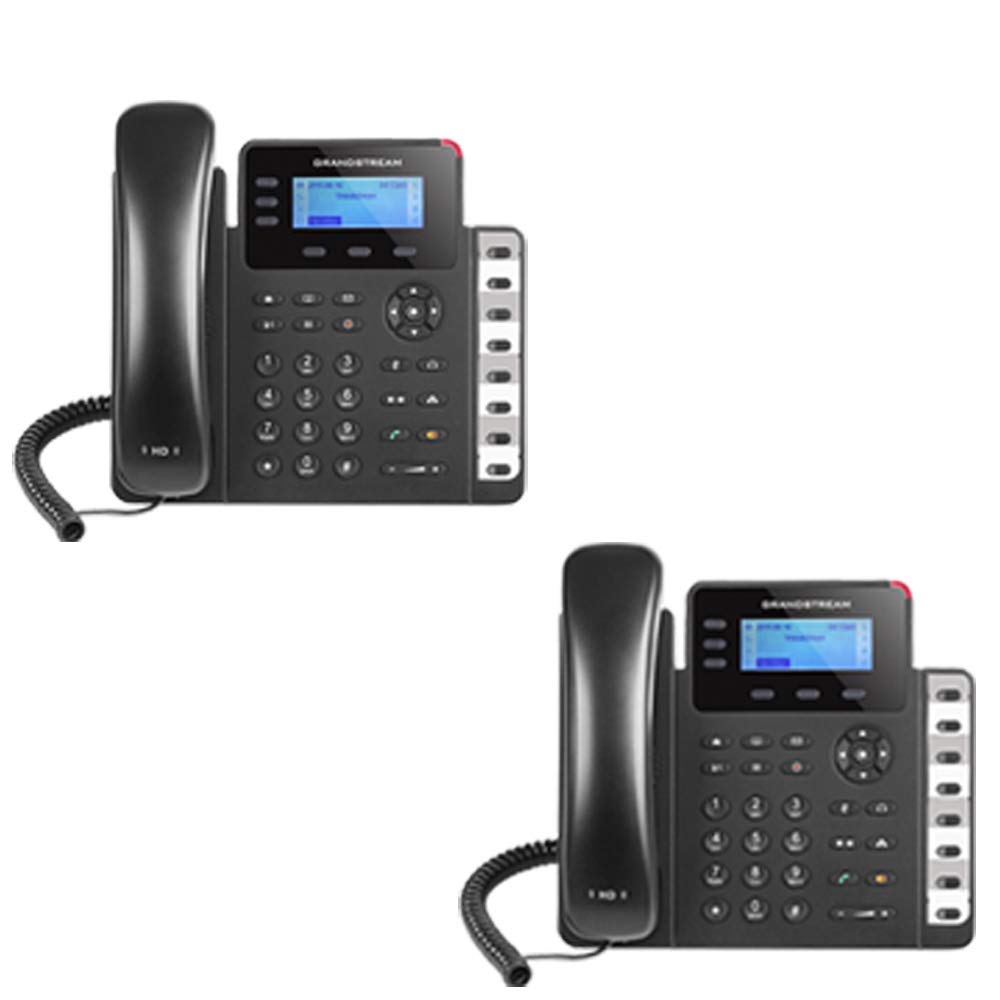
Figure 1: Grandstream GXP1630 Gigabit IP Phone
2. Einrichtung und Installation
2.1 Packungsinhalt
Stellen Sie sicher, dass alle Komponenten vorhanden sind:
- Grandstream GXP1630 IP Phone unit
- Hörer und Spiralkabel
- Ethernet-Kabel
- Netzteil (wenn PoE nicht verwendet wird)
- Telefonständer
2.2 Telefon anschließen
- Verbinden Sie das Spiralkabel mit dem Mobilteil und der Mobilteilbuchse an der Telefonbasis.
- Connect the Ethernet cable from your network switch (with PoE) or router to the LAN port on the phone. If not using PoE, connect the power adapter to the phone and a power outlet.
- Optionally, connect a headset to the headset port.
- Attach the phone stand to the base unit.
2.3 Erste Inbetriebnahme und Bereitstellung
Once connected, the phone will power on and begin the boot-up sequence. The LCD screen will display status information. The GXP1630 supports automated provisioning options, including zero-configuration with Grandstream’s UCM series IP PBXs, encrypted XML files, and TR-069, to facilitate easy mass deployment and configuration.
3. Bedienung des Telefons
3.1 Using the Headset or Speaker
- To turn the speaker on or off during a call, press the Lautsprecher Taste.
- To use a connected headset, press the Headset Taste.
Video 1: Endeview of using headset and speaker functions on Grandstream GXP1600 series IP phones.
3.2 Anruf tätigen
There are three primary ways to initiate a call:
- Mobilteil/Headset: Heben Sie den Hörer ab oder drücken Sie die Headset Taste.
- Freisprecheinrichtung: Drücken Sie die Lautsprecher Taste.
- Auswahl der Leitungstaste: Press an available line key.
Once you hear a dial tone (the corresponding line key will turn green), enter the phone number using the keypad. Then, press the Schicken oder die # key to place the call. To use a different SIP account, simply press a different line key before dialing.
3.3 Redialing a Number
Um die zuletzt gewählte Nummer erneut anzurufen:
- Heben Sie den Hörer ab oder drücken Sie die Lautsprecher Taste.
- Drücken Sie die Schicken oder die Wahlwiederholung soft key displayed on the phone screen.
The phone will redial using the same SIP account as the previous call.
3.4 Einen Anruf annehmen
Wenn ein Anruf eingeht:
- Einzelner eingehender Anruf: Lift the handset, press the Lautsprecher button, or press the corresponding flashing line key.
- Mehrere eingehende Anrufe (Anklopfen): If you are on an active call and another call comes in, you will hear a call waiting tone. The new incoming call's line key will flash red. Press the flashing red line key to answer the new call. Your current call will be placed on hold. You can toggle between calls by pressing the line key corresponding to each call.
3.5 Anruf beenden
So beenden Sie einen aktiven Anruf:
- Legen Sie den Hörer auf.
- Drücken Sie die Anruf beenden soft key on the phone screen.
3.6 Hold and Resume a Call
- Um einen aktiven Anruf zu halten, drücken Sie die Taste Halten button. The line key will typically flash.
- To resume a call that was placed on hold, press the corresponding blinking line key.
3.7 Volume Adjustment and Mute
- When the phone is idle, use the Volumen Taste, um die Klingeltonlautstärke anzupassen.
- Drücken Sie während eines aktiven Anrufs die Volumen button to adjust the call volume for the handset, headset, or speaker.
- To mute or unmute your microphone during a call, press the Stumm Taste.
4. Wartung
To ensure optimal performance and longevity of your Grandstream GXP1630 IP Phone, consider the following maintenance tips:
- Reinigung: Reinigen Sie die Oberfläche des Telefons mit einem weichen, trockenen Tuch. Vermeiden Sie scheuernde Reiniger oder Lösungsmittel.
- Firmware-Updates: Regularly check for and apply firmware updates provided by Grandstream. Keeping the firmware up to date can improve performance, add new features, and address security vulnerabilities.
- Umgebungsbedingungen: Operate the phone within recommended temperature and humidity ranges to prevent damage.
5. Fehlerbehebung
If you encounter issues with your GXP1630 IP Phone, try the following basic troubleshooting steps:
- Kein Wählton/Anrufe können nicht getätigt werden: Check all cable connections (Ethernet, handset, power). Ensure the phone is properly registered with your SIP server.
- Kein Strom: Verify the power adapter is securely connected to both the phone and a working power outlet, or that your network switch is providing Power over Ethernet (PoE).
- Schlechte Audioqualität: Check network connectivity. Ensure the handset/headset cord is properly connected. Adjust the call volume using the volume buttons.
- Telefon reagiert nicht: As with any electronic device, occasional reboots can resolve minor issues. Disconnect the power for a few seconds and then reconnect it.
- Anzeigeprobleme: If the screen is blank or frozen, try rebooting the phone.
For more advanced issues, consult your IT administrator or Grandstream's official support resources.
6. Spezifikationen
| Besonderheit | Beschreibung |
|---|---|
| SIP-Konten | 3 |
| Leitungstasten | 3 |
| Konferenzen | 4-Wege |
| BLF/Speed Dial Keys | 8 dual-colored |
| Audio | HD audio on speakerphone and handset |
| Netzwerkschnittstelle | Dual-switched Gigabit ports |
| PoE | Integrierte Stromversorgung über Ethernet |
| Anzeige | 132x64 backlit LCD |
| Maße | 8 x 12 x 6 Zoll |
| Gewicht | 6 Pfund |
| Farbe | Schwarz |
| Material | Plastik |
| Kompatible Geräte | Grandstream IP phones, Plantronics headsets with EHS feature, devices supporting TR-069 and XML config files |
7. Garantie und Support
7.1 Herstellergarantie
The Grandstream GXP1630 IP Phone comes with a 1 Jahre HerstellergarantieBitte bewahren Sie Ihren Kaufbeleg für Garantieansprüche auf.
7.2 Technischer Support
For technical assistance, product registration, or to access additional resources, please visit the official Grandstream website or contact your product vendor. Support resources often include FAQs, knowledge bases, and community forums.