
Amazon Basics L6LMF014-CS-R
Amazon Basics Nylon-ummanteltes Lightning-auf-USB-A-Kabel – Benutzerhandbuch
Modell: L6LMF014-CS-R | Marke: Amazon-Grundlagen
1. Einleitung
This user manual provides essential information for the proper use, setup, and maintenance of your Amazon Basics Nylon Braided Lightning to USB-A Cable. This MFi certified cable is designed to provide reliable charging and data synchronization for your Apple devices.
2. Produktüberschreitungview
The Amazon Basics Nylon Braided Lightning to USB-A Cable features a durable design for enhanced longevity and performance.
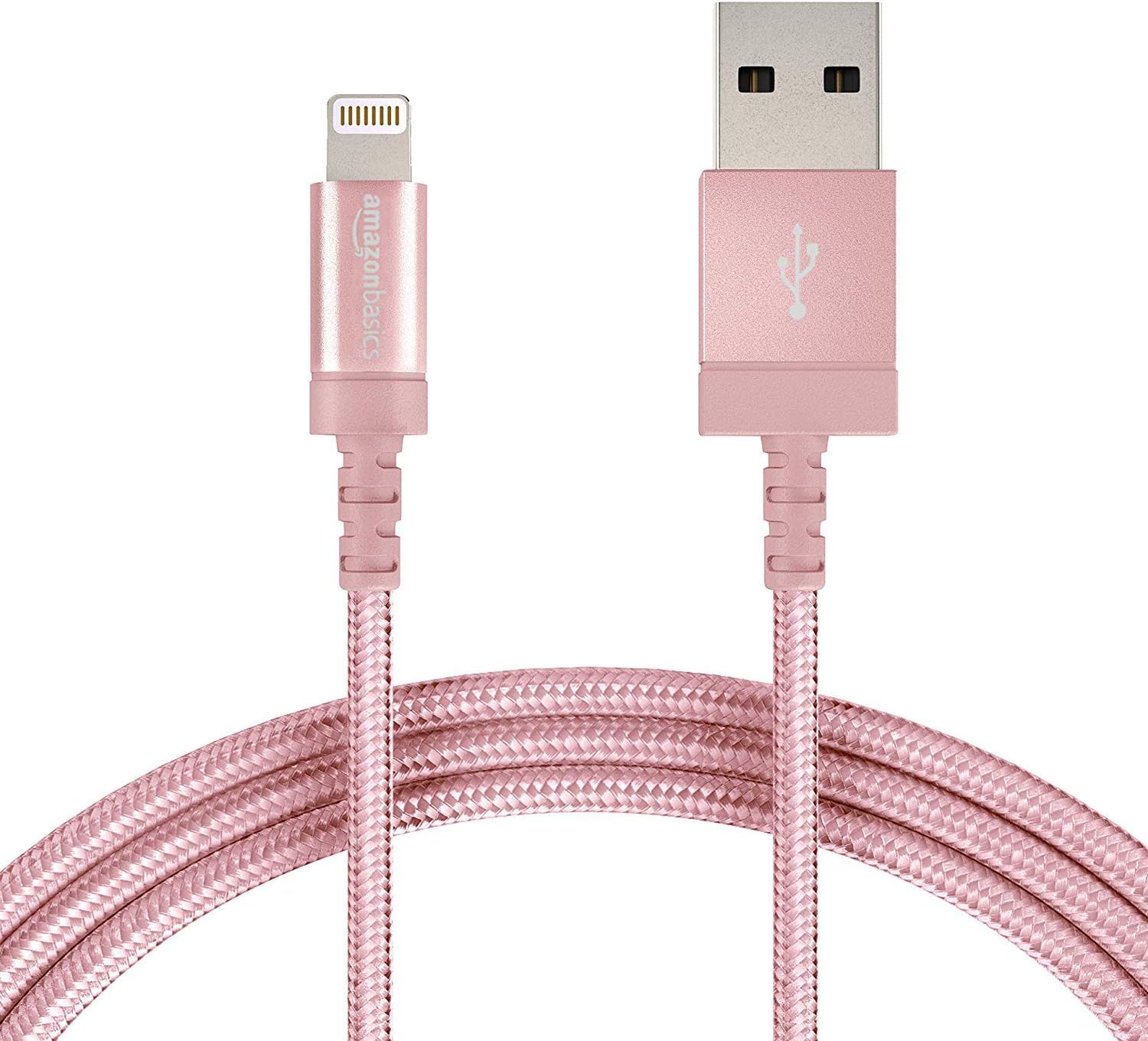
Figure 2.1: The Amazon Basics Nylon Braided Lightning to USB-A Cable, showcasing its rose gold color and braided exterior.

Abbildung 2.2: Ausführlich view of the Lightning connector (left) and USB-A connector (right) of the cable.

Figure 2.3: Cross-section diagram illustrating the cable's internal components, including copper wires for signal quality, high-resistance insulation, aluminum foil, Mylar shielding, and a durable nylon braided outer jacket.

Figure 2.4: A close-up of the MFi certified Lightning connector, designed for secure and reliable connection to Apple devices.
3. Einrichtung
To set up your Amazon Basics Lightning to USB-A Cable for charging or data transfer, follow these simple steps:
- An Stromquelle anschließen: Insert the USB-A end of the cable into a compatible USB wall charger, car charger, or a USB port on your computer.
- Mit Gerät verbinden: Insert the Lightning connector end of the cable into the Lightning port of your Apple iPhone, iPad, or iPod.
- Verbindung überprüfen: Ensure both ends are securely connected. Your device should indicate that it is charging or connected for data transfer.

Figure 3.1: The cable connected to a wall charger and an iPad, demonstrating a typical charging setup.
4. Betrieb
This cable is designed for both charging and data synchronization with MFi certified Apple devices. Its MFi certification ensures complete compatibility and safe operation.
- Laden: When connected to a power source, the cable will charge your compatible Apple device. The charging speed depends on the power output of your charger.
- Datensynchronisierung: When connected to a computer, the cable allows for data transfer, such as syncing music, photos, and other files zwischen Ihrem Gerät und dem Computer.
5. Wartung
To ensure the longevity and optimal performance of your cable, please follow these maintenance guidelines:
- Vermeiden Sie extremes Biegen: While the nylon braided design offers enhanced durability, avoid sharp or excessive bending, especially near the connectors, to prevent internal wire damage.
- Richtig lagern: When not in use, coil the cable loosely and secure it with the included Velcro strap to prevent tangling and kinking.
- Sauber halten: Keep the connectors free from dust, lint, and debris. Use a soft, dry cloth to gently wipe them if necessary.
- Vorsichtig handhaben: Beim Abziehen des Steckers von einem Gerät oder einer Stromquelle immer am Steckerkopf und nicht am Kabel selbst ziehen.
6. Fehlerbehebung
If you encounter issues with your cable, refer to the following common problems and solutions:
| Problem | Mögliche Ursache | Lösung |
|---|---|---|
| Gerät wird nicht geladen. | Loose connection, faulty power source, dirty port. | Ensure cable is securely plugged into both device and power source. Try a different USB port or wall adapter. Clean the device's Lightning port gently. |
| Gerät synchronisiert keine Daten. | Loose connection, software issue, computer port issue. | Check all connections. Restart your computer and device. Try a different USB port on your computer. Ensure iTunes or Finder is updated. |
| "Accessory not supported" message. | Device software outdated, dirty port, rare cable defect. | Ensure your Apple device's iOS/iPadOS is up to date. Clean the device's Lightning port. As this cable is MFi certified, this message is unlikely unless there's a specific device or port issue. |
| Das Kabel scheint beschädigt zu sein. | Physischer Stress, unsachgemäße Handhabung. | Discontinue use immediately to prevent potential damage to your device. Replace the cable. |
7. Spezifikationen
| Besonderheit | Detail |
|---|---|
| Marke | Amazon-Grundlagen |
| Modellname | MFi Certified Charger for Apple iPhone - Nylon obs |
| Artikelmodellnummer | L6LMF014-CS-R |
| Steckertyp | Blitz, USB-A |
| Kabeltyp | Lightning to USB |
| Länge | 6-Foot (1.8 meters) |
| Farbe | Roségold |
| Außenmaterial | Nylon |
| Besonderheit | Braided, MFi Certified |
| Kompatible Geräte | Tablet, Smartphone (iPhone X / 8 Plus / 8 / 7 Plus / 7 / 6s Plus / 6s / 6 Plus / 6 / 5s / 5c / 5 / iPad Pro / iPad Air / Air 2 / iPad mini / mini 2 / mini 4 / iPad 4th gen / iPod Touch 5th gen / iPod nano 7th gen and Beats Pill+) |
| Artikelgewicht | 1.73 Unzen |
| Technische Daten | 4.72 x 1.96 x 0.7 Zoll |
| UPC | 841710140323 |
| Datum der ersten Verfügbarkeit | 1. August 2016 |
8. Garantie und Support
Specific warranty information for this product is not available in the provided data. For detailed warranty terms, technical support, or customer service, please refer to the official Amazon Basics website or contact Amazon customer support directly.