
1. Einleitung
This manual provides detailed instructions for the installation, operation, and maintenance of your Thomson 512331 720p WiFi IP Camera. This wireless security camera features 720p HD resolution, advanced night vision, motion detection, and remote viewing capabilities via a smartphone or tablet application. Designed for outdoor use, it boasts an IP66 weather-resistant rating and a durable metal construction.
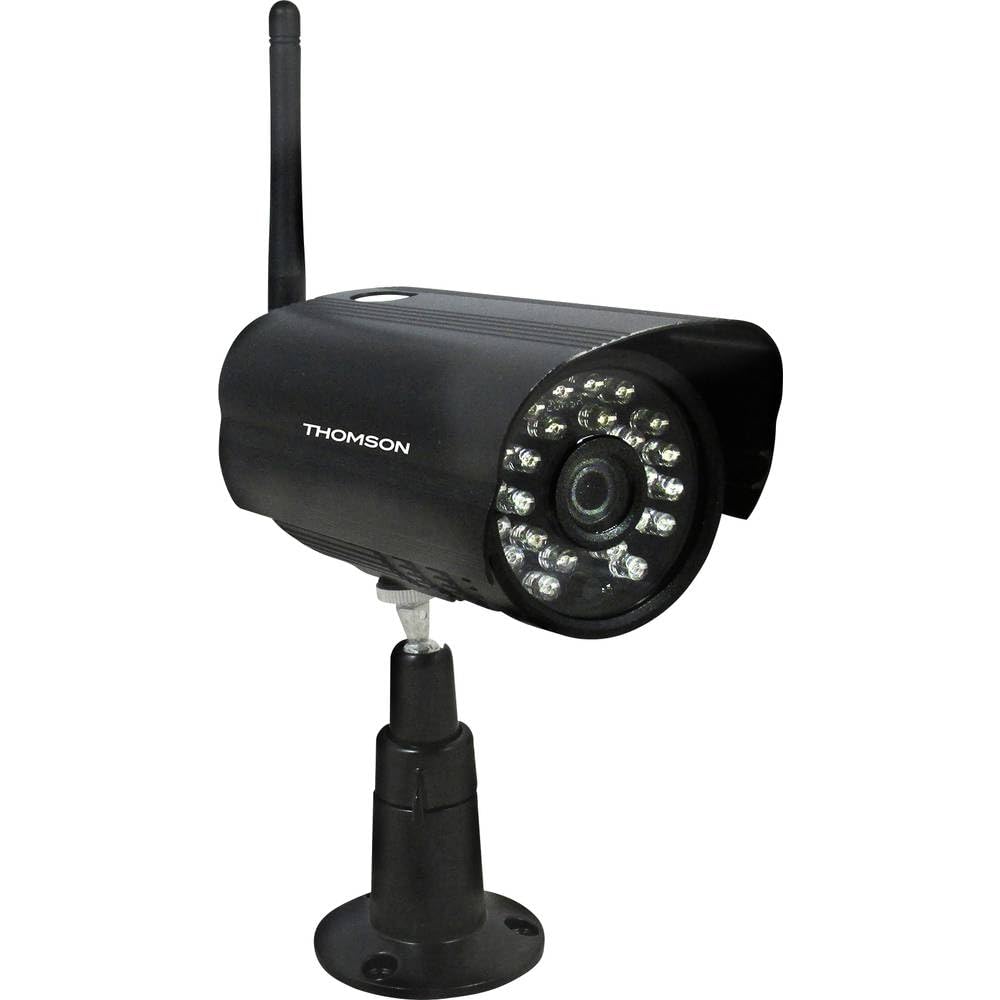
Abbildung 1: Front view of the Thomson 512331 720p WiFi IP Camera. This image shows the camera's main body, lens, and antenna connection point, highlighting its compact and robust design suitable for outdoor surveillance.
2. Packungsinhalt
Bitte überprüfen Sie, ob alle unten aufgeführten Artikel in Ihrem Paket enthalten sind. Sollten Artikel fehlen oder beschädigt sein, kontaktieren Sie bitte unseren Kundenservice.
- Thomson 512331 IP Camera
- Power Adapter (230VAC/12VDC 500mA)
- WiFi-Antenne
- Montagesatz (Schrauben und Dübel)
- Benutzerhandbuch (dieses Dokument)
3. Produktüberschreitungview
The Thomson 512331 camera is designed for reliable surveillance with the following key features:
- Linse: 3.6mm fixed lens for a wide field of view.
- Auflösung: 1280x720 (720p) HD video capture.
- Nachtsicht: Infrared night vision with 24 LEDs, providing a range of up to 20 meters. Features color night vision capability.
- Audio: Integrated microphone for audio acquisition.
- Konnektivität: Wireless Wi-Fi connectivity for flexible placement.
- Wetterbeständigkeit: IP66 rated for outdoor use, protecting against dust and powerful water jets.
- Material: Robustes Metallgehäuse.
- Leistung: 12VDC 500mA power input, maximum consumption 5W.
- Videokomprimierung: H.264 für effiziente Speicherung und Streaming.
- Lagerung: Supports SD card for local storage (SD card not included).
4. Einrichtung
4.1 Physische Installation
- Wählen Sie einen Standort: Select a suitable outdoor location for the camera, ensuring it has a clear view des Bereichs, den Sie überwachen möchten und der sich in Reichweite Ihres WLAN-Netzwerks befindet.
- Montieren Sie die Kamera: Use the provided mounting kit to securely attach the camera to a wall or other stable surface. Drill pilot holes if necessary, insert wall plugs, and fasten the camera bracket with screws.
- WLAN-Antenne anschließen: Screw the WiFi antenna firmly onto the designated port on the camera.
- Strom anschließen: Connect the power adapter to the camera's 12VDC input port and plug the adapter into a suitable power outlet. Ensure the power outlet is protected from weather if installed outdoors.
4.2 Netzwerkkonfiguration und App-Einrichtung
- Laden Sie die App herunter: Suchen nach the official Thomson IP Camera application on your smartphone's or tablet's app store (iOS or Android). Download and install the application.
- Ein Konto erstellen: Öffnen Sie die App und folgen Sie den Anweisungen auf dem Bildschirm, um ein neues Benutzerkonto zu erstellen oder sich anzumelden, falls Sie bereits eines besitzen.
- Kamera hinzufügen: In the app, select the option to "Add Device" or "Add Camera." Follow the in-app wizard to connect your camera to your Wi-Fi network. This typically involves scanning a QR code on the camera or entering your Wi-Fi credentials.
- Einstellungen konfigurieren: Once connected, you can configure various settings such as motion detection sensitivity, recording schedules, and alert notifications within the app.
5. Bedienungsanleitung
5.1 Live View
Open the Thomson IP Camera app on your smartphone or tablet. Select your camera from the device list to view the live video feed. You can typically switch between standard and HD resolution, and access controls for audio and recording.
5.2 Bewegungserkennung und Benachrichtigungen
The camera is equipped with motion detection. When motion is detected, the camera can trigger recordings and send push notifications to your connected device. Adjust motion detection sensitivity and alert preferences in the app's settings.
5.3 Nachtsicht
The camera automatically switches to infrared night vision in low-light conditions, providing clear black and white video. It also supports color night vision in certain conditions. The 24 built-in IR LEDs illuminate up to 20 meters.
5.4 Aufnahme und Wiedergabe
If an SD card is installed (not included), the camera can record video locally. Recordings can be triggered by motion or set on a schedule. Access recorded footage über die Wiedergabefunktion der App.
6. Wartung
- Reinigung: Reinigen Sie das Kameraobjektiv und das Gehäuse regelmäßig mit einem weichen Tuch.amp Mit einem Tuch Staub und Schmutz entfernen. Keine scharfen Chemikalien oder Scheuermittel verwenden.
- Firmware-Updates: Check the app regularly for firmware updates. Keeping your camera's firmware up-to-date ensures optimal performance and security.
- Stromversorgung: Vergewissern Sie sich, dass Netzteil und Kabel in einwandfreiem Zustand und unbeschädigt sind.
- Wi-Fi-Verbindung: Verify your Wi-Fi signal strength periodically to ensure a stable connection for continuous surveillance.
7. Fehlerbehebung
- Kamera stellt keine Verbindung zum WLAN her:
- Stellen Sie sicher, dass sich die Kamera in Reichweite Ihres WLAN-Routers befindet.
- Überprüfen Sie, ob Ihr WLAN-Passwort in der App korrekt eingegeben wurde.
- Starten Sie Ihren Router und die Kamera neu.
- Stellen Sie sicher, dass Ihr WLAN-Netzwerk mit 2.4 GHz arbeitet, da 5-GHz-Netzwerke möglicherweise nicht unterstützt werden.
- Kein Videostream:
- Prüfen Sie, ob die Kamera eingeschaltet ist.
- Confirm a stable internet connection on both the camera and your viewgerät.
- Starten Sie die Kamera und die App neu.
- Bewegungserkennung funktioniert nicht:
- Check motion detection settings in the app; ensure it is enabled and sensitivity is adjusted correctly.
- Stellen Sie sicher, dass keine Hindernisse die Sicht der Kamera blockieren. view.
- Schlechte Nachtsichtqualität:
- Reinigen Sie die Kameralinse, um Schmutz oder Flecken zu entfernen.
- Ensure there are no reflective surfaces close to the camera that might interfere with IR illumination.
8. Spezifikationen
| Modellname | 512331 |
| Marke | Thomson |
| Abmessungen (L x B x H) | 50 x 50 x 28 cm |
| Gewicht | 500 Gramm |
| Konnektivitätstechnologie | Kabellos, WLAN |
| Besonderheit | Nachtsicht |
| Kompatible Geräte | Tablet, Smartphone |
| Stromquelle | AC Power (12VDC 500mA adapter) |
| Controllertyp | iOS (via application) |
| Montagetyp | Wandhalterung |
| Produkteigenschaften | Nachtsicht, Bewegungserkennung |
| Material | Metall |
| Wasserbeständigkeit | IP66 (wasserdicht) |
| Alarmtyp | Nur Bewegung |
| Lichtquellentyp | LED |
| Kontrollmethode | Anwendung |
| Energieaufnahme | 5 Watt |
| Batterien erforderlich | NEIN |
| Anzahl der Kanäle | 1 |
| Fokustyp | Autofokus |
| Optische Sensorik | BSI CMOS |
| Videoauflösung | 720p (1280x720 Pixel) |
| Nachtsichtbereich | 20 Meter |
| Nachtsichttyp | Infrared with Color Night Vision capability |
| Flash-Speichertyp | SD (for local storage) |
9. Garantie und Support
For warranty information and technical support, please refer to the documentation provided with your purchase or visit the official Thomson webBewahren Sie Ihren Kaufbeleg für Garantieansprüche auf.
Online-Ressourcen: www.thomson.eu