
1. Einleitung
The Grandstream GWN7610 is a high-performance 802.11ac Wi-Fi Access Point designed for various environments such as office buildings, multi-floor locations, branch offices, and commercial/retail settings. It offers high network throughput, extensive wireless coverage, robust security features, and integrated network management without requiring external controllers. This manual provides essential information for the proper installation, configuration, and operation of your GWN7610 Access Point.
2. Packungsinhalt
Überprüfen Sie, ob Ihr Paket die folgenden Artikel enthält:
- Grandstream GWN7610 Access Point
- Mounting Equipment (bracket, screws)
- Kurzinstallationsanleitung (dieses Dokument)
Note: A power adapter is not included. The device supports Power over Ethernet (PoE/PoE+).
3. Körperliche Übergriffeview
Familiarize yourself with the ports and indicators on your GWN7610 Access Point.

Abbildung 3.1: Draufsicht view of the GWN7610 Access Point, showing its circular design and ventilation.
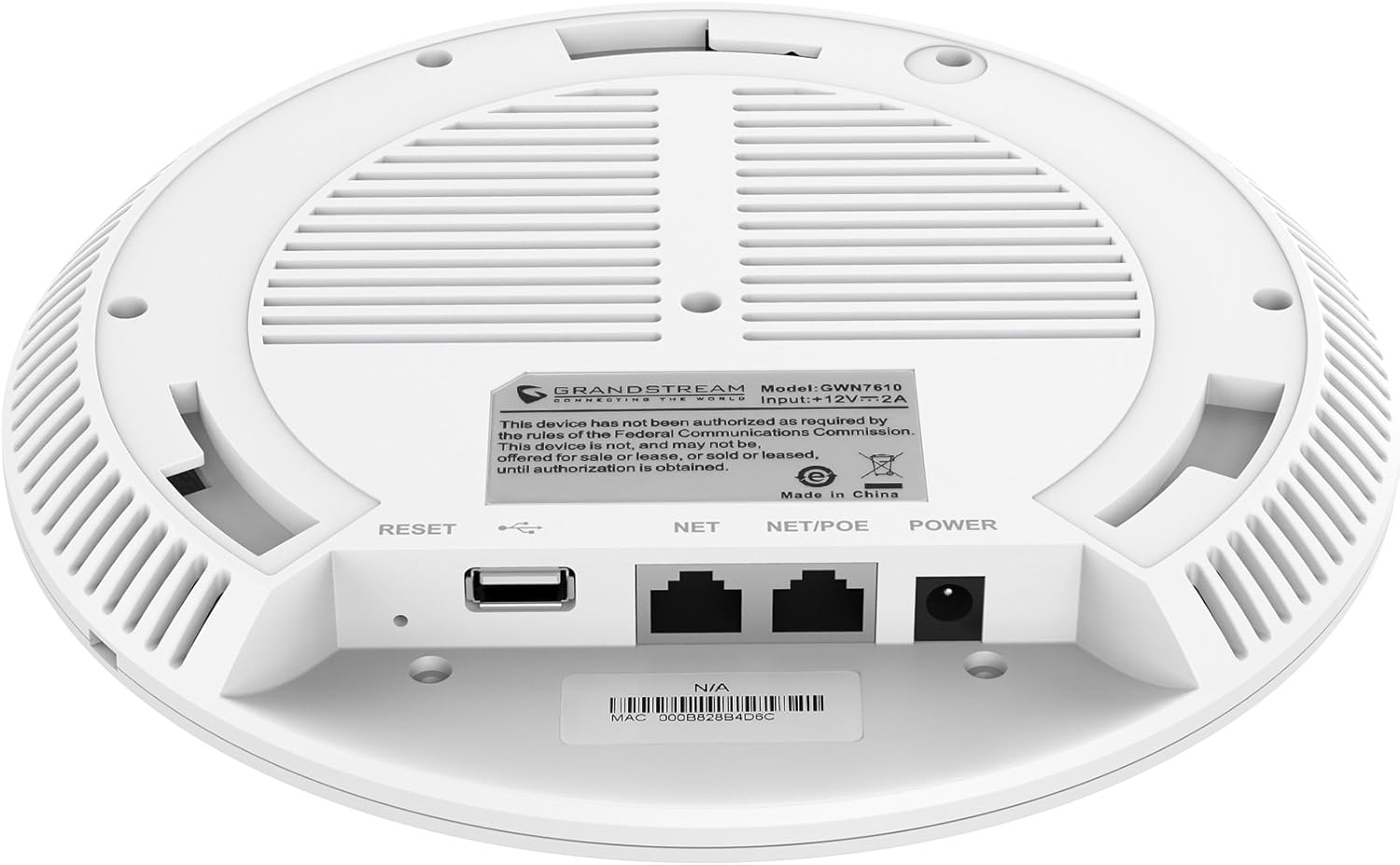
Abbildung 3.2: Unten view of the GWN7610 Access Point, highlighting the connectivity ports and regulatory information.
- Reset-Knopf: Used to reset the device to factory default settings. Press and hold for 10 seconds while the device is powered on.
- USB-Anschluss: For future applications such as location-based services and other IoT (Internet of Things) applications.
- NET/POE Port: Gigabit Ethernet port that supports Power over Ethernet (PoE/PoE+) for both data and power supply.
- Stromanschluss: DC power input (12V===2A) if not using PoE.
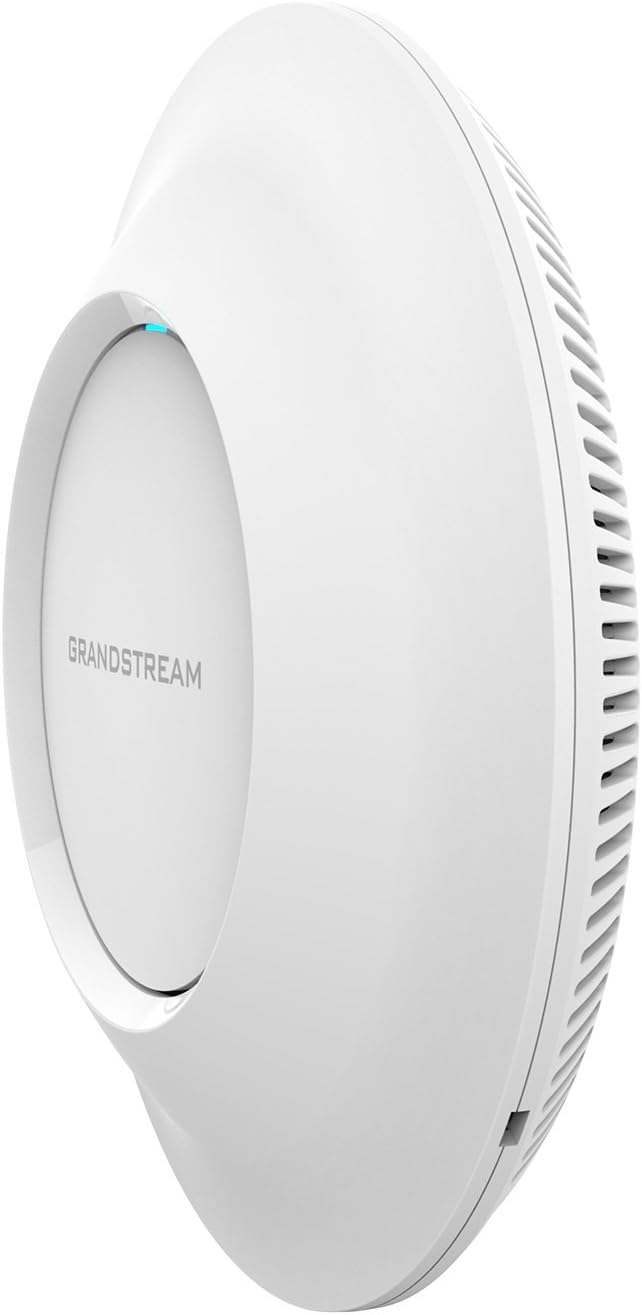
Abbildung 3.3: Seite view of the GWN7610 Access Point, illustrating its sleek profile.
4. Installation und Montage
The GWN7610 can be mounted on a wall or ceiling. The included mounting equipment facilitates installation. For optimal wireless coverage, choose a central location free from obstructions and sources of interference. Ensure the device is positioned away from large metal objects, concrete walls, and other electronic devices that may cause signal degradation.
Refer to the specific instructions provided with the mounting kit for detailed steps on securing the access point.
5. Einrichtung
The GWN7610 features embedded network management, allowing for easy setup and configuration without the need for external controllers. Follow these general steps for initial setup:
- Einschalten: Connect the GWN7610 to a PoE/PoE+ enabled switch or injector using an Ethernet cable, or connect a 12V===2A DC power adapter to the POWER port.
- Netzwerkverbindung: Connect the NET/POE port to your network infrastructure (router or switch).
- Zugriff auf die Web Schnittstelle: Once powered on and connected, the GWN7610 will obtain an IP address via DHCP. You can discover the device's IP address using Grandstream's discovery tools or by checking your DHCP server's client list. Enter the IP address into a web browser to access the management interface.
- Anfangskonfiguration: Log in with the default credentials (usually found in the Quick Installation Guide or on the device label) and proceed with configuring your Wi-Fi networks (SSIDs), security settings, and other network parameters.
6. Bedienungsanleitung
The GWN7610 is designed for robust and efficient wireless operation. Key operational features include:
- Mehrere SSIDs: Supports up to 16 SSIDs per radio, allowing for flexible network segmentation (e.g., separate networks for employees, guests, IoT devices).
- Kundenkapazität: Capable of supporting over 250 concurrent Wi-Fi clients, making it suitable for high-density environments.
- Dual-Band MIMO: Utilizes dual-band 3x3:3 MIMO technology for enhanced performance and reliability across both 2.4GHz and 5GHz frequencies.
- Hoher Durchsatz: Delivers a maximum network throughput of up to 1.75Gbps, ensuring fast data transfer rates.
- Erweiterte Abdeckung: Provides an expanded coverage range of up to 175 meters, minimizing dead zones.
- Integrierter Controller: Manage multiple GWN7610 units from a single master access point, simplifying network administration.
7. Wartung
Regelmäßige Wartung gewährleistet optimale Leistung und Langlebigkeit Ihres GWN7610 Access Points.
- Firmware-Updates: Überprüfen Sie regelmäßig den Grandstream website for the latest firmware versions. Firmware updates often include performance improvements, security patches, and new features. Follow the instructions provided by Grandstream for updating firmware. Note that some updates may require using a TFTP server.
- Reinigung: Halten Sie das Gerät sauber und staubfrei. Verwenden Sie zum Reinigen ein weiches, trockenes Tuch. Verwenden Sie keine flüssigen oder Aerosol-Reinigungsmittel.
- Umgebungsbedingungen: Um Schäden zu vermeiden, stellen Sie sicher, dass das Gerät innerhalb der vorgegebenen Temperatur- und Feuchtigkeitsbereiche betrieben wird.
8. Fehlerbehebung
If you encounter issues with your GWN7610, consider the following troubleshooting steps:
- Kein Strom: Verify that the device is properly connected to a PoE/PoE+ source or a compatible 12V===2A power adapter. Check the power indicator light.
- Keine Netzwerkverbindung: Ensure the Ethernet cable is securely connected to the NET/POE port and your network switch/router. Check the status of your network infrastructure.
- Kein Zugriff möglich Web Schnittstelle: Confirm the device has an IP address and that your computer is on the same network segment. Try pinging the device's IP address. If the IP address is unknown, use Grandstream's discovery utility.
- Schlechte WLAN-Leistung: Check for sources of interference (e.g., microwaves, cordless phones). Ensure the access point is optimally placed. Adjust Wi-Fi channel settings to avoid congestion.
- Gerät reagiert nicht: Perform a soft reboot by disconnecting and reconnecting power. If the issue persists, perform a factory reset using the RESET button (refer to Section 3).
9. Spezifikationen
| Besonderheit | Spezifikation |
|---|---|
| Kabelloser Typ | 802.11a/g/n/ac |
| Anzahl der USB 2.0-Anschlüsse | 1 |
| Marke | Großstream |
| Serie | Grandstream GWN7610 |
| Artikelmodellnummer | GWN7610 |
| Betriebssystem | RouterOS |
| Artikelgewicht | 1.9 Pfund |
| Produktabmessungen (L x B x H) | 9 x 9 x 3 Zoll |
| Farbe | Weiß |
| Hersteller | Großstream |
10. Sicherheitshinweise
Bitte lesen und befolgen Sie diese Sicherheitshinweise, um Schäden am Gerät oder Verletzungen zu vermeiden:
- Setzen Sie das Gerät weder Wasser noch Feuchtigkeit aus.
- Öffnen Sie das Gerät nicht und versuchen Sie nicht, es zu reparieren. Überlassen Sie alle Wartungsarbeiten qualifiziertem Fachpersonal.
- Use only the power sources specified (PoE/PoE+ or 12V===2A DC adapter).
- Installieren Sie das Gerät in einem gut belüfteten Bereich.
- Warnung zu Proposition 65: Dieses Produkt kann Chemikalien enthalten, von denen bekannt ist, dass sie Krebs, Geburtsfehler oder andere reproduktive Schäden verursachen.
11. Einhaltung gesetzlicher Vorschriften
This device complies with relevant regulatory standards. Please note the following:
FCC Warning: This device has not been authorized as required by the rules of the Federal Communications Commission. This device is not, and may not be, offered for sale or lease, or sold or leased, until authorization is obtained.
Users are advised to ensure compliance with local regulations regarding wireless device operation.
12. Garantie und Support
Informationen zur Garantie und zum technischen Support finden Sie auf der offiziellen Grandstream-Website. webBesuchen Sie unsere Website oder wenden Sie sich an Ihren autorisierten Händler. Bewahren Sie Ihren Kaufbeleg für Garantieansprüche auf.