
Einführung
The SteelSeries Apex 100 Gaming Keyboard is designed for optimal gaming performance, featuring Quick Tension Switches for fast reaction times, tactile feedback, and quiet operation. It includes blue LED backlighting, advanced anti-ghosting, and is built with splash resistance for durability.
Aufstellen
1. Anschließen der Tastatur
Connect the keyboard's USB-A cable to an available USB port on your computer. The keyboard is plug-and-play, and your operating system should automatically detect and install the necessary drivers.

Bild: Oben view of the SteelSeries Apex 100 Gaming Keyboard, showing the full QWERTY layout with blue LED backlighting and the attached USB cable.
2. Softwareinstallation (optional)
For advanced customization, including macro programming and backlighting adjustments, download and install the SteelSeries Engine 3 software from the official SteelSeries webSeite? ˅ (http://steelseries.com/engineFolgen Sie den Anweisungen auf dem Bildschirm zur Installation.
Bedienung der Tastatur
Hauptmerkmale
- Quick Tension Switches: Designed to mimic mechanical switches, providing a tactile feel and fast actuation.
- Blaue LED-Hintergrundbeleuchtung: Offers brilliant ground effects backlighting. Intensity can be adjusted via SteelSeries Engine 3.
- Erweiterter Anti-Ghosting-Schutz: Ensures all key presses are registered accurately during intense gaming sessions.
- Mediensteuerung: Integrated media control functions are accessible via function keys (F7-F12) in combination with the Fn key.
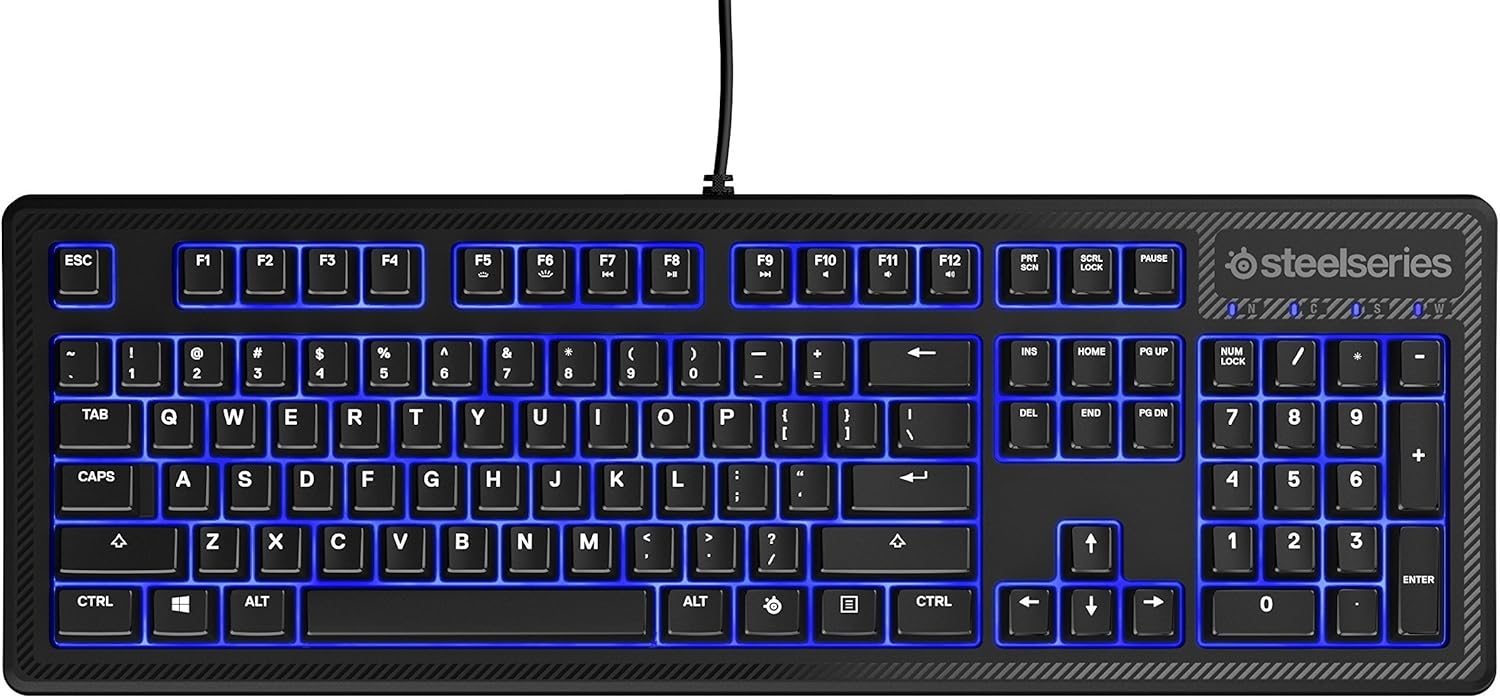
Abbildung: Seite view of the SteelSeries Apex 100 Gaming Keyboard, highlighting its ergonomic design and keycap profile.
Customization with SteelSeries Engine 3
The SteelSeries Engine 3 software allows you to:
- Create and assign macros to any key.
- Adjust the intensity of the blue LED backlighting.
- Configure polling rates and other performance settings.
Wartung
Reinigung
To clean your keyboard, disconnect it from your computer. Use a soft, dry cloth to wipe down the keys and chassis. For stubborn dirt, a slightly damp cloth with mild soap can be used, ensuring no liquid enters the key switches or internal components. The keyboard is splash resistant, but not waterproof; avoid submerging it or exposing it to excessive liquids.
Haltbarkeit
The Apex 100 keyboard features a guaranteed 20-million click lifespan for its switches, ensuring long-term reliability under heavy use.

Abbildung: Unten view of the SteelSeries Apex 100 Gaming Keyboard, showing the drainage channels and adjustable feet.
Fehlerbehebung
Tastatur reagiert nicht
- Stellen Sie sicher, dass das USB-Kabel sowohl mit der Tastatur als auch mit dem Computer fest verbunden ist.
- Versuchen Sie, die Tastatur an einen anderen USB-Anschluss anzuschließen.
- Starten Sie Ihren Computer neu.
- Wenn Sie einen USB-Hub verwenden, versuchen Sie, ihn direkt mit dem Computer zu verbinden.
Probleme mit der Hintergrundbeleuchtung
- Check the backlighting settings within the SteelSeries Engine 3 software.
- Ensure the keyboard's brightness level is not set to minimum.
Schlüssel werden nicht registriert
- Reinigen Sie den Bereich um die betroffenen Tasten, um eventuelle Verunreinigungen zu entfernen.
- If the issue persists, consider reinstalling the SteelSeries Engine 3 software or updating your USB drivers.
For further assistance, please refer to the SteelSeries support webWebsite.
Technische Daten
| Besonderheit | Detail |
|---|---|
| Marke | SteelSeries |
| Modellname | Spitze 100 |
| Modellnummer | 64435 |
| Konnektivitätstechnologie | USB-A |
| Tastaturbeschreibung | Spiele |
| Empfohlene Verwendung | Spiele |
| Besonderheit | Von hinten beleuchtet |
| Farbe | Blau |
| Unterstützung für die Hintergrundbeleuchtung der Tastatur | Single Color (Blue) |
| Stil | Whisper Quiet – Tactile & Silent |
| Technische Daten | 18.21 Zoll L x 6.13 Zoll B x 1.58 Zoll H |
| Stromquelle | USB |
| Schaltertyp | Tactile (Quick Tension Switches) |
| Tastaturlayout | QWERTY |
| Anzahl der Tasten | 104 |
| Kompatible Betriebssystemfamilie | Windows |
| Anzahl der Schlüssel | 100 |
| Gehäusematerial | Plastik |
| Artikelgewicht | 2.42 Pfund |
| UPC | 813682020101 |
Garantieinformationen
According to product information, this item comes with keine Garantie. Please check with your retailer for their return or exchange policies.
Unterstützung
For additional support, driver downloads, or frequently asked questions, please visit the official SteelSeries support webWebsite: