
1. Produktüberschreitungview
The Karlsson LED Alarm Clock KA5653DW is a stylish and functional timepiece designed to display time and temperature. Crafted from wood, its LED display illuminates through the material, offering a clear view of information. This clock features multiple alarm settings and an energy-saving mode.

Abbildung 1: Vorderseite view of the Karlsson LED Alarm Clock KA5653DW.
2. Packungsinhalt
- Karlsson LED Alarm Clock KA5653DW
- Bedienungsanleitung
Notiz: 1 AA battery is required for operation and is not included.
3. Einrichtung
3.1 Einlegen der Batterie
- Suchen Sie das Batteriefach auf der Rückseite des Weckers.
- Öffnen Sie die Abdeckung des Batteriefachs.
- Legen Sie 1 AA-Batterie ein und achten Sie dabei auf die richtige Polarität (+/-).
- Schließen Sie den Batteriefachdeckel fest.
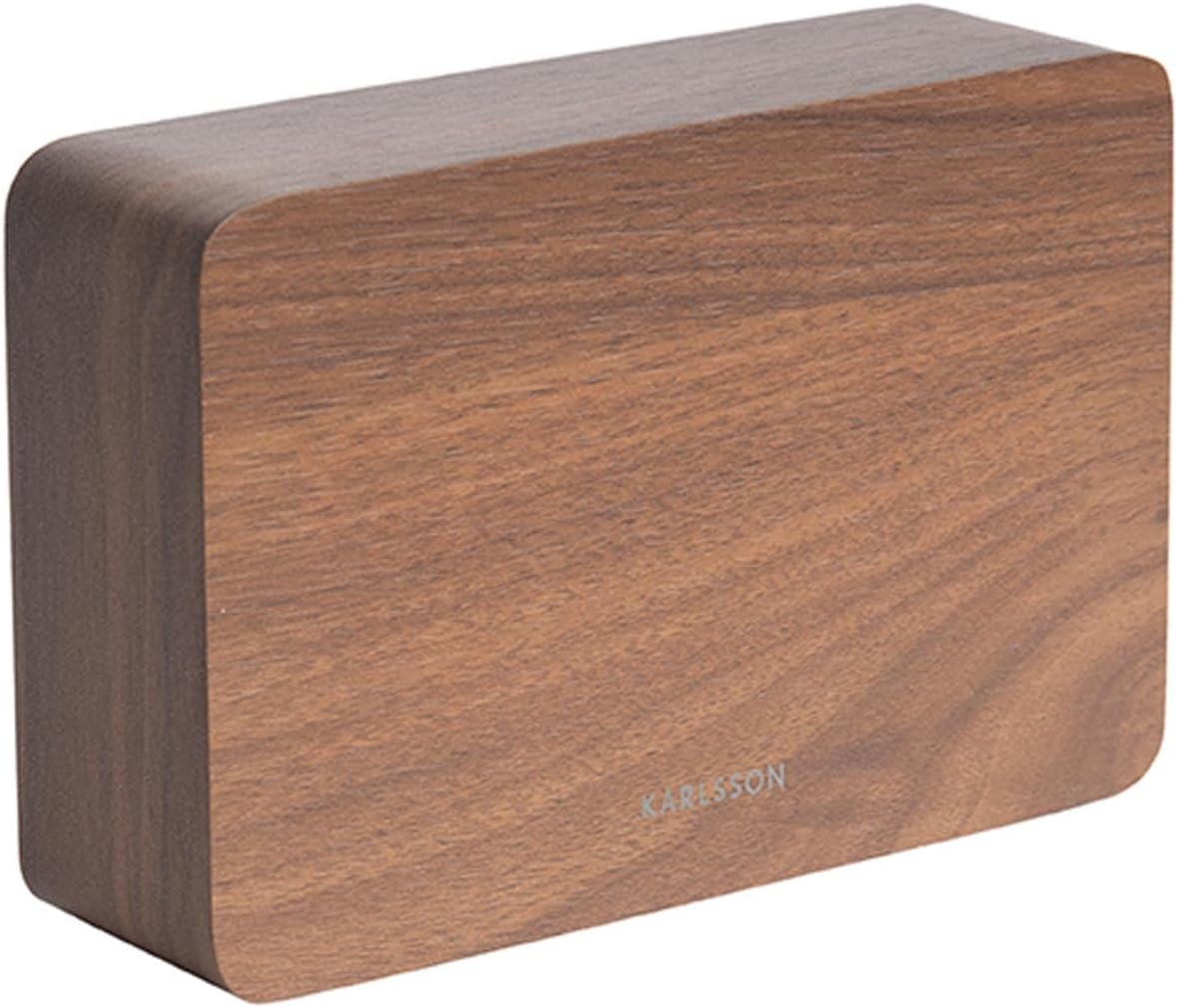
Abbildung 2: Zurück view of the alarm clock, indicating control buttons and battery compartment.
3.2 Erstes Einschalten
Upon successful battery installation, the LED display will illuminate, showing the current time and temperature.
4. Bedienungsanleitung
The alarm clock features several buttons, typically located on the back or bottom, for setting time, alarms, and other functions. Refer to the labels on your device for specific button identification (e.g., SET, UP, DOWN, ALARM).
4.1 Uhrzeit einstellen
- Drücken Sie die SATZ Durch einmaliges Drücken der Taste gelangen Sie in den Zeiteinstellungsmodus. Die Stundenziffern blinken.
- Verwenden Sie die UP or RUNTER Tasten zum Einstellen der Stunde.
- Drücken SATZ Um die Stunde erneut zu bestätigen, wechseln Sie zur Minuteneinstellung. Die Minutenziffern blinken.
- Verwenden Sie die UP or RUNTER Tasten zum Einstellen der Minuten.
- Drücken SATZ a third time to confirm the minutes and exit time setting mode.
4.2 Setting Alarms (Up to 3 Alarms)
The clock supports setting up to three independent alarms (AL1, AL2, AL3).
- Drücken Sie die ALARM button repeatedly to cycle through AL1, AL2, AL3, and alarm off modes.
- Wenn der gewünschte Alarm (z. B. AL1) angezeigt wird, halten Sie die Taste gedrückt. ALARM Drücken Sie die Taste so lange, bis die Stundenziffern blinken.
- Verwenden Sie die UP or RUNTER Tasten zum Einstellen der Weckzeit.
- Drücken ALARM Um die Stunde erneut zu bestätigen, wechseln Sie zur Minuteneinstellung.
- Verwenden Sie die UP or RUNTER Tasten zum Einstellen der Alarmminuten.
- Drücken ALARM a third time to confirm the alarm and exit setting mode.
- Zum Aktivieren oder Deaktivieren eines Alarms drücken Sie die Taste ALARM button briefly until the alarm indicator (e.g., AL1) appears or disappears from the display.
4.3 Temperaturanzeige
The clock automatically detects and displays the ambient room temperature. The temperature reading updates approximately every 60 seconds.
4.4 Energiesparmodus
To conserve battery life and prevent light disturbance during the night, the clock features an energy-saving mode that turns off the LED display.
- To activate energy-saving mode: Locate the ENERGIESPAREN or similar button/switch (refer to your device's specific markings). Press or toggle it to turn off the display.
- To reactivate the display: Press any button, or make a sound (some models feature sound activation). The display will light up for a few seconds before turning off again.
5. Wartung
- Reinigung: Wipe the clock surface with a soft, dry cloth. Avoid abrasive cleaners or solvents.
- Batteriewechsel: Replace the AA battery when the display dims or functions become erratic. Always use a fresh, high-quality AA battery.
- Lagerung: Wenn die Uhr über einen längeren Zeitraum gelagert wird, sollte die Batterie entfernt werden, um ein Auslaufen zu verhindern.
6. Fehlerbehebung
| Problem | Mögliche Ursache | Lösung |
|---|---|---|
| Das Display ist dunkel oder ausgeschaltet. | Niedriger Batteriestand oder Energiesparmodus ist aktiviert. | Replace the AA battery. Press any button to temporarily activate the display if in energy-saving mode. |
| Der Alarm ertönt nicht. | Der Alarm ist nicht aktiviert oder falsch eingestellt. | Ensure the alarm indicator (AL1, AL2, or AL3) is visible on the display. Verify the alarm time is set correctly. |
| Time or temperature is incorrect. | Time needs adjustment or temperature sensor interference. | Reset the time as per section 4.1. Ensure the clock is not placed near heat sources or vents for accurate temperature readings. |
| Schwierigkeiten beim Einstellen von Uhrzeit/Alarmen. | Unvertrautheit mit den Bedienelementen. | Carefully follow the steps in section 4.1 and 4.2. Practice the button presses. |
7. Spezifikationen
| Besonderheit | Detail |
|---|---|
| Modellnummer | PTG-KA5653DW |
| Marke | Karlsson |
| Anzeigetyp | Digitale LED |
| Material | Holz |
| Abmessungen (L x B x H) | 10 x 3.81 x 2 cm |
| Gewicht | 310 Gramm |
| Stromquelle | 1 x AA-Batterie (nicht im Lieferumfang enthalten) |
| Besondere Merkmale | Time display, Temperature display, Up to 3 Alarms, Energy-saving mode |
| Verwendung | Innenbereich |
8. Garantie und Support
For warranty information and customer support, please refer to the documentation provided with your purchase or visit the official Karlsson webBewahren Sie Ihren Kaufbeleg für eventuelle Garantieansprüche auf.