
1. Einleitung
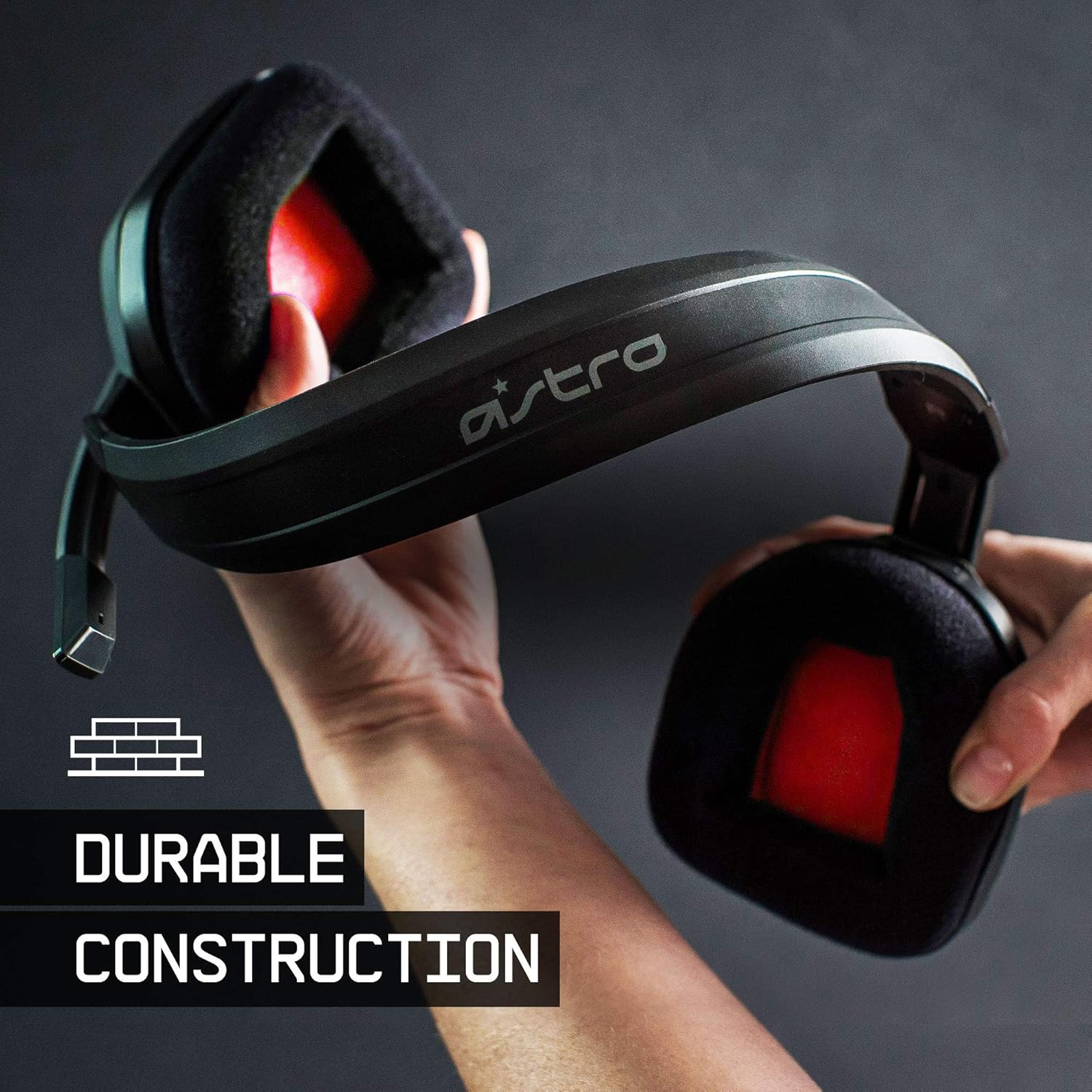
The ASTRO Gaming A10 Headset is engineered for gaming, offering durable construction and extended comfort for prolonged use. It features ASTRO Audio for clear and precise sound, an omnidirectional microphone with flip-up mute functionality, and in-line volume control for a comprehensive audio experience.
2. Lieferumfang
Upon unboxing your ASTRO Gaming A10 Headset, you should find the following components:
- ASTRO Gaming A10 Headset
- A10 Volume Cable (3.5mm jack)

3. Produktmerkmale
- Haltbarkeit: The A10 Headset is constructed with a durable headband made of anodized aluminum and a damage-resistant polycarbonate blend, designed to withstand rigorous use.
- Komfort: Featuring extended comfort memory foam ear-cushions, the headset is designed to minimize fatigue during long gaming sessions.
- Kommunikation: An omnidirectional microphone with flip-up mute functionality and in-line volume control ensures clear communication with teammates.
- Tonqualität: Tuned with ASTRO Audio, the A10 delivers immersive and accurate audio, providing low latency and precise voice communication.
- Kompatibilität: The headset is compatible with multiple platforms including PS5, PC/MAC, XBOX SERIES X|S, NINTENDO SWITCH, VR, and streaming devices.



4. Einrichtungsanweisungen
- Connect the A10 Volume Cable: Insert the smaller end of the A10 Volume Cable into the 3.5mm port located on the left earcup of the ASTRO A10 Headset. Ensure it is securely connected.
- Mit Gerät verbinden: Plug the larger end of the A10 Volume Cable into the 3.5mm headphone jack on your gaming controller (e.g., Xbox, PlayStation), PC, Mac, Nintendo Switch, or other compatible device.
- Lautstärke anpassen: Use the in-line volume control wheel on the A10 Volume Cable to adjust the audio level to your preference.
- Mikrofonposition: Lower the microphone boom arm to activate the microphone. Position it appropriately for clear voice capture.

5. Bedienungsanleitung
Mikrofonnutzung (Stummschaltung durch Umdrehen)
The ASTRO A10 Headset features a convenient flip-to-mute microphone. To activate the microphone, simply lower the boom arm into the speaking position. To mute the microphone, flip the boom arm upwards until it clicks into the vertical position. This action instantly mutes your voice input.
Lautstärkeregelung
Adjust the audio volume using the in-line control wheel located on the A10 Volume Cable. Rotate the wheel upwards to increase volume and downwards to decrease volume.
6. Kompatibilität
The ASTRO Gaming A10 Headset is designed for broad compatibility across various gaming and media platforms:
- PlayStation 5 (PS5)
- PlayStation 4 (PS4)
- Xbox-Serie X|S
- Xbox One
- Nintendo-Schalter
- PC
- Mac
- VR devices
- Streaming-Geräte
- Most mobile phones and tablets with a 3.5mm jack

7. Wartung
- Reinigung: Reinigen Sie das Headset mit einem weichen, trockenen Tuch. Vermeiden Sie die Verwendung von scharfen Chemikalien oder scheuernden Materialien.
- Lagerung: Bewahren Sie das Headset an einem kühlen, trockenen Ort fern von direkter Sonneneinstrahlung und extremen Temperaturen auf.
- Kabelpflege: Um Beschädigungen zu vermeiden, sollten Sie scharfe Biegungen oder übermäßiges Ziehen am Kabel verhindern.
- Ohrpolster: Überprüfen Sie die Ohrpolster regelmäßig auf Abnutzung. Ersatzpolster sind gegebenenfalls beim Hersteller erhältlich.
8. Fehlerbehebung
- Kein Ton / Leise Lautstärke:
- Stellen Sie sicher, dass das 3.5-mm-Kabel sowohl in das Headset als auch in das Gerät vollständig eingesteckt ist.
- Prüfen Sie den Lautstärkeregler am Kabel und stellen Sie sicher, dass er aufgedreht ist.
- Verify that the audio output settings on your device are correctly configured for the headset.
- Testen Sie das Headset mit einem anderen Gerät, um ein gerätespezifisches Problem auszuschließen.
- Mikrofon funktioniert nicht:
- Ensure the microphone boom arm is fully lowered into the speaking position (not flipped up for mute).
- Check the microphone input settings on your device to ensure the headset microphone is selected and not muted.
- Testen Sie das Mikrofon mit einer anderen Anwendung oder einem anderen Gerät.
- Statisches oder verzerrtes Audio:
- Ensure the 3.5mm cable connections are secure and free from debris.
- Try using a different 3.5mm cable if available, to rule out a faulty cable.
- Reduce the volume on your device or headset if the audio is clipping.
9. Spezifikationen
| Besonderheit | Detail |
|---|---|
| Marke | ASTRO Gaming |
| Modellname | ASTRO Gaming A10 |
| Modellnummer | 939-001508 |
| Konnektivitätstechnologie | Verdrahtet |
| Kopfhöreranschluss | 3.5 mm Klinke |
| Artikelgewicht | 12.35 Unzen |
| Frequenzbereich | 20 Hz - 20 kHz |
| Audiotreibertyp | Dynamischer Treiber |
| Gehäusematerial | Aluminium |
| Zusätzliche Merkmale | Microphone Included, Volume Control |
| Kompatible Geräte | PS5, PC/MAC, XBOX SERIES X|S, NINTENDO SWITCH, VR, STREAMING, most mobile phones, tablets |
10. Garantie und Support
The ASTRO Gaming A10 Headset comes with a 2 Jahr Herstellergarantie. For warranty claims, technical support, or additional product information, please visit the official ASTRO Gaming webWebsite oder wenden Sie sich direkt an den Kundendienst.
11. Produktvideos
ASTRO A10 Experience
Video: Ein offizielles Video zeigtasing the overall experience and key aspects of the ASTRO A10 Headset. This video provides a visual overview des Designs und der Funktionalität des Produkts.