
1. Einleitung
Thank you for choosing the Flexispot EB2B Electric Height-Adjustable Desk Frame. This manual provides essential information for the safe and efficient assembly, operation, and maintenance of your new desk frame. Please read this manual thoroughly before installation and keep it for future reference.
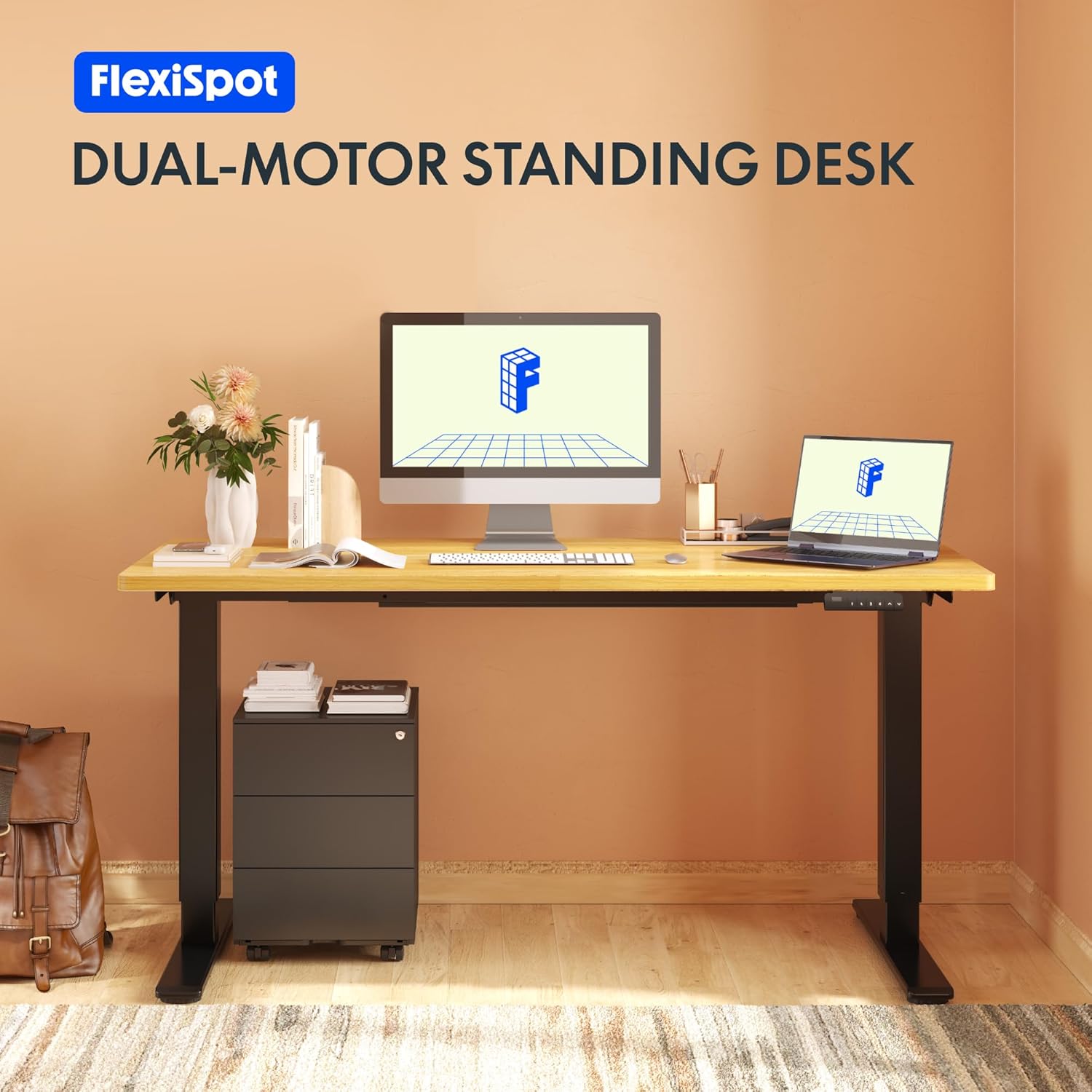
Image: The Flexispot EB2B desk frame supporting a complete desk setup, highlighting its dual-motor design.
2. Sicherheitshinweise
Um einen sicheren Betrieb zu gewährleisten und Schäden zu vermeiden, beachten Sie bitte die folgenden Sicherheitsvorkehrungen:
- Vergewissern Sie sich vor der Verwendung, dass alle Komponenten sicher befestigt sind.
- Die maximale Tragfähigkeit von 100 kg (220 lbs) darf nicht überschritten werden.
- Halten Sie Kinder und Haustiere während des Betriebs vom Schreibtisch fern, um Verletzungen durch bewegliche Teile zu vermeiden.
- Ensure there are no obstructions in the desk's path when adjusting height. The anti-collision system is designed to prevent damage, but manual vigilance is always recommended.
- Do not disassemble or modify the desk frame or its electrical components. Contact qualified personnel for repairs.
- Vor der Reinigung oder Durchführung von Wartungsarbeiten die Stromzufuhr unterbrechen.

Image: Visual representation of the anti-collision system, showing the desk rebounding upon detecting an obstruction.
3. Packungsinhalt
Bitte überprüfen Sie vor Beginn der Montage, ob alle Teile vorhanden sind:
- Schreibtischbeine (2)
- Füße (2)
- Querlatte (1)
- Seitenhalterungen (2)
- Steuerkasten (1)
- Handgerät/Bedienfeld (1)
- Netzteil (1)
- Netzkabel (1)
- Kabelmanagement-Clips (4)
- Montagezubehör (Schrauben, Inbusschlüssel usw.)

Image: All main components of the Flexispot EB2B desk frame, including the dual legs, crossbar, and control panel.
4. Aufbau und Montage
Follow these steps to assemble your Flexispot EB2B desk frame. It is recommended to have two people for assembly.
- Bereiten Sie den Bereich vor: Clear a spacious area for assembly. Lay down a soft cloth or cardboard to protect the desk frame and your floor.
- Füße an Beinen befestigen: Securely attach the feet to the bottom of each desk leg using the provided screws.
- Die Querstange montieren: Connect the two desk legs to the adjustable crossbar. Ensure the crossbar is extended to the desired width to accommodate your tabletop (Min: 110cm, Max: 180cm).
- Seitliche Halterungen montieren: Attach the side brackets to the top of the desk legs, which will support your tabletop.
- Montieren Sie die Steuereinheit: Secure the control box to the designated area under the crossbar.
- Kabel anschließen: Connect the motor cables from each leg to the control box. Connect the handset cable to the control box. Finally, connect the power adapter to the control box and the power cord to the adapter.
- Tischplatte anbringen: Carefully place your tabletop (not included) onto the assembled frame. Ensure it is centered and aligned. Secure the tabletop to the frame using appropriate screws (ensure screws are not too long to penetrate the tabletop surface). The frame is compatible with tabletops from 110 cm to 180 cm wide and 50 cm to 80 cm deep.
- Kabelmanagement: Use the provided cable management clips to organize and secure all cables, preventing them from dangling or getting caught.

Image: A diagram illustrating the adaptable desktop sizes (width and depth) that the Flexispot EB2B desk frame can accommodate.
5. Bedienungsanleitung
The Flexispot EB2B features a user-friendly control panel for height adjustment and memory functions.
5.1. Grundlegende Höhenverstellung
- Schreibtisch erhöhen: Halten Sie die Nach oben (^) Knopf zum Anheben des Schreibtisches auf die gewünschte Höhe.
- Unterer Schreibtisch: Halten Sie die UNTEN (v) Knopf zum Absenken des Schreibtisches auf die gewünschte Höhe.
- The LED display will show the current height in centimeters. The desk operates smoothly and quietly, with a noise level below 50 dB and a lifting speed of 3.2 cm/sec.
5.2. Speichervoreinstellungen
Über das Bedienfeld können Sie bis zu vier bevorzugte Höheneinstellungen speichern.
- Stellen Sie die Schreibtischhöhe mithilfe der AUF/AB-Tasten auf die gewünschte Höhe ein.
- Drücken Sie die 'M' button (or 'S' depending on the model) followed by the desired preset number (1, 2, 3 oder 4). The display will show 'S-' then the number, indicating the height has been saved.
- To recall a saved height, simply press the corresponding preset number (1, 2, 3 oder 4Der Schreibtisch fährt automatisch in die gespeicherte Position.
5.3. Sedentary Reminder System
The advanced control panel includes a sedentary reminder system to encourage healthy work habits. Consult your specific control panel's instructions for activating and setting reminder intervals.
5.4. Antikollisionssystem
The desk is equipped with an anti-collision system. If the desk encounters an obstruction during height adjustment, it will automatically stop and reverse slightly to prevent damage. You can adjust the sensitivity of this system (refer to the detailed control panel manual for specific steps).

Bild: Eine detaillierte view of the control panel, showing the LED display, up/down buttons, and four memory preset buttons.
6. Wartung
Regelmäßige Wartung gewährleistet die Langlebigkeit und optimale Leistung Ihres Schreibtischgestells.
- Reinigung: Wischen Sie das Tischgestell mit einem weichen, fusselfreien Tuch ab.amp cloth. Avoid using harsh chemicals or abrasive cleaners. Ensure the desk is unplugged before cleaning.
- Inspektion: Überprüfen Sie regelmäßig alle Schrauben und Verbindungen auf festen Sitz. Ziehen Sie sie gegebenenfalls nach.
- Kabelprüfung: Stellen Sie sicher, dass alle Kabel fest angeschlossen und unbeschädigt sind.
- Schmierung: The lifting mechanism is designed for maintenance-free operation. Do not apply lubricants unless specifically instructed by Flexispot support.
7. Fehlerbehebung
If you encounter issues with your Flexispot EB2B desk frame, refer to the following common problems and solutions:
| Problem | Mögliche Ursache | Lösung |
|---|---|---|
| Der Schreibtisch bewegt sich nicht. | Power cable disconnected; control box error. | Check all cable connections. Unplug and replug the power cord. Perform a reset (see below). |
| Der Schreibtisch wackelt ungleichmäßig oder macht ungewöhnliche Geräusche. | Loose connections; uneven weight distribution. | Check all screws and ensure they are tight. Redistribute weight evenly on the tabletop. |
| Fehlercode auf dem Display (z. B. E01, E02). | System error; overload; motor issue. | Refer to the specific error code in the detailed control panel manual. Often, a reset can resolve these. |
| Das Antikollisionssystem löst zu oft aus. | High sensitivity setting. | Adjust the anti-collision sensitivity via the control panel settings (refer to control panel manual). |
7.1. Verfahren zum Zurücksetzen
If the desk is not functioning correctly, a reset may resolve the issue:
- Halten Sie die UNTEN (v) button until the desk reaches its lowest position and slightly rebounds. Continue holding for approximately 5-10 seconds until the display shows 'RST' or 'RESET'.
- Release the button. The desk will then move slightly up and down to calibrate. Once the display shows the lowest height (e.g., 71.0), the reset is complete.
8. Spezifikationen
| Besonderheit | Detail |
|---|---|
| Modellnummer | EB2B (E2B-DE / EB2B-EU) |
| Height Range (without tabletop) | 71 cm - 119 cm (27.9" - 46.8") |
| Frame Width (extensible) | 110 cm - 180 cm (43.3" - 70.8") |
| Kompatible Tischplattenbreite | 110 cm - 180 cm (43.3" - 70.8") |
| Compatible Tabletop Depth | 50 cm - 80 cm (19.7" - 31.5") |
| Maximale Tragfähigkeit | 100 kg |
| Hubgeschwindigkeit | 3.2 cm/sec (1.26"/sec) |
| Geräuschpegel | < 50 dB |
| Motoren | Dual-motor system |
| Bedienfeld | Advanced all-in-one keyboard with 4 memory presets and sedentary reminder. |
| Antikollisionssystem | Ja |
| Material | Legierter Stahl |
| Farbe | Schwarz |

Image: The Flexispot EB2B frame demonstrating its large height adjustment range (70-119 cm) and anti-collision feature.
9. Garantie und Support
Flexispot stands behind the quality of its products.
- Rahmengarantie: The desk frame is covered by a 5 Jahr Garantie.
- Garantie für Motor und Steuerung: The motors and controllers are covered by a 3 Jahr Garantie.
For warranty claims, technical support, or any questions not covered in this manual, please contact Flexispot customer service through their official website or your point of purchase. Please have your model number (EB2B) and purchase information ready.

Image: Visual representation of the warranty terms: 5 years for the desk frame and 3 years for controllers and motors.