
Uncaged Ergonomics RUb
Bedienungsanleitung
Uncaged Ergonomics Dual Motor Electric Standing Desk Frame
Model: RUb
Einführung
Thank you for choosing the Uncaged Ergonomics Dual Motor Electric Standing Desk Frame. This premium adjustable desk frame is designed to enhance your workspace by allowing seamless transitions between sitting and standing positions, promoting a healthier and more productive work environment. This manual provides detailed instructions for assembly, operation, maintenance, and troubleshooting to ensure optimal performance and longevity of your desk frame.

Image: The Uncaged Ergonomics Dual Motor Electric Standing Desk Frame with its control panel, showcasing the robust design and intuitive interface.
Sicherheitshinweise
Please read all safety instructions carefully before assembly and operation to prevent injury or damage to the product.
- Gewichtsbeschränkung: Do not exceed the maximum weight capacity of 113 kg (250 lbs) on the desk frame. Overloading can cause damage and pose a safety risk.
- Antikollisionstechnologie: The desk frame is equipped with anti-collision technology. This feature helps prevent the desk from lowering onto an object by stopping movement if an obstruction is detected. However, always ensure the path is clear during height adjustments.
- Elektrische Sicherheit:
- Ensure the power cord is properly connected to a grounded outlet.
- Do not operate the desk with a damaged power cord or plug.
- Halten Sie Flüssigkeiten von elektrischen Bauteilen fern.
- Trennen Sie die Stromversorgung vor der Reinigung oder Wartung.
- Kinder und Haustiere: Um Unfälle zu vermeiden, sollten Kinder und Haustiere während des Betriebs vom Schreibtisch ferngehalten werden.
- Montage: Ensure all components are securely fastened according to the assembly instructions. Loose parts can lead to instability.

Image: Illustration of the anti-collision safety feature, showing how the desk stops if an obstruction is detected during movement.
Packungsinhalt
Bitte überprüfen Sie vor Beginn der Montage, ob alle Komponenten vorhanden und unbeschädigt sind. Sollten Teile fehlen oder beschädigt sein, wenden Sie sich bitte an unseren Kundendienst.
- 1 x Electric Desk Frame (includes legs, crossbar, and feet)
- 1 x Control Panel with LED Display
- 1 x Power Adapter and Cable
- Montagezubehör (Schrauben, Bolzen, Unterlegscheiben)
- Allen Wrench (for assembly)
- Kabelbinder
- Rubber Spacers (for tabletop mounting)
- Benutzerhandbuch (dieses Dokument)
Montageanleitung (Aufbau)
Follow these steps to assemble your Uncaged Ergonomics Electric Standing Desk Frame. It is recommended to have a second person assist with assembly, especially when handling larger components or the tabletop.
- Komponenten auspacken: Carefully remove all parts from the packaging. The packaging is designed to protect the components during transit.
- Füße an Beinen befestigen: Securely attach the feet to the bottom of each desk leg using the provided screws.
- Querträger verbinden: Connect the adjustable crossbar between the two desk legs. Ensure the crossbar is extended to the desired width for your tabletop.
- Steuerkasten montieren: Attach the control box to the designated area on the frame, typically under the crossbar, using the provided hardware.
- Motoren und Bedienfeld anschließen: Stecken Sie die Motorkabel von jedem Bein in den Steuerkasten. Verbinden Sie das Kabel des Bedienfelds mit dem Steuerkasten.
- Tisch vorbereiten: Place your chosen tabletop upside down on a soft, protected surface. Position the assembled desk frame onto the tabletop, ensuring it is centered and aligned.
- Tischplatte montieren: Use the provided screws and rubber spacers to securely attach the desk frame to the tabletop. Pre-drilling pilot holes in the tabletop may be necessary depending on its material.
- Kabelmanagement: Use the included cable ties to neatly route and secure all cables, preventing them from dangling or getting caught during height adjustments.
- Einschalten: Carefully flip the desk upright. Plug the power cable into the control box and then into a grounded electrical outlet.
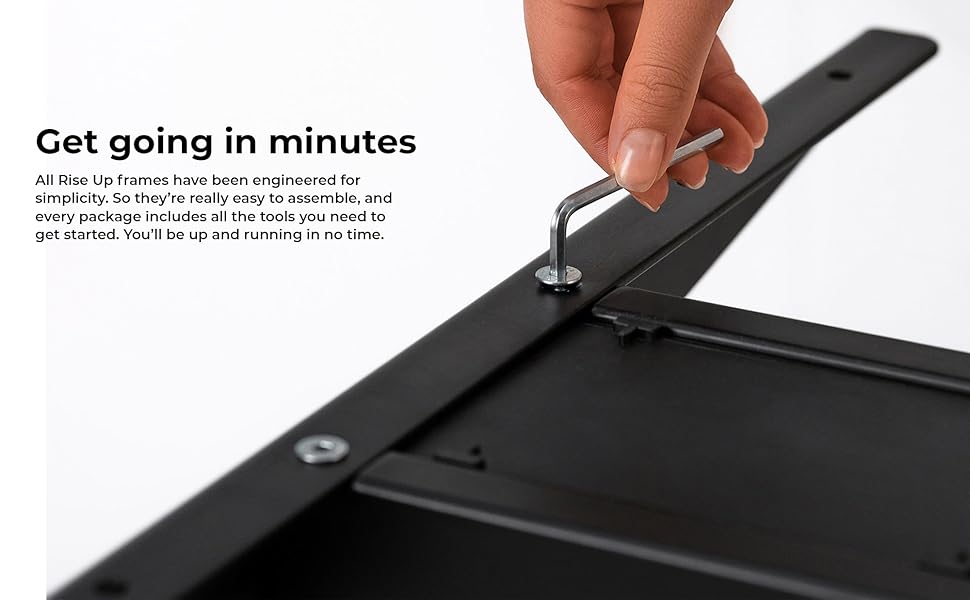
Bild: Eine Nahaufnahme view of an assembly step, showing the use of an Allen wrench to secure a component of the desk frame.
Bedienungsanleitung
The control panel allows for easy and precise height adjustments, along with convenient memory settings.
Systemsteuerung überview
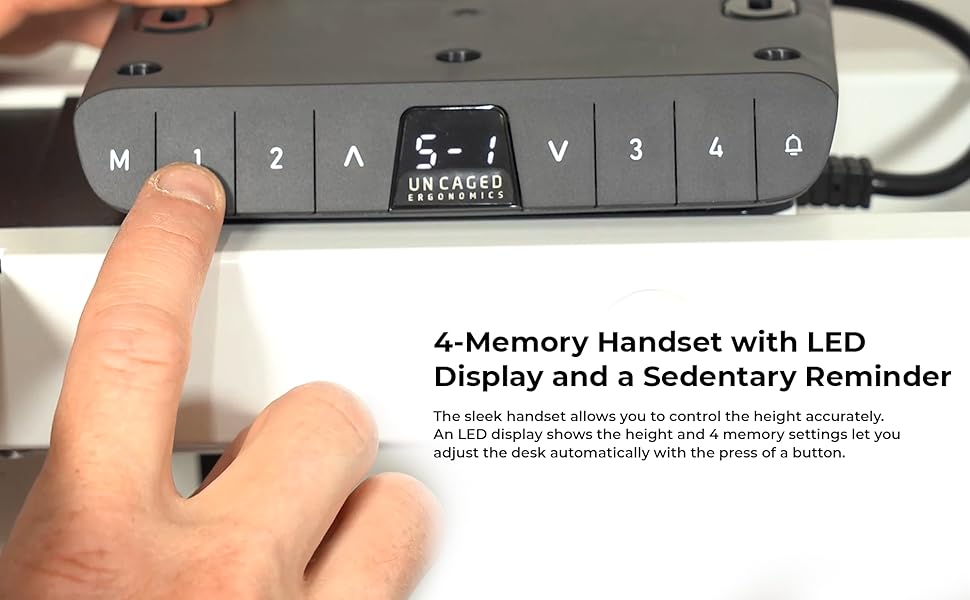
Image: The desk's control panel featuring an LED display for height readings and buttons for manual adjustment and memory presets.
- Auf-/Ab-Tasten (▲ / ▼): Press and hold the Up or Down arrow buttons to manually adjust the desk height. Release the button to stop at the desired height. The LED display will show the current height.
- Speichereinstellungen (1, 2, 3, 4): The desk frame features four programmable memory presets for quick height adjustments.
- Stellen Sie den Schreibtisch mithilfe der Auf-/Ab-Tasten auf die gewünschte Höhe ein.
- Press the "M" button. The LED display will show "S-".
- Within 3 seconds, press the desired memory button (1, 2, 3, or 4). The display will show "S-1", "S-2", etc., indicating the height has been saved.
- Um eine gespeicherte Höhe abzurufen, drücken Sie einfach die entsprechende Speichertaste (1, 2, 3 oder 4). Der Schreibtisch fährt automatisch in die gespeicherte Position.
- Antikollisionsfunktion: During height adjustment, if the desk encounters an obstruction, it will automatically stop and reverse slightly to prevent damage.

Image: A user comfortably working at the desk in a standing position, demonstrating the ergonomic benefits of height adjustability.
Merkmale
The Uncaged Ergonomics Electric Standing Desk Frame is engineered with advanced features for superior performance and user experience.
- Doppelmotorsystem: Equipped with two powerful motors for fast, smooth, and quiet height adjustments. Each motor is located in a leg, ensuring synchronized movement and stability.
- Großer Höhenverstellbereich: Seamlessly adjust the desk height from 66 cm (26.1 inches) to 131 cm (51.6 inches), accommodating a wide range of user heights and preferences.
- Adjustable Width Frame: The frame's width can be adjusted from 107 cm (42.3 inches) to 152 cm (71 inches), allowing compatibility with various tabletop sizes.
- 3-Stage Lifting Columns: Die drei-stage leg design provides a greater height range and increased stability, even at maximum extension.
- Antikollisionstechnologie: Advanced sensors detect obstructions during movement, automatically stopping and reversing the desk to prevent damage.
- 4 Speichervoreinstellungen: Save your preferred sitting and standing heights for quick, one-touch adjustments.
- LED-Höhenanzeige: The integrated LED display on the control panel shows the precise current height of the desk.
- Robuste Konstruktion: Made from high-strength, powder-coated steel for exceptional durability and a sleek finish.
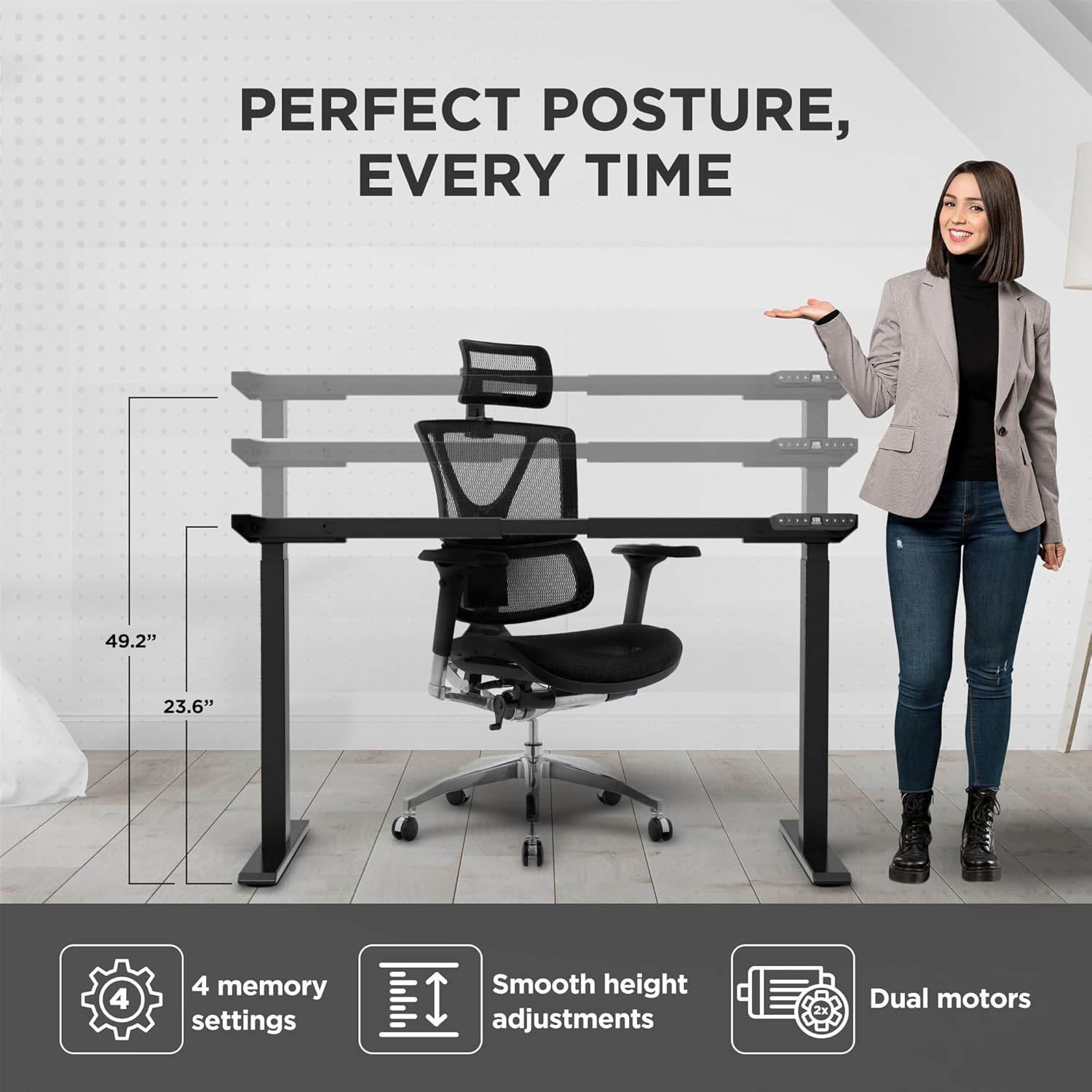
Image: Visual representation of the desk frame's adjustable height and key features, including 4 memory settings, smooth adjustments, and dual motors.

Image: Two individuals, one standing and one sitting, illustrating the wide range of height adjustability offered by the desk frame.
Technische Daten
| Modellnummer | RUb |
| Marke | Ergonomie ohne Käfig |
| Farbe | Schwarz |
| Höhenverstellbereich | 66 - 131 cm (26.1 - 51.6 Zoll) |
| Breitenverstellbereich | 107 - 152 cm (42.3 - 71 Zoll) |
| Maximale Gewichtskapazität | 113 kg |
| Material | Hochfester Stahl |
| Beenden | Pulverbeschichtet |
| Motoren | Doppelmotoren |
| Bein S.tages | 3-Stage |
| Speichervoreinstellungen | 4 |
| Besondere Merkmale | Anti-collision technology, LED height display |
| Produktabmessungen (montiert) | 69.85 x 152.4 x 131.06 cm (27.5 x 60 x 51.6 Zoll) |
| Artikelgewicht | 22.68 kg |

Image: The desk frame illustrating its compatibility with various tabletop sizes, ranging from 42.3 to 71 inches in width.
Wartung
Regular maintenance will help ensure the long-term performance and appearance of your desk frame.
- Reinigung: Wischen Sie das Tischgestell mit einem weichen, fusselfreien Tuch ab.amp Mit einem Tuch abwischen. Vermeiden Sie die Verwendung von scharfen Chemikalien oder Scheuermitteln, da diese die Oberfläche beschädigen können.
- Verbindungen prüfen: Überprüfen Sie regelmäßig alle Schrauben und Bolzen auf festen Sitz. Ziehen Sie sie gegebenenfalls nach.
- Kabelmanagement: Ensure cables remain neatly organized and are not pinched or tangled, which could affect movement or cause damage.
- Motorpflege: The dual motors are designed for durability and require no special lubrication. Avoid exposing them to excessive dust or moisture.
Fehlerbehebung
If you encounter any issues with your desk frame, refer to the common problems and solutions below. If the problem persists, please contact customer support.
| Problem | Mögliche Ursache | Lösung |
|---|---|---|
| Der Schreibtisch bewegt sich nicht und reagiert nicht auf die Bedienelemente. | Power cable disconnected; control box not properly connected; system error. |
|
| Der Schreibtisch wackelt ungleichmäßig oder macht ungewöhnliche Geräusche. | Ungleichmäßige Belastung; lose Verbindungen; Verstopfung. |
|
| Memory settings are not saving or recalling correctly. | Incorrect saving procedure; temporary system glitch. |
|
| Anti-collision feature triggers too often or not at all. | Sensitivity setting; physical obstruction. |
|
Garantie und Support
Uncaged Ergonomics is committed to providing high-quality products built for durability and longevity. Our desk frames are designed to meet commercial-grade standards, reflecting over a decade of proven experience in manufacturing ergonomic solutions.
While specific warranty details may vary by region or purchase point, Uncaged Ergonomics stands behind the quality of its products. For any questions, technical assistance, or support needs, please contact Uncaged Ergonomics customer service. Our team is dedicated to ensuring your satisfaction and assisting with any issues you may encounter.
Please visit the official Uncaged Ergonomics website or refer to your purchase documentation for the most up-to-date warranty information and contact details.
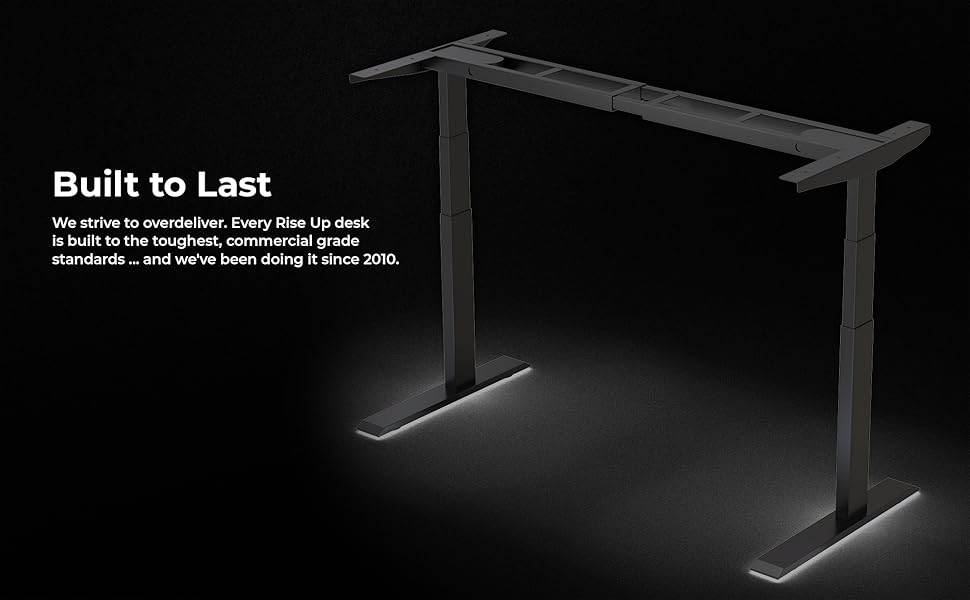
Image: The desk frame illuminated, emphasizing its robust construction and the brand's commitment to building products that are "Built to Last" since 2010.
Ask a question about this manual
Ask about setup, troubleshooting, compatibility, parts, safety, or missing instructions. Manuals+ will review the question and use this page’s manual context to help answer it.