
Amazon Basics B074SVCYZY
Amazon Basics Heavy-Duty Tilting TV Wall Mount & High-Speed HDMI Cable User Manual
Model: B074SVCYZY
Einführung
This manual provides comprehensive instructions for the safe and proper installation, operation, and maintenance of your Amazon Basics Heavy-Duty Tilting TV Wall Mount and High-Speed HDMI Cable. This wall mount is designed to securely hold flat-panel televisions ranging from 37 inches to 80 inches, with a maximum weight capacity of 120 pounds. The included HDMI cable supports Ethernet, 3D, and 4K video, along with Audio Return Channel (ARC) for versatile connectivity.
Please read this manual thoroughly before beginning installation to ensure correct setup and to prevent damage to the product or injury.
Sicherheitshinweise
WARNUNG: Failure to read and follow all instructions can result in personal injury or property damage. The manufacturer is not responsible for damage or injury caused by incorrect mounting, incorrect assembly, or incorrect use.
- Stellen Sie sicher, dass die Wandkonstruktion das Gewicht der Halterung und des Fernsehers sicher tragen kann. Ziehen Sie im Zweifelsfall einen Fachmann zu Rate.
- Die maximale Tragfähigkeit von 120 Pfund (54.4 kg) darf nicht überschritten werden.
- This mount is intended for use with flat-panel TVs between 37 and 80 inches.
- Tragen Sie während der Installation stets geeignete Schutzausrüstung, einschließlich Augenschutz.
- Verify the location of electrical wires, water pipes, and gas lines behind the wall before drilling.
- Two people are recommended for installation due to the size and weight of TVs.
- Bewahren Sie alle Kleinteile und Verpackungsmaterialien außerhalb der Reichweite von Kindern auf.
Packungsinhalt
Carefully unpack the box and ensure all components are present and undamaged. If any parts are missing or damaged, do not attempt to install. Contact customer support for assistance.
- Wandplattenbaugruppe (1)
- TV Mounting Brackets (2)
- High-Speed HDMI Cable (1)
- Hardware-Set (verschiedene Schrauben, Unterlegscheiben, Abstandshalter, Dübel)
- Bedienungsanleitung (dieses Dokument)


Setup und Installation
Erforderliche Werkzeuge (nicht im Lieferumfang enthalten):
- Balkenfinder
- Mit geeigneten Bohrern (Holz/Beton) bohren
- Level (though one is built into the mount)
- Kreuzschlitzschraubendreher
- Steckschlüssel oder verstellbarer Schraubenschlüssel
- Bleistift
- Maßband
Schritt 1: Bestimmen Sie den Montageort
Choose a location on your wall that is structurally sound and free from electrical wires, water pipes, or gas lines. Use a stud finder to locate wood studs if mounting to drywall, or ensure you have appropriate concrete anchors if mounting to masonry.
Schritt 2: Wandplatte montieren
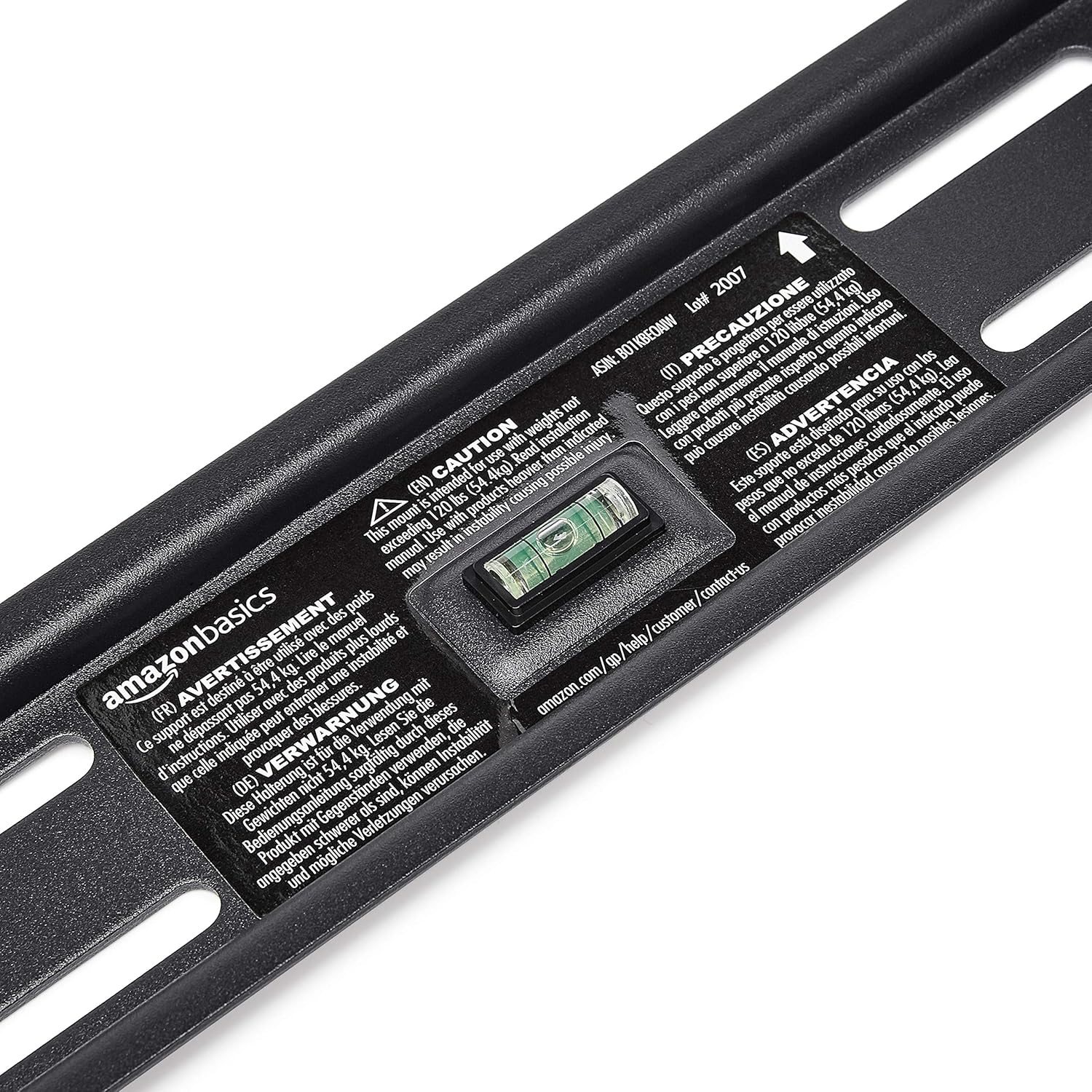
- Hold the wall plate against the wall at the desired height. Use the built-in level to ensure it is perfectly horizontal.
- Mark the drilling locations through the holes on the wall plate with a pencil.
- Drill pilot holes at the marked locations. The size of the drill bit will depend on your wall type and the anchors/lag bolts being used.
- Secure the wall plate to the wall using the provided lag bolts and washers. Ensure it is firmly attached and level.

Schritt 3: Befestigen Sie die TV-Halterungen am Fernseher.
- Legen Sie Ihren Fernseher mit dem Bildschirm nach unten auf eine weiche, saubere Unterlage, um Beschädigungen am Bildschirm zu vermeiden.
- Identifizieren Sie die VESA-Montagelöcher auf der Rückseite Ihres Fernsehers.
- Wählen Sie aus dem Hardware-Kit die passenden Schrauben, Unterlegscheiben und Abstandshalter aus, die zu den Befestigungslöchern Ihres Fernsehers passen.
- Attach the two vertical TV mounting brackets to the back of your TV, ensuring they are centered and aligned with the VESA pattern. The hooks on the brackets should face upwards.

Schritt 4: Fernseher an der Wandplatte befestigen
- With assistance, carefully lift the TV and hook the brackets onto the top edge of the wall plate.
- Gently lower the TV until the brackets fully engage with the wall plate. You should hear a click or feel it lock into place.
- Pull the release strings (if applicable) to ensure the TV is securely latched to the mount. Some models have safety screws to further secure the TV; tighten these if present.


Step 5: Connect HDMI Cable
Connect one end of the included High-Speed HDMI cable to the HDMI output port on your source device (e.g., Blu-ray player, game console, streaming device) and the other end to an HDMI input port on your TV.

Bedienungsanleitung
Tilting the TV:
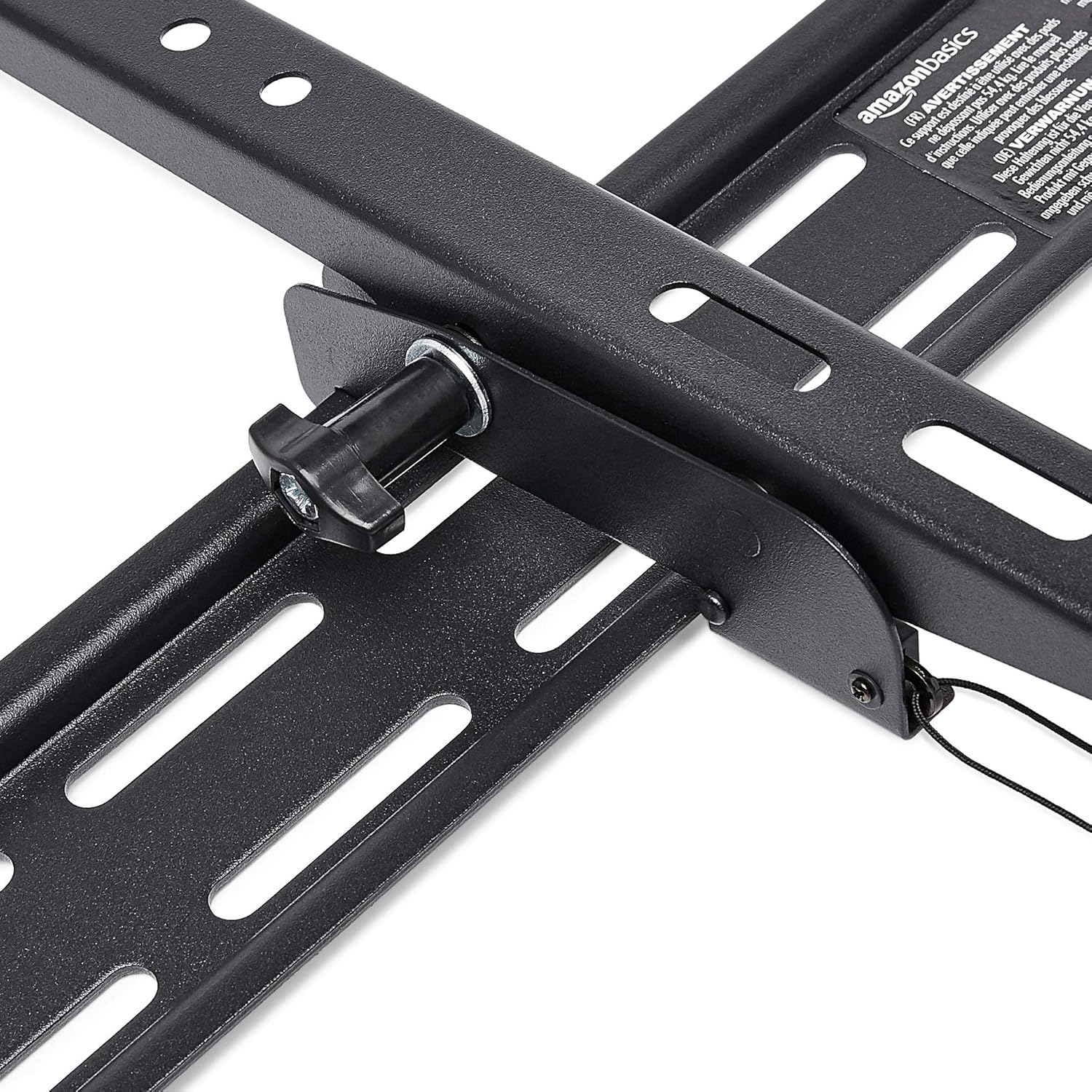
This wall mount allows for 18 degrees of tilt, ranging from +15 degrees (upward) to -3 degrees (downward), to achieve an optimal viewing angle and reduce glare. To adjust the tilt:
- Locate the tilt adjustment knobs or levers on the side of the TV mounting brackets.
- Loosen the knobs or levers to allow the TV to tilt freely.
- Neigen Sie den Fernseher vorsichtig in den gewünschten Winkel.
- Tighten the knobs or levers to secure the TV in place.
Wartung
- Überprüfen Sie regelmäßig alle Schrauben und Bolzen, um sicherzustellen, dass sie fest angezogen und sicher befestigt sind.
- Clean the mount and HDMI cable with a soft, dry cloth. Avoid abrasive cleaners or solvents.
- Do not hang anything from the mount or TV that exceeds the weight capacity.
Fehlerbehebung
| Problem | Mögliche Ursache | Lösung |
|---|---|---|
| Der Fernseher steht nach der Installation nicht gerade. | Die Wandplatte war bei der Montage nicht waagerecht. | Carefully remove TV, loosen wall plate screws, adjust level using built-in bubble level, and re-tighten. Re-mount TV. |
| TV not securely attached to mount. | Brackets not fully engaged or safety screws not tightened. | Ensure brackets are fully seated on the wall plate. Tighten any safety screws on the bottom of the brackets. |
| Kein Bild/Ton über HDMI. | Incorrect input selected on TV, loose cable connection, or faulty source device. | Verify TV input matches the connected HDMI port. Ensure HDMI cable is firmly connected at both ends. Test with another HDMI cable or source device if possible. |
Technische Daten
- Marke: Amazon-Grundlagen
- Modell: Heavy-Duty Tilting TV Wall Mount & High-Speed HDMI Cable
- ASIN: B074SVCYZY
- Montageart: Neigung
- Kompatible TV-Größen: 37 bis 80 Zoll
- Maximale Gewichtskapazität: 120 Pfund (54.4 kg)
- Neigungswinkel: +15 to -3 degrees (18 degrees total)
- HDMI-Kabellänge: 10 Fuß
- HDMI-Funktionen: Supports Ethernet, 3D, 4K video, Audio Return Channel (ARC)
Garantie und Support
Informationen zu Garantie und Kundensupport finden Sie auf der offiziellen Amazon Basics-Website. webBesuchen Sie die Website oder kontaktieren Sie direkt den Amazon-Kundenservice. Bewahren Sie Ihren Kaufbeleg für Garantieansprüche auf.
WebWebsite: Amazon Basics Store