
1. Einleitung
This manual provides instructions for the installation, operation, and maintenance of your Gembird 3.5" SATA USB 3.0 External HDD Enclosure. This device allows you to convert an internal 3.5-inch SATA hard disk drive into a portable external storage solution, utilizing the high-speed USB 3.0 interface for data transfer.
2. Packungsinhalt
Bitte überprüfen Sie den Packungsinhalt sorgfältig. Sollten Artikel fehlen oder beschädigt sein, wenden Sie sich bitte an Ihren Händler.
- Gembird 3.5" SATA USB 3.0 External HDD Enclosure (Model: EE3-U3S-3)
- USB 3.0 Datenkabel
- Netzteil
- Screws and screwdriver (if applicable for assembly)
- Benutzerhandbuch (dieses Dokument)
3. Einrichtung
3.1 Installing a 3.5" SATA Hard Drive
- Carefully slide open the enclosure casing.
- Connect your 3.5-inch SATA hard drive to the SATA data and power connectors inside the enclosure. Ensure a firm connection.
- Secure the hard drive within the enclosure using the provided screws, if necessary.
- Slide the enclosure casinSchieben Sie es wieder an seinen Platz, bis es sicher geschlossen ist.
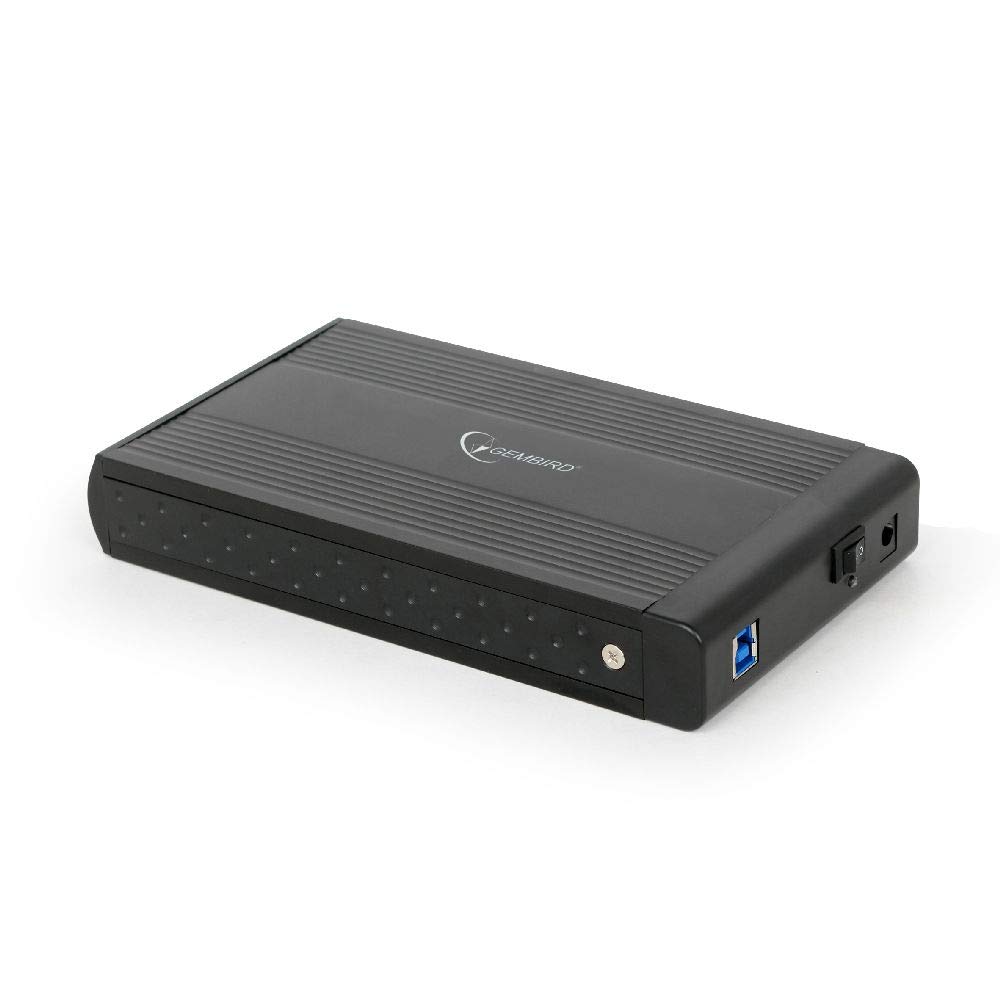
Image: The Gembird 3.5-inch SATA USB 3.0 External HDD Enclosure. This image shows the sleek black aluminum casing of the enclosure, designed to house a 3.5-inch SATA hard drive and connect to a computer via USB 3.0.
3.2 Verbindung zu Ihrem Computer
- Connect the power adapter to the enclosure's power input port and then plug it into an electrical outlet.
- Connect one end of the supplied USB 3.0 cable to the USB 3.0 port on the enclosure.
- Connect the other end of the USB 3.0 cable to an available USB 3.0 port on your computer. For optimal performance, use a USB 3.0 port (typically blue). The enclosure is backward compatible with USB 2.0, but data transfer speeds will be limited.
- Your operating system should automatically detect and install the necessary drivers. The hard drive will appear as a new storage device.
4. Bedienungsanleitung
4.1 Datenübertragung
Once the enclosure is connected and recognized by your computer, you can drag and drop files to and from the external hard drive, or use it for backup purposes. The USB 3.0 interface supports data transfer speeds up to 5 Gbps (Gigabits per second), significantly faster than USB 2.0.
4.2 Sichere Entfernung
Always safely remove the external hard drive before disconnecting it from your computer to prevent data corruption. In Windows, use the "Safely Remove Hardware and Eject Media" icon in the system tray. On macOS, drag the drive icon to the Trash or use the Eject option in Finder.
5. Wartung
To ensure the longevity and optimal performance of your enclosure:
- Halten Sie das Gehäuse sauber und staubfrei. Verwenden Sie zum Reinigen ein weiches, trockenes Tuch.
- Das Gehäuse darf keinen extremen Temperaturen, hoher Luftfeuchtigkeit oder direkter Sonneneinstrahlung ausgesetzt werden.
- Do not drop or subject the enclosure to strong impacts, as this can damage the internal hard drive.
- Ensure proper ventilation to prevent overheating, especially during prolonged use.
6. Fehlerbehebung
6.1 Gehäuse nicht erkannt
- Check power: Ensure the power adapter is securely connected to both the enclosure and a working electrical outlet.
- Check USB connection: Verify that the USB cable is firmly connected to both the enclosure and a functional USB port on your computer. Try a different USB port or cable.
- Hard drive installation: Re-open the enclosure and ensure the SATA hard drive is correctly seated and connected to the internal connectors.
- Datenträgerverwaltung (Windows) / Festplattendienstprogramm (macOS): Check if the drive appears in your operating system's disk management tools. If it appears but is unallocated or unformatted, you may need to initialize and format it (note: formatting will erase all data on the drive).
6.2 Langsame Datenübertragungsgeschwindigkeiten
- USB 3.0-Anschluss: Stellen Sie sicher, dass Ihr Computer mit einem USB-3.0-Anschluss verbunden ist. USB-2.0-Anschlüsse begrenzen die Übertragungsgeschwindigkeit.
- USB 3.0 cable: Use the provided USB 3.0 cable or another certified USB 3.0 cable.
- Hard drive performance: The speed of the internal hard drive itself can be a limiting factor. Older or slower HDDs will not achieve maximum USB 3.0 speeds.
7. Spezifikationen
| Modell | EE3-U3S-3 |
| Formfaktor | 3.5 Zoll |
| Interface (Internal) | SATA |
| Interface (External) | USB 3.0 |
| Datenübertragungsrate | Bis zu 5 Gbit/s (USB 3.0) |
| Material | Aluminium |
| Farbe | Schwarz |
| Kompatible Geräte | 3.5" SATA HDDs |
| Gewicht | 235 Gramm |
8. Garantie und Support
Gembird products are designed for reliability and performance. For warranty information, please refer to the warranty card included with your product or visit the official Gembird website. For technical support or further assistance, please contact your retailer or the Gembird customer support team.