
1. Systemüberschreitungview
This manual provides instructions for the SANNCE 16-channel 8MP NVR Wireless WiFi Security Camera System. This system is designed for comprehensive surveillance, offering high-resolution video recording and remote monitoring capabilities.
Hauptmerkmale:
- 16-Channel 8MP NVR: Supports up to 16 cameras with 8-megapixel resolution for clear video.
- Drahtlose WLAN-Verbindung: Utilizes 2.4/5.8GHz dual-band WiFi for stable and long-distance connections up to 985ft in open environments.
- H.264+ Video Coding: Advanced compression technology to optimize storage space while maintaining video quality.
- IP66 Outdoor Cameras: Weatherproof cameras suitable for various environmental conditions (-20℃ to 60℃).
- Nachtsicht: Features up to 98ft IR night vision and 33ft full-color night vision for 24/7 monitoring.
- Human Motion Detection & Two-Way Talk: Enhanced security with intelligent detection and audio communication.
- Erweiterbarer Speicher: Supports up to 8TB local HDD storage and cloud storage options.
- Intelligente Integration: Kompatibel mit Alexa für Sprachsteuerung.
2. Systemeinrichtung
The SANNCE security system is designed for quick and easy plug-and-play installation. Follow these steps for initial setup.
2.1 Auspacken und erste Verbindung
- Carefully unpack all components: NVR, cameras, power adapters, and accessories.
- Verbinden Sie den NVR mithilfe eines HDMI- oder VGA-Kabels mit einem Monitor.
- Schließen Sie den NVR mithilfe des mitgelieferten Netzteils an eine Stromquelle an.
- Connect the cameras to their respective power sources. The cameras will automatically pair with the NVR.
- Connect the NVR to your router via an Ethernet cable for network access and remote viewing.

Abbildung 2.1: Überview of system installation, WiFi connection, and remote access via mobile application.
2.2 Netzwerkkonfiguration
Once the NVR is connected to your router, access the NVR's interface on the connected monitor to configure network settings. Ensure DHCP is enabled on your router or assign a static IP address to the NVR if required by your network setup.
2.3 Einrichtung der mobilen App
- Download the SANNCE mobile application from your device's app store.
- Registrieren Sie ein Konto und melden Sie sich an.
- Add your NVR to the app by scanning the QR code displayed on the NVR's interface or by manually entering its ID.
- Nach dem Hinzufügen können Sie view Live-Feeds, Wiedergabe von Aufnahmen und Empfang von Benachrichtigungen aus der Ferne.

Abbildung 2.2: Fernbedienung viewing of camera feeds on various devices.
3. Systembetrieb
This section details the various operational modes and features of your SANNCE security system.
3.1 Aufnahmemodi
The system offers flexible recording options:
- Kontinuierliche Aufnahme: Aufzeichnung rund um die Uhr ohne Unterbrechung.
- Aufnahme mit Bewegungserkennung: Aufzeichnung erfolgt nur bei Bewegungserkennung.
- Erkennung menschlicher Bewegungen: Advanced detection specifically for human shapes, reducing false alarms.
- Geplante Aufnahme: Legen Sie feste Aufnahmezeiten fest.
- Alarmausgelöste Aufzeichnung: Records when an alarm event (e.g., motion, human detection) is triggered.

Figure 3.1: Intelligent human detection feature and various recording options.
3.2 Nachtsicht
The cameras are equipped with advanced night vision technology to ensure clear surveillance in low-light conditions.
- IR Nachtsicht: Provides black and white video up to 98 feet in complete darkness.
- Vollfarb-Nachtsicht: Offers color video up to 33 feet in low-light conditions, enhancing detail and identification.

Figure 3.2: Demonstration of full-color night vision capability.
3.3 Zwei-Wege-Audio
Utilize the built-in microphone and speaker on the cameras for two-way communication. This feature allows you to speak to individuals near the camera and hear their responses through the mobile app or NVR interface.

Figure 3.3: System features including two-way audio.

Abbildung 3.4: Bspample der Zwei-Wege-Audiokommunikation.
3.4 Fernüberwachung und Warnmeldungen
Stay informed with real-time notifications and remote access:
- Benachrichtigungen der mobilen App: Receive instant alerts on your smartphone when motion or human detection is triggered.
- E-Mail-Benachrichtigungen: Configure the system to send email notifications with snapshots of events.
- Alexa-Integration: Use voice commands with Alexa-enabled devices to view Kamerabilder.

Figure 3.5: Notifications for intelligent people detection.

Figure 3.6: Seamless integration with Alexa for voice control.
4. Wartung
Regelmäßige Wartung gewährleistet optimale Leistung und Langlebigkeit Ihres Sicherheitssystems.
4.1 Kamerareinigung
- Reinigen Sie die Kameralinsen regelmäßig mit einem weichen Tuch.amp Tuch zum Entfernen von Staub, Schmutz oder Wasserflecken, die die Sicht beeinträchtigen könnten view.
- Avoid using harsh chemicals or abrasive materials that could damage the lens coating.
4.2 NVR and Storage Management
- Um eine Überhitzung zu vermeiden, sollte der NVR in einem gut belüfteten Bereich aufgestellt werden.
- Regularly check the hard drive status through the NVR interface to ensure it is functioning correctly.
- Manage storage space by configuring recording settings or backing up important footage to external storage or cloud services.
4.3 Firmware-Updates
Überprüfen Sie die offizielle SANNCE-Website. website or the mobile application periodically for firmware updates. Keeping your system's firmware updated ensures access to the latest features, security patches, and performance improvements.
5. Fehlerbehebung
In diesem Abschnitt werden häufig auftretende Probleme behandelt und Lösungen angeboten.
5.1 Keine Videoanzeige
- Überprüfen Sie die Leistung: Ensure the NVR and all cameras are properly connected to power outlets and are turned on.
- Monitorverbindung: Verify the HDMI/VGA cable connection between the NVR and your monitor.
- Kamerapaarung: Confirm that cameras are successfully paired with the NVR. Refer to the setup section for pairing instructions if needed.
5.2 Poor Wireless Connection
- Signalstärke: Check the wireless signal strength of the cameras in the NVR interface.
- Hindernisse: Reduce obstacles (thick walls, metal structures) between cameras and the NVR.
- Distanz: Ensure cameras are within the effective wireless range (up to 985ft in open environments).
- Interferenz: Minimize interference from other wireless devices. The system supports dual-band WiFi (2.4/5.8GHz) which can help.
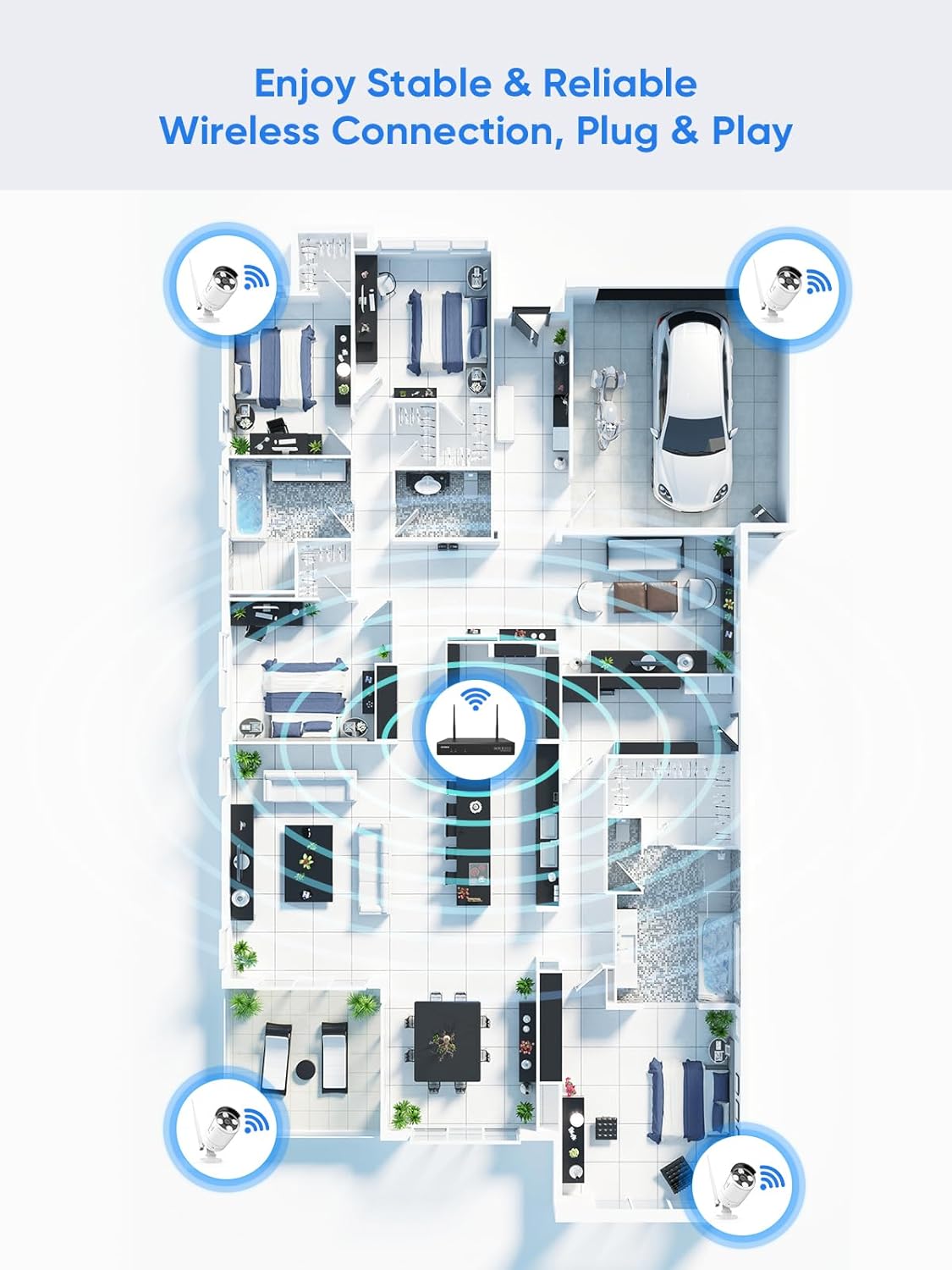
Figure 5.1: Wireless coverage and connection stability.
5.3 Aufnahmeprobleme
- Festplatte: Verify the hard drive is installed correctly and is not full. Format the HDD if necessary (this will erase all data).
- Aufnahmezeitplan: Check your recording schedule and motion detection settings to ensure they are configured as desired.
- Bewegungsempfindlichkeit: Adjust motion detection sensitivity if recordings are too frequent or not frequent enough.
5.4 Probleme beim Fernzugriff
- Internetverbindung: Ensure both your NVR and mobile device have a stable internet connection.
- NVR-Netzwerkeinstellungen: Confirm the NVR's network settings are correct and it has access to the internet.
- App-Anmeldung: Verify you are logged into the SANNCE app with the correct account.
6. Spezifikationen
| Besonderheit | Detail |
|---|---|
| Modellnummer | 4335041969 |
| Marke | SANNCE |
| Konnektivitätstechnologie | HDMI, USB, VGA, Wireless WiFi (2.4/5.8GHz) |
| Kompatible Geräte | Kameras |
| Speicherkapazität | Up to 8 TB (HDD) |
| Festplattengröße | 8 TB (Maximum Supported) |
| IP-Schutzart | IP66 (Outdoor Cameras) |
| Betriebstemperatur | -20℃ bis 60℃ |
| Verpackungsabmessungen | 13.78 x 11.42 x 3.19 Zoll |
| Artikelgewicht | 3.14 Pfund |
| Datum der ersten Verfügbarkeit | 11. Dezember 2017 |
7. Garantie und Support
7.1 Rückgaberecht
This product is subject to a 30-day return policy from the date of purchase. Please refer to your retailer's specific return guidelines for detailed information.
7.2 Herstellergarantie
SANNCE provides a limited warranty for this product against defects in materials and workmanship. For specific warranty terms, duration, and conditions, please refer to the warranty card included with your product or visit the official SANNCE webWebsite.
7.3 Kundendienst
If you encounter any issues or have questions regarding the installation, operation, or maintenance of your SANNCE security system, please contact SANNCE customer support for assistance. You can typically find contact information on the SANNCE official webor oder innerhalb der Produktverpackung.
Weitere Informationen finden Sie im SANNCE Store.