
1. Wichtige Sicherheitshinweise
This product requires assembly. Follow the instructions carefully and ensure proper use of the desk to avoid injury. Do not overload the desk beyond its maximum load capacity of 150 Kilograms. Keep children and pets away from the desk during operation to prevent accidents. Ensure all cables are properly managed to avoid tripping hazards.
2. Produktüberschreitungview
The FlexiSpot EA2 is an electric height-adjustable standing desk frame designed to accommodate various desktop sizes. It features a robust alloy steel frame, a smart keypad with memory functions, and a soft start/stop mechanism for smooth height transitions. This frame promotes a healthier work environment by allowing seamless switching between sitting and standing positions.

An assembled FlexiSpot EA2 electric standing desk frame with a dark desktop, supporting a computer monitor and laptop, set in a modern office environment.
Hauptmerkmale:
- Electric height adjustment for seamless transitions.
- Smart keypad with memory presets for preferred heights.
- Soft start/stop function for smooth and quiet operation.
- Durable alloy steel frame construction.
- Empfohlenes Maximalgewicht: 150 Kilogramm.
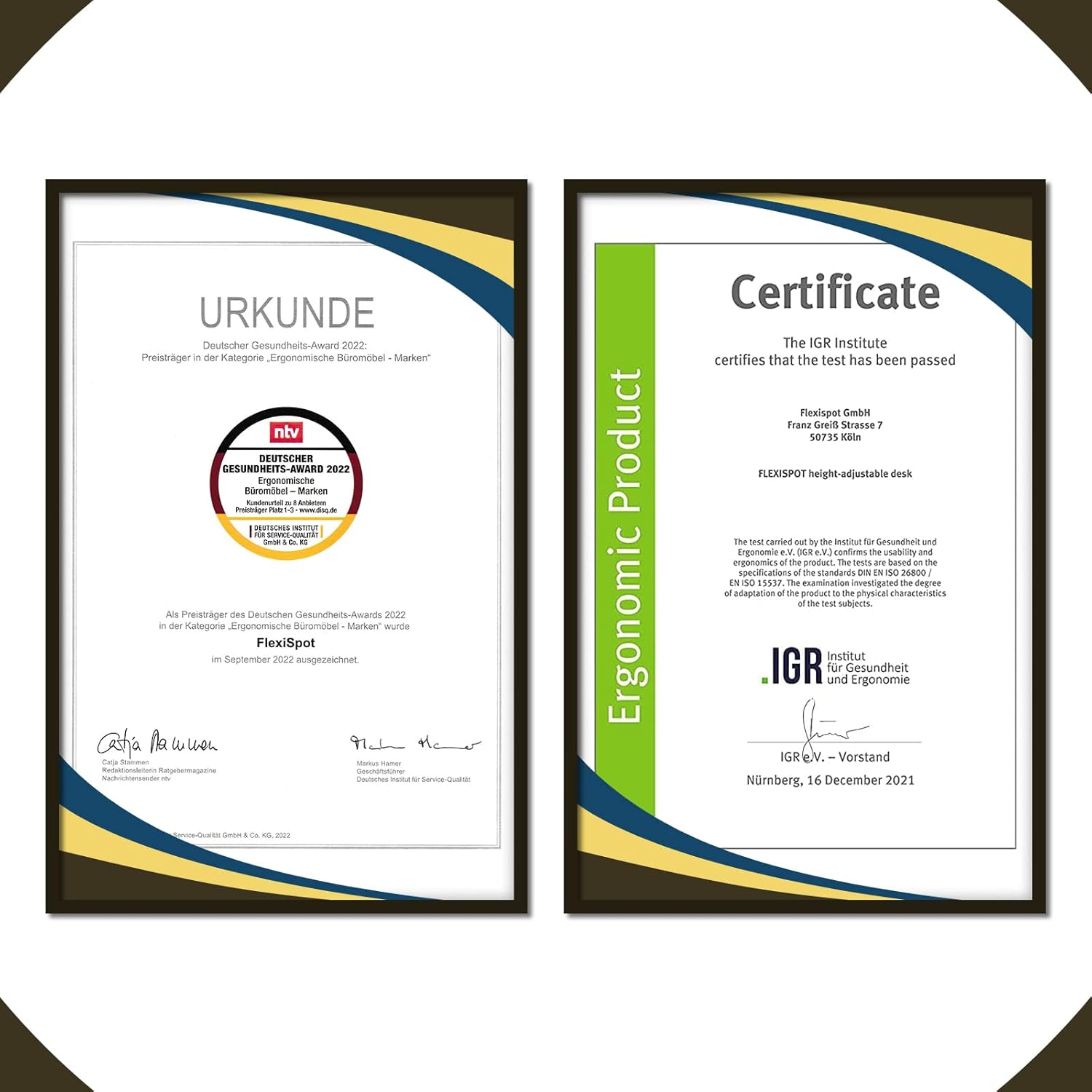
A certificate from the IGR Institute for Health and Ergonomics, confirming the FlexiSpot height-adjustable desk meets ergonomic standards.
3. Einrichtung
Assembly of the FlexiSpot EA2 desk frame is required. Please ensure you have sufficient space and assistance if needed. Tools are not included with this product, so prepare the necessary tools before starting assembly.
Schritte der Generalversammlung:
- Komponenten auspacken: Nehmen Sie alle Teile vorsichtig aus der Verpackung und überprüfen Sie sie anhand der beiliegenden Teileliste.
- Assemble Legs and Crossbar: Follow the detailed instructions in the separate assembly guide to connect the lifting columns to the feet and the crossbar.
- Desktop anbinden: Secure your chosen desktop to the assembled frame using the provided screws. Ensure the desktop is centered and aligned.
- Connect Control Box and Keypad: Plug in the control box, motor cables, and keypad cable according to the assembly guide.
- Kabelmanagement: Use cable ties or clips to organize and secure all cables, preventing them from interfering with the desk's movement.
- Erstes Einschalten und Zurücksetzen: Plug the desk into a power outlet. Perform the initial reset procedure as described in the assembly guide to synchronize the motors.

A diagram illustrating the adjustable dimensions of the FlexiSpot EA2 desk frame, including width (110-190cm), depth (58cm), and height (58-123cm).
4. Bedienungsanleitung
The FlexiSpot EA2 desk frame is operated via a smart keypad, allowing for easy height adjustments and memory presets.
Grundlegende Bedienung:
- Höhe einstellen: Use the up and down arrow buttons on the keypad to raise or lower the desk to your desired height. The desk will move smoothly with its soft start/stop function.
- Speichern von Speichervoreinstellungen: To save a specific height, adjust the desk to your preferred position. Press the 'M' button, then press one of the numbered preset buttons (e.g., '1', '2', '3') within a few seconds. The height is now saved to that preset.
- Voreinstellungen abrufen: Press a saved numbered preset button (e.g., '1') to automatically move the desk to the stored height.
- Antikollisionssystem: The desk is equipped with a built-in anti-collision system. If the desk encounters an obstruction during movement, it will automatically stop and retract slightly to prevent damage.
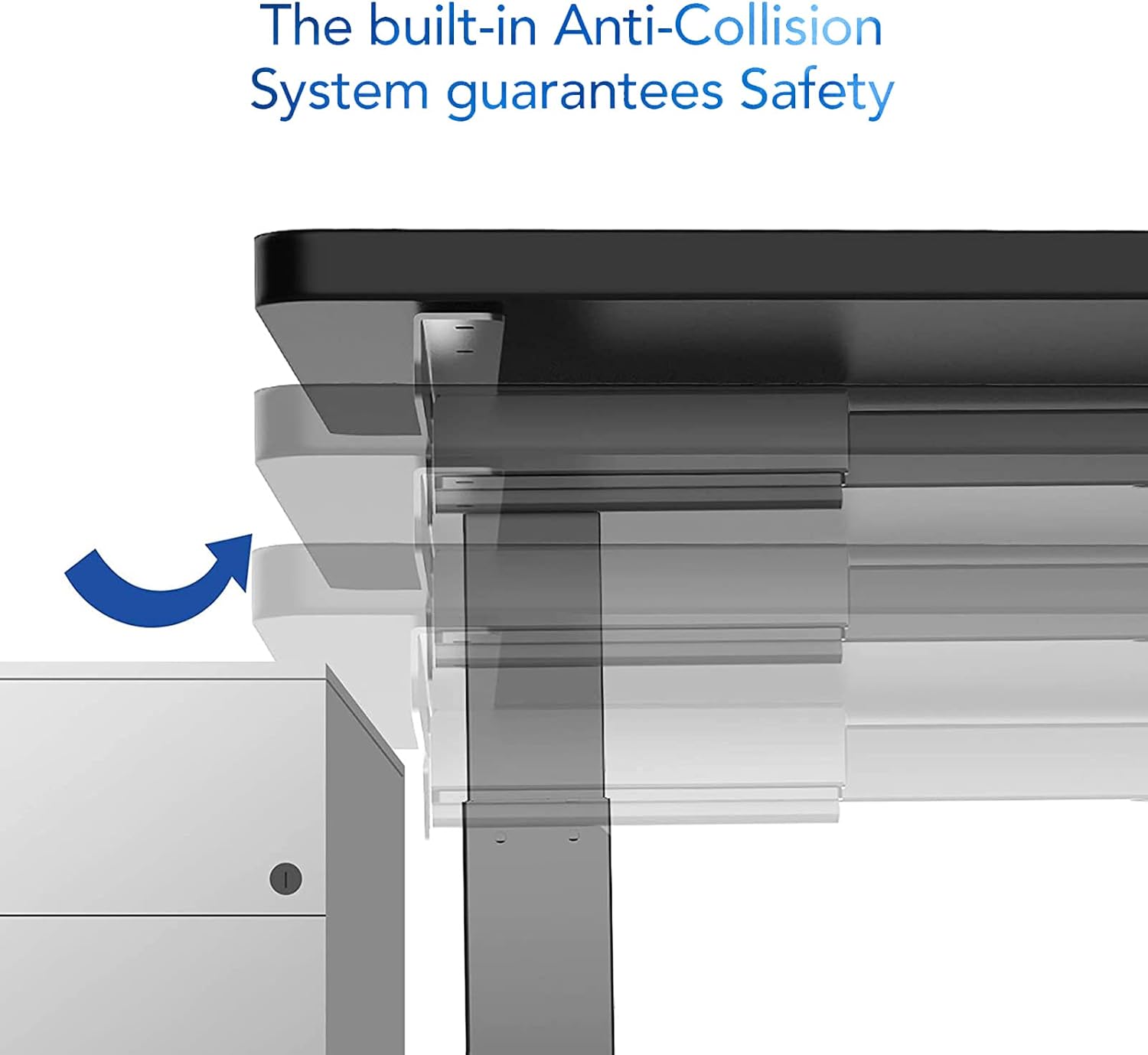
An image demonstrating the built-in anti-collision system of the FlexiSpot EA2 desk, showing the desk stopping and retracting slightly upon encountering an obstruction.
5. Wartung
Regular maintenance ensures the longevity and optimal performance of your FlexiSpot EA2 desk frame.
- Reinigung: Wischen Sie das Tischgestell mit einem weichen, fusselfreien Tuch ab.amp Mit einem Tuch abwischen. Vermeiden Sie die Verwendung von Scheuermitteln oder aggressiven Chemikalien, da diese die Oberfläche beschädigen können.
- Verbindungen prüfen: Überprüfen Sie regelmäßig alle Schrauben und Bolzen auf festen Sitz. Ziehen Sie sie gegebenenfalls nach.
- Kabelmanagement: Ensure cables remain tidy and are not pinched or tangled, which could affect desk operation or cause damage.
- Gewichtsverteilung: Distribute weight evenly across the desktop to prevent undue stress on the frame and motors.

A close-up image of the FlexiSpot EA2 desk leg, highlighting the durable powder coating and the dimensions of the steel tube sections (60x60x2.0mm, 65x65x1.5mm, 70x70x1.5mm).
6. Fehlerbehebung
If you encounter issues with your FlexiSpot EA2 desk frame, try the following troubleshooting steps:
- Schreibtisch bewegt sich nicht:
- Prüfen Sie, ob das Netzkabel sowohl am Schreibtisch als auch an der Wandsteckdose fest eingesteckt ist.
- Ensure all cables connecting the keypad, control box, and motors are properly connected.
- Try unplugging the desk for 10-15 seconds and then plugging it back in to reset the system.
- Ungleichmäßige Bewegung oder Geräusche:
- Perform a reset procedure (refer to your assembly guide for specific steps, usually involves holding down a button until the desk reaches its lowest point and slightly rises).
- Achten Sie darauf, dass der Schreibtisch nicht über seine maximale Tragfähigkeit hinaus überladen wird.
- Prüfen Sie, ob sich unter oder um die Tischbeine herum Hindernisse befinden.
- Tastatur reagiert nicht:
- Verify the keypad cable is firmly connected to the control box.
- If the issue persists after a power cycle, contact customer support.
For persistent issues or error codes displayed on the keypad, please refer to the detailed troubleshooting section in your full assembly manual or contact FlexiSpot customer support.
7. Spezifikationen
| Besonderheit | Detail |
|---|---|
| Marke | FLEXISPOT |
| Modellnummer | E6W-EU2+PR1808-Black-FR1 |
| Bilden | Rechteckig |
| Farbe | Schwarz |
| Rahmenmaterial | Legierter Stahl |
| Besonderheit | Einstellbare Höhe |
| Artikelgewicht | 20 Kilogramm |
| Montage erforderlich | Ja |
| Maximale Gewichtsempfehlung | 150 Kilogramm |
| Maximale Höhe | 123 Zentimeter |
| Mindesthöhe | 58 Zentimeter |
| Artikelabmessungen (L x B x H) | 180 x 80 x 125 Centimeters (with typical desktop) |
| Rahmenbreitenanpassung | 110-190 Centimeters |
| Rahmentiefe | 58 Zentimeter |
8. Garantie und Support
FlexiSpot products are designed for durability and performance. For information regarding product warranty, please refer to the warranty card included with your purchase or visit the official FlexiSpot webWebsite.
For technical support, spare parts, or any inquiries not covered in this manual, please contact FlexiSpot customer service. You can find contact information and additional resources by visiting the official FlexiSpot store: