
Xfinity XR15
Xfinity Comcast XR15 Voice Control Remote User Manual
Modell: XR15
Einführung
This manual provides comprehensive instructions for the Xfinity Comcast XR15 Voice Control Remote. Designed for seamless interaction with Xfinity X1, Xi6, Xi5, and XG2 equipment, this remote enhances your entertainment experience with intuitive voice commands and convenient features.
Produkt überview
The Xfinity XR15 Voice Control Remote is engineered for ease of use and efficient control of your Xfinity entertainment system. Key features include voice control, a backlit keypad, Aim Anywhere functionality, and easy access to accessibility features like Closed Captioning, video description, and voice guidance.
Remote Layout and Button Functions
Familiarize yourself with the remote's buttons and their corresponding functions:

Figure 1: Xfinity XR15 Remote Button Functions
- TV-Eingang: Switches to the next available input on your TV.
- Leistung: Turns the TV on or off. When programmed, it can also control the TV Box and certain audio devices. The X1 TV Box is designed to remain on.
- LAUTSTÄRKE +/-: Increases or decreases the volume when programmed with a valid TV or AV receiver code.
- Stumm: Turns sound off or on.
- CH +/-: Selects the next channel up or down.
- Abspielen/Pause: Plays or pauses live TV, XFINITY On Demand, or DVR content.
- FF (Schnellvorlauf): Fast forwards XFINITY On Demand or DVR content.
- Rew (Rewind): Rewinds XFINITY On Demand or DVR content.
- Ausfahrt: Exits on-screen guides; stops and exits XFINITY On Demand and DVR content. Returns to the "Live" point when replaying live TV.
- Record (red dot): Records the current program or saves future programs to your DVR.
- Xfinity: Displays the main menu of the guide, providing access to all guide features, including DVR and XFINITY On Demand.
- Führung: Displays TV listings.
- Zurück: Navigiert zurück in Menüs oder zu vorherigen Bildschirmen.
- Info (i): Displays information about programs and notifications.
- Voice Control (Microphone button): Use voice commands to search for networks, shows, set DVR recordings, and get recommendations.
- Zifferntasten (0-9): Use predictive text (T9) to quickly search for content or directly enter channel numbers.

Abbildung 2: Vorderseite view of two Xfinity XR15 Remotes
Aufstellen
The Xfinity XR15 remote is designed for easy pairing with your Xfinity equipment. It is compatible with Xi6, Xi5, XG2, and X1 equipment.
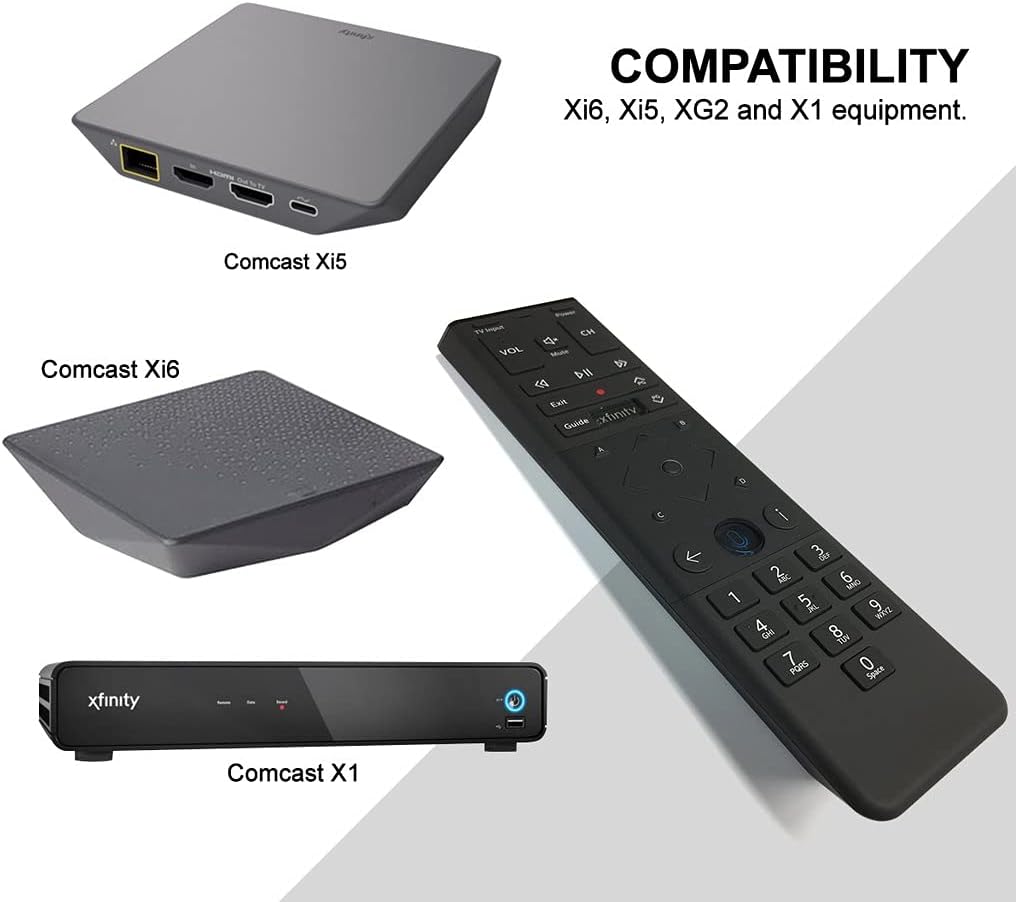
Figure 3: Xfinity XR15 Remote Compatibility
Automatisches Pairing
For most X1 TV Boxes, the remote will automatically pair when you first use it. Simply point the remote at your TV Box and press any button. Follow any on-screen prompts to complete the pairing process.
Manual Pairing (if automatic pairing fails)
- Stellen Sie sicher, dass Ihre TV-Box eingeschaltet ist.
- Halten Sie die Xfinity Und Informationen (i) buttons simultaneously for five seconds until the status LED on the remote changes from red to green.
- Befolgen Sie die Anweisungen auf dem Bildschirm, um die Kopplung abzuschließen.
Pairing with your TV for Volume and Power Control
To control your TV's volume and power, you will need to program the remote:
- Turn on your TV and Xfinity TV Box.
- Halten Sie die Aufstellen button (usually a small, recessed button on the remote, or sometimes the Xfinity Und Stumm buttons simultaneously) until the status LED on the remote changes from red to green.
- Enter the 5-digit code for your TV brand. A list of common codes can be found on the Xfinity support webWebsite.
- Richten Sie die Fernbedienung auf Ihren Fernseher und drücken Sie die Taste Leistung button. If the TV turns off, the remote is programmed. If not, try the next code for your TV brand.
Bedienungsanleitung
Verwenden der Sprachsteuerung
The voice control feature allows you to quickly find content, change channels, and control your DVR. To use voice control:

Figure 4: Voice Control Microphone Button
- Halten Sie die Mikrofon button (located below the directional pad).
- Speak clearly into the microphone at the top of the remote.
- Lassen Sie den Mikrofon button when you are finished speaking.
ExampDateien von Sprachbefehlen:
- "Find [Movie Title]"
- "Go to [Channel Name/Number]"
- "Record [Show Name]"
- "What's on tonight?"
- "Zeig mir Komödien"
The remote's voice recognition is highly responsive, allowing for quick navigation and content discovery.
Wartung
Batteriewechsel
The Xfinity XR15 remote requires two AA batteries (included). To replace the batteries:

Abbildung 5: Batteriefach
- Locate the battery cover on the back of the remote.
- Slide the cover downwards and lift it off.
- Remove the old batteries and insert two new AA batteries, ensuring correct polarity (+/-).
- Replace the battery cover by sliding it back into place until it clicks.
Für optimale Leistung verwenden Sie hochwertige Alkalibatterien.
Fehlerbehebung
If you encounter issues with your Xfinity XR15 remote, try the following solutions:
| Problem | Lösung |
|---|---|
| Remote not responding to commands. |
|
| Sprachsteuerung funktioniert nicht. |
|
| Volume or Power buttons not controlling TV. |
|
For further assistance, please visit the official Xfinity support webWebsite oder wenden Sie sich an den Kundendienst.
Technische Daten
| Besonderheit | Detail |
|---|---|
| Modellnummer | XR15 |
| Maße | 7 x 5.3 x 1.6 Zoll |
| Artikelgewicht | 10.2 Unzen |
| Batterien | 2 AA-Batterien (im Lieferumfang enthalten) |
| Kompatible Geräte | X1, Xi6, Xi5, XG2 TV Boxes |
| Besonderheit | Voice controlled, Backlit keypad, Aim Anywhere |
| Farbe | Schwarz |
Garantie und Support
For information regarding product warranty, please refer to the documentation provided with your purchase or visit the official Xfinity support website. Xfinity provides various support resources, including online guides, FAQs, and customer service contact options.
Online-Hilfe: www.xfinity.com/support
Ask a question about this manual
Ask about setup, troubleshooting, compatibility, parts, safety, or missing instructions. Manuals+ will review the question and use this page’s manual context to help answer it.