
Youshiko YC8061-B
Youshiko YC8061-B Jumbo Radio Controlled Wall Clock
Bedienungsanleitung
1. Einleitung
Thank you for choosing the Youshiko YC8061-B Jumbo Radio Controlled Wall Clock. This clock is designed to provide precise timekeeping, automatically synchronizing with the MSF radio signal for the UK and Ireland. It features a large, clear LCD display that shows time, date, day of the week, indoor temperature, and humidity. This manual will guide you through the setup, operation, and maintenance of your new clock.
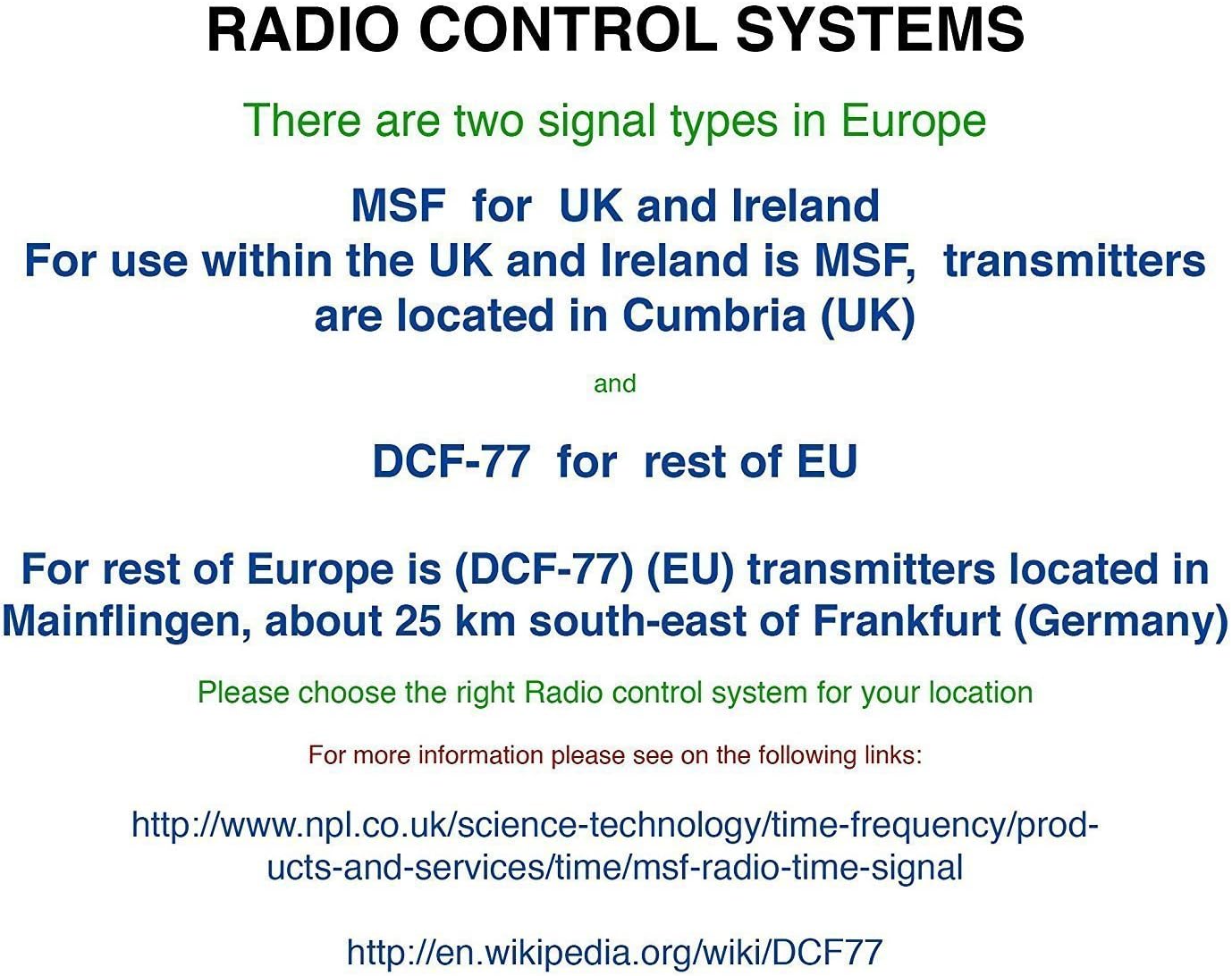
Abbildung 1.1: Vorderseite view of the Youshiko YC8061-B Jumbo Radio Controlled Wall Clock, displaying time, date, day, temperature, and humidity.
2. Packungsinhalt
- Youshiko YC8061-B Jumbo Radio Controlled Wall Clock
- Bedienungsanleitung
Notiz: Für den Betrieb werden 4 AA-Batterien benötigt, die nicht im Lieferumfang enthalten sind.
3. Produktüberschreitungview
Familiarize yourself with the main components and controls of your clock.
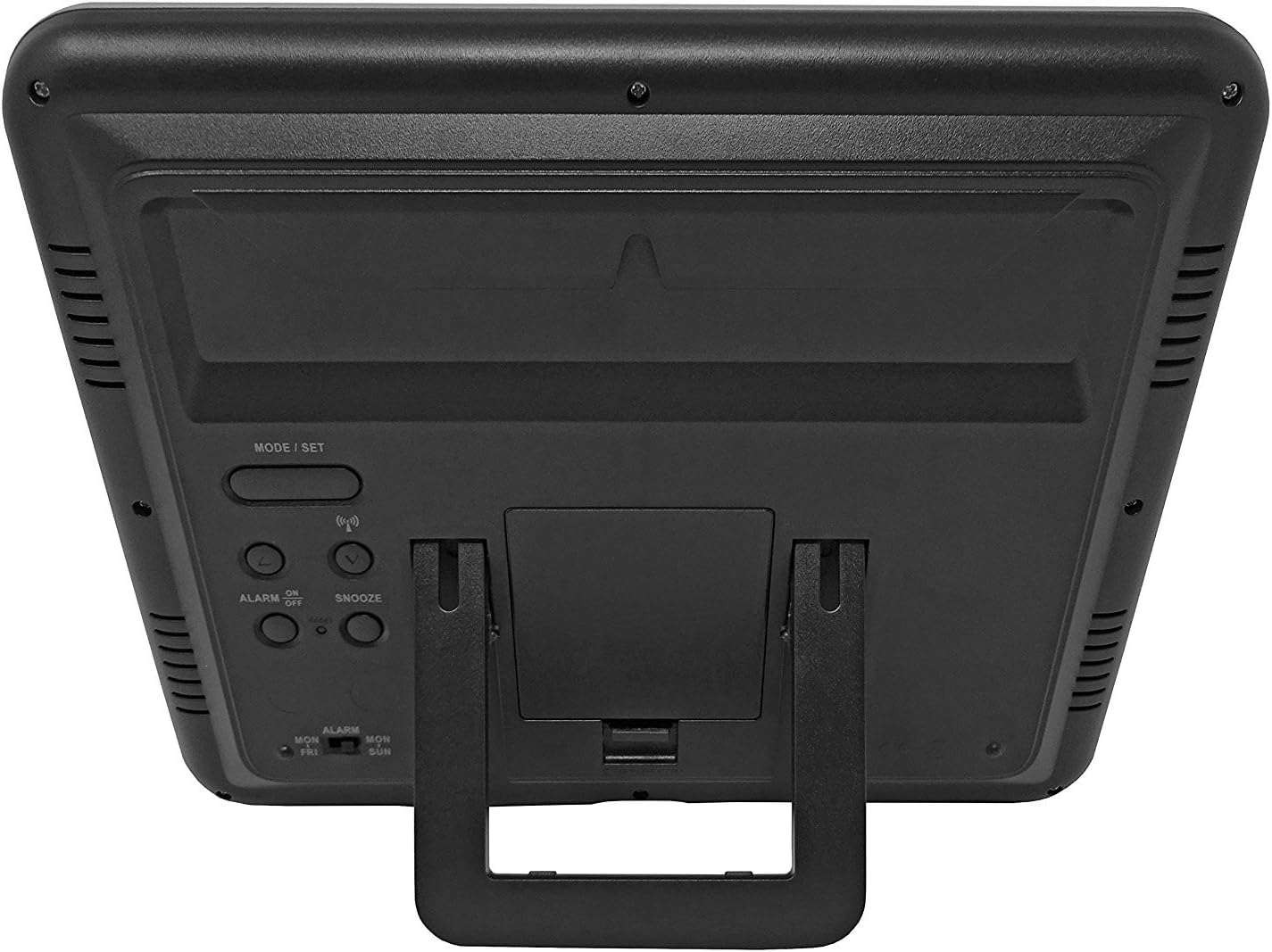
Abbildung 3.1: Zurück view of the clock, highlighting the battery compartment and control buttons.
Bedientasten:
- MODE / SET: Used to switch between display modes and enter setting mode.
- OBEN UNTEN: Dient zur Anpassung von Werten im Einstellmodus.
- WAVE / RCC: Manually initiates or stops radio control signal reception.
- ALARM ON / OFF: Aktiviert oder deaktiviert den Alarm.
- SCHLUMMER: Aktiviert die Schlummerfunktion, wenn der Alarm ertönt.
4. Einlegen der Batterie
- Suchen Sie den Batteriefachdeckel auf der Rückseite der Uhr.
- Remove the cover by sliding it down or lifting it off.
- Legen Sie 4 neue AA-Batterien ein und achten Sie dabei auf die richtige Polarität (+ und -), wie im Batteriefach angegeben.
- Bringen Sie die Abdeckung des Batteriefachs wieder an.
The clock will power on and begin searching for the radio control signal automatically.
5. Initial Setup & Time Synchronization
The Youshiko YC8061-B clock is designed to automatically set its time and date via the MSF radio signal broadcast from Cumbria, UK. This signal is specifically for use within the UK and Ireland.

Figure 5.1: Explanation of radio control systems (MSF for UK/Ireland, DCF-77 for rest of EU).
Automatische Synchronisierung:
- After battery installation, the clock will automatically start searching for the MSF signal. A radio wave icon will flash on the display.
- Place the clock near a window, away from electronic devices that may cause interference.
- The initial synchronization process may take several minutes to a few hours, depending on your location and signal strength.
- Once the signal is successfully received, the radio wave icon will appear solid on the display, and the clock will show the correct time and date.
- The clock will automatically adjust for Daylight Saving Time (DST) and perform daily checks to maintain accuracy.
Manuelle Signalsuche:
If the clock does not synchronize automatically or if you wish to force a signal search, press and hold the WAVE / RCC button. The radio wave icon will flash, indicating it is searching for the signal.
Manual Time Setting (if radio signal is unavailable):
In areas where the radio signal cannot be received, you can manually set the time and date:
- Halten Sie die MODE / SET Drücken Sie die Taste, bis die Zeitanzeige zu blinken beginnt.
- Verwenden Sie die UP or RUNTER Tasten zum Einstellen des Blinkwertes (z. B. Stunde, Minute).
- Drücken MODE / SET again to confirm the setting and move to the next adjustable item (e.g., minute, year, month, day, 12/24-hour format, temperature unit).
- Wiederholen Sie die Schritte 2 und 3, bis alle Einstellungen konfiguriert sind.
- Drücken MODE / SET Ein letztes Mal, um den Einstellungsmodus zu verlassen.
6. Bedienungsanleitung
Anzeigemodi:
The clock displays time (hours, minutes, seconds), date (day, month, year), day of the week, indoor temperature, and humidity. The time digits are large (8.3 cm) for easy readability.
Alarmfunktion:
- Um die Weckzeit einzustellen, drücken Sie die Taste MODE / SET button repeatedly until the alarm time is displayed.
- Drücken und halten MODE / SET until the alarm hour flashes. Use UP or RUNTER anpassen.
- Drücken MODE / SET to confirm the hour and move to minutes. Use UP or RUNTER anpassen.
- Drücken MODE / SET Alarmeinstellungen beenden.
- Zum Aktivieren oder Deaktivieren des Alarms drücken Sie die Taste ALARM EIN / AUS Taste. Beim Aktivieren erscheint ein Alarmsymbol auf dem Display.
Schlummerfunktion:
Wenn der Alarm ertönt, drücken Sie die SCHLAFEN button to temporarily silence the alarm. The alarm will sound again after approximately 5 minutes.
Auswahl der Temperatureinheit:
Um zwischen Celsius (°C) und Fahrenheit (°F) für die Temperaturanzeige umzuschalten, drücken Sie die Taste UP button during normal time display.
7. Montagemöglichkeiten
The Youshiko YC8061-B clock offers versatile placement options:
Wandmontage:
The clock features a keyhole slot on the back for easy wall mounting. Use a suitable screw (not included) in your desired location.

Figure 7.1: The clock displayed on a wall, showcasing its suitability for wall mounting.
Tischständer:
An integrated foldable stand on the back allows the clock to be placed on any flat surface, such as a desk, shelf, or bedside table.

Figure 7.2: The clock positioned on a table using its integrated stand.
8. Wartung
Reinigung:
Reinigen Sie die Uhr mit einem weichen, trockenen Tuch. Verwenden Sie keine Scheuermittel oder Lösungsmittel, da diese das Display oder die Elektronik beschädigen können.asing.
Batteriewechsel:
When the display dims or the clock stops functioning correctly, replace all 4 AA batteries simultaneously. Do not mix old and new batteries or different types of batteries.
9. Fehlerbehebung
| Problem | Mögliche Ursache | Lösung |
|---|---|---|
| Die Uhr zeigt nichts an. | Die Batterien sind leer oder falsch eingelegt. | Ersetzen Sie die Batterien durch neue und achten Sie dabei auf die richtige Polarität. |
| Radio wave icon is flashing, or time is incorrect. | Schlechter Radioempfang. | Move the clock to a location with better signal reception (e.g., near a window, away from electronics). Manually initiate signal search using the WAVE / RCC button. |
| Der Alarm ertönt nicht. | Der Alarm ist nicht aktiviert. | Press the ALARM ON / OFF button to activate the alarm (alarm icon should appear). |
| Die Messwerte für Temperatur und Luftfeuchtigkeit scheinen ungenau zu sein. | Clock is placed in an area with extreme temperature fluctuations or direct sunlight. | Relocate the clock to a stable indoor environment. Allow time for readings to stabilize. |
10. Spezifikationen

Figure 10.1: Dimensions of the Youshiko YC8061-B Jumbo Radio Controlled Wall Clock.
| Besonderheit | Detail |
|---|---|
| Modellnummer | YC8061-B |
| Abmessungen (L x B x H) | 24.8 x 20.6 x 2.8 cm (9.76 x 8.11 x 1.1 Zoll) |
| Gewicht | 600 Gramm |
| Stromquelle | 4 x AA-Batterien (nicht im Lieferumfang enthalten) |
| Anzeigetyp | Digital LCD |
| Zeitsignal | MSF (UK & Ireland version) |
| Besondere Merkmale | Radio-controlled, Automatic DST adjustment, Indoor Temperature Display, Indoor Humidity Display, Calendar (Day, Month, Year), Alarm with Snooze, Wall Mountable / Table Stand |
| Farbe | Schwarz |
11. Garantieinformationen
Youshiko products are manufactured to high-quality standards. This product is covered by a standard manufacturer's warranty against defects in materials and workmanship. Please retain your proof of purchase for warranty claims. Specific warranty terms and duration may vary by region. For detailed warranty information, please refer to the documentation provided at the time of purchase or contact Youshiko customer support.
12. Unterstützung
Should you encounter any issues or have questions regarding your Youshiko YC8061-B Jumbo Radio Controlled Wall Clock that are not addressed in this manual, please contact Youshiko customer support. Contact details can typically be found on the product packaging or the official Youshiko webWebsite.
Ask a question about this manual
Ask about setup, troubleshooting, compatibility, parts, safety, or missing instructions. Manuals+ will review the question and use this page’s manual context to help answer it.