
1. Einleitung
This manual provides detailed instructions for the installation, operation, and maintenance of your SV3C 5MP PoE Security Camera. This camera is designed for both outdoor and indoor surveillance, featuring high-definition video, starlight night vision, and robust weather resistance. Please read this manual thoroughly before using the product to ensure proper setup and functionality.
2. Packungsinhalt
Bitte prüfen Sie, ob alle unten aufgeführten Artikel in Ihrem Paket enthalten sind. Sollten Artikel fehlen oder beschädigt sein, kontaktieren Sie bitte unseren Kundenservice.
- SV3C PoE IP Camera
- Netzwerkkabel
- Power Adapter (optional use)
- Kurzanleitung / Benutzerhandbuch
- Waterproof Lid for Ethernet Connector
- Befestigungsschrauben und Innensechskantschlüssel

Image: Contents of the SV3C 5MP PoE Camera package.
3. Produktmerkmale
- Super HD 5MP Resolution: Captures video at 2560x1920 pixels at 12.5 frames per second for clear imaging.
- Erweiterte Nachtsicht: Equipped with a 3.6mm fixed lens and 335 Sensor for starlight illumination, providing night vision up to 65-100ft.
- Power-over-Ethernet (PoE): Simplifies installation by delivering both power and data through a single Cat5 cable. A power adapter is also included for non-PoE setups.
- H.265/H.264 Videokomprimierung: Efficient video coding saves storage space and ensures smooth playback.
- Intelligente Bewegungserkennung: Configurable motion detection triggers alerts to your mobile phone and sends images to Email/FTP.
- IP66-Wetterfestes Design: Full aluminum casing ensures durability and protection against complex outdoor environments, operating from -4°F to 140°F.
- Breite Kompatibilität: Supports ONVIF and is compatible with Blue Iris, Ispy, Zoneminder, VLC, and various NVR devices.
- Fernzugriff: View lebe footage and recordings via the Camhipro app (iOS/Android) or HIP2P software (PC/Mac).

Image: Day and night vision capabilities of the 5MP camera.
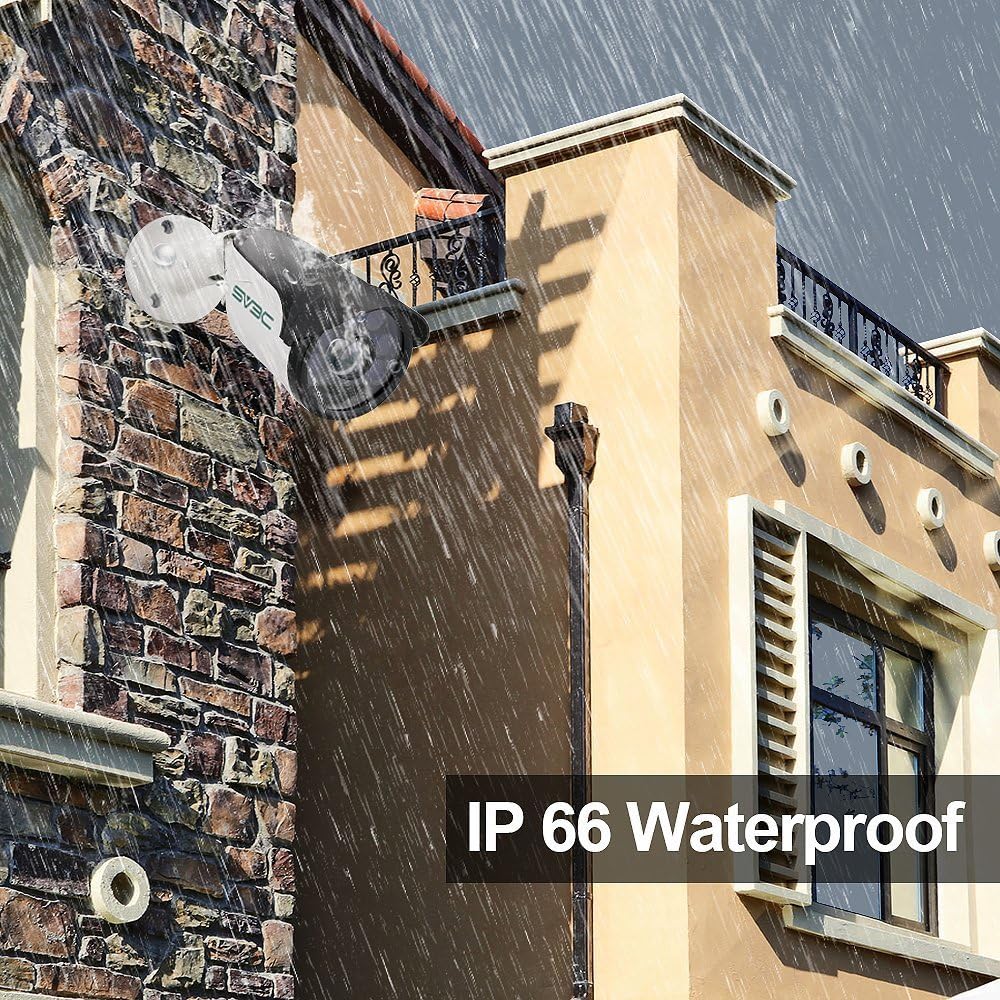
Image: The camera's IP66 waterproof design in an outdoor setting.
4. Einrichtung und Installation
4.1 Stromversorgung der Kamera
Die Kamera unterstützt zwei Stromversorgungsoptionen:
- Power-over-Ethernet (PoE): Connect a single Cat5 (or higher) Ethernet cable from a PoE switch or PoE injector directly to the camera's Ethernet port. This cable will provide both power and data.
- Netzteil: If not using PoE, connect the included power adapter to the camera's power input and plug it into a standard electrical outlet. Then, connect a standard Ethernet cable from your router/switch to the camera's Ethernet port.
4.2 Physische Installation
Choose a suitable location for mounting the camera, ensuring it has a clear field of view and is within range of your network connection. Use the provided screws and hex key to securely mount the camera. Adjust the camera's angle as needed.

Image: Installation diagram for the camera.
4.3 Network Connection and Initial Setup
- Verbinden Sie die Kamera über ein Ethernet-Kabel mit Ihrem Netzwerk.
- Laden Sie die Camhipro app for iOS/Android or HIP2P software for PC/Mac.
- Follow the in-app/software instructions to discover and add your camera to the system. This typically involves scanning a QR code on the camera or searching for devices on the local network.
- Change the default password for security purposes.

Bild: Multiplattform viewing options for the camera.
5. Bedienung
5.1 Live View und Aufzeichnung
Sobald die Verbindung hergestellt ist, können Sie auf die Live-Übertragung zugreifen. view of your camera through the Camhipro app or HIP2P software. You can initiate manual recordings or configure continuous recording settings.
5.2 Bewegungserkennung und Benachrichtigungen
The camera features smart motion detection. To configure:
- Access the camera settings via the app or software.
- Navigieren Sie zum Abschnitt Bewegungserkennung.
- Adjust sensitivity and define detection zones as required.
- Set up alert notifications to your mobile phone, email, or FTP server.

Image: Motion detection alarm feature.
5.3 Nachtsicht
The camera automatically switches to infrared (IR) night vision in low-light conditions, providing clear black and white images. The starlight illumination feature enhances low-light performance before full IR activation.
5.4 Speichermöglichkeiten
- NVR (Netzwerk-Videorekorder): The camera is compatible with various NVR devices supporting ONVIF. Refer to your NVR's manual for integration instructions.
- Cloud-Dienst: A cloud storage option is available for video and picture storage (free for the first 30 days). Activate this service through the Camhipro app if desired.
6. Wartung
To ensure optimal performance and longevity of your SV3C 5MP PoE Security Camera, follow these maintenance guidelines:
- Reinigung: Regularly clean the camera lens with a soft, dry cloth to remove dust and smudges. Avoid abrasive cleaners.
- Umweltschutz: The camera has an IP66 waterproof rating, designed to withstand harsh weather. However, avoid directing high-pressure water jets directly at the camera.
- Kabelinspektion: Periodically check the network and power cables for any signs of wear or damage. Ensure the waterproof lid for the Ethernet connector is securely in place for outdoor installations.
- Firmware-Updates: Überprüfen Sie die offizielle SV3C-Website. website for any available firmware updates to ensure your camera has the latest features and security enhancements.
7. Fehlerbehebung
Sollten Sie Probleme mit Ihrer Kamera haben, beachten Sie bitte die folgenden gängigen Lösungsansätze:
| Problem | Mögliche Lösung |
|---|---|
| Kamera lässt sich nicht einschalten | Check power connection (PoE switch/injector or power adapter). Ensure the power source is active. |
| No video feed / Offline | Verify network cable connection. Ensure the camera is properly added to the app/software. Check router/network status. |
| Schlechte Bildqualität | Clean the camera lens. Ensure sufficient lighting for optimal performance. Check resolution settings in the app/software. |
| Bewegungserkennung funktioniert nicht | Check motion detection settings (sensitivity, zones). Ensure notifications are enabled in the app/software. |
| Cannot connect to NVR | Ensure NVR supports ONVIF. Verify network connectivity between camera and NVR. Consult NVR manual for adding IP cameras. |
For further assistance, please contact SV3C customer support.
8. Spezifikationen
| Besonderheit | Detail |
|---|---|
| Modellnummer | SV-B01POE-5MPL-A |
| Auflösung | 5 MP (2560 x 1920) |
| Bildfrequenz | 25 Bilder pro Sekunde |
| Linse | 3.6mm Feste Linse |
| Nachtsichtbereich | 65-100 feet (Starlight Illumination) |
| Videokomprimierung | H.265/H.264 |
| Konnektivität | Wired (PoE or 12V DC Power Adapter) |
| Wetterbeständigkeit | IP66 Wasserdicht |
| Betriebstemperatur | -4°F bis 140°F (-20°C bis 60°C) |
| Maße | 7.09 x 3.15 x 3.15 Zoll |
| Gewicht | 1.25 Pfund |
| Kompatible Geräte | Desktop, Smartphone (iOS/Android) |
| Zertifizierungen | FCC, ONVIF |
9. Garantie und Support
SV3C products are designed for reliability and performance. For warranty information, please refer to the documentation included with your purchase or visit the official SV3C website. For technical support, troubleshooting assistance, or any inquiries, please contact SV3C customer service through their official channels.
Online-Ressourcen:
- SV3C Official WebWebsite: www.sv3c.com (Hinweis: Dies ist ein Platzhalter. URLBitte konsultieren Sie die tatsächliche Produktdokumentation für korrekte Angaben. webWebsite.)
- Support Email: Refer to your Quick Start Guide or product packaging.