
1. Einleitung
The Interfit LS101 Studio Essentials Lightweight Light Stand is designed to provide a stable and portable support solution for various lighting equipment in studio or on-location settings. This manual provides essential information for the safe and effective use of your light stand.
2. Sicherheitshinweise
- Achten Sie stets darauf, dass das Lampenstativ auf einer stabilen, ebenen Fläche steht, um ein Umkippen zu verhindern.
- Die maximale Tragfähigkeit von 3 kg (7 lbs) darf nicht überschritten werden. Überladung kann zu Instabilität und Schäden führen.
- Distribute weight evenly when mounting equipment.
- Securely tighten all locking mechanisms before use.
- Be aware of pinch points when extending or collapsing the stand.
- Keep the stand away from electrical hazards and water.
- Do not leave equipment unattended on the stand, especially in high-traffic areas or outdoors in windy conditions.
3. Packungsinhalt
- One (1) Interfit LS101 7'6" Value Light Stand
4. Aufbau und Montage
-
Unfolding the Stand
Place the folded light stand on a flat surface. Gently pull the legs outwards until they are fully extended and locked into position. Ensure the legs form a wide, stable base.
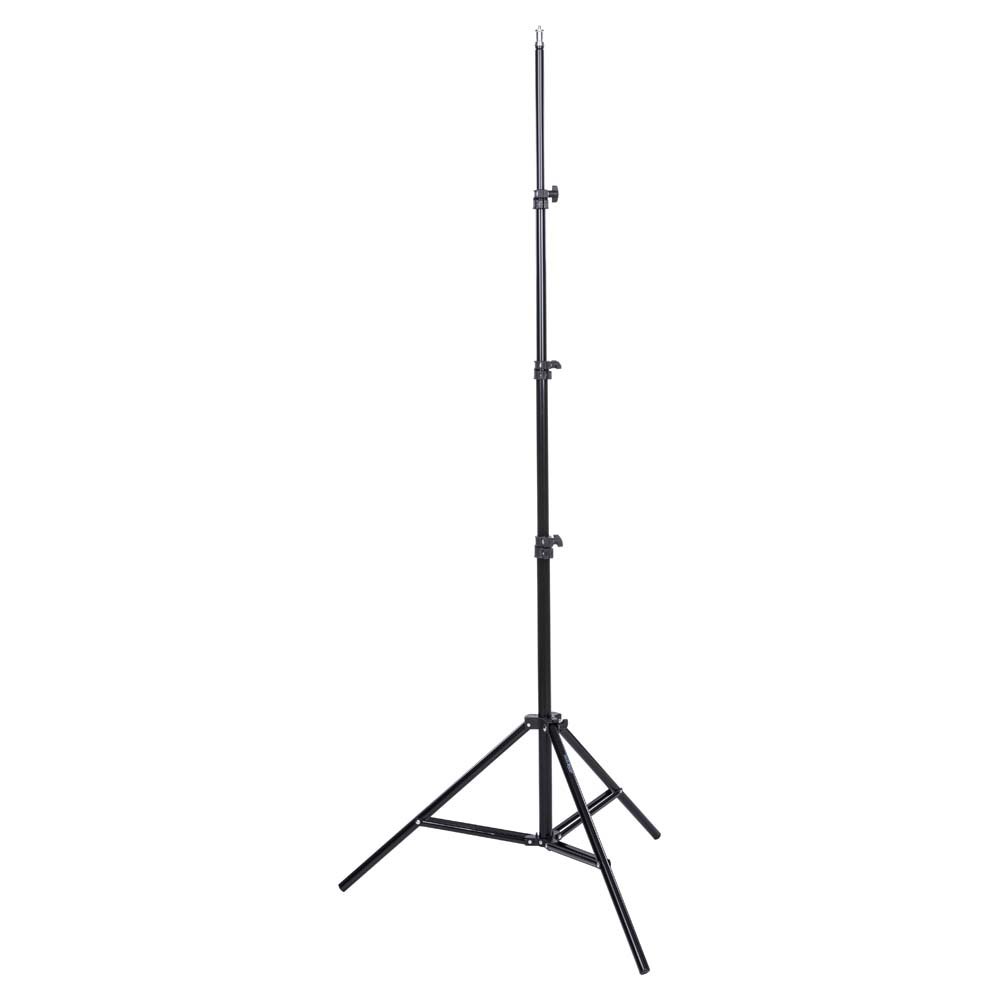
Image: The Interfit LS101 light stand shown in its folded, compact state, ready for transport or storage. The main shaft and folded legs are visible.
-
Verlängerung der Mittelsäule
Loosen the sure-twist section locks on each segment of the center column. Carefully pull the column upwards to the desired height. The stand features spring cushioning to prevent sudden drops when adjusting. Once at the desired height, securely tighten all section locks to prevent the column from slipping.
-
Montagezubehör
The top of the stand features a standard 5/8" stud mount with a 1/4"-20 thread. Attach your lighting equipment (e.g., speedlights, small LED panels, studio lights) to this mount. Ensure the equipment is firmly secured before releasing deinen Griff.
5. Bedienungsanleitung
- Höhenverstellung: To adjust the height, loosen the sure-twist section locks one segment at a time, adjust to the desired height, and then re-tighten the lock. Always start with the lowest section and work your way up.
- Gewichtskapazität: This stand is designed to support equipment weighing up to 7 lbs (3 kg). Do not exceed this limit.
- Stabilität: For maximum stability, ensure the legs are fully spread. Consider using sandbags or weights on the legs for added stability, especially with heavier equipment or in outdoor conditions.
6. Wartung
- Reinigung: Wipe the stand with a soft, dry cloth to remove dust and dirt. Avoid using abrasive cleaners or solvents.
- Schmierung: Periodically check the moving parts and apply a small amount of silicone-based lubricant if any sections become stiff. Do not over-lubricate.
- Lagerung: Collapse the stand completely and store it in a dry, cool place, preferably in a protective bag, to prevent damage and prolong its lifespan.
7. Fehlerbehebung
- Der Ständer ist instabil: Ensure legs are fully spread and all locking mechanisms are tightened. Check the surface for levelness. Consider adding weight to the base.
- Column sections slipping: Verify that the sure-twist section locks are fully tightened. If slippage persists, inspect the locking mechanisms for wear or damage.
- Difficulty extending/collapsing sections: Clean the inner and outer tubes to remove any debris. Apply a small amount of silicone lubricant if necessary.
8. Spezifikationen
| Besonderheit | Detail |
|---|---|
| Modellnummer | LS101 |
| Maximale Höhe | 7'6" (2.28 m) |
| Mindesthöhe | Not specified, but compact when folded |
| Gefaltete Länge | 28 Zoll (71.12 cm) |
| Maximale Tragfähigkeit | 7 kg |
| Befestigungsbolzen | 5/8" stud with 1/4"-20 thread |
| Artikelgewicht | 3.3 Pfund (1.5 kg) |
| Konstruktion | Lightweight, high-density polycarbonate locking mechanisms |
| Dämpfung | Spring cushioned sections |
9. Garantie und Support
For warranty information or technical support, please contact Interfit customer service. Keep your purchase receipt as proof of purchase. Contact details can typically be found on the manufacturer's official webStandort oder Produktverpackung.