
1. Einleitung
The Picun H12 Bluetooth Neckband Headset offers a comfortable and high-quality audio experience for various activities, including sports and daily use. Featuring Bluetooth 4.1 connectivity, a 13mm driver for clear sound, and IPX6 water resistance, these earphones are designed for durability and convenience. The magnetic earbuds and lightweight neckband design enhance portability and ease of use.
2. Lieferumfang
- Picun H12 Bluetooth Neckband Headset
- USB-Ladekabel
- Earbuds Covers (various sizes)
- Bedienungsanleitung
3. Produktüberschreitungview
The Picun H12 headset is engineered for superior sound and extended battery life, ensuring an immersive audio experience.

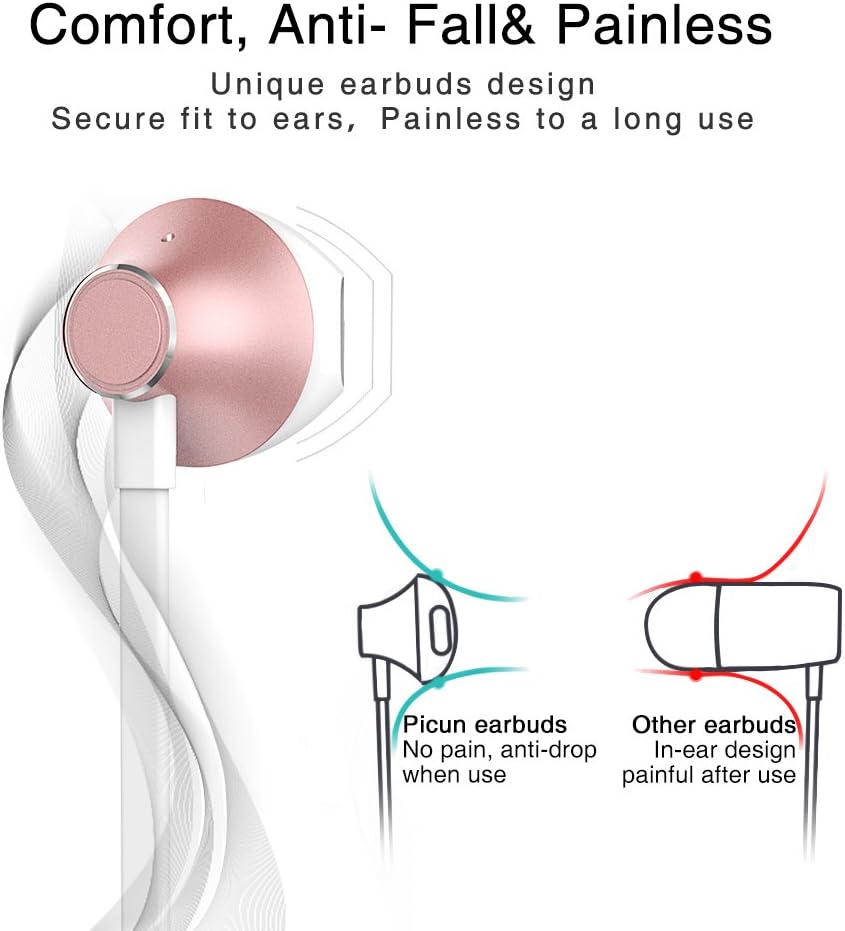
Designed for comfort, the unique earbud shape provides a secure fit without causing discomfort, even during prolonged use.
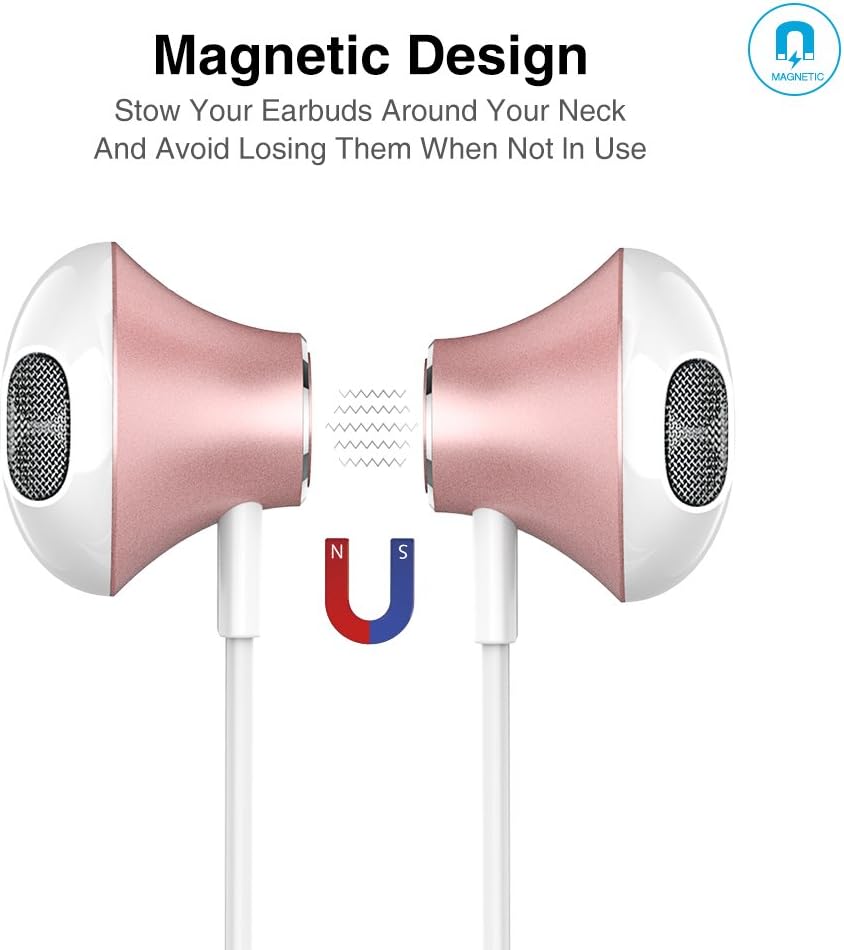
The magnetic design allows the earbuds to clip together when not in use, preventing tangles and making them easy to carry around your neck.
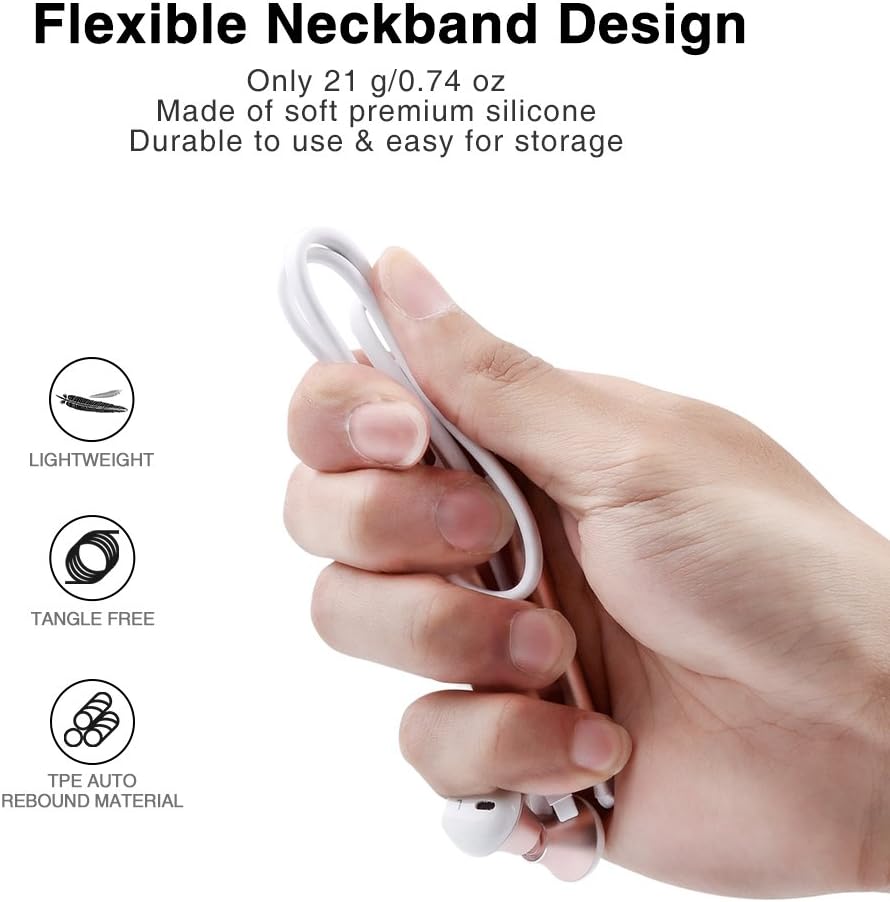
The flexible neckband is lightweight and made from TPE auto-rebound material, ensuring durability and tangle-free storage.
Control your audio and calls effortlessly with the integrated in-line remote and HD noise reduction microphone.

With an IPX6 water-resistant nano-coating, the headset is protected against sweat and rain, making it ideal for workouts.

Sehen Sie sich dieses Video an, um einen visuellen Überblick zu erhalten.view of the Picun H12 Bluetooth Neckband Headset's features and design.
4. Einrichtung
4.1 Aufladen des Headsets
- Connect the micro USB charging cable to the charging port on the headset.
- Verbinden Sie das andere Ende des Kabels mit einer USB-Stromquelle (z. B. Computer, Wandadapter).
- The indicator light will show charging status. A full charge takes approximately 1 hour and provides up to 10 hours of playtime.
4.2 Bluetooth-Kopplung
- Stellen Sie sicher, dass das Headset vollständig aufgeladen ist.
- Press and hold the multi-function button (usually the center button on the in-line remote) until the indicator light flashes red and blue, indicating pairing mode.
- Aktivieren Sie auf Ihrem Gerät (Smartphone, Tablet usw.) Bluetooth und suchen Sie nach verfügbaren Geräten.
- Select "Picun H12" from the list of found devices.
- Once paired, the indicator light will typically turn solid blue or flash blue slowly. A voice prompt may confirm successful connection.
5. Bedienungsanleitung
5.1 Ein-/Ausschalten
- Einschalten: Press and hold the multi-function button for approximately 3 seconds until the indicator light flashes blue and a voice prompt confirms power on.
- Ausschalten: Press and hold the multi-function button for approximately 3-5 seconds until the indicator light flashes red and a voice prompt confirms power off.
5.2 Musikwiedergabe
- Abspielen/Pause: Drücken Sie kurz die Multifunktionstaste.
- Nächstes Lied: Die Taste "V+" lange drücken.
- Vorheriges Lied: Die Taste "V-" lange drücken.
- Lautstärke erhöhen: Drücken Sie kurz die Taste "V+".
- Lautstärke runter: Drücken Sie kurz die Taste "V-".
5.3 Anrufmanagement
- Anruf annehmen: Drücken Sie kurz die Multifunktionstaste, wenn ein Anruf eingeht.
- Anruf beenden: Drücken Sie während eines Anrufs kurz die Multifunktionstaste.
- Anruf ablehnen: Bei einem eingehenden Anruf die Multifunktionstaste lange gedrückt halten.
- Wahlwiederholung letzte Nummer: Drücken Sie die Multifunktionstaste zweimal.
6. Wartung
- Reinigung: Reinigen Sie das Headset mit einem weichen, trockenen Tuch. Verwenden Sie keine Scheuermittel oder Lösungsmittel.
- Wasserbeständigkeit: The headset is IPX6 water-resistant, meaning it can resist high-pressure, heavy sprays of water. It is not designed for submersion. Dry thoroughly if exposed to water or sweat.
- Lagerung: When not in use, store the headset in a cool, dry place. The magnetic earbuds help prevent tangling.
- Batteriepflege: Um die Akkulaufzeit zu verlängern, vermeiden Sie häufiges vollständiges Entladen des Akkus. Laden Sie das Headset regelmäßig auf, auch wenn Sie es längere Zeit nicht benutzen.
7. Fehlerbehebung
| Ausgabe | Mögliche Lösung |
|---|---|
| Das Headset lässt sich nicht einschalten | Stellen Sie sicher, dass das Headset vollständig aufgeladen ist. Schließen Sie es an eine Stromquelle an und versuchen Sie es erneut. |
| Kopplung mit dem Gerät nicht möglich | Ensure the headset is in pairing mode (flashing red and blue light). Turn off and on Bluetooth on your device. Move closer to the headset. |
| Kein Ton oder geringe Lautstärke | Check volume levels on both the headset and your connected device. Ensure the headset is properly paired. Try re-pairing. |
| Intermittierende Verbindung | Ensure no obstacles are between the headset and your device. Stay within the 33-foot (10-meter) Bluetooth range. Avoid strong electromagnetic interference. |
| Ladeproblem | Check the charging cable and USB power source. Try a different cable or power adapter. Ensure the charging port is clean and free of debris. |
8. Spezifikationen
- Marke: Picun
- Modell: H12
- Konnektivitätstechnologie: Kabellos (Bluetooth)
- Bluetooth-Version: 4.1
- Drahtlose Reichweite: Bis zu 33 Fuß (10 Meter)
- Spielzeit: Bis zu 10 Stunden
- Ladezeit: Ungefähr 1 Stunde
- Treibergröße: 13 MM Neodymium
- Frequenzgang: 20 Hz - 20 kHz
- Wasserbeständigkeit: IPX6 (Schweiß- und spritzwassergeschützt)
- Ohrplatzierung: Im Ohr
- Formfaktor: Halsband
- Steuerungstyp: In-line Volume Control, Multi-function button
- Mikrofon: Built-in HD noise reduction mic
- Gewicht: 0.05 Pfund (ca. 21 g)
- Material: Silicone, Thermoplastic Elastomer (TPE)
9. Garantie und Support
The Picun H12 Bluetooth Neckband Headset comes with a 10-month guarantee period from the date of purchase. For any product-related inquiries, technical support, or warranty claims, please contact Picun customer service. Refer to the contact information provided on the product packaging or the official Picun webWebsite für Unterstützung.