
Zoeller 10-4013
Zoeller APak Z-Control Indoor Alarm System User Manual
Modell: 10-4013
1. Produktüberschreitungview
The Zoeller APak Z-Control Indoor Alarm System with Reed Sensor is designed to provide high-water detection and alerts for various applications such as basement sump pits, pump chambers, and holding tanks. This system features both audible and visual warnings, along with smart alerts via the Z-Control app.

Image: The Zoeller APak Z-Control Indoor Alarm System unit with its reed sensor and key features highlighted.
Hauptmerkmale:
- Smart High-Water Detection: Monitors water levels and sends free text, email, or push notifications via the Z-Control app.
- Audible & Visual Warning: An 80 dB buzzer and a bright red alert light activate at high water levels.
- Reliable Power with Battery Backup: Operates on standard 115 V power with a 6-foot cord and includes a battery backup (requires 2 AA batteries, not included) for power outages.
- Easy Wall Mount & Compact Sensor: Designed for simple wall mounting and includes a 15-foot reed sensor float switch suitable for tight spaces.
- Einfache Bedienung: Features a green power indicator light, and a Silence/Reset/Test button for user control.
2. Einrichtung und Installation
Follow these steps for proper installation of your Zoeller APak Z-Control Indoor Alarm System.
2.1 Auspacken und Prüfen
Carefully remove all components from the packaging. Inspect for any damage that may have occurred during shipping. Contact your supplier immediately if any parts are damaged or missing.

Image: All components included with the Zoeller APak Z-Control Indoor Alarm System, including the main unit, reed sensor, power adapter, and mounting hardware.
2.2 Montage der Alarmeinheit
- Select a suitable location near the sump pit, pump basin, or holding tank. The location should be dry, easily accessible, and within reach of a 115V power outlet.
- Use appropriate fasteners to securely mount the alarm unit to a wall. The unit is designed for wall mounting.
2.3 Installing the Reed Sensor
- Position the 15-foot reed sensor float switch inside the sump pit or tank at the desired high-water alarm level. Ensure the float can move freely without obstruction.
- Secure the sensor cable to prevent it from interfering with pump operation or becoming dislodged.
- Connect the reed sensor cable to the designated input on the alarm unit. Refer to the labels on the unit for correct connection points.
2.4 Power Connection and Battery Installation
- Insert two (2) AA batteries (not included) into the battery compartment of the alarm unit. These batteries provide backup power during outages.
- Plug the 6-foot power cord into a standard 115 V electrical outlet. The green power indicator light on the unit should illuminate, indicating the system is active.
3. Bedienungsanleitung
Once installed, the Zoeller APak Z-Control alarm system operates automatically to detect high water levels.
3.1 Normalbetrieb
- The green power indicator light will be illuminated when the unit is receiving power.
- The system continuously monitors the water level via the reed sensor.
3.2 High-Water Alarm Activation
- When the water level reaches the sensor, the alarm will activate.
- The 80 dB buzzer will sound, and the red alert light will flash.
- If configured, the Z-Control app will send text, email, or push notifications to your registered devices.

Image: A smartphone displaying the Z-Control Cloud app, showing alert status and settings for the indoor alarm.
3.3 Silence/Reset/Test Button
- To silence an active alarm, press the "Silence" button on the unit. The visual alert may continue until the water level recedes.
- To reset the alarm after the water level has returned to normal, press the "Reset" button.
- To test the alarm functionality, press and hold the "Test" button for approximately 3 seconds. This will simulate a high-water condition and activate the alarm.
3.4 Z-Control App Integration
- Download the Z-Control app from your device's app store.
- Follow the in-app instructions to connect your APak Z-Control alarm system to your Wi-Fi network and configure alert preferences.
- The app allows for remote monitoring and notification management.
4. Wartung
Regular maintenance ensures the reliable operation of your Zoeller APak Z-Control Indoor Alarm System.
- Batterieprüfung: Periodically check the AA batteries for the backup power system. Replace them annually or as needed to ensure functionality during power outages.
- Sensorinspektion: Annually inspect the reed sensor float switch for any debris, corrosion, or obstructions that might prevent it from moving freely. Clean if necessary.
- Funktionstest: Test the alarm system monthly by pressing the "Test" button to ensure the audible and visual alarms, as well as app notifications, are working correctly.
- Reinigung der Wohneinheit: Keep the alarm unit clean and free of dust and moisture. Wipe with a dry cloth as needed.
5. Fehlerbehebung
If you encounter issues with your Zoeller APak Z-Control Indoor Alarm System, refer to the following common problems and solutions.
| Problem | Mögliche Ursache | Lösung |
|---|---|---|
| Alarm does not sound or light up during high water. |
|
|
| Es wurden keine App-Benachrichtigungen empfangen. |
|
|
| Alarm sounds continuously after water recedes. |
|
|
| Green power light is off. |
|
|
If the problem persists after attempting these solutions, please contact Zoeller customer support.
6. Spezifikationen
Detailed technical specifications for the Zoeller APak Z-Control Indoor Alarm System.

Image: A graphic detailing the product specifications including shipping weight, dimensions, power, cord length, and sensor type.
| Spezifikation | Detail |
|---|---|
| Modellnummer | 10-4013 |
| Stromquelle | 115V, 60 Hz receptacle, Battery Powered (2 AA batteries required, not included) |
| Kabellänge | 6 Fuß (2 Meter) |
| Sensortyp | Reed Switch (15-foot cable) |
| Hörbares Geräusch | 80 dB |
| Montagetyp | Wandhalterung |
| Kontrollmethode | App (Z-Control) |
| Kompatible Geräte | Smartphones, Tablets |
| Gehäuse | Nema 1 |
| Artikelgewicht | 0.01 Unzen |
| Versandgewicht | 0.5 Pfund |
| Versandabmessungen | Height 8 in x Width 5 in x Length 8 in |
7. Garantieinformationen
The Zoeller APak Z-Control Indoor Alarm System comes with a 5 Jahr eingeschränkte Garantie.
For detailed terms and conditions of the warranty, please refer to the official Zoeller webBesuchen Sie die Website oder kontaktieren Sie den Kundendienst. Bewahren Sie Ihren Kaufbeleg für Garantieansprüche auf.
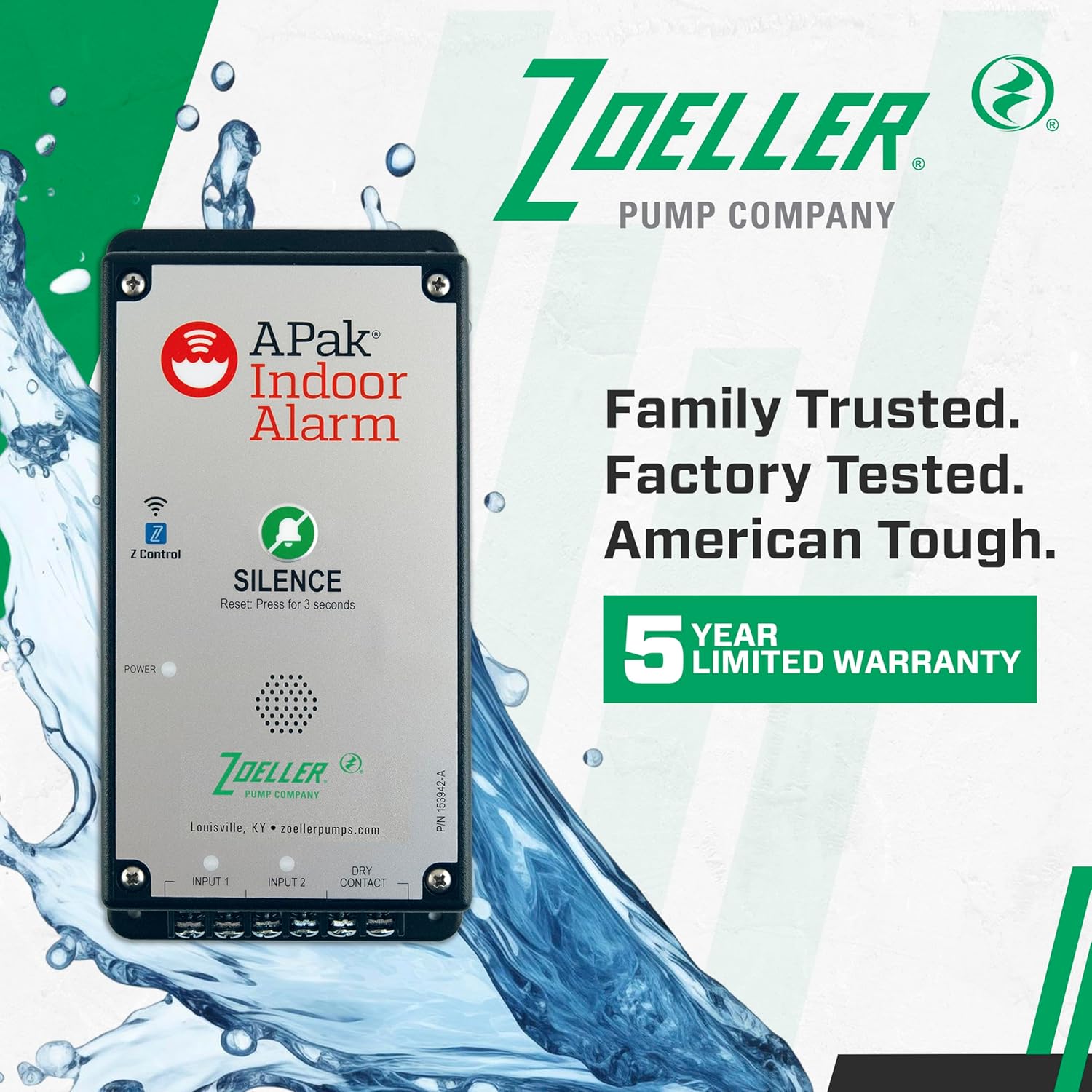
Image: The Zoeller APak Indoor Alarm unit with a prominent "5 Year Limited Warranty" badge.
8. Kundendienst
For technical assistance, warranty claims, or further information regarding your Zoeller APak Z-Control Indoor Alarm System, please contact Zoeller customer support.
- Hersteller: Zoeller Company
- WebWebsite: www.zoellerpumps.com
- Kontaktinformationen: Beachten Sie die Angaben des Herstellers. webAuf dieser Website finden Sie die aktuellsten Kontaktdaten, einschließlich Telefonnummern und E-Mail-Support.
Ask a question about this manual
Ask about setup, troubleshooting, compatibility, parts, safety, or missing instructions. Manuals+ will review the question and use this page’s manual context to help answer it.