
Einführung
The Teesa Hypercare T300 rotary shaver (model TSA0520) is designed for efficient and comfortable facial hair removal. Its three flexible blades adapt to facial contours, and the integrated pop-up trimmer allows for precise styling of sideburns and moustaches. This manual provides essential information for safe operation, maintenance, and optimal performance of your device.
Sicherheitshinweise
Please read these safety instructions carefully before using the appliance and keep them for future reference.
- Dieses Gerät ist nur für den Hausgebrauch bestimmt.
- Do not immerse the shaver in water or other liquids. Keep it dry.
- Verwenden Sie das Gerät nicht, wenn das Netzkabel oder der Stecker beschädigt sind.
- Always disconnect the shaver from the power supply before cleaning.
- Bewahren Sie das Gerät außerhalb der Reichweite von Kindern auf.
- Verwenden Sie ausschließlich das mit dem Gerät gelieferte Netzkabel.
- Do not use the shaver if the shaving heads are damaged, as this may cause injury.
Packungsinhalt
Bitte überprüfen Sie den Inhalt Ihres Pakets. Sollten Artikel fehlen oder beschädigt sein, wenden Sie sich bitte an Ihren Händler.
- Teesa Hypercare T300 Rotary Shaver
- Stromkabel
- Schutzkappe
- Reinigungsbürste
- Schmieröl
- Bedienungsanleitung
Produkt überview
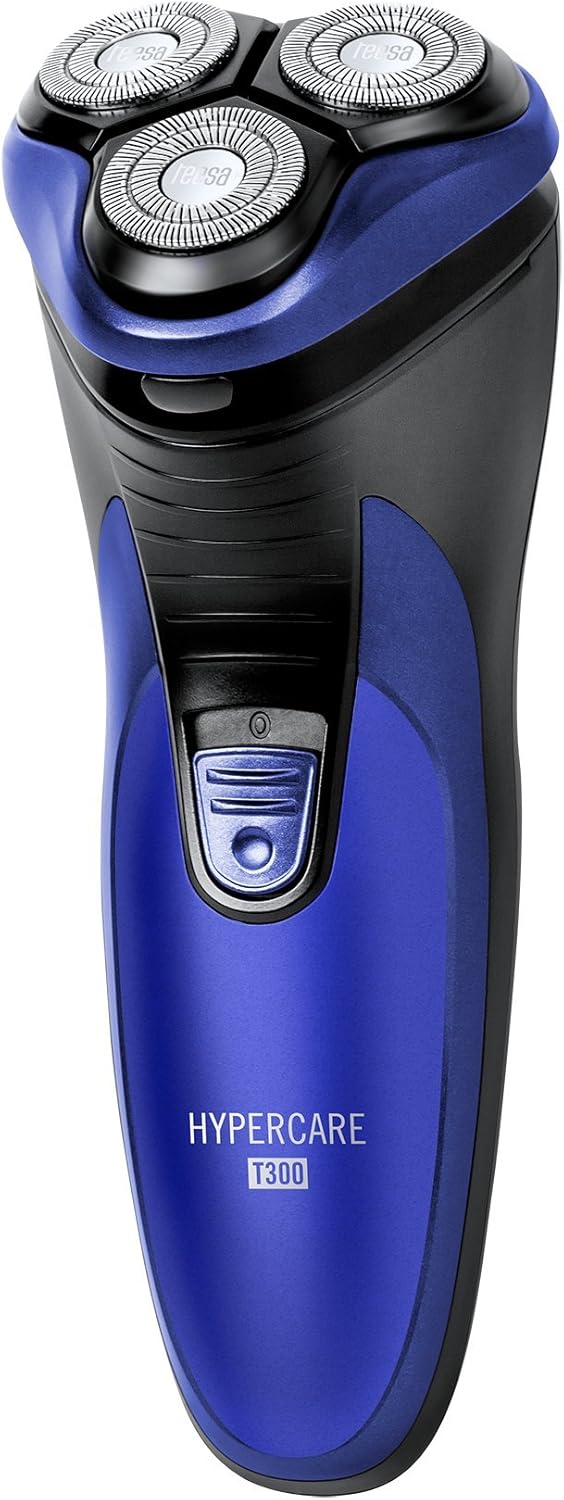
Familiarize yourself with the components of your Teesa Hypercare T300 Rotary Shaver.


Aufstellen
Aufladen des Rasierers
- Stellen Sie sicher, dass der Rasierer vor dem Aufladen ausgeschaltet ist.
- Connect the power cable to the charging port on the shaver.
- Plug the other end of the power cable into a standard electrical outlet (220-240V; 50/60Hz).
- Die Ladeanzeigeleuchte leuchtet auf und signalisiert damit, dass der Rasierer geladen wird.

A full charge takes approximately 8 hours and provides up to 45 minutes of cordless operation. Do not leave the shaver connected to the charger for extended periods after it is fully charged.
Betrieb
Rasieren
- Stellen Sie sicher, dass der Rasierer vollständig aufgeladen ist.
- Drücken Sie den Netzschalter, um den Rasierer einzuschalten.
- Halten Sie den Rasierer im rechten Winkel zu Ihrer Haut.
- Move the shaver in small, circular motions over your face and neck. For optimal results, shave against the direction of hair growth.
- The flexible shaving heads will adapt to the contours of your face for a close shave.
- Drücken Sie nach der Rasur den Ein-/Ausschalter, um den Rasierer auszuschalten.
Verwendung des Pop-Up-Trimmers
- Schalten Sie den Rasierer ein.
- Locate the pop-up trimmer release button on the side of the shaver.
- Slide the release button upwards to extend the pop-up trimmer.

- Use the trimmer to precisely shape sideburns, moustaches, or beard lines.
- After use, push the trimmer back down until it clicks into its closed position.
Wartung
Den Rasierer reinigen
Regelmäßige Reinigung gewährleistet optimale Leistung und Hygiene.
- Schalten Sie den Rasierer aus und trennen Sie ihn vom Netzteil.
- Press the release button on the front of the shaver to open the shaving head unit.
- Use the provided cleaning brush to remove any accumulated hair clippings from the shaving heads and the hair chamber.
- For a more thorough cleaning, you may rinse the shaving heads under running water. Ensure the main body of the shaver does not get wet.
- Allow all parts to air dry completely before reassembling the shaving head unit.
- Periodically apply a small drop of the provided lubricating oil to the shaving foils and cutters to maintain smooth operation and prolong blade life.
- Always replace the protective cap over the shaving heads after each use to prevent damage.
Fehlerbehebung
If you encounter any issues with your shaver, refer to the following common problems and solutions:
- Rasierer lässt sich nicht einschalten:
- Stellen Sie sicher, dass der Rasierer vollständig aufgeladen ist.
- Drücken Sie fest auf den Einschaltknopf.
- Schlechte Rasierleistung:
- The blades may be clogged with hair. Clean the shaver thoroughly as described in the Maintenance section.
- Ensure the shaver is fully charged. Performance may decrease with low battery.
- Blades may be dull. Consider replacing the shaving heads after extended use (replacement parts sold separately).
- Rasierer lädt nicht:
- Check that the power cable is securely connected to both the shaver and the electrical outlet.
- Überprüfen Sie, ob die Steckdose ordnungsgemäß funktioniert.
- Ensure the charging indicator light illuminates when connected.
Sollte das Problem nach Anwendung dieser Lösungsansätze weiterhin bestehen, wenden Sie sich bitte an den Kundendienst.
Technische Daten
| Besonderheit | Spezifikation |
|---|---|
| Modellnummer | TSA0520 |
| Leistung | 3 Watt |
| Drehzahl | 6000 U/min |
| Laufzeit | Bis zu 45 Minuten |
| Ladezeit | Bis zu 8 Stunden |
| Batterie | 2.4 V; 2/3 AA 600 mAh x2 (Rechargeable) |
| Stromversorgung | 220 – 240 Volt; 50/60 Hertz |
| Gewicht | 165 g |
| Abmessungen (L x B x H) | 58.2 x 46.8 x 150.9 mm |
| Klingenmaterial | Legierter Stahl |
| Anzahl der Klingen | 3 (Rotary Type) |
| Besonderheit | Ergonomisches Design |
Garantie und Support
For warranty information, technical assistance, or to inquire about replacement parts, please refer to the documentation included with your purchase or visit the official Teesa webBewahren Sie Ihren Kaufbeleg für Garantieansprüche auf.