
Wichtige Sicherheitshinweise
Please read these instructions carefully before operating the unit. Keep this manual for future reference.
- Blockieren Sie keine Belüftungsöffnungen.
- Nicht in der Nähe von Wärmequellen installieren.
- Schützen Sie das Netzkabel vor Beschädigungen durch Treten oder Einklemmen.
- Verwenden Sie nur vom Hersteller angegebene Zusatzgeräte/Zubehör.
- Trennen Sie das Gerät bei Gewitter oder längerer Nichtbenutzung vom Stromnetz.
- Überlassen Sie sämtliche Wartungsarbeiten qualifiziertem Servicepersonal.
- WARNUNG: Um das Risiko eines Brandes oder Stromschlags zu verringern, darf das Gerät nicht Regen oder Feuchtigkeit ausgesetzt werden.
Produkt überview
The Victrola VS-120 is a versatile microsystem offering multiple audio playback options. It includes Bluetooth connectivity, a CD player, USB playback, an Aux-in port, and an FM radio.
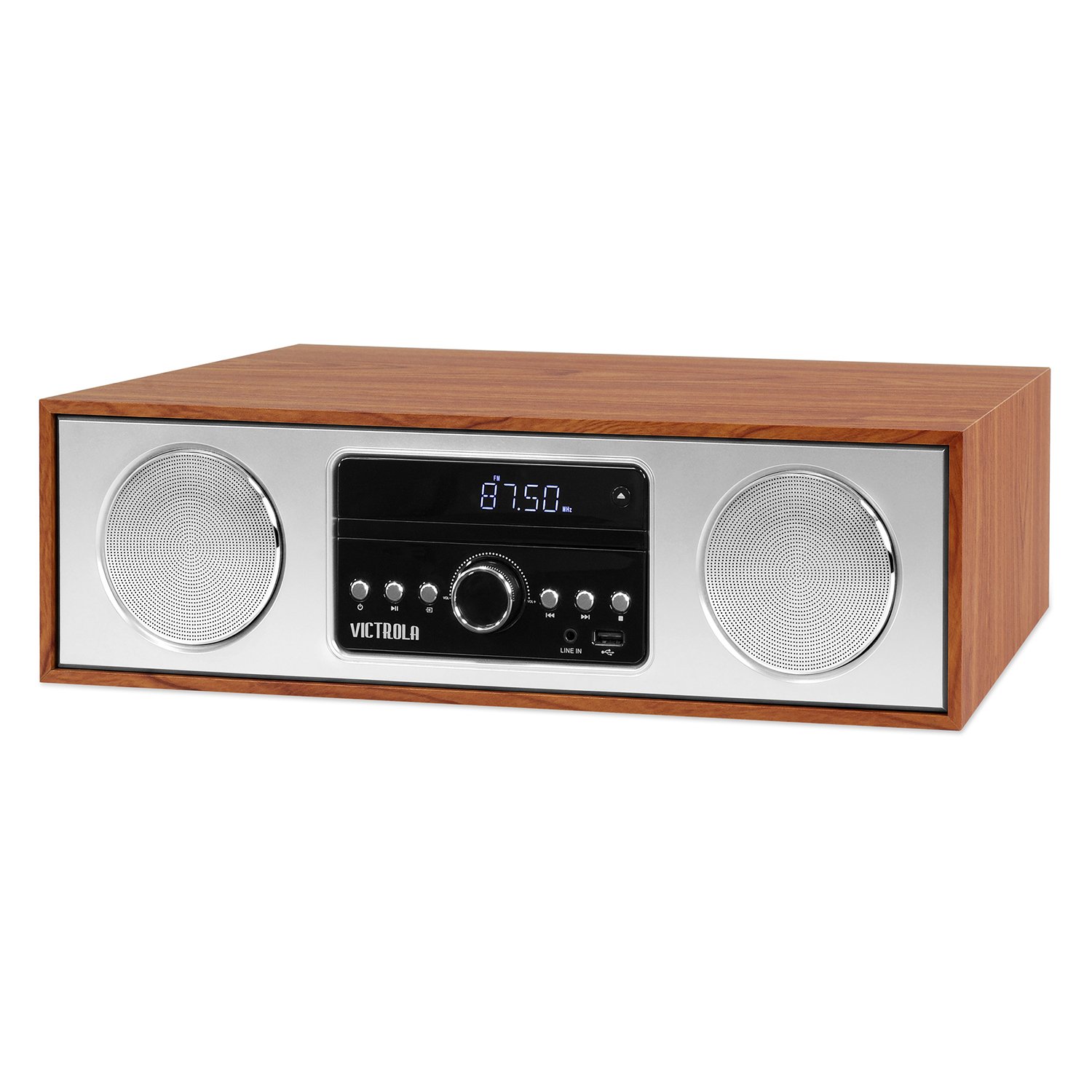
Front view of the Victrola VS-120 Bluetooth Microsystem, showing the speaker, display, and control panel.

The Victrola VS-120 microsystem with its CD tray open, revealing a disc, and the included remote control positioned in the foreground.
Installationshandbuch
Auspacken
Carefully remove the unit from its packaging. Ensure all accessories are present:
- Victrola VS-120 Microsystem
- Fernbedienung
- Netzteil
- Benutzerhandbuch (dieses Dokument)
Stromanschluss
- Insert the small end of the power adapter into the DC IN jack on the rear of the unit.
- Stecken Sie das andere Ende des Netzteils in eine normale Wandsteckdose (Wechselstrom 100-240 V, 50/60 Hz).
- The unit will enter standby mode, and the LED clock display will illuminate.
Antennenanschluss (FM-Radio)
For optimal FM radio reception, extend the FM wire antenna fully. Adjust its position for the best signal.
Bedienungsanleitung
Ein-/Ausschalten
Drücken Sie die LEISTUNG button on the unit or remote control to turn the system on or off (standby mode).
Modusauswahl
Drücken Sie die MODUS button on the unit or remote control repeatedly to cycle through available functions: Bluetooth, CD, USB, AUX, Und UKW-Radio.
Bluetooth-Betrieb
- Wählen Bluetooth mode. The display will show "BT" and flash, indicating pairing mode.
- On your Bluetooth-enabled device (smartphone, tablet, etc.), enable Bluetooth and search for "Victrola VS-120".
- Select "Victrola VS-120" to pair. Once connected, the "BT" indicator will stop flashing and a confirmation tone will sound.
- You can now stream audio from your device to the microsystem.
- Use your device or the microsystem's controls (PLAY/PAUSE, NEXT, PREVIOUS) to manage playback.
CD-Wiedergabe
- Wählen CD Modus.
- Drücken Sie die ÖFFNEN/SCHLIESSEN Taste, um das CD-Fach zu öffnen.
- Legen Sie eine CD (Audio-CD oder MP3-CD) mit der beschrifteten Seite nach oben in das Fach ein.
- Drücken ÖFFNEN/SCHLIESSEN again to close the tray. The unit will read the disc and begin playback automatically.
- Verwenden WIEDERGABE/PAUSE, NÄCHSTE, Und VORHERIGE Tasten zur Steuerung der Wiedergabe.
USB-Wiedergabe
- Insert a USB flash drive (FAT32 format, containing MP3 files) in den USB-Anschluss.
- Wählen USB Der MP3-Modus wird automatisch erkannt und die Wiedergabe gestartet. Das Gerät erkennt den MP3-Modus automatisch und beginnt mit der Wiedergabe. files vom Laufwerk.
- Verwenden WIEDERGABE/PAUSE, NÄCHSTE, Und VORHERIGE Tasten zur Steuerung der Wiedergabe.
FM-Radiobetrieb
- Wählen UKW-Radio Modus.
- Halten Sie die TUNE +/- Tasten zum automatischen Scannen nach dem nächsten verfügbaren Sender.
- Drücken Sie die TUNE +/- buttons briefly to manually adjust the frequency in small increments.
- To save a station as a preset, press the MEM Taste, dann verwenden VOREINSTELLUNG +/- eine voreingestellte Nummer auswählen und drücken MEM zur Bestätigung erneut.
- Um einen voreingestellten Sender aufzurufen, verwenden Sie die VOREINSTELLUNG +/- Schaltflächen.
Aux-In-Anschluss
- Schließen Sie ein externes Audiogerät (z. B. MP3-Player, Smartphone) an den/die/das an. AUX IN Anschluss über ein 3.5-mm-Audiokabel (nicht im Lieferumfang enthalten).
- Wählen AUX Modus.
- Steuern Sie Wiedergabe und Lautstärke über Ihr externes Gerät.
Fernbedienungsfunktionen
The included remote control provides full functionality. Ensure batteries are correctly inserted. Key functions include:
- LEISTUNG: Turn unit on/off.
- MODUS: Audioquelle auswählen.
- LAUTSTÄRKE +/-: Lautstärke anpassen.
- PLAY/PAUSE, NEXT, PREVIOUS: Control playback for CD, USB, and Bluetooth.
- TUNE +/-: Tune FM radio stations.
- SPEICHER: Store FM presets.
- PRESET +/-: Select FM presets.
- EQ: Cycle through equalizer settings (Flat, Rock, Pop, Jazz, Classic).
- UHR: Stellen Sie die Uhr ein.
- DIMMER: Passen Sie die Displayhelligkeit an.
Anpassen der EQ-Einstellungen
Drücken Sie die EQ button on the remote control to cycle through preset equalizer modes: Flat, Rock, Pop, Jazz, and Classic. Select the mode that best suits your audio preference.
Einstellen der Uhr
Drücken Sie die Taste, um die Uhr einzustellen UHR button on the remote control. Use the TUNE +/- buttons to adjust the hour and minute, and press UHR nochmals, um jede Einstellung zu bestätigen.
Wartung
Reinigen des Geräts
To clean the exterior of the unit, use a soft, dry cloth. Do not use abrasive cleaners, waxes, or solvents as these may damage the surface. Ensure the unit is unplugged before cleaning.
Pflege des CD-Players
Handle CDs by their edges. Keep them clean and free of scratches. If a CD is dirty, wipe it gently with a soft, lint-free cloth from the center outwards. Do not use solvents or abrasive cleaners on CDs.
Fehlerbehebung
| Problem | Mögliche Ursache | Lösung |
|---|---|---|
| Kein Strom | Netzkabel nicht angeschlossen; Steckdose nicht aktiv. | Vergewissern Sie sich, dass das Netzkabel fest eingesteckt ist; versuchen Sie es mit einer anderen Steckdose. |
| Kein Ton | Volume too low; Incorrect mode selected; External device not playing. | Increase volume; Select correct mode (BT, CD, USB, AUX, FM); Ensure external device is playing and its volume is up. |
| CD wird nicht abgespielt | CD falsch eingelegt; CD ist verschmutzt oder zerkratzt; Disc-Format wird nicht unterstützt. | Insert CD with label side up; Clean or replace CD; Ensure it's an audio CD or MP3 CD. |
| Die Bluetooth-Kopplung schlägt fehl | Unit not in pairing mode; Device too far; Device already paired to another unit. | Ensure unit is in BT mode and "BT" is flashing; Move device closer; Disconnect from other devices. |
| Schlechter UKW-Empfang | Antenne nicht ausgefahren oder richtig positioniert. | Fully extend and reposition the FM wire antenna. |
| Fernbedienung funktioniert nicht | Batteries dead or inserted incorrectly; Obstruction between remote and unit. | Replace batteries; Ensure correct polarity; Remove obstructions; Point remote directly at the unit's sensor. |
Technische Daten
- Marke: Victrola
- Modell: VS-120
- Konnektivität: Bluetooth, USB, Auxiliary (3.5mm)
- Audioquellen: CD Player, USB Player, FM Radio, Bluetooth, Aux-in
- Ausgangsleistung: 30 Watt
- Unterstützte Audioformate: CD, MP3
- Abmessungen (L x B x H): 15.97 x 4.69 x 10.83 Zoll (40.56 x 11.91 x 27.51 cm)
- Gewicht: 10.76 Pfund (4.88 kg)
- Leistungsaufnahme: Wechselstrom 100 – 240 V, 50/60 Hz
- Farbe: Ahorn
Garantie und Support
Victrola products are designed with quality and performance in mind. For detailed warranty information, please refer to the warranty card included with your product or visit the official Victrola website. For technical support or customer service inquiries, please contact Victrola customer support through their official channels.
WebWebsite: www.victrola.com