
UBeesize JP remote shutter
UBeesize Bluetooth Remote Control Instruction Manual
Model: JP remote shutter
Einführung
The UBeesize Bluetooth Remote Control is designed to enable remote photo and video capture with compatible smartphones and tablets. This device is ideal for self-portraits, group photos, and any photography situation where minimizing camera shake or operating from a distance is beneficial. It offers a wireless range of up to 30 feet (10 meters).
This manual provides detailed instructions for the proper setup, operation, and maintenance of your remote control.
Packungsinhalt
- 1 x Wireless Bluetooth Remote Control (battery included)
- 1 x Adjustable Wrist Strap
- 1 x Bedienungsanleitung (evtl. nicht in deutscher Sprache).
Aufstellen
1. Einschalten der Fernbedienung
Locate the ON/OFF switch on the side of the remote control. Slide the switch to the "ON" position. The LED indicator light will begin to flash, indicating it is ready for pairing.

Bildbeschreibung: This diagram illustrates the physical features of the remote, including the LED indicator, iOS and Android remote buttons, battery compartment, and ON/OFF switch.
2. Koppeln mit Ihrem Gerät
- Ensure your smartphone or tablet's Bluetooth is enabled.
- Öffnen Sie auf Ihrem Gerät die Bluetooth-Einstellungen.
- Look for "AB Shutter3" or a similar name in the list of available devices and select it to pair.
- Once paired, the LED indicator on the remote will stop flashing and remain solid blue.
Notiz: Most mobile devices do not require a separate app for this remote. It pairs directly via Bluetooth.
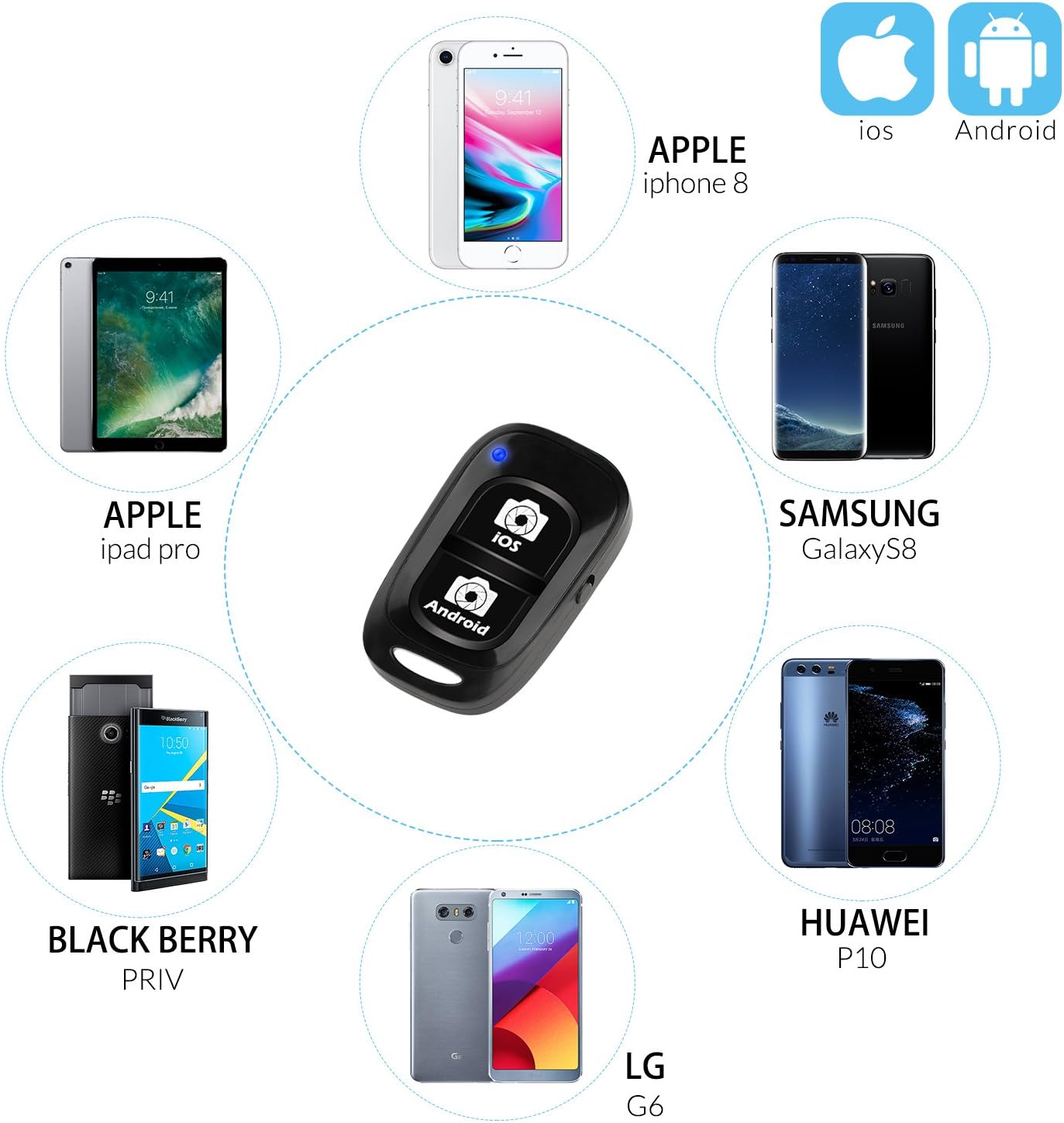
Bildbeschreibung: The remote is compatible with a wide range of devices, including iPhones, iPads, Samsung Galaxy, Huawei, LG, and Blackberry models.
Bedienungsanleitung
Aufnehmen von Fotos und Aufzeichnen von Videos
- Open your device's camera application.
- Position your device as desired (e.g., on a tripod, selfie stick).
- Press the appropriate button on the remote control:
- For iOS devices (iPhone, iPad), press the button labeled "iOS".
- For Android devices, press the button labeled "Android".
- The remote will trigger your device's camera shutter for photos or start/stop video recording.

Bildbeschreibung: The remote control allows you to capture photos and videos from a distance, ideal for group shots or self-portraits.

Bildbeschreibung: This remote supports both photo and video recording modes, providing stability when used with a tripod.
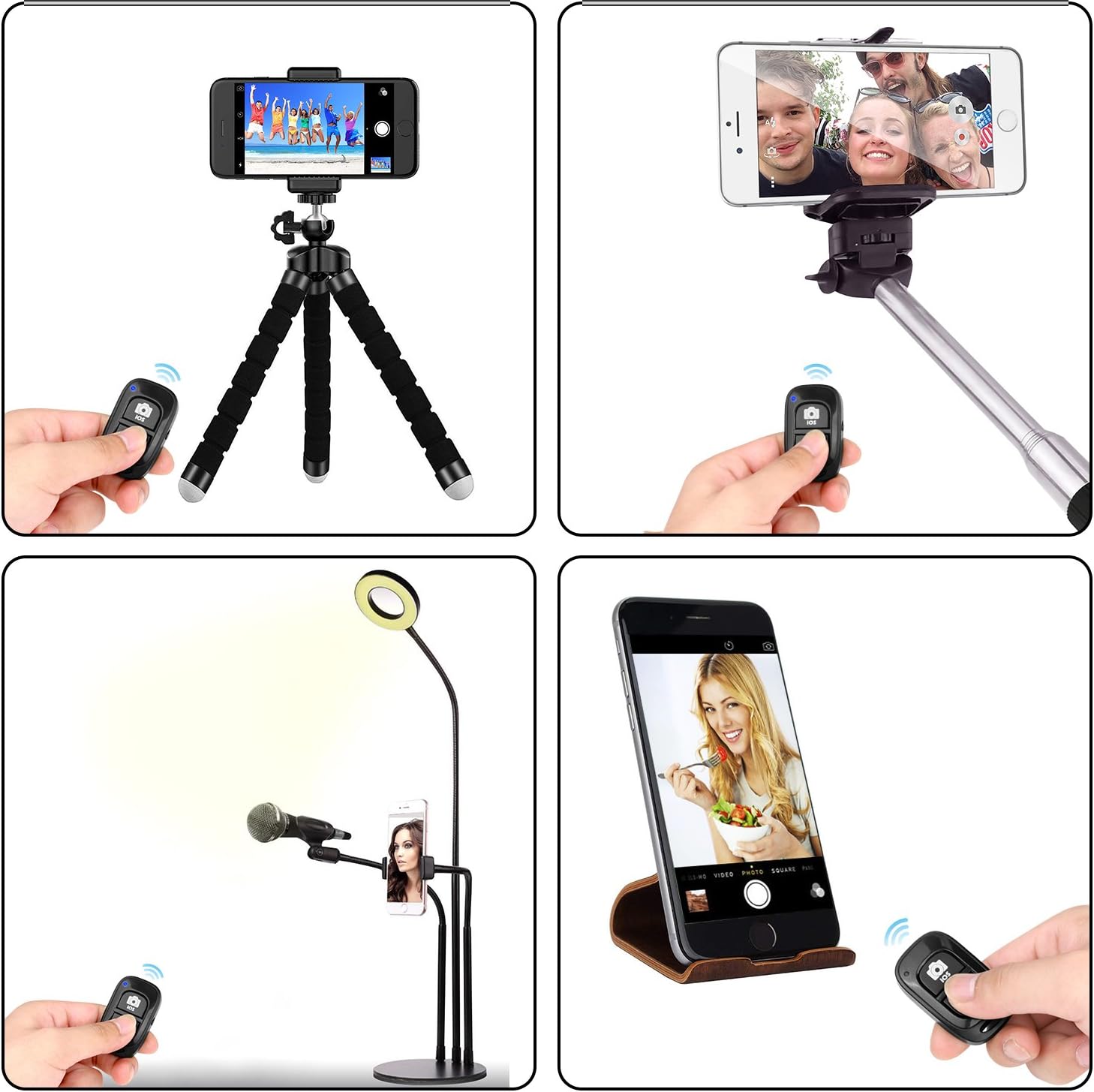
Bildbeschreibung: The remote can be used in diverse settings, from simple handheld shots to more elaborate setups with tripods or selfie sticks.
Wartung
- Ausschalten bei Nichtgebrauch: To conserve battery life, always slide the ON/OFF switch to the "OFF" position when the remote control is not in use.
- Reinigung: Reinigen Sie die Fernbedienung mit einem weichen, trockenen Tuch. Verwenden Sie keine flüssigen Reinigungsmittel oder Scheuermittel.
- Lagerung: Bewahren Sie die Fernbedienung an einem kühlen, trockenen Ort fern von direkter Sonneneinstrahlung und extremen Temperaturen auf.
- Batteriewechsel: The remote uses a standard button cell battery. If the remote stops responding or the LED does not light up, the battery may need replacement. Refer to the diagram for battery compartment location.
Fehlerbehebung
Remote Not Pairing
- Ensure the remote is powered on and the LED is flashing.
- Stellen Sie sicher, dass Bluetooth auf Ihrem Gerät aktiviert und es für den Nutzer sichtbar ist.
- Check if the remote is already paired with another device. The remote can only be paired with one device at a time. If you need to switch devices, unpair it from the previous device's Bluetooth settings first.
- Move the remote closer to your device (within 10 meters / 30 feet).
- Restart both the remote (turn off and on) and your smartphone/tablet.
- Prüfen Sie die Batterie der Fernbedienung. Tauschen Sie sie gegebenenfalls aus.
Remote Not Triggering Camera
- Confirm the remote is successfully paired (solid blue LED).
- Ensure you are pressing the correct button for your device's operating system (iOS or Android).
- Verify that your device's camera app is open and active.
- Some third-party camera apps or social media apps (e.g., Snapchat, Facebook, Instagram) may not fully support external Bluetooth shutters. Use your device's native camera app for best compatibility.
Technische Daten
| Marke | unterstützt |
| Modellnummer | JP remote shutter |
| Konnektivität | Bluetooth |
| Kompatible Geräte | iOS (iPhone, iPad), Android smartphones and tablets |
| Drahtlose Reichweite | Bis zu 10 Meter (30 Fuß) |
| Farbe | Schwarz |
| Abmessungen (L x B x H) | 3 x 4 x 1.27 cm (ungefähr 1.18 x 1.57 x 0.5 Zoll) |
| Gewicht | 200 g |
| Batterie | Button cell battery (included) |
Garantie und Support
For warranty information or technical support, please refer to the contact details provided with your purchase or visit the official UBeesize webWebsite. Bewahren Sie Ihren Kaufbeleg für Garantieansprüche auf.
Ask a question about this manual
Ask about setup, troubleshooting, compatibility, parts, safety, or missing instructions. Manuals+ will review the question and use this page’s manual context to help answer it.