
Einführung
Thank you for choosing the AGPTEK M16SB 16GB Bluetooth MP3 Player. This manual provides detailed instructions for setting up, operating, and maintaining your device. Please read it carefully to ensure proper use and to maximize your listening experience.
Produkt überview
Machen Sie sich mit den Komponenten und Bedienelementen des Geräts vertraut.

Bild: Vorne und seitlich view of the AGPTEK M16SB MP3 player with numbered labels indicating each button and port function.
Tastendefinitionen:
- Zurückkehren: Navigiert zurück zum vorherigen Menü.
- Bluetooth/FM Radio: Short press for Bluetooth, long press for FM Radio.
- Submenu/Screen-lock: Accesses submenus or locks/unlocks the screen.
- Nach oben verschieben: Navigiert in Menüs nach oben.
- Previous/Fast rewind: Springt während der Wiedergabe zum vorherigen Titel oder spult schnell zurück.
- Sich abwärts bewegen: Navigiert in den Menüs nach unten.
- Next/Fast forward: Springt während der Wiedergabe zum nächsten Titel oder spult vor.
- Eingabe/Wiedergabe/Pause: Bestätigt die Auswahl oder startet/pausiert die Wiedergabe von Medien.
- Lautstärke +: Erhöht die Lautstärke.
- Lautstärke -: Verringert die Lautstärke.
- Power on/off; Screen on/off: Powers the device on/off or turns the screen on/off.
Anschlüsse und Funktionen:
- Card slot (TF): For Micro SD card expansion up to 128GB.
- Kopfhörerbuchse: 3.5-mm-Audioausgang für kabelgebundene Kopfhörer.
- Micro-USB-Anschluss: Zum Aufladen und zur Datenübertragung.
- Eingebauter Lautsprecher: Zur Audiowiedergabe ohne Kopfhörer.
- Mikrofon (MIC): Für Sprachaufnahmen.
Aufstellen
1. Aufladen des Geräts
Before first use, fully charge the MP3 player. A full charge takes approximately 2 hours using a 5V/500mA charger or a computer USB port.

Bild: A person relaxing while listening to the MP3 player, with text indicating "2 HOURS for full charge" and "28-30 hours playtime".
- Connect the Micro USB cable to the player's Micro USB port and the other end to a USB power source.
- Die Akkuanzeige auf dem Bildschirm zeigt den Ladestatus an.
- Once fully charged, the device offers up to 28 hours of music playback (screen off, medium volume) or 5 hours via Bluetooth headphones.
2. Ein-/Ausschalten
- Zum Einschalten halten Sie die Ein-/Aus-Taste (11) bis der Bildschirm aufleuchtet.
- Halten Sie zum Ausschalten die Taste gedrückt Ein-/Aus-Taste (11) bis das Gerät herunterfährt.
- Ein kurzes Drücken der Ein-/Aus-Taste (11) will turn the screen on or off.
3. Einlegen einer Micro-SD-Karte
The device has 16GB of internal memory and supports external Micro SD cards up to 128GB (not included).

Bild: Eine detaillierte view of the MP3 player's side, highlighting the TF card slot with a Micro SD card partially inserted, indicating 16GB internal memory and support for up to 128GB external storage.
- Suchen Sie die Card slot (TF) (12) on the side of the player.
- Führen Sie die Micro-SD-Karte vorsichtig in den Steckplatz ein, bis sie einrastet.
- Zum Entfernen die Karte leicht hineindrücken, bis sie herausspringt.
Bedienungsanleitung
1. Grundlegende Navigation
- Verwenden Sie die Move up (4) Und Move down (6) buttons to navigate through menus.
- Drücken Sie die Enter/Play/Pause button (8) , um eine Option auszuwählen.
- Drücken Sie die Return button (1) , um zum vorherigen Bildschirm zurückzukehren.
- Stellen Sie die Lautstärke mit ein Volume + (9) Und Volume - (10) Knöpfe an der Seite.
2. Musikwiedergabe
The player supports MP3, WMA, OGG, APE, FLAC, WAV, AAC-LC, and ACELP audio formats.

Bild: A person holding the AGPTEK MP3 player, displaying the music playback interface with track information and a Bluetooth connection indicator.
- Wählen Sie im Hauptmenü „Musik“.
- Browse by Artist, Album, Songs, Playlists, or Folder.
- Drücken Enter/Play/Pause (8) Wiedergabe starten oder pausieren.
- Verwenden Previous/Fast rewind (5) Und Next/Fast forward (7) to change tracks or fast forward/rewind.
- Access submenus (e.g., Equalizer, Repeat Mode) by pressing the Submenu button (3) während der Wiedergabe.
3. Bluetooth-Kopplung
Verbinden Sie Ihren MP3-Player mit Bluetooth-Kopfhörern oder -Lautsprechern für drahtlose Audiowiedergabe.

Bild: An illustration demonstrating three audio output options for the MP3 player: wired headphones for private listening, the built-in speaker for sharing, and a Bluetooth speaker for party settings.
- Wählen Sie im Hauptmenü „Bluetooth“.
- Alternativ drücken Sie kurz die Bluetooth/FM Radio button (2) to quickly enable Bluetooth.
- Stellen Sie sicher, dass sich Ihr Bluetooth-Gerät (Kopfhörer/Lautsprecher) im Kopplungsmodus befindet.
- Der Player sucht nach verfügbaren Geräten. Wählen Sie Ihr Gerät aus der Liste aus, um es zu koppeln.
- The player supports automatic reconnection to previously paired devices.
4. UKW-Radio
Listen to FM radio stations. Wired headphones must be connected as they act as the antenna.
- Connect wired headphones to the Earphone jack (13).
- Wählen Sie im Hauptmenü „FM-Radio“.
- Alternatively, long press the Bluetooth/FM Radio button (2) to quickly enter FM Radio mode.
- Use the navigation buttons to scan for stations or select from presets.
- The radio function allows saving up to 30 preset stations and supports FM recording.
5. Weitere Funktionen
- Sprachrekorder: Select "Record" from the main menu to use the built-in microphone for voice recording.
- E-Buch: Read TXT format e-books by selecting "E-book".
- Video: Play AMV format videos by selecting "Video".
- Bild Viewäh: Browse JPG, GIF, and BMP images by selecting "Pictures".
- Einstellungen: Access various device settings, including equalizer, volume limit, display brightness, and timed shutdown.
Wartung
1. Firmware-Update
Free firmware updates are available to improve device performance and add new features.
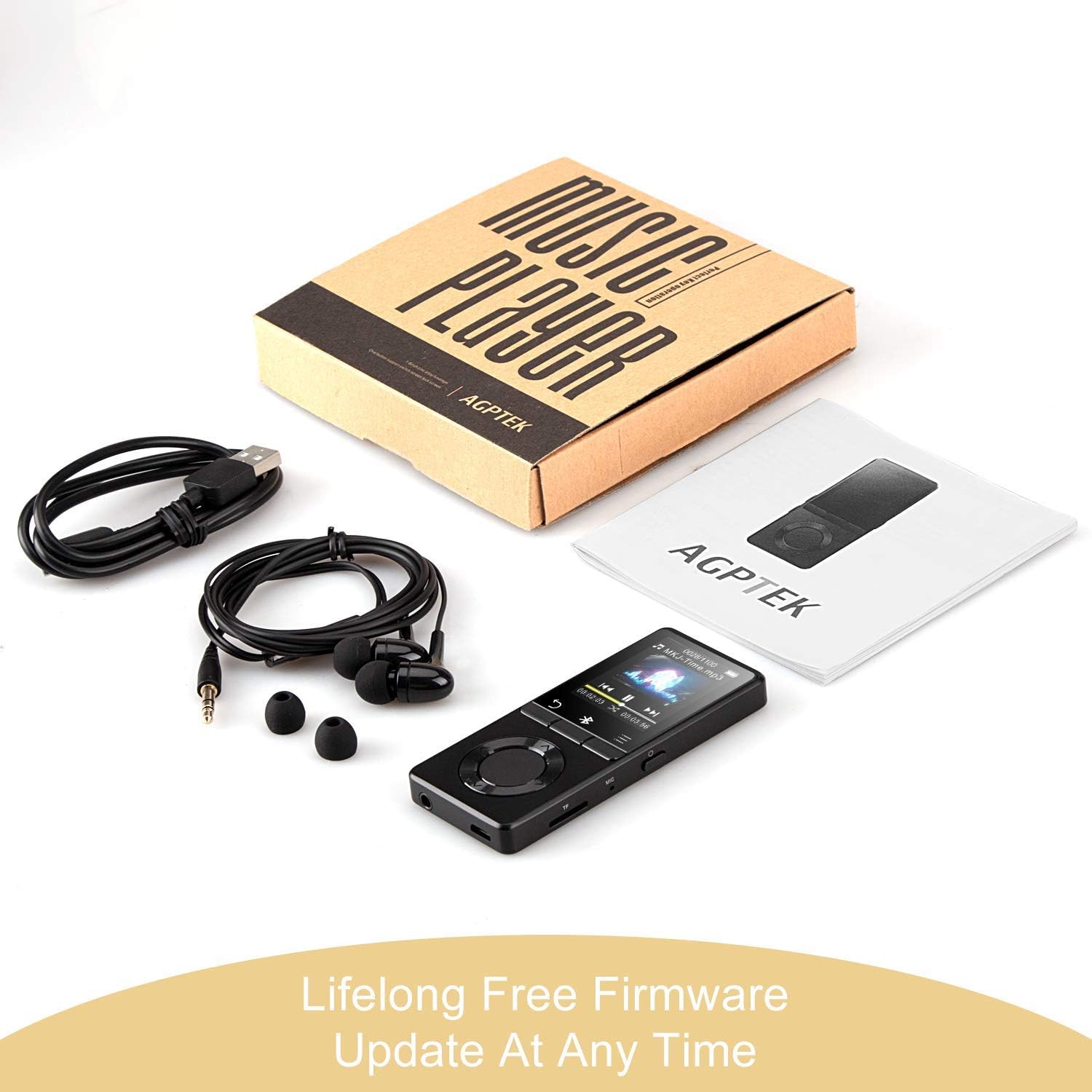
Bild: The AGPTEK MP3 player, its packaging, and included accessories (earphones, USB cable), emphasizing the availability of lifelong free firmware updates.
- Besuchen Sie die offizielle AGPTEK-Website. webWebsite für die neueste Firmware und Anweisungen.
- Follow the provided instructions carefully to update your device.
2. Reinigung
- Verwenden Sie ein weiches, trockenes Tuch, um die Außenseite des Geräts zu reinigen.
- Vermeiden Sie die Verwendung von flüssigen Reinigungsmitteln oder Scheuermitteln.
Fehlerbehebung
- Gerät lässt sich nicht einschalten: Stellen Sie sicher, dass der Akku geladen ist. Schließen Sie ihn an ein Ladegerät an und versuchen Sie es erneut.
- Kein Ton: Check volume levels. Ensure headphones are properly connected or Bluetooth device is paired and connected. If using the built-in speaker, ensure it is enabled in settings.
- Bluetooth-Verbindungsprobleme: Ensure the Bluetooth device is in pairing mode and within range. Disconnect the MP3 player from other Bluetooth devices if it was previously paired elsewhere.
- Filewird nicht abgespielt: Verify that the audio/video file format is supported (MP3, WMA, OGG, APE, FLAC, WAV, AAC-LC, ACELP for audio; AMV for video).
- Gerät reagiert nicht: Press and hold the Power button for 10-15 seconds to force a reset.
- Micro SD card not detected: Ensure the card is inserted correctly. Try reinserting or using a different card to rule out card issues.
- Issues during PC sync: Avoid altering files directly in the player's window while synced. Make changes on the PC, then re-upload. If the player crashes, perform a long press on the power button to reset.
Technische Daten
| Marke | AGPTEK |
| Modellname | AGPTEK 16GB Bluetooth 4.0 MP3 Player with Touch Buttons |
| Modellnummer | M16SB-EU |
| Konnektivitätstechnologie | Bluetooth |
| Speicherkapazität | 16 GB (expandable up to 128 GB with Micro SD card) |
| Farbe | Schwarz |
| Bildschirmgröße | 1.8 Zoll |
| Kompatible Geräte | Kopfhörer, PC |
| Medientyp | MP3 |
| Unterstützte Audiostandards | AAC, ACELP, APE, FLAC, MP3, OGG, WAV, WMA |
| Unterstützte Videostandards | AMV |
| Supported Image Standards | JPG, GIF, BMP |
| Akkulaufzeit (Musikwiedergabe) | Up to 28 hours (screen off, medium volume) |
| Battery Life (Bluetooth Playback) | Bis zu 5 Stunden |
| Ladezeit | Ca. 2 Stunden |
Garantie und Support
AGPTEK is committed to providing reliable and high-quality products. While specific warranty details are not provided in this manual, AGPTEK offers free firmware updates and customer support.
- For any product issues or inquiries, please contact AGPTEK customer service.
- Refer to the official AGPTEK website for support contact information and the latest firmware updates.